
1. Introducere
Mulțumesc pentru achizițieasing the OXS Thunder Duo Speaker System. This manual provides essential information for the safe and efficient use of your new speaker system. Please read this manual thoroughly before operating the device and retain it for future reference.
The OXS Thunder Duo is a 3.1.2 channel bookshelf speaker system designed for an immersive audio experience, compatible with various devices including TVs, PCs, gaming consoles, and mobile devices.
2. Informații de siguranță
- Sursa de alimentare: Folosiți doar adaptorul de alimentare furnizat. Asigurați-vă că volumultage se potrivește cu sursa de alimentare locală.
- Plasare: Place the speakers on a stable, flat surface. Avoid placing near heat sources, direct sunlight, or in areas with high humidity or dust.
- Ventilare: Do not block any ventilation openings. Ensure adequate space around the speakers for proper airflow.
- Apă și umiditate: Do not expose the device to water, rain, or moisture. This product is not waterproof.
- curatenie: Deconectați de la priză înainte de curățare. Folosiți o cârpă moale și uscată. Nu utilizați produse de curățare lichide sau aerosoli.
- Service: Nu încercați să reparați sau să dezasamblați unitatea singur. Apelați la personal calificat pentru toate lucrările de service.
- Baterii: The remote control uses AAA batteries. Ensure correct polarity when inserting. Do not mix old and new batteries.
3. Conținutul pachetului
Verificați dacă toate articolele enumerate mai jos sunt incluse în pachetul dumneavoastră:
- OXS Thunder Duo Speakers (2 units)
- Telecomandă (cu 2 baterii AAA incluse)
- Cablu HDMI
- Cablu optic
- Adaptor de alimentare
- Manual de utilizare (acest document)
4. Produs terminatview
The OXS Thunder Duo speaker system consists of two bookshelf speakers designed for tabletop placement. Below is a general representation of the product and its typical components.
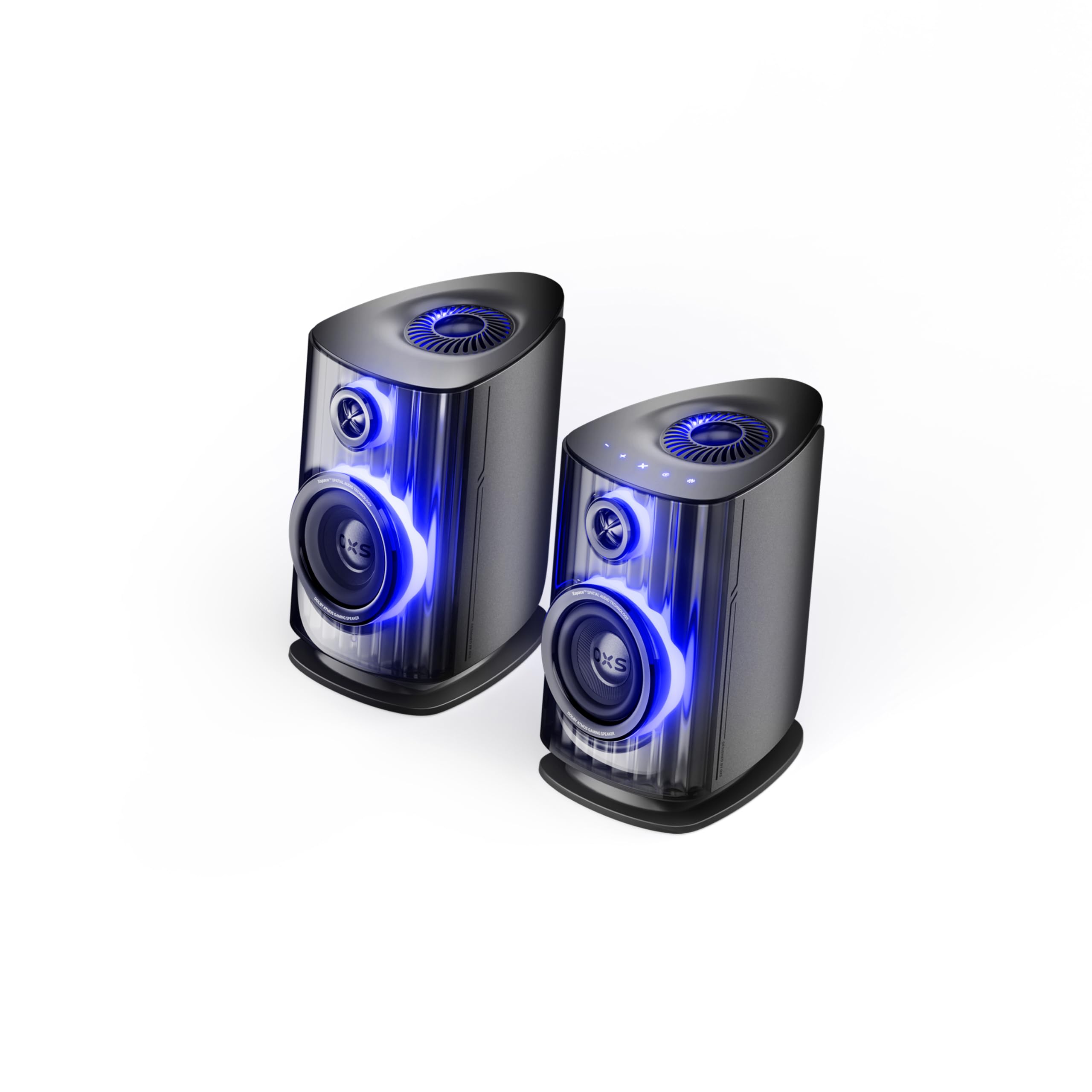
Image: OXS Thunder Duo Speaker System. This image shows the two main speaker units, typically placed on a tabletop. The design features a sleek, modern aesthetic with speaker grilles visible on the front.
4.1. Componentele difuzoarelor
- Unitate difuzor principală: Houses the primary audio drivers and control circuitry.
- Satellite Speaker Unit: Connects to the main unit to provide a wider soundstage.
- Putere de intrare: Pentru conectarea adaptorului de alimentare.
- Intrări audio: HDMI IN, USB-C, eARC, Optical for various source connections.
4.2. Telecomanda
The included remote control allows for convenient operation of the speaker system from a distance. It typically includes buttons for:
- Pornire/Oprire
- Volum sus/jos
- Input Source Selection (HDMI, USB-C, eARC, Optical)
- Mut
- Audio Mode Selection (e.g., Surround)
5. Configurare
5.1. Plasarea difuzoarelor
Place the OXS Thunder Duo speakers on a stable, flat tabletop surface. For optimal sound, position them equidistant from your listening position and at ear level. Ensure there are no obstructions between the speakers and your listening area.
5.2. Conexiune la alimentare
- Connect the power adapter to the power input port on the main speaker unit.
- Conectați adaptorul de alimentare la o priză de perete.
- The power indicator on the speaker will illuminate, indicating it is in standby mode.
5.3. Conectarea surselor audio
The OXS Thunder Duo offers multiple connectivity options:
- HDMI (eARC): For connecting to TVs with an HDMI eARC/ARC port. Use the provided HDMI cable. This connection supports high-quality audio and allows TV remote control of speaker volume.
- INTRARE HDMI: For connecting other HDMI-enabled devices like gaming consoles or Blu-ray players.
- Optic: For connecting to TVs or other devices with an optical audio output. Use the provided optical cable.
- USB-C: For connecting to PCs, laptops, or compatible mobile devices.
Connect your desired audio source to the corresponding input port on the main speaker unit.
6. Instrucțiuni de utilizare
6.1. Pornire/Oprire
Press the Power button on the remote control or the main speaker unit to turn the system on or off. The power indicator will change status accordingly.
6.2. Selectarea sursei de intrare
Press the 'Input' or dedicated source buttons (e.g., HDMI, Optical, USB-C) on the remote control to switch between connected audio sources. The current input source will typically be indicated by an LED or display on the main speaker unit.
6.3. Controlul volumului
Use the 'Volume Up' (+) and 'Volume Down' (-) buttons on the remote control to adjust the audio level. Press the 'Mute' button to temporarily silence the audio.
6.4. Moduri audio
The OXS Thunder Duo supports surround sound audio output. Use the 'Mode' button on the remote control to cycle through available audio modes, if applicable, to optimize your listening experience for different content types.
7. Conectivitate
The OXS Thunder Duo offers versatile connectivity for a wide range of devices:
- INTRARE HDMI: Connects to various HDMI-enabled devices.
- USB-C: Ideal for direct digital audio connection to computers (PC), laptops, and mobile devices running Windows, Android, or iOS.
- eARC (Canal de retur audio îmbunătățit): Connects to compatible TVs for high-fidelity audio transmission and simplified control.
- Optic: Provides a digital audio connection for TVs, game consoles (PlayStation, XBOX, Switch), and other devices with an optical output.
8. Întreținere
Proper maintenance ensures the longevity and performance of your OXS Thunder Duo speaker system.
- curatenie: Regularly wipe the speaker surfaces with a soft, dry, lint-free cloth. Do not use abrasive cleaners, waxes, or solvents.
- Praf: Keep the speaker grilles free from dust accumulation. Use a soft brush or a vacuum cleaner with a brush attachment on a low setting.
- Depozitare: Dacă depozitați difuzoarele pentru o perioadă lungă de timp, deconectați-le de la priză și depozitați-le într-un loc răcoros și uscat, de preferință în ambalajul original.
9. Depanare
If you encounter issues with your OXS Thunder Duo, refer to the following common problems and solutions:
| Problemă | Cauza posibila | Soluţie |
|---|---|---|
| Fără putere | Power cable not connected; Power outlet not active; Speaker is off. | Ensure power cable is securely connected. Test the outlet with another device. Press the Power button on the remote or speaker. |
| Nici un sunet | Incorrect input source selected; Volume too low or muted; Audio cable not connected properly; Source device not outputting audio. | Select the correct input source. Increase volume and check if muted. Reconnect audio cables. Check audio settings on your source device. |
| Telecomanda nu funcționează | Batteries are dead or incorrectly inserted; Obstruction between remote and speaker. | Replace batteries, ensuring correct polarity. Remove any obstructions. Ensure remote is pointed at the main speaker unit. |
| Sunet distorsionat | Volume too high; Poor audio source quality; Loose cable connection. | Lower the volume. Check the audio quality from the source. Ensure all cables are securely connected. |
If the problem persists after trying these solutions, please contact OXS customer support.
10. Specificații
| Caracteristică | Caietul de sarcini |
|---|---|
| Marca | BOI |
| Numărul de model | Thunder DUO |
| Speaker Max Output | 220 wați |
| Raspuns in frecventa | 20 KHz |
| Tehnologia de conectivitate | HDMI IN, USB-C, eARC, Optical |
| Mod ieșire audio | Surround |
| Tip de montare | Suport de masă |
| Product Exterior Material | ABS & PVC |
| Tip difuzor | Raft pentru cărți |
| Utilizări recomandate | Computer, TV, Gaming Consoles |
| Culoare | Titan |
| Impermeabil | Fals |
| Tip de garanție | Garanție limitată |
| Dimensiunea difuzorului | 1.5 inci |
| Speaker Channel Configuration | 3.1.2 |
| Raportul S/N | 96 dB |
| baterii | 2 baterii AAA (incluse pentru telecomandă) |
| Dimensiuni articol (D x L x H) | 17.8 x 21.5 x 27.6 cm |
| Greutatea articolului | 11.02 lire sterline |
| Dispozitive compatibile | TV, PC, PlayStation, XBOX, Mobile devices (Windows, Android, iOS), Switch |
| UPC | 199284067936 |
| ASIN | B0GDFVBVB3 |
11. Garanție și asistență
The OXS Thunder Duo Speaker System comes with a Limited Warranty. Please refer to the warranty card included in your package for specific terms and conditions, including the duration and coverage details.
For technical support, troubleshooting assistance, or warranty claims, please contact OXS customer service through the contact information provided on the official OXS website or your purchase documentation. Please have your model number (Thunder DUO) and proof of purchase ready when contacting support.