
GeekShare GC1201A
GeekShare Hall Effect Switch Controller (GC1201A) User Manual
Model: GC1201A
1. Introducere
The GeekShare Hall Effect Switch Controller is a versatile gaming controller designed for multi-platform compatibility, including Nintendo Switch (OLED/NS2/1/Lite), PC (Steam, Windows), and mobile devices (Android, iOS). It features dual-mode connectivity (Bluetooth and 2.4G wireless), a 1000mAh battery, 6-axis gyroscope, dual vibration motors, and customizable RGB lighting for an immersive gaming experience.
Conținutul pachetului
- 1 x GeekShare Hall Effect Wireless Controller
- Cablu de încărcare 1 x USB-C
- 1 receptor wireless 2.4G
- 1 x Manual de utilizare
2. Caracteristici cheie
- Joystick-uri cu efect Hall: Provides precise control and prevents stick drift.
- Dual Connectivity Modes: Seamlessly switch between Bluetooth 5.0 for mobile and consoles, and 2.4G wireless with the included dongle for PC.
- Compatibilitate cu mai multe platforme: Supports Nintendo Switch (OLED/NS2/1/Lite), PC (Steam, Windows), Android, and iOS devices.
- Feedback imersiv: Features a 6-axis gyroscope for motion control and dual vibration motors with 5-level adjustment for realistic haptic feedback.
- Baterie de lunga durata: Integrated 1000mAh rechargeable battery offers up to 15 hours of continuous gameplay.
- Iluminare RGB personalizabilă: Enhance your gaming setup with personalized RGB light effects.
- Butoane programabile: Two back buttons (M1, M2) can be mapped to complex commands for quick execution.
- Funcția Turbo: Auto and manual turbo settings for rapid-fire actions.
Opțiuni de conectivitate
The controller supports three connection methods: Bluetooth, 2.4G wireless (with dongle), and wired USB-C.

Butoane programabile
The M1 and M2 buttons on the back can be programmed to perform specific actions, allowing for quick execution of complex in-game commands.

Feedback prin vibratii
Equipped with dual motors, the controller provides adjustable vibration feedback to enhance immersion. There are 5 levels of vibration intensity.

Durata de viață a bateriei
The built-in 1000mAh battery provides extended gameplay. A full charge takes approximately 2.5 hours and offers up to 20 hours of continuous use.

Funcția Turbo
The controller supports both automatic and manual turbo functions, allowing for rapid, repeated input of a button press. This is typically activated by pressing the 'M' button along with a desired action key.

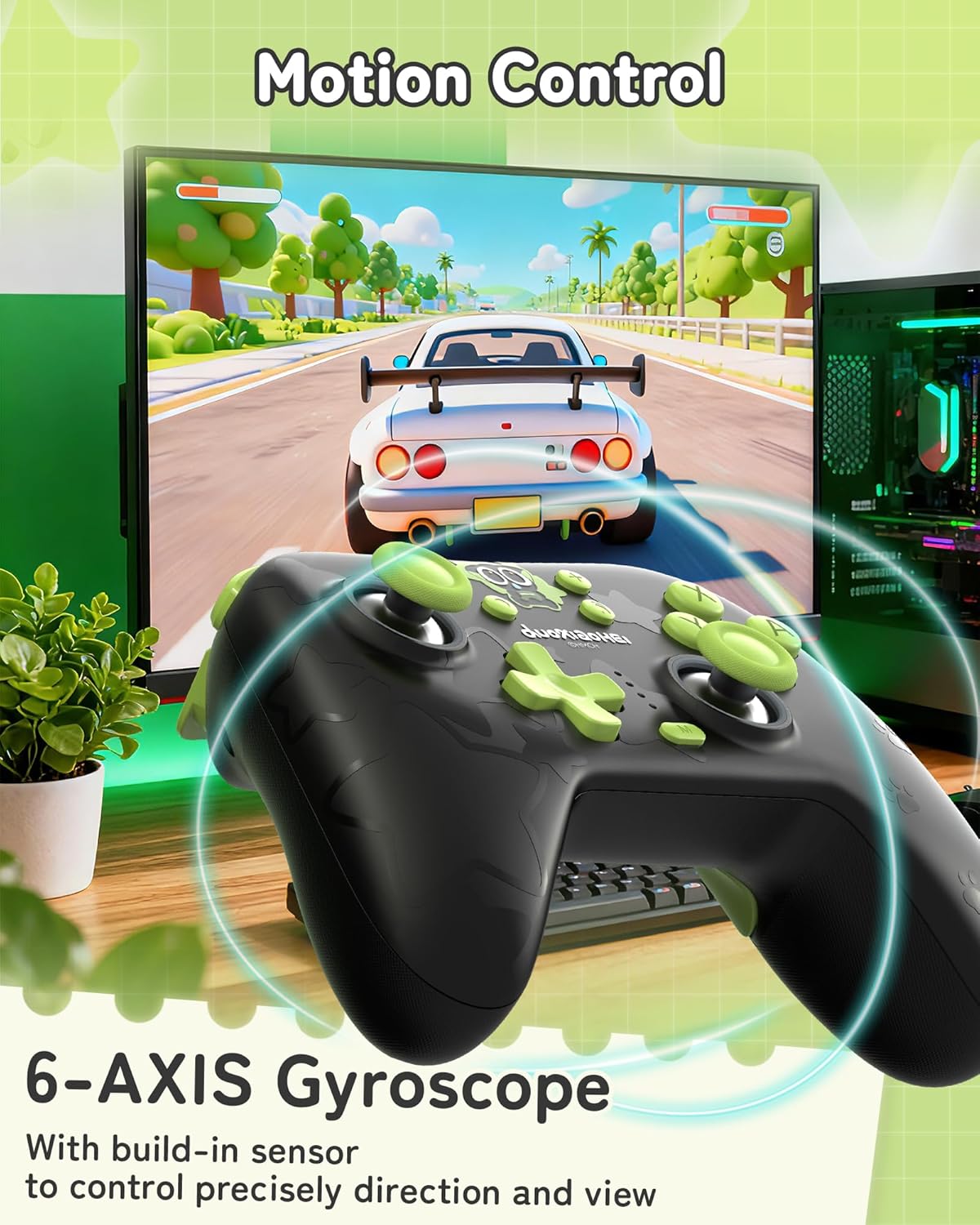
Controlul mișcării
A built-in 6-axis gyroscope enables precise motion control, allowing for intuitive direction and view adjustments in compatible games.
3. Configurare și conectare
3.1 Încărcarea controlerului
Before first use, fully charge the controller. Connect the included USB-C cable to the controller's charging port and the other end to a USB power source (e.g., console, PC, or USB wall adapter). The indicator lights will show charging status and turn off when fully charged.
3.2 Connecting to Nintendo Switch (Bluetooth)
- On your Nintendo Switch, go to the HOME Menu.
- Select "Controllers" > "Change Grip/Order".
- Press and hold the Pairing button on the top of the GeekShare controller until the indicator lights begin to flash rapidly.
- The Switch will detect the controller. Once paired, the indicator light(s) on the controller will remain solid.
- Note: This controller may not support waking up the Switch console from sleep mode. You may need to manually wake the console before connecting.
3.3 Connecting to PC (2.4G Wireless)
- Insert the 2.4G wireless receiver into an available USB port on your PC.
- Turn on the GeekShare controller.
- The controller should automatically connect to the receiver. The indicator light(s) on the controller will remain solid once connected.
- If connection fails, press the pairing button on the controller and the button on the 2.4G receiver simultaneously to initiate pairing.
3.4 Conectarea la dispozitive mobile (Bluetooth)
- Ensure Bluetooth is enabled on your Android or iOS device.
- On your device, go to Bluetooth settings and scan for new devices.
- Press and hold the Pairing button on the top of the GeekShare controller until the indicator lights begin to flash rapidly.
- Select "GeekShare Controller" (or similar name) from the list of available devices.
- Once paired, the indicator light(s) on the controller will remain solid.
3.5 Conexiune cu fir
Connect the controller directly to your device (Switch dock, PC) using the USB-C cable. The controller will function as a wired controller and will also charge simultaneously.
4. Instrucțiuni de utilizare
4.1 Controale de bază
The controller features standard button layouts including A/B/X/Y buttons, D-pad, Left/Right joysticks, L/R/ZL/ZR shoulder buttons, and Home/Capture/Plus/Minus buttons. Refer to in-game prompts for specific button functions.
4.2 Programming M1/M2 Buttons
The M1 and M2 buttons on the back can be assigned to replicate other button presses or sequences. Consult the full user manual (included in the box) for detailed programming instructions, as the process may vary based on desired complexity.
4.3 Turbo Function Activation
Pentru a activa funcția Turbo pentru un anumit buton:
- Press and hold the 'M' button.
- While holding 'M', press the desired action button (e.g., A, B, X, Y, L, R, ZL, ZR).
- Release both buttons. The selected button will now have the Turbo function enabled.
To adjust between manual and auto turbo, or to clear the turbo setting, refer to the detailed instructions in the included user manual.
4.4 Reglarea intensității vibrațiilor
The controller offers 5 levels of vibration intensity. Specific button combinations (e.g., 'M' button + D-pad Up/Down) are typically used to cycle through these levels. Refer to the included user manual for the exact key combinations.
4.5 Controlul iluminării RGB
The RGB lighting can be customized. This usually involves pressing a dedicated button or a combination of buttons to change colors, patterns, or turn the lighting on/off. Consult the included user manual for specific instructions.
5. Întreținere și îngrijire
- Păstrați controlerul uscat și ferit de temperaturi extreme.
- Curățați controlerul cu o lavetă moale și uscată. Nu utilizați substanțe chimice dure sau materiale abrazive.
- Evitați să scăpați controlerul sau să îl supuneți la impacturi puternice.
- Store the controller in a clean, dust-free environment when not in use.
- Charge the controller regularly, even if not used frequently, to maintain battery health.
6. Depanare
6.1 Controlerul nu se conectează
- Asigurați-vă că controlerul este suficient încărcat.
- Verify that the correct connection mode (Bluetooth, 2.4G, Wired) is selected or attempted for your device.
- For Bluetooth, ensure your device's Bluetooth is on and the controller is in pairing mode (flashing lights).
- For 2.4G, ensure the receiver is properly inserted into the PC and try re-pairing if necessary.
- Încearcă să repornești atât controlerul, cât și dispozitivul la care încerci să te conectezi.
- If connecting to Switch, ensure you are in the "Change Grip/Order" menu.
6.2 Întârzieri de intrare sau deconectări
- Asigurați-vă că nu există interferențe electromagnetice puternice în apropiere.
- Move closer to the connected device (for wireless connections).
- For PC, ensure the 2.4G receiver is in a clear line of sight and not obstructed.
- Try a wired connection to rule out wireless interference.
6.3 Buttons or Joysticks Unresponsive
- Check if the controller is properly connected and powered on.
- Restart the controller and the gaming device.
- Asigurați-vă că nu există resturi blocate în jurul butoanelor sau joystick-urilor.
- If the issue persists, a factory reset (if available, consult the included manual) might be necessary.
6.4 Controlerul nu se încarcă
- Asigurați-vă că este conectat corect cablul USB-C atât la controler, cât și la sursa de alimentare.
- Încearcă un alt cablu USB-C sau o altă sursă de alimentare.
- Verificați dacă sursa de alimentare este activă și furnizează suficientă energie.
7. Specificații
| Numărul de model | GC1201A |
| Conectivitate | Bluetooth 5.0, 2.4G Wireless (with receiver), USB-C Wired |
| Compatibilitate | Nintendo Switch (OLED/NS2/1/Lite), PC (Windows), Android, iOS |
| Capacitatea bateriei | 1000mAh |
| Timp de joacă | Up to 15-20 hours (approx.) |
| Timp de încărcare | Aproximativ. 2.5 ore |
| Senzor de mișcare | X-axis Gyroscope |
| Vibrație | Dual Motors with 5-level adjustment |
| Caracteristici speciale | Hall Effect Joysticks, Programmable M1/M2 buttons, Turbo function, RGB Lighting |
8. Garanție și asistență
For warranty information and technical support, please refer to the official GeekShare website or contact their customer service directly. Details can typically be found on the product packaging or the included user manual.
GeekShare Official Website: Visit GeekShare Store on Amazon
Ask a question about this manual
Ask about setup, troubleshooting, compatibility, parts, safety, or missing instructions. Manuals+ will review the question and use this page’s manual context to help answer it.