
1. Informații importante privind siguranța
Vă rugăm să citiți cu atenție toate instrucțiunile înainte de instalare și utilizare. Păstrați acest manual pentru referințe ulterioare.
- Instalare pentru două persoane: Always use at least two people to lift and install the TV to prevent injury or damage.
- Montare pe perete: Follow all wall mounting instructions precisely. Ensure the wall structure can support the TV's weight. If unsure, consult a professional.
- Evitați obstacolele: Do not drill into walls where electrical wiring or piping may be present.
- Plasare stabilă: If not wall-mounted, ensure the TV is placed on a stable, level surface to prevent tipping.
- Ventilare: Nu blocați orificiile de ventilație. Asigurați spațiu suficient în jurul televizorului pentru o circulație corectă a aerului.
- Umiditate: Keep the TV away from water, moisture, and high humidity environments.
- Cablu de alimentare: Protect the power cord from being walked on or pinched. Do not use a damaged power cord.
- curatenie: Deconectați televizorul înainte de curățare. Folosiți o cârpă moale și uscată. Nu utilizați produse de curățare lichide sau aerosoli.
2. Ce este inclus
Verificați dacă toate componentele sunt prezente în cutie:
- Amazon Ember Artline TV (55-inch)
- Telecomandă vocală Alexa îmbunătățită
- Set de montare pe perete
- Cablu de alimentare
- 2 baterii AAA
- Ghid de pornire rapidă
- Amazon Ember Artline 55” Frame (four pieces) - Note: Frames ship separately and may arrive at a different time.

Image: Amazon Ember Artline 55-inch Fire TV with Ash frame.
3. Configurare și instalare
3.1. Preparing the TV for Wall Mount
Before mounting, ensure the TV is prepared correctly. You will need a number two Phillips screwdriver. Do not use an electric drill to prevent stripping the bolt holes.
- Lay the TV screen side down on a soft, clean surface to access the recessed cover on the back.
- Remove the recessed cover.
- Install the two mount bolts into the designated holes using a number two Phillips screwdriver.
Video: Instructions for wall mounting the Amazon Ember Artline TV. This video demonstrates the steps for preparing the TV and installing the wall mount hardware.
3.2. Montare pe perete
You will need at least two people to complete this process. Ensure you have the included wall mounting template, bolts, screws, and anchors. Additionally, you will need an electric drill with a 3/16 inch drill bit, a #2 Phillips driver bit, a hammer, a pencil, and a level or level app. If mounting on wood studs, you'll need a 1/8 inch drill bit. If mounting on brick, you'll need a 5/16 inch drill bit and a stud finder for drywall.
- Planificarea locației:
- Consider the height of everyone using the TV. Place it at eye level for comfortable viewing.
- Find a mount location away from water or moisture.
- Avoid drilling holes over electrical wiring or piping.
- If installing on a brick wall, locate an area free of cracks.
- If your wall doesn't have proper stud spacing, contact a professional for installation.
- Montarea suportului:
- Plan the location of the wall mount using the wall mounting template.
- Locate two studs using a stud finder (for drywall). Mark the center of each stud with a pencil.
- Place the mount against the wall and mark at least four screw holes. Use a level or level app to ensure the mount is straight.
- Drill pilot holes on each mark using an electric drill with the appropriate bit (1/8" for drywall, 5/16" for brick).
- If on drywall, anchors are not needed. If on brick, use a hammer to install the mount anchors in the holes.
- Attach the mount to the wall using the mount screws, an electric drill, and a #2 Phillips bit.
- Installing Magnet Plates:
- Attach the template to the wall using double-sided tape.
- Mark the locations for the four magnet plates on the wall, then remove the template.
- Drill pilot holes on each mark using an electric drill with a 3/16 inch bit.
- Install the magnet plate anchors using a hammer.
- Install the magnet plates into the anchors using the magnet plate screws and an electric drill with a #2 Phillips bit.
- Attaching the TV to the Mount:
- While attaching the TV, avoid pressing against the screen.
- Fully extend the TV bracket away from the wall and gently release the bolt latches.
- Place the four alignment stickers above the mount bolts on the back of the TV and the bolt latches on the mount. Fold the stickers up to see them more clearly.
- Hang the mount bolts on the mount hooks. Use the alignment stickers to guide you.
- Close the bolt latches, then push the TV flush with the wall to connect the magnets and magnet plates.
4. Operating Your Amazon Ember Artline Fire TV
4.1. Fire TV Interface
The Amazon Ember Artline features the new Fire TV experience (2026 release) with a modern design for fast access to entertainment. You can pin frequently used apps and browse dedicated content categories. Access hundreds of thousands of movies and TV episodes, including free, ad-supported content. Subscription fees may apply for certain services.

Image: The Fire TV interface displaying various streaming applications and content.
4.2. Alexa Voice Remote Enhanced
The included Alexa Voice Remote Enhanced allows for easy navigation and voice control. Talk naturally to find content, manage your smart home, or explore topics.
- Control vocal: Press and hold the voice button to use your voice commands.
- Navigare: Use the directional pad to navigate menus and content.
- Butoane de acces rapid: Dedicated buttons for popular streaming services (e.g., Prime Video, Netflix) provide instant access.
4.3. Ambient Experience and Art Mode
The Ember Artline functions as both an entertainment hub and a curated art gallery. It can display art, stream content, and manage your smart home. The matte screen reduces glare for an optimal viewexperiență.
- Galerie de artă: Access a gallery of over 2,000 free works of art.
- Fotografii personale: Upload and display your own photos from the Amazon Photos App. Use Alexa to create slideshows or collages (e.g., "Play a slideshow of us biking in the mountains.").
- Match the Room: Upload photos of your space, and the TV will recommend art pieces that complement your decor.
- Rame personalizate: Choose from ten available frame colors. Frames are easy to install and change.

Image: The Amazon Ember Artline TV seamlessly integrated into a living room, displaying a vibrant piece of art.
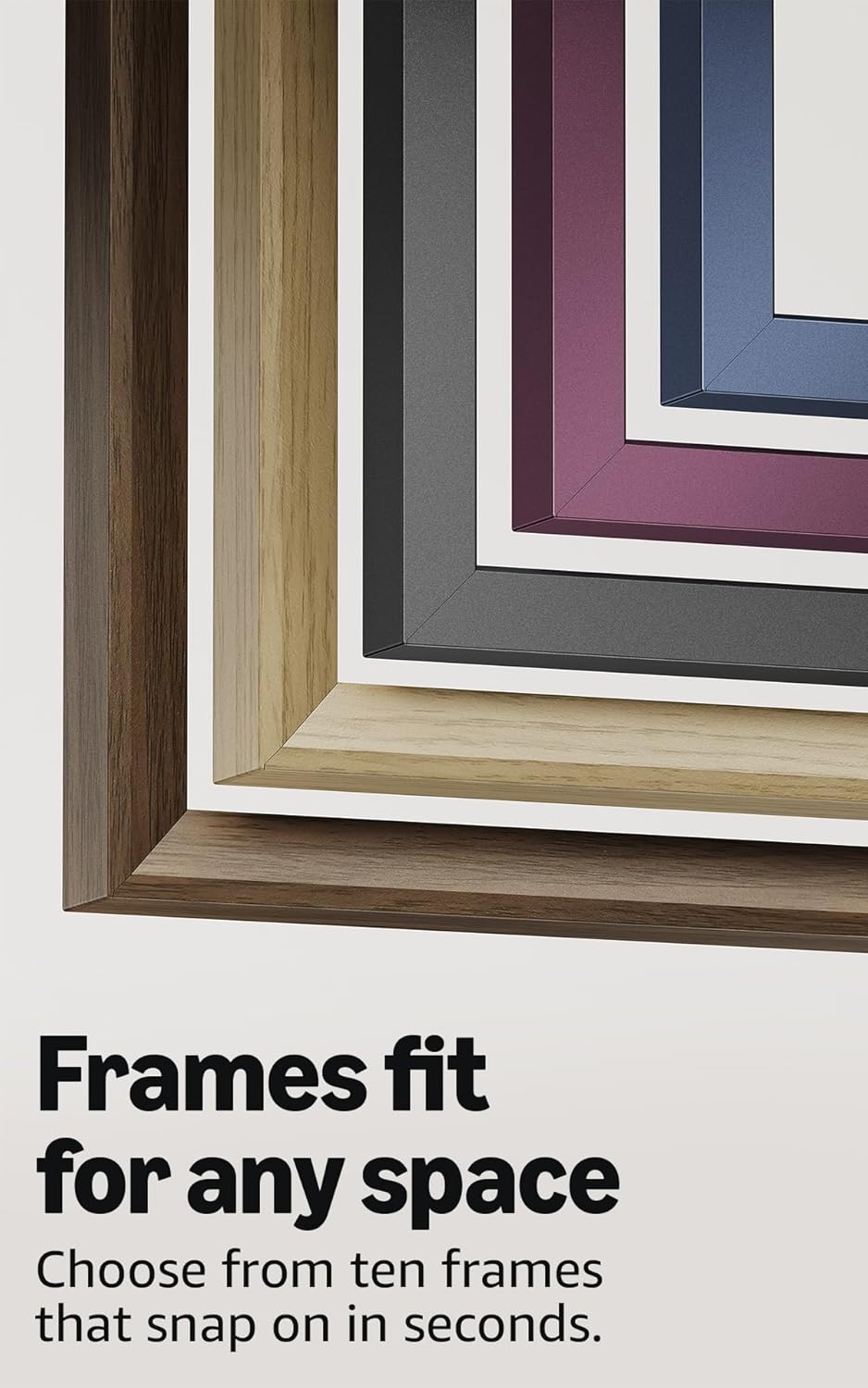
Image: A selection of different colored frames available for the Amazon Ember Artline TV, highlighting customization options.
4.4. Omnisense Technology (Motion Detection)
The custom Omnisense technology uses built-in sensors to detect your presence. The display will wake to show your favorite artwork or allow you to start watching content quickly. When you leave the area, the TV automatically turns off to save energy.

Imagine: O imagine detaliată view of the Omnisense sensor, which enables motion detection for automatic display activation and power saving.
Video: Pesteview of the Amazon Fire TV 4K TV with Alexa Voice Remote, demonstrating initial setup, interface navigation, and motion detection features.
5. Specificații
| Caracteristică | Detaliu |
|---|---|
| Rezoluţie | 3840 x 2160 (4K UHD) |
| Formatul High Dynamic Range (HDR) | HDR10, HLG, HDR10+ Adaptive, Dolby Vision |
| Tipul de iluminare din spate | LED |
| Rata de reîmprospătare | 60 Hz |
| Screen finish | Matte, anti-glare |
| Dimensiunea ecranului | 55“ (Viewable display size: 54.6“) |
| porturi HDMI | 3 HDMI 2.0 + 1 HDMI 2.1 cu eARC |
| Wifi & Ethernet connectivity | Port Wi-Fi 6 + 1 Ethernet |
| USB | 1 3.0 USB |
| Ieșire audio digitală optică | 1 port audio optic digital |
| Suport vocal | Yes, hands-free with Alexa, press and ask Alexa with the Fire TV Alexa Voice Remote Enhanced or the free Fire TV app. |
| Suport audio | Dolby Digital Plus cu transmitere a sunetului codat Dolby |
| Putere audio | 10W + 10W |
| OS | Sistem de operare Fire |
| Product size (without frame) | 48.3” x 28.3” x 1.54” |
| Greutate (fără cadru) | 39.9 lbs |
| Număr SKU | QL55M800A |
| Standard de montare pe perete VESA | 300mm x 400mm (Note: Included wall mount is non-VESA; TV is VESA compatible for separately purchased mounts.) |
| TV size with frame | 49.1” x 28.7” x 1.8” |
| TV weight with frame | 42.5 lbs |
6. Caracteristici de accesibilitate
The Amazon Ember Artline Fire TV includes several accessibility features:
- VoceView cititor de ecran: Permite accesul la majoritatea funcțiilor Fire TV pentru utilizatorii nevăzători sau cu deficiențe de vedere.
- Lupă de ecran: Permite utilizatorilor să mărească și să micșoreze imaginea și să defileze pe ecran.
- Banner text: Consolidates onscreen text into a compact, customizable banner.
- Subtitrări închise: Available for videos and TV shows where supported.
- Descriere audio: Provides verbal descriptions of on-screen actions, facial expressions, and scene changes (not available for all content).
- Suport pentru aparate auditive Bluetooth: Supports audio streaming for select compatible Bluetooth hearing aids and devices for private listening. Compatible Bluetooth headphones are also supported.
7. Software Updates and Security
Acest dispozitiv primește actualizări de securitate software garantate până la cel puțin patru ani de la ultima dată când dispozitivul este disponibil pentru cumpărare ca unitate nouă pe sistemul nostru. websites. For information specific to your device, visit Manage Your Content and Devices.
8. Garanție și service
A 1-Year limited warranty and service are included with the Amazon Ember Artline TV. Optional 3-Year and 4-Year Extended Warranties are available for U.S. customers and are sold separately. Extended warranty excludes frame accessories. Use of Fire TV is subject to the terms found on the Amazon website-ul.
The Amazon Ember Artline 55” Frame includes a 90-day limited warranty and service.
9. Depanare
If you encounter issues with your Amazon Ember Artline Fire TV, consider the following common troubleshooting steps:
- Fără putere: Asigurați-vă că cablul de alimentare este conectat corect atât la televizor, cât și la o priză funcțională.
- Fără imagine/sunet:
- Check all cable connections (HDMI, optical audio).
- Verificați dacă este selectată sursa de intrare corectă pe televizor.
- Reporniți televizorul deconectându-l de la priză timp de 60 de secunde, apoi conectându-l din nou.
- Telecomanda nu răspunde:
- Replace the AAA batteries in the Alexa Voice Remote.
- Reconectați telecomanda ținând apăsat butonul Acasă timp de 10 secunde.
- Probleme de conectivitate la rețea:
- Verificați routerul și modemul Wi-Fi pentru a vă asigura că funcționează corect.
- Reporniți routerul și modemul.
- Go to the TV's Network settings to re-connect to your Wi-Fi network or try a wired Ethernet connection.
- Ambient Experience Not Activating:
- Ensure Omnisense technology is enabled in the TV settings.
- Check for any physical obstructions blocking the motion sensors.
- Software Performance: If the TV is slow or unresponsive, try restarting it. Ensure the TV's software is up to date.
For further assistance, refer to the online support resources or contact Amazon customer service.