
Introducere
Thank you for choosing the TESSAN 13-in-1 Tower Power Strip. This manual provides essential information for the safe and efficient use of your device. Please read these instructions carefully before use and retain them for future reference.
This power strip is designed to provide multiple power outlets and USB charging ports in a compact tower design, featuring surge protection and individual switches for enhanced control and safety.
Caracteristicile produsului
- Conectivitate 13 în 1: Features 8 Schuko outlets and 5 USB ports (3 USB-C, 2 USB-A) to power and charge multiple devices simultaneously.
- Comutatoare individuale: Four independent switches allow you to control power to specific sections of the Schuko outlets, saving energy and preventing frequent plugging/unplugging.
- Protecție la supratensiune: Integrated surge protection safeguards your connected devices from voltage vârfuri.
- Compact Tower Design: Space-saving vertical design with a stable base and non-slip pads.
- 2-Meter Extension Cable: Oferă flexibilitate în plasare.
- Încărcare USB: 3 USB-C ports (up to 15W) and 2 USB-A ports (up to 12W) for various USB-powered devices.

Imagine: Pesteview of the TESSAN 13-in-1 Tower Power Strip, highlighting its 8 Schuko outlets, 3 USB-C ports, 2 USB-A ports, 3680W maximum power, and 2-meter cable length. A smartphone is shown charging via a USB-C port.
Instrucțiuni de siguranță
Pentru a asigura o funcționare în siguranță, vă rugăm să respectați următoarele instrucțiuni de siguranță:
- Nu depășiți capacitatea maximă de încărcare de 3680 W.
- Do not connect multiple power strips in series.
- A nu se utiliza pe umed sau damp medii.
- A nu se lăsa la îndemâna copiilor.
- Nu dezasamblați sau modificați dispozitivul.
- Asigurați-vă că ștecherele sunt introduse complet în prize.
- If the surge protection indicator light is off, the surge protection may no longer be active.
Înființat
- Despacheta: Scoateți cu grijă prelungitorul din ambalaj.
- Plasare: Place the power strip on a stable, flat surface. Ensure adequate ventilation around the unit. The compact tower design is suitable for various locations such as desks, workshops, or hotel rooms.
- Conectați-vă la priza de perete: Plug the power strip's 2-meter extension cable into a grounded wall outlet.
- Pornire: Press the main power switch (if available, otherwise individual switches control sections). The surge protection indicator light should illuminate, indicating active protection.

Image: The TESSAN Tower Power Strip positioned on a side table, demonstrating its compact size and the reach of its 2-meter extension cable. Dimensions of 18 cm height and 11.5 cm width are indicated.
Instrucțiuni de operare
Using Schuko Outlets:
- Insert the plug of your device into one of the 8 Schuko outlets. The outlets are spaced 5.4 cm apart to accommodate most plugs.
- Comutatoare individuale: The power strip features 4 individual switches, each controlling two Schuko outlets on one side of the tower. Press a switch to turn on or off the corresponding outlets. An indicator light on the switch will show its status.
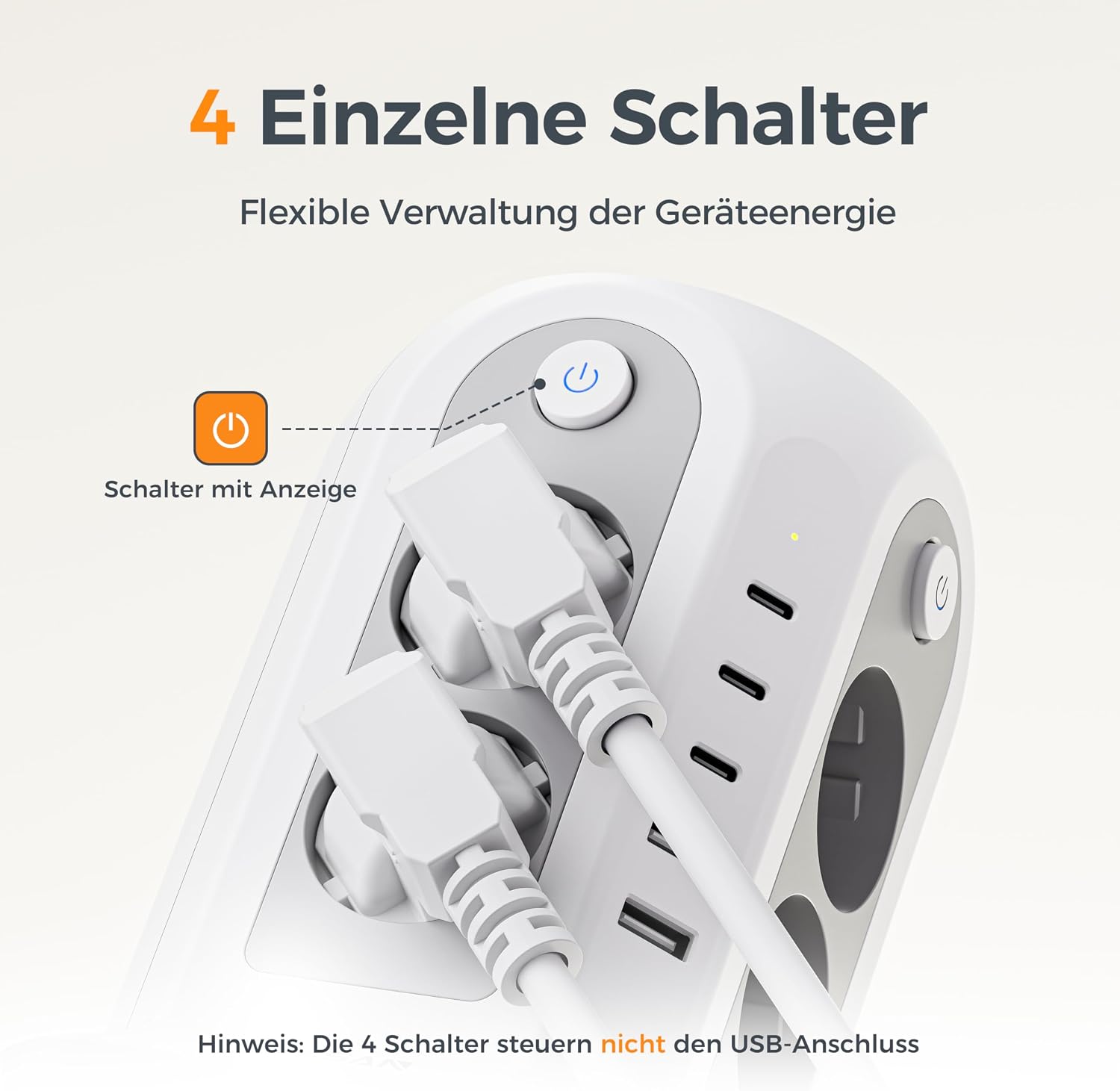
Imagine: O imagine detaliată view of an individual power switch on the TESSAN Tower Power Strip, complete with an illuminated indicator. A crucial note clarifies that these switches manage only the Schuko outlets and not the USB ports.
Utilizarea porturilor USB:
- Connect your USB-powered devices (smartphones, tablets, smartwatches, etc.) to the available USB-C (3 ports, up to 15W) or USB-A (2 ports, up to 12W) ports.
- The USB ports are always active when the power strip is plugged in and do not depend on the individual Schuko outlet switches.
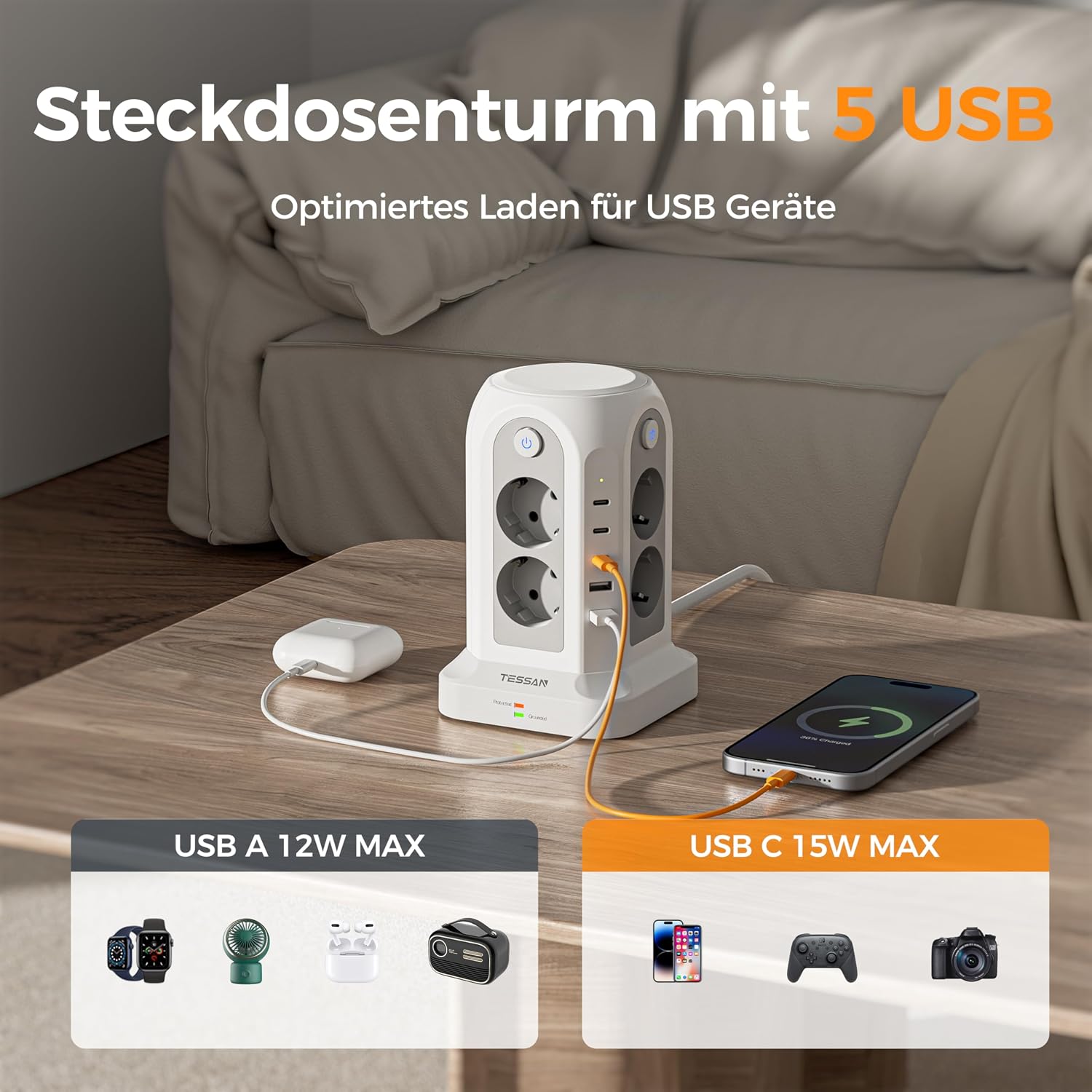
Image: The TESSAN Tower Power Strip actively charging multiple devices via its 5 USB ports, including 3 USB-C and 2 USB-A. The image highlights the maximum power output for each USB type: 12W for USB-A and 15W for USB-C.
Protecție la supratensiune:
- The power strip includes an integrated surge protector. A dedicated indicator light (often green) will be illuminated when the surge protection is active and functioning correctly.
- If this light is off, the surge protection may have been compromised and the unit should be replaced to ensure continued protection for your devices.

Image: The TESSAN Tower Power Strip on a desk, visually emphasizing its surge protection feature with a glowing blue shield graphic. This illustrates the multi-protection capabilities for connected devices.
Întreţinere
- curatenie: Deconectați prelungitorul de la priza de perete înainte de curățare. Folosiți o cârpă uscată și moale pentru a șterge suprafața. Nu utilizați agenți de curățare lichizi sau materiale abrazive.
- Depozitare: Când nu este utilizat pentru perioade lungi de timp, depozitați prelungitorul într-un loc răcoros și uscat, ferit de lumina directă a soarelui și de umiditate.
- Inspecţie: Verificați periodic cablul de alimentare și unitatea pentru a depista orice semne de deteriorare. Dacă se constată deteriorări, întrerupeți utilizarea și înlocuiți unitatea.
Depanare
| Problemă | Cauza posibila | Soluţie |
|---|---|---|
| Nu există curent la prize/porturi USB. | Power strip not plugged in; wall outlet not working; individual switch off; overload. | Ensure power strip is fully plugged into a working wall outlet. Check if individual switches are ON. Reduce connected devices if overloaded. |
| Surge protection indicator light is off. | Surge protection has been activated and is no longer functional. | The power strip has protected your devices from a surge. Replace the unit to ensure continued surge protection. |
| USB devices not charging. | Faulty USB cable; device not compatible; USB port damaged. | Try a different USB cable or device. Ensure the device is compatible with USB charging. |
Specificații
- Model: JA-EU02A
- Marca: THESSAN
- Total puncte de vânzare: 13 (8 Schuko, 5 USB)
- Porturi USB: 3 x USB-C (up to 15W), 2 x USB-A (up to 12W)
- Comutatoare individuale: 4 (controlling Schuko outlets)
- Caracteristica speciala: Protecție la supratensiune
- Putere nominală maximă: 3680W
- Lungimea cablului: 2 metri
- Dimensiuni (L x l x H): 11.5 cm x 11.5 cm x 17.9 cm (aprox.)
- Tip priză: Tip F (Schuko)
- Culoare: Gri
- Producător: Jiaan Electrical Appliance(Dongguan)Co.,LTD
- Țara de origine: China
Garanție și suport
TESSAN products are designed and manufactured to the highest quality standards. This product comes with a standard manufacturer's warranty. For specific warranty details, please refer to the documentation provided with your purchase or contact TESSAN customer support.
If you encounter any issues or have questions regarding your TESSAN 13-in-1 Tower Power Strip, please contact our customer support team for assistance. Please have your model number (JA-EU02A) and purchase information ready.