
1. Introducere
Thank you for choosing the GEEKOM GT1 Mega Mini PC. This manual provides essential information for setting up, operating, maintaining, and troubleshooting your device. Please read it carefully before use and keep it for future reference.
The GEEKOM GT1 Mega is a high-performance mini PC equipped with the Intel Core Ultra 9 185H processor, Intel AI Boost (dedicated NPU), and integrated Intel Arc graphics. It is designed for demanding tasks such as AI applications, advanced multitasking, 4K video editing, photo retouching, virtualization, and professional software.
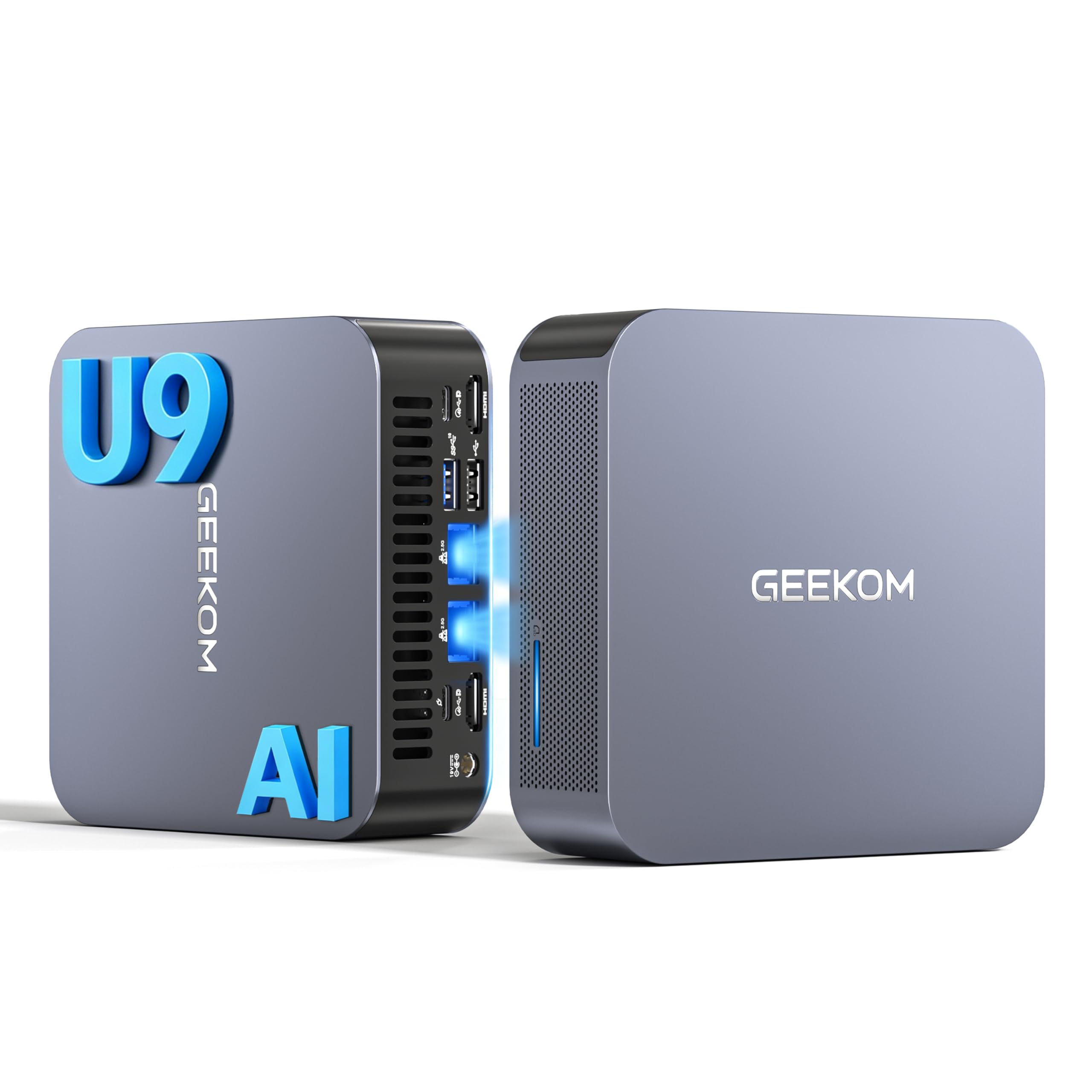
Imaginea 1.1: Față view of the GEEKOM GT1 Mega Mini PC.
2. Informații de siguranță
Vă rugăm să respectați următoarele instrucțiuni de siguranță pentru a preveni deteriorarea dispozitivului sau vătămarea corporală:
- Utilizați numai adaptorul de alimentare furnizat împreună cu dispozitivul.
- Nu expuneți dispozitivul la apă, umezeală sau temperaturi extreme.
- Evitați plasarea dispozitivului în lumina directă a soarelui sau în apropierea surselor de căldură.
- Asigurați o ventilație corespunzătoare; nu blocați nicio deschidere de ventilație.
- Nu încercați să deschideți sau să reparați dispozitivul singur. Contactați personal calificat pentru service.
- Țineți dispozitivul departe de câmpuri magnetice puternice.
3. Conținutul pachetului
Verificați dacă toate articolele sunt prezente în colet:
- 1 x GEEKOM GT1 Mega Mini PC
- 1 x Suport VESA cu șuruburi
- 1 x adaptor de alimentare
- 1 x cablu HDMI
- 1 x Manual de utilizare
- 1 x card de mulțumire

Image 3.1: Contents included in the GEEKOM GT1 Mega Mini PC package.
4. Produs terminatview
4.1. Porturi față și spate
The GEEKOM GT1 Mega Mini PC offers a comprehensive set of ports for versatile connectivity:

Image 4.1: Diagram illustrating the front and rear ports of the GEEKOM GT1 Mega Mini PC.
- Porturi frontale:
- 4 x USB 3.2 Gen2 Type-A (one with Always On power)
- 1 x mufă pentru căști de 3.5 mm
- 1 x buton de alimentare
- Porturi din spate:
- 2 x USB4 (40 Gbps, eGPU compatible, one with power delivery)
- 2 x HDMI 2.0
- 2 x RJ45 2.5Gbps Ethernet Ports
- 1 x USB 3.2 Gen2 Type-A
- 1 x USB 2.0 de tip A
- 1 x intrare DC
- 1 x cititor de carduri SD
- 1 x Slot de blocare Kensington
4.2. Caracteristici cheie
- Procesor: Intel Core Ultra 9 185H (16 Cores, 22 Threads, up to 5.1 GHz) with Intel AI Boost (NPU).
- Grafică: Integrated Intel Arc Graphics.
- Memorie: 16GB DDR5 5600MHz dual-channel RAM (upgradable up to 128GB).
- Depozitare: 1TB NVMe PCIe Gen4 SSD (expandable up to 4TB).
- Reţea: Dual 2.5G Ethernet, WiFi 7, Bluetooth 5.4.
- Suport pentru afișare: Up to four 4K displays or one 8K display via USB4 and HDMI.
- Răcire: IceBlast 2.0 advanced cooling system with dual copper heat pipes and high-efficiency fan.
- Șasiu: Premium metallic chassis, 0.78 L volume, withstands pressure up to 200 kg.
5. Configurare
5.1. Conexiune inițială
- Conectați afișajul: Connect your monitor(s) to the Mini PC using the HDMI or USB4 ports. The GT1 Mega supports up to four 4K displays or one 8K display.
- Conectați periferice: Conectați tastatura, mouse-ul și orice alte dispozitive USB la porturile USB disponibile.
- Conectare rețea: For wired internet, connect an Ethernet cable to one of the 2.5G RJ45 ports. For wireless, ensure your WiFi network is available during initial setup.
- Conectare alimentare: Connect the power adapter to the DC input port on the Mini PC, then plug the adapter into a power outlet.
5.2. Prima pornire
- Apăsați butonul de alimentare din partea frontală a Mini PC-ului.
- The device will boot into Windows 11 Pro. Follow the on-screen instructions to complete the initial Windows setup, including language, region, network connection, and user account creation.
- Once Windows is set up, it is recommended to check for and install any available system updates.

Imaginea 5.1: Example of a multi-monitor setup with the GEEKOM GT1 Mega Mini PC.
6. Instrucțiuni de utilizare
6.1. Pornire/Oprire
- Pornire: Apăsați butonul de pornire o dată.
- Închidere: Faceți clic pe butonul Start din Windows, apoi selectați Alimentare > Oprire.
- Repornire: Faceți clic pe butonul Start din Windows, apoi selectați Alimentare > Repornire.
- Dormi: Faceți clic pe butonul Start din Windows, apoi selectați Alimentare > Repaus.
6.2. Conectivitate la rețea
- Prin cablu (Ethernet): Connect an Ethernet cable to one of the two 2.5G RJ45 ports. The system will automatically detect the connection.
- Wireless (Wi-Fi 7): In Windows, click the network icon in the taskbar, select your Wi-Fi network, enter the password, and connect.
- Bluetooth 5.4: To pair Bluetooth devices, go to Windows Settings > Bluetooth & devices, turn on Bluetooth, and select 'Add device'.
6.3. Configurarea afișajului
The Mini PC supports multiple displays. To configure them:
- Faceți clic dreapta pe desktop și selectați „Setări de afișare”.
- Windows will detect connected displays. You can arrange them, change resolution, and set display modes (Extend, Duplicate, Second screen only).
7. Întreținere
7.1. Curatenie
- Curățați regulat exteriorul Mini PC-ului cu o lavetă moale și uscată.
- Use compressed air to gently clear dust from the ventilation openings to maintain optimal cooling performance.
- Nu folosiți agenți de curățare lichizi sau materiale abrazive.
7.2. Actualizări de sistem
Keep your Windows operating system and drivers updated to ensure optimal performance and security:
- Go to Windows Settings > Windows Update to check for and install system updates.
- Visit the GEEKOM official website for the latest driver updates for your GT1 Mega.
7.3. Actualizări hardware
The GEEKOM GT1 Mega allows for memory and storage upgrades:
- RAM: The device supports up to 128GB of DDR5 SODIMM memory.
- SSD: The 1TB NVMe PCIe Gen4 SSD can be expanded up to 4TB. An additional M.2 2242 SATA SSD slot is available for up to 2TB.
For detailed instructions on how to perform hardware upgrades, please refer to the comprehensive guide on the GEEKOM support website or consult a professional technician.

Image 7.1: Illustration of the GEEKOM GT1 Mega's upgradable DDR5 memory and SSD storage.

Imaginea 7.2: Explodată view of the GEEKOM GT1 Mega, highlighting the IceBlast 2.0 cooling system components.
8. Depanare
If you encounter issues with your GEEKOM GT1 Mega, refer to the following common solutions:
| Problemă | Cauza posibila | Soluţie |
|---|---|---|
| Fără putere | Adaptorul de alimentare nu este conectat, priză defectă | Ensure power adapter is securely connected to both the PC and a working power outlet. Try a different outlet. |
| Fără afișaj | Monitor not connected, incorrect input source, faulty cable | Check HDMI/USB4 cable connections. Ensure monitor is on and set to the correct input source. Try a different cable or monitor. |
| No internet (Wi-Fi) | Wi-Fi dezactivat, parolă incorectă, problemă cu routerul | Check Wi-Fi settings in Windows. Verify Wi-Fi password. Restart your router. |
| No internet (Ethernet) | Ethernet cable disconnected, network driver issue | Ensure Ethernet cable is securely connected. Check network adapter status in Device Manager. Update network drivers. |
| System slow/unresponsive | Too many applications running, overheating, outdated drivers | Close unnecessary applications. Ensure proper ventilation. Update drivers and Windows. |
If the problem persists, please contact GEEKOM customer support for further assistance.
9. Specificații
Detailed technical specifications for the GEEKOM GT1 Mega Mini PC:
| Caracteristică | Caietul de sarcini |
|---|---|
| Marca | GEEKOM |
| Numele modelului | GT1 Mega |
| Sistem de operare | Windows 11 Pro |
| Model CPU | Intel Core Ultra 9-185H |
| Viteza procesorului | 5.1 GHz (Max Turbo Frequency) |
| Grafică | Grafică integrată Intel Arc |
| RAM | 16 GB DDR5 (5600MHz, expandable to 128 GB) |
| Depozitare | 1 TB NVMe PCIe Gen4 SSD (expandable to 4 TB) |
| Tehnologia hard disk-ului | SSD |
| Conectivitate | 2x 2.5G Ethernet, Wi-Fi 7, Bluetooth 5.4 |
| Porturi USB | 2x USB4 (40Gbps), 5x USB 3.2 Gen2 Type-A, 1x USB 2.0 Type-A |
| Ieșire video | 2x HDMI 2.0, 2x USB4 (DisplayPort 1.4) |
| Rezoluție maximă a afișajului | 8K (via USB4), 4K (via HDMI) |
| Ieșire audio | 3.5mm Audio Jack |
| Cititor de carduri | Cititor de carduri SD |
| Alimentare electrică | Type C/EF – 2 pins (European/Hybrid FR-DE plug) |
| Certificari | CE, FCC, RoHS |

Image 9.1: GEEKOM GT1 Mega Mini PC certifications including CB, ROHS, FCC ID, EPR, CEC, UKCA, UL4200A.
10. Garanție și asistență
The GEEKOM GT1 Mega Mini PC comes with a 3-year manufacturer's warranty and professional technical support.
10.1. Informații despre garanție
Your device is covered by a 3-year warranty from the date of purchase, ensuring peace of mind against manufacturing defects. Please retain your proof of purchase for warranty claims.
10.2. Suport tehnic
For any technical issues or support inquiries, please use one of the following methods:
- Contact Seller on Amazon: Log in to your Amazon account, navigate to 'Your Orders', and click 'Get Help' for assistance.
- Asistență prin e-mail: Send an email to the GEEKOM support team at pan.he@geekom.tw. Our team will respond as soon as possible.