
1. Introducere
Mulțumesc pentru achizițieasing the DEPSTECH DS620-TL Triple Lens Endoscope Camera. This device is designed for visual inspection in hard-to-reach areas, featuring a 1080P triple-lens camera, a 5-inch IPS monitor, and an IP67 waterproof semi-rigid cable. This manual provides essential information for safe and effective use of your endoscope camera.
2. Produs terminatview
2.1 Caracteristici cheie
- 1080P Triple Lens Camera: Equipped with three cameras (front, side B, side C) for multi-angle inspection.
- 5-inch IPS Monitor: Provides clear, real-time images with excellent color reproduction.
- Sondă impermeabilă IP67: The 7.9mm diameter semi-rigid cable is waterproof, suitable for wet environments.
- Lumini LED reglabile: Features 8+1+1 high-brightness LED chips with adjustable intensity for optimal illumination.
- 5M Semi-Rigid Cable: Offers flexibility and durability for navigating various spaces.
- Baterie reîncărcabilă: Built-in battery provides approximately 2-3 hours of continuous operation.
2.2 Conținutul pachetului
Asigurați-vă că toate articolele sunt prezente în colet:
- DEPSTECH DS620-TL Endoscope Camera
- Cablu de încărcare de tip C
- Atașamente cu cârlig și magnet
- Geantă de depozitare cu șnur
- Manual de utilizare

Figura 2.2: Accesorii incluse și unitatea principală.
3. Informații de siguranță
- Nu utilizați dispozitivul în medii cu gaze inflamabile sau explozive.
- Țineți dispozitivul departe de câmpurile electromagnetice puternice.
- Evitați expunerea directă a obiectivului camerei la surse puternice de lumină.
- Nu încercați să dezasamblați sau să modificați dispozitivul. Reparațiile trebuie efectuate numai de către personal autorizat.
- Asigurați-vă că dispozitivul este complet încărcat înainte de utilizare pentru a evita întreruperile în timpul inspecției.
- Clean the probe and lens after each use, especially after contact with liquids or corrosive substances.
4. Configurare
4.1 Încărcarea dispozitivului
Connect the provided Type-C charging cable to the device's charging port and a suitable USB power adapter (not included). The charging indicator will show the charging status. A full charge typically takes 2-3 hours.
4.2 Introducerea unui card Micro SD
To save photos and videos, a Micro SD card (Class 10/Class 10 or higher, 8-32GB) is required (not included). Locate the Micro SD card slot on the side of the monitor unit and insert the card until it clicks into place.
4.3 Atașarea accesoriilor
The endoscope comes with hook and magnet attachments. These can be screwed onto the tip of the camera probe for retrieving small objects or maneuvering in tight spaces.

Figure 4.3: Magnet and hook attachments for the probe.
5. Instrucțiuni de utilizare
5.1 Pornire/Oprire
Press and hold the power button (usually located on the side or front panel) for a few seconds to turn the device on. The screen will display the DEPSTECH logo. To power off, press and hold the power button again.

Figure 5.1: Monitor button layout and functions.
5.2 Switching Lenses
The DS620-TL features a triple-lens system. Press the lens switch button (often labeled with a camera icon or 'M') to cycle between Front Camera A, Side Camera B, and Side Camera C. This allows for comprehensive viewing without repositioning the probe.

Figure 5.2: Triple lens camera detail.
5.3 Reglarea luminozității LED-ului
Use the up/down arrow buttons on the monitor to adjust the brightness of the LED lights on the camera probe. There are multiple levels of brightness to suit different inspection environments.
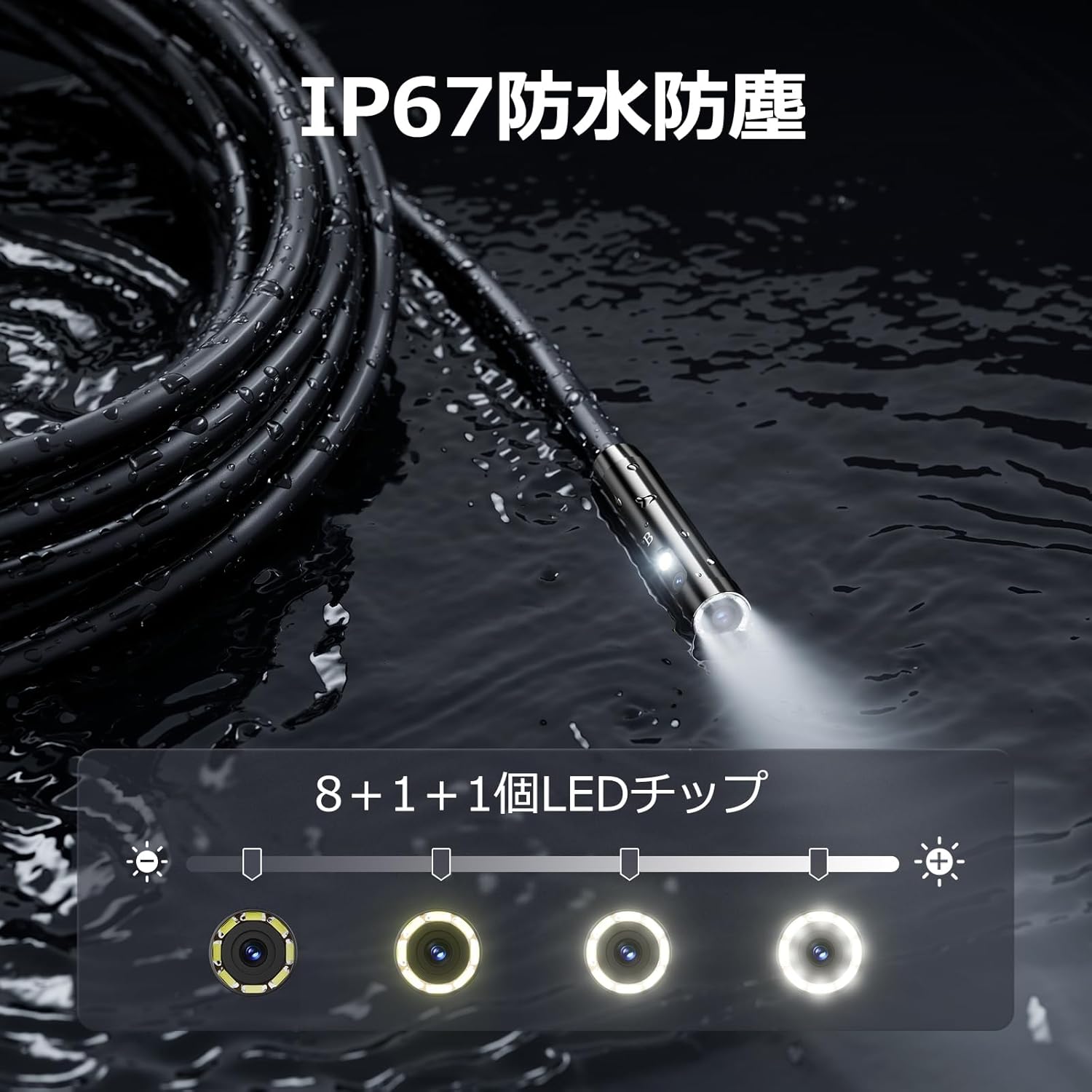
Figure 5.3: IP67 waterproof probe with adjustable LED illumination.
5.4 Realizarea de fotografii și înregistrarea videoclipurilor
Press the photo/video button (usually a camera icon) to capture a still image. To record video, press and hold the photo/video button; press again to stop recording. Ensure a Micro SD card is inserted to save your media.

Figure 5.4: Monitor interface for photo and video capture.
5.5 Rotația ecranului
Press the screen rotation button (often a circular arrow icon) to rotate the image on the monitor by 180 degrees. This is useful when the probe is in an inverted position.
5.6 Practical Applications
The DS620-TL is suitable for various tasks including home appliance maintenance, pipe inspection, wall wiring checks, and automotive repairs.

Figure 5.6: Various inspection scenarios for the endoscope.
5.7 Video demonstrativ de produs
Video 5.7: A demonstration of the DEPSTECH DS620-TL endoscope camera in use, showcasincaracteristicile și aplicațiile sale.
6. Întreținere
6.1 Cleaning the Probe and Lens
After each use, especially in dirty or wet conditions, gently wipe the camera probe and lens with a soft, dry cloth. For stubborn dirt, a slightly damp se poate folosi o lavetă, urmată de uscare. Nu utilizați produse de curățare abrazive sau solvenți.
6.2 Depozitare
Store the endoscope camera in a cool, dry place, away from direct sunlight and extreme temperatures. Use the provided drawstring bag for protection. Ensure the cable is coiled neatly without sharp bends.
6.3 Îngrijirea bateriei
To prolong battery life, avoid fully discharging the device frequently. If storing for an extended period, charge the battery to approximately 50% every three months.
7. Depanare
7.1 Nicio imagine pe ecran
- Asigurați-vă că dispozitivul este pornit și încărcat complet.
- Check if the camera cable is securely connected to the monitor unit.
- Reglați luminozitatea LED-ului pentru a asigura o iluminare adecvată în zona de inspecție.
7.2 Cannot Record Photos/Videos
- Verify that a compatible Micro SD card (Class 10/Class 10 or higher, 8-32GB) is inserted correctly.
- Verificați dacă are suficient spațiu liber pe cardul Micro SD.
- Ensure the Micro SD card is not locked (read-only).
- Try formatting the Micro SD card (this will erase all data).
7.3 Dispozitivul nu se încarcă
- Ensure the Type-C charging cable is properly connected to both the device and the power source.
- Try using a different USB power adapter or charging cable.
- Verificați portul de încărcare pentru orice resturi sau daune.
If you encounter issues not listed here or if the problem persists, please contact DEPSTECH customer support.
8. Specificații
| Caracteristică | Caietul de sarcini |
|---|---|
| Marca | DEPSTECH |
| Numele modelului | DS620TL-JP |
| Culoare | Negru |
| Nivel impermeabil | IP67 |
| Tip media | SD Memory Card (8-32GB, Class 10/Class 10 or higher recommended) |
| File Format | MP4, MOV, AVI, JPEG, RAW |
| Format de captură video | MP4 |
| ViewFinder Tip | IPS |
| Tip senzor | CMOS |
| Rezoluția senzorului foto | 2.1 MP |
| Funcția de focalizare | Focalizare fixă |
| Focalizare automată | Nu |
| Durata medie a bateriei | 2 de ore |
| Componente incluse | Type-C Cable, Attachments, Storage Drawstring Bag |
| Garantia producatorului | 2 ani |
| Țara de origine | China |
9. Garanție și asistență
9.1 Garanția producătorului
The DEPSTECH DS620-TL comes with a 24-month manufacturer warranty. Your order number serves as proof of purchase for warranty claims.
9.2 Asistență pentru clienți
For any inquiries, technical assistance, or warranty claims, please contact our dedicated support team:
- E-mail: support@depstech.com
- Timp de răspuns: We aim to respond to all inquiries within 24 hours. For requests submitted on weekends or holidays, a response will be provided on the next business day.

Figure 9.2: DEPSTECH support details.