
Introducere
This manual provides detailed instructions for the operation and maintenance of your SWOFY M4 MP3 Player. Please read this manual thoroughly before using the device to ensure proper functionality and to maximize your user experience. The SWOFY M4 is a portable digital music player featuring Bluetooth 5.4 connectivity, a 2.4-inch touchscreen, and a range of multimedia functions.
Conținutul pachetului
Verificați dacă toate articolele enumerate mai jos sunt prezente în colet:
- SWOFY M4 MP3 Player (128GB)
- Cablu USB de tip C
- Căști cu fir
- Manual de utilizare
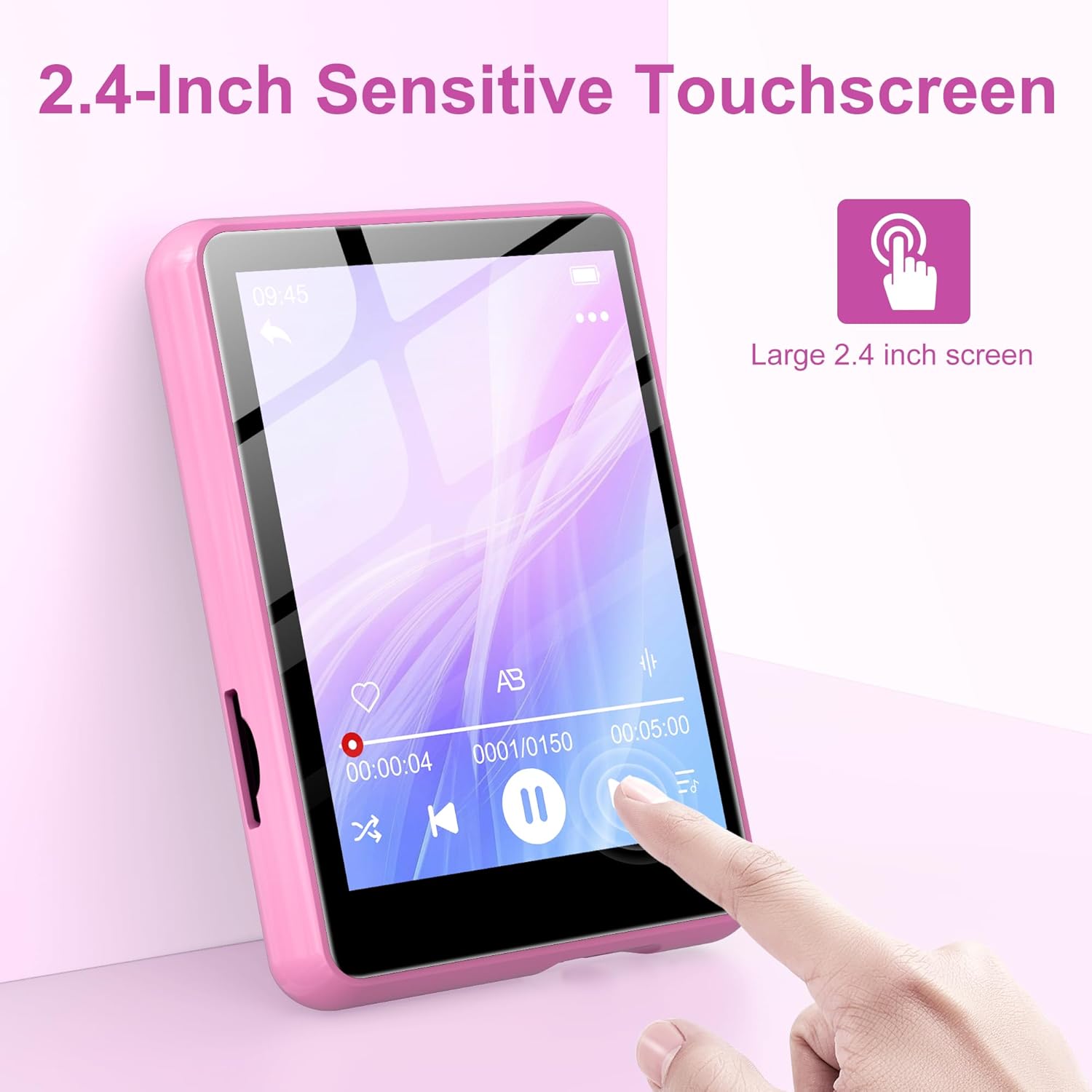
Image: Contents of the SWOFY M4 MP3 Player package, showing the device, USB Type-C cable, wired headphones, and user manual.
Produs terminatview
The SWOFY M4 MP3 Player features a compact design with a 2.4-inch sensitive touchscreen and physical buttons for navigation and control.

Imagine: față view of the SWOFY M4 MP3 Player, highlighting the 2.4-inch touchscreen interface.
Caracteristici cheie:
- Afişa: Ecran tactil LCD de 2.4 inci
- Depozitare: 128GB internal, expandable via Micro SD card (up to 512GB)
- Conectivitate: Bluetooth 5.4, USB 2.0
- Formate audio: MP3, OGG, FLAC, AAC, WMA, WAV, APE
- Functii: Music Player, FM Radio, Voice Recorder, E-book Reader, Video Player, Alarm Clock, Built-in HD Speaker
- Durata de viață a bateriei: Up to 50 hours of music playback (with headphones)
- Timp de încărcare: Aproximativ 2 ore pentru o încărcare completă

Image: The SWOFY M4 MP3 Player's main menu screen, showing icons for various functions such as Music, FM Radio, Bluetooth, E-book, and Video.
Înființat
1. Încărcarea dispozitivului
Before initial use, fully charge the MP3 player. Connect the provided USB Type-C cable to the player's charging port and the other end to a USB power adapter (not included) or a computer's USB port. The device will indicate charging status on the screen. A full charge takes approximately 2 hours.
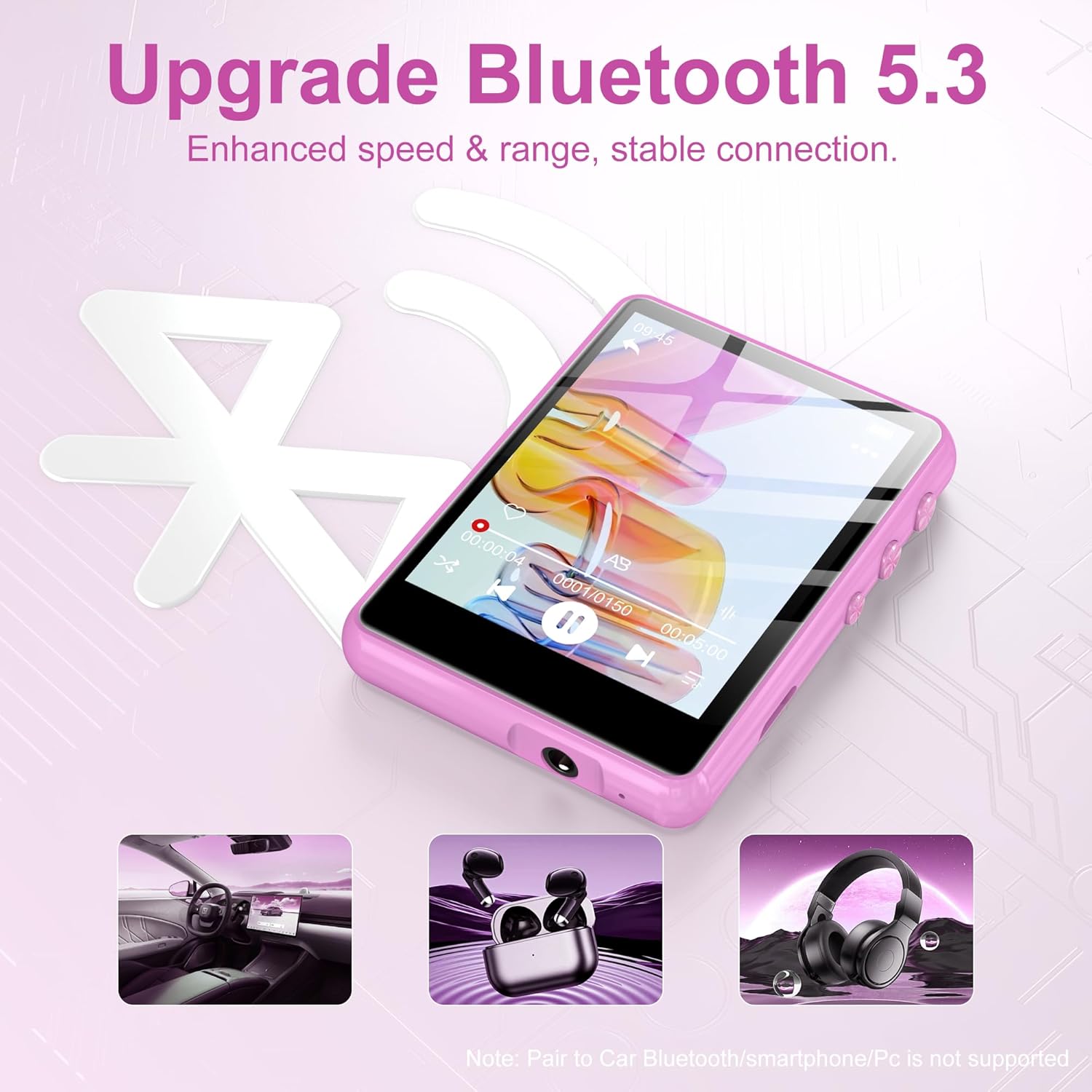
Image: The SWOFY M4 MP3 Player displaying battery information, indicating a 2-hour charging time for extended usage.
2. Transferul Files (Muzică, Videoclipuri, Cărți electronice)
A transfera files from your computer to the MP3 player:
- Connect the MP3 player to your computer using the USB Type-C cable.
- Playerul va apărea ca o unitate de disc amovibilă pe computer.
- Drag and drop your desired music, video, or e-book files into the appropriate folders on the player (e.g., "Music," "Video," "Ebook").
- Safely eject the removable disk from your computer before disconnecting the cable.
The device has 128GB of internal storage and supports Micro SD cards for expansion up to 512GB. Insert a Micro SD card into the designated slot to expand storage capacity.

Image: The SWOFY M4 MP3 Player highlighting its 128GB high capacity, expandable up to 512GB, for storing thousands of songs.
Instrucțiuni de operare
1. Pornire/Oprire
- Pentru a porni: Apăsați și mențineți apăsat butonul de pornire situat pe lateralul dispozitivului până când ecranul se aprinde.
- Pentru a opri: Apăsați și mențineți apăsat butonul de pornire până când pe ecran apare o opțiune de oprire, apoi confirmați.
2. Navigare de bază
The SWOFY M4 features a 2.4-inch sensitive touchscreen for navigation. Tap icons to select functions and swipe to scroll through lists or pages. Physical buttons on the side provide additional control for volume and playback.

Image: A finger interacting with the 2.4-inch sensitive touchscreen of the SWOFY M4 MP3 Player, demonstrating its touch interface.
3. Redarea muzicii
- Din meniul principal, atingeți pictograma „Muzică”.
- Browse your music by artist, album, genre, or all songs.
- Atingeți o melodie pentru a începe redarea.
- Use the on-screen controls or physical buttons for play/pause, skip tracks, and volume adjustment.
The player supports HiFi lossless sound quality for formats like MP3, OGG, FLAC, AAC, WMA, WAV, and APE.

Image: A visual representation of enjoying music with HiFi lossless sound quality, listing supported audio formats.
4. Conectivitate Bluetooth
The SWOFY M4 features Bluetooth 5.4 for connecting to compatible devices such as Bluetooth headphones or speakers.
- Din meniul principal, atingeți pictograma „Bluetooth”.
- Activați Bluetooth.
- Ensure your Bluetooth device (headphones/speaker) is in pairing mode.
- Selectați dispozitivul din lista de dispozitive disponibile pentru asociere.
Nota: The player does not support pairing with car Bluetooth systems, smartphones, or PCs for audio output.
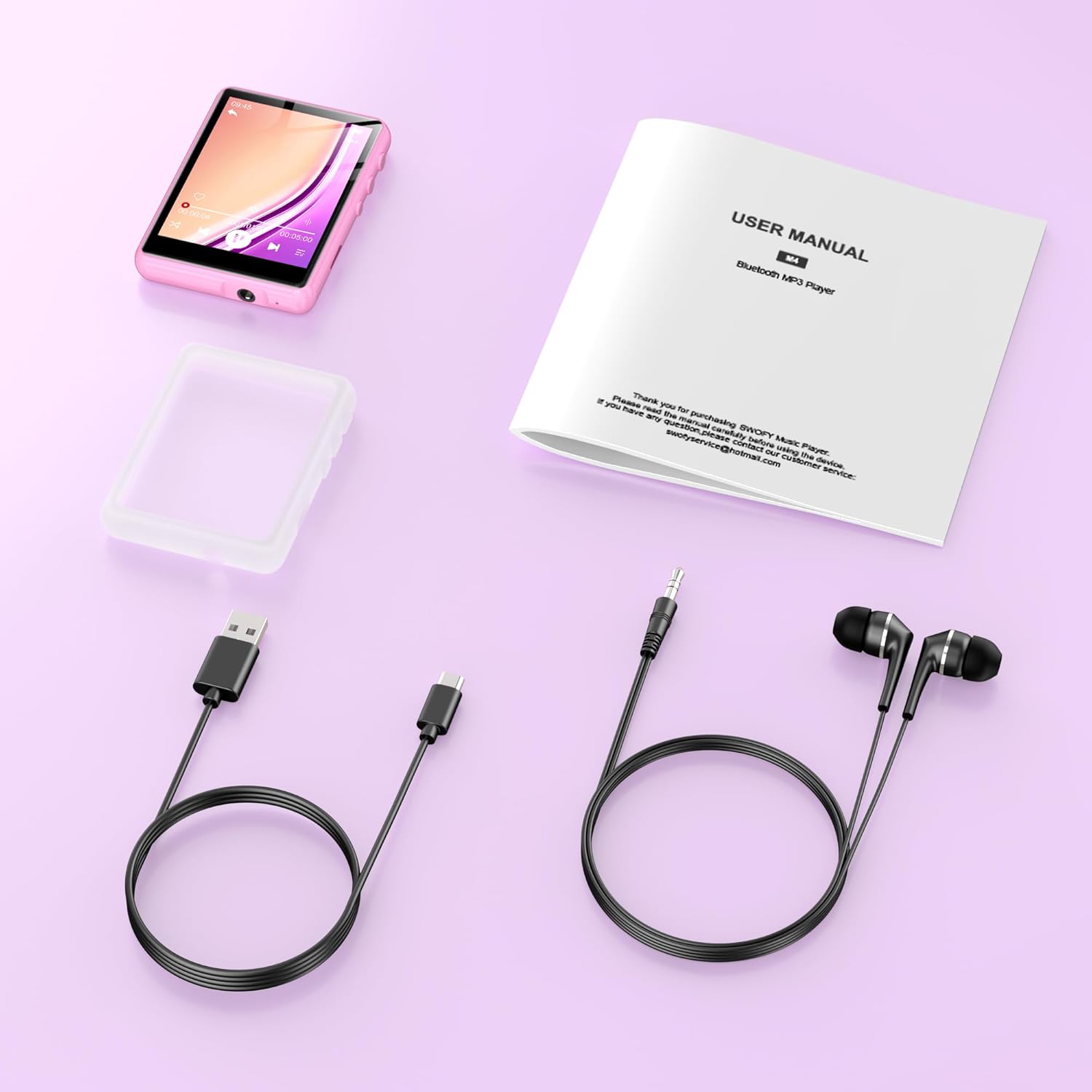
Image: The SWOFY M4 MP3 Player demonstrating its Bluetooth 5.4 connectivity for enhanced speed and stable connection with headphones and speakers.
5. Radio FM
- Connect wired headphones to the player; they act as the antenna.
- From the main menu, tap the "FM Radio" icon.
- Use the auto-scan function to find available stations or manually tune to a frequency.
6. Voice Recorder
- From the main menu, tap the "Recording" icon.
- Atingeți butonul de înregistrare pentru a începe înregistrarea.
- Tap the stop button to end and save the recording.
7. Cititor de cărți electronice
- Din meniul principal, atingeți pictograma „Carte electronică”.
- Select an e-book file a deschide și a citi.
8. Redare video
- From the main menu, tap the "Video" icon.
- Selectați un videoclip file to play. Ensure video filesunt în formate compatibile pentru o redare optimă.
9. Setări
Access the "Settings" menu to adjust various device parameters, including:
- Limbă
- Data și ora
- Luminozitatea afișajului
- Setări egalizator
- Informații de sistem
Întreţinere
- Păstrați dispozitivul uscat. Evitați expunerea la umezeală sau lichide.
- Curățați ecranul și carcasa cu o lavetă moale și uscată. Nu utilizați produse de curățare abrazive.
- Evitați temperaturile extreme. Nu expuneți dispozitivul la lumina directă a soarelui sau la medii foarte reci.
- Handle with care. Avoid dropping or subjecting the device to strong impacts.
- Regularly back up important data to a computer to prevent loss.
Depanare
| Problemă | Soluție posibilă |
|---|---|
| Dispozitivul nu pornește. | Ensure the device is fully charged. Connect to a power source and try again. |
| Nu se poate transfera files. | Check the USB cable connection. Ensure the device is recognized by the computer. Try a different USB port or cable. |
| Dispozitivul Bluetooth nu se conectează. | Ensure Bluetooth is enabled on both the MP3 player and the target device. Place devices close to each other and ensure the target device is in pairing mode. Note that the player does not pair with phones or PCs for audio output. |
| Niciun sunet de la radioul FM. | Ensure wired headphones are connected, as they serve as the antenna. Check volume levels. |
| Ecranul tactil nu răspunde sau este inexact. | Restart the device. Ensure the screen is clean and dry. If the issue persists, contact customer support. |
Specificații
| Caracteristică | Detaliu |
|---|---|
| Model | M4 |
| Afişa | Ecran tactil LCD de 2.4 inci |
| Stocare internă | 128 GB |
| Stocare extensibilă | Card micro SD de până la 512 GB |
| Versiune Bluetooth | 5.4 |
| Interfață USB | USB 2.0 (Tip-C) |
| Formate audio acceptate | MP3, OGG, FLAC, AAC, WMA, WAV, APE |
| Durata de viață a bateriei (redare muzică) | Până la 50 de ore (cu căști) |
| Timp de încărcare | Aproximativ. 2 ore |
| Caracteristici speciale | Built-in Speaker, FM Radio, Voice Recorder, E-book Reader, Video Playback, Equalizer |
| Dispozitive compatibile | Bluetooth Headphones, Personal Computer, Bluetooth Speakers |
| Producător | SWOFY |
| GTIN/UPC | 762786808415 |
Garanție și suport
The SWOFY M4 MP3 Player comes with a warranty of up to 24 months from the date of purchase. If you encounter any issues or require assistance, please contact SWOFY customer support. Refer to the contact information provided in your product packaging or on the official SWOFY website-ul pentru detalii de asistență.
For further assistance, please visit our support page or contact us directly via support@swofy.com.