
MEETION K9880
MEETION K9880 Foldable Bluetooth Keyboard User Manual
Model: K9880
Introducere
Thank you for choosing the MEETION K9880 Foldable Bluetooth Keyboard. This ultra-thin, portable keyboard is designed for business travel and compatible with iOS, Android, Windows, and macOS devices. Its ergonomic split-key layout and multi-device connectivity enhance productivity on the go. Please read this manual carefully to ensure proper use and optimal performance of your device.
Ce este în cutie
- 1 x MEETION K9880 Foldable Bluetooth Keyboard
- Cablu de încărcare 1 x USB-C
- 1 x Manual de utilizare
- 1 x Geantă de catifea
Produs terminatview
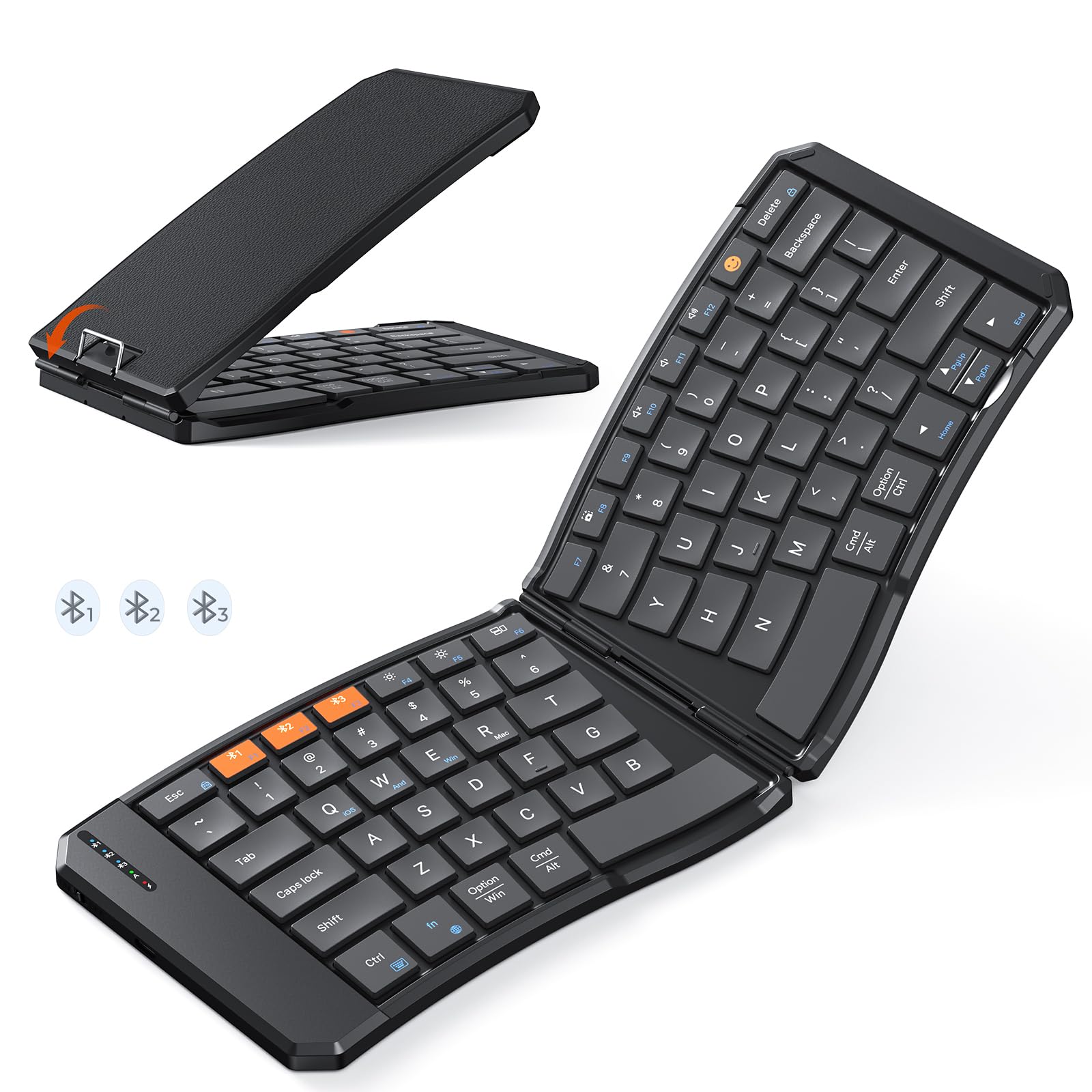
The MEETION K9880 Foldable Bluetooth Keyboard in its compact, folded state, ready for travel.

The keyboard unfolded, showcasing its ergonomic 166-degree V-shaped split-key layout for comfortable typing.

Detaliat view of the scissor-switch keys, designed for quiet and responsive typing.

The keyboard being charged via its USB-C port, with indicator lights for Bluetooth, Caps Lock, and Power.
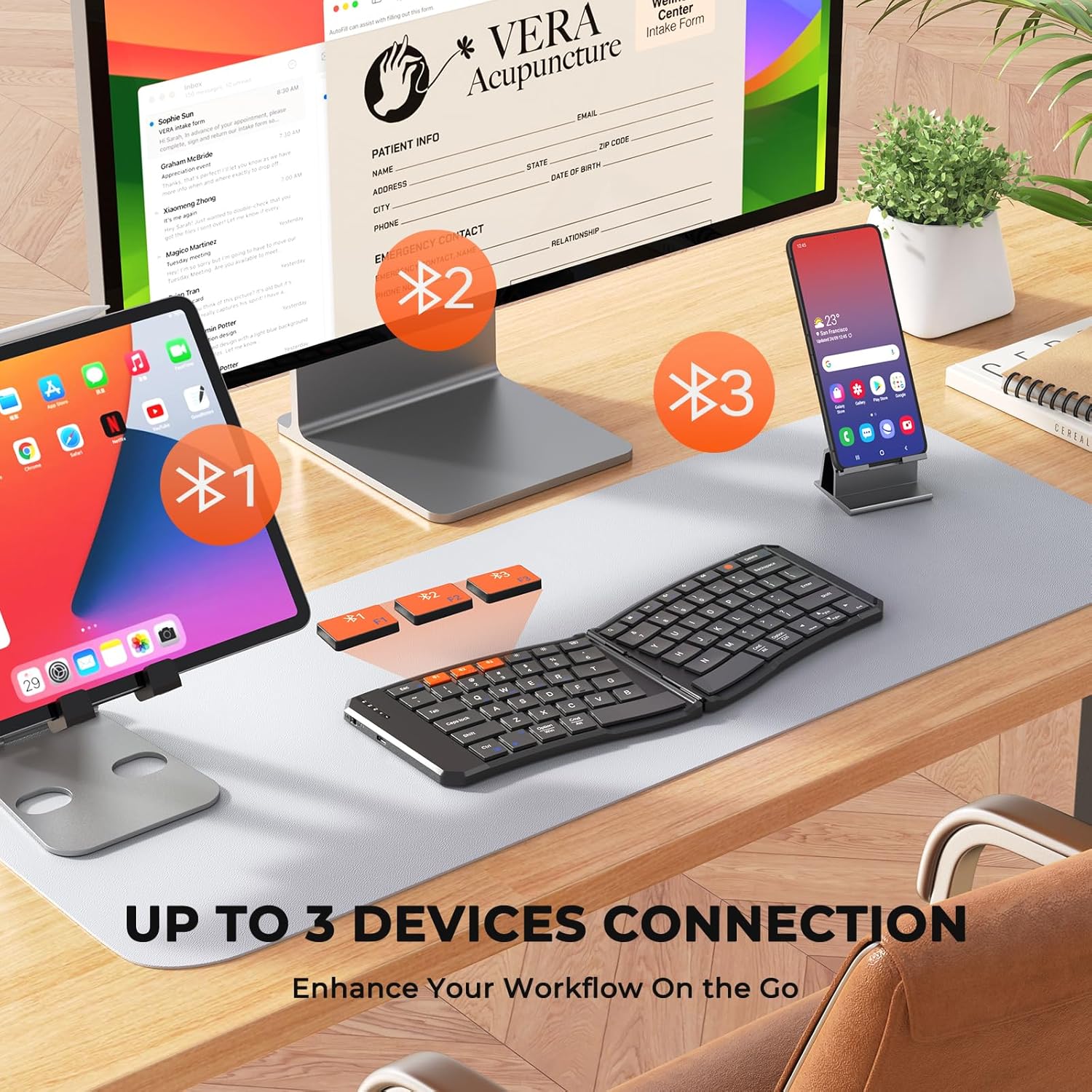
The keyboard's multi-device connectivity, allowing simultaneous connection to up to three devices.

Visual guide for establishing a Bluetooth connection with the keyboard.

Instructions for switching keyboard layouts to match iOS, Android, Windows, or macOS operating systems.
Înființat
1. Pornire/Oprire
- To power on the keyboard, slide the power switch located on the side to the 'ON' position.
- Pentru a opri, glisați comutatorul în poziția „OFF”.
- The keyboard features a 20-minute auto-sleep mode to conserve power. Press any key to wake it up.
2. Încărcarea tastaturii
- Connect the provided USB-C charging cable to the keyboard's charging port and the other end to a USB power source.
- The red light will flash rapidly when the battery is low.
- The green light will flash during charging and stay solid green when fully charged.
- A full charge provides up to 60 hours of standby time.
3. Bluetooth Pairing (Multi-Device Connection)
- Asigurați-vă că tastatura este pornită.
- Press and hold the Bluetooth button (labeled #1, #2, sau #3) for 3 seconds to enter pairing mode. The corresponding blue indicator light will blink rapidly.
- On your device (computer, phone, tablet), enable Bluetooth and search for available devices.
- Select "Meetion-KB-BT1", "Meetion-KB-BT2", or "Meetion-KB-BT3" from the list to connect.
- Once connected, the blue light will stay on for 5 seconds and then turn off.
- To switch between paired devices, simply press the corresponding Bluetooth button (#1, #2, sau #3). The blue light will stay on for 5 seconds to indicate the active connection.
4. Comutarea sistemului
To optimize keyboard functionality for your specific operating system, use the following key combinations:
- Fn + QTrecerea la sistemul iOS
- Fn + WTrecerea la sistemul Android
- Fn + EComutare la sistemul Windows
- Fn + RTrecerea la sistemul macOS
Operarea tastaturii
1. Experiență de dactilografiere
- The keyboard features X-shaped scissor-switch keys for quiet, precise input with responsive feedback.
- The V-shaped 166° angle and split-key layout promote a natural typing posture, reducing strain on hands and wrists.
- The 6-row layout provides a laptop-like typing experience.
2. Taste cu funcții speciale
The keyboard includes several shortcut keys for enhanced productivity:
- Fn + Esc: Toggle between multimedia functions (F1-F12) and standard F-key functionality.
- Emoji Key: Access emoji input (supports Windows, MacBook (macOS), iPad (iPadOS), and Android Samsung devices; does not support iPhone (iOS)).
- Blocare ecran: Lock your device's screen.
- Tastatură virtuală: Enable or disable the virtual keyboard on your device.
- Luminozitate +/-: Reglați luminozitatea ecranului.
- Comutator de sarcini: Switch between open applications.
- Caută: Open the search function.
- Captură de ecran: Capture a screenshot.
- Play/Pause, Mute, Volume +/-: Control media playback and volume.
3. Foldable Design and Stability
- The keyboard folds compactly for easy portability. Magnetic adsorption keeps it securely closed when folded.
- A built-in rear metal support wire ensures stability when unfolded, allowing for typing on uneven surfaces like your lap.
Întreţinere
1. Curatenie
- The keyboard features a scratch-resistant, easy-to-clean PU leather exterior.
- Ștergeți suprafața cu un material moale, damp Evitați substanțele chimice dure sau materialele abrazive.
- For cleaning between keys, use compressed air or a soft brush.
2. Îngrijirea bateriei
- Pentru a prelungi durata de viață a bateriei, evitați descărcarea completă frecventă a tastaturii.
- Depozitați tastatura într-un loc răcoros și uscat atunci când nu o utilizați pentru perioade lungi de timp.
- Utilize the auto-sleep mode by ensuring the keyboard is idle for 20 minutes to save power.
Depanare
- Tastatura nu se conectează prin Bluetooth: Ensure the keyboard is powered on and in pairing mode (blue light blinking). Check your device's Bluetooth settings to confirm it's discoverable and try re-pairing.
- Tastele nu răspund: Check the battery level. If the red light is flashing, charge the keyboard. Ensure the keyboard is properly connected to your device.
- Incorrect key layout: Verify that the keyboard is set to the correct operating system mode (Fn + Q/W/E/R).
- Conexiune intermitentă: Ensure there are no obstructions between the keyboard and your device. Try moving closer to your device. Avoid using the keyboard near strong electromagnetic interference.
- Keyboard not folding/unfolding properly: Check for any debris or obstructions in the hinge mechanism. Do not force the keyboard.
Specificații
| Caracteristică | Detaliu |
|---|---|
| Marca | ÎNTÂLNIREA |
| Numărul de model | K9880 |
| Tehnologia de conectivitate | Bluetooth |
| Dispozitive compatibile | PC, iOS, Android, Windows, macOS devices |
| Caracteristici speciale | Ergonomic, Foldable, Low-Profile Key, Portable, Rechargeable, Multi-device connection (up to 3) |
| Descrierea tastaturii | Multimedia |
| Material | Plastic (with PU leather exterior) |
| Capacitatea bateriei | Baterie cu litiu de 140 mAh |
| Timp de așteptare | Până la 60 ore |
| Port de încărcare | USB-C |
garanție
The MEETION K9880 Foldable Bluetooth Keyboard comes with a 1 an garanție de producător. Please retain your proof of purchase for any warranty claims. This warranty covers manufacturing defects and does not cover damage caused by misuse, accidents, or unauthorized modifications.
Sprijin
For further assistance, technical support, or warranty inquiries, please contact MEETION customer service through the official brand website or your retailer's support channels. You may also refer to the included user manual for additional information.
Ask a question about this manual
Ask about setup, troubleshooting, compatibility, parts, safety, or missing instructions. Manuals+ will review the question and use this page’s manual context to help answer it.