
1. Introducere
Thank you for choosing the SUBSONIC Superdrive 220 RS Steering Wheel. This racing wheel is designed to provide an immersive and realistic driving experience across multiple gaming platforms. This manual provides essential information for the proper setup, operation, and maintenance of your device. Please read these instructions carefully before use to ensure optimal performance and longevity of your product.

Image 1.1: The SUBSONIC Superdrive 220 RS Steering Wheel and its accompanying pedal set.
2. Conținutul pachetului
Vă rugăm să verificați dacă toate articolele sunt prezente în coletul dumneavoastră:
- SUBSONIC Superdrive 220 RS Steering Wheel Unit
- Analog Pedal Set (Accelerator and Brake)
- USB Connection Cable (integrated or separate, for console/PC connection)
- Removable Suction Cups (pre-attached or included for mounting)
3. Produs terminatview
The Superdrive 220 RS features a 22 cm diameter wheel with 180-degree rotation, designed for precise control. It includes integrated paddle shifters for quick gear changes and dual joysticks that incorporate standard controller functions directly onto the wheel. The unit also features programmable RGB LED lighting and dual vibration motors for enhanced immersion.

Image 3.1: The steering wheel's 180-degree rotation capability and 22 cm diameter for comfortable grip.

Image 3.2: Detail of the dual joysticks and customizable RGB LED lighting on the wheel.
4. Configurare
4.1 Connecting the Wheel
- Connect the pedal unit cable to the designated port on the steering wheel base.
- Plug the steering wheel's USB cable into an available USB port on your gaming console (Nintendo Switch 2, Switch, PS4, Xbox Series X/S, Xbox One) or PC.
- The wheel will automatically detect the platform and initialize.
4.2 Montarea volanului
For stable gameplay, mount the steering wheel securely to a flat surface such as a desk or table.
- Asigurați-vă că suprafața este curată și uscată.
- Place the steering wheel base on the desired surface.
- Press down firmly on the steering wheel base to engage the suction cups.
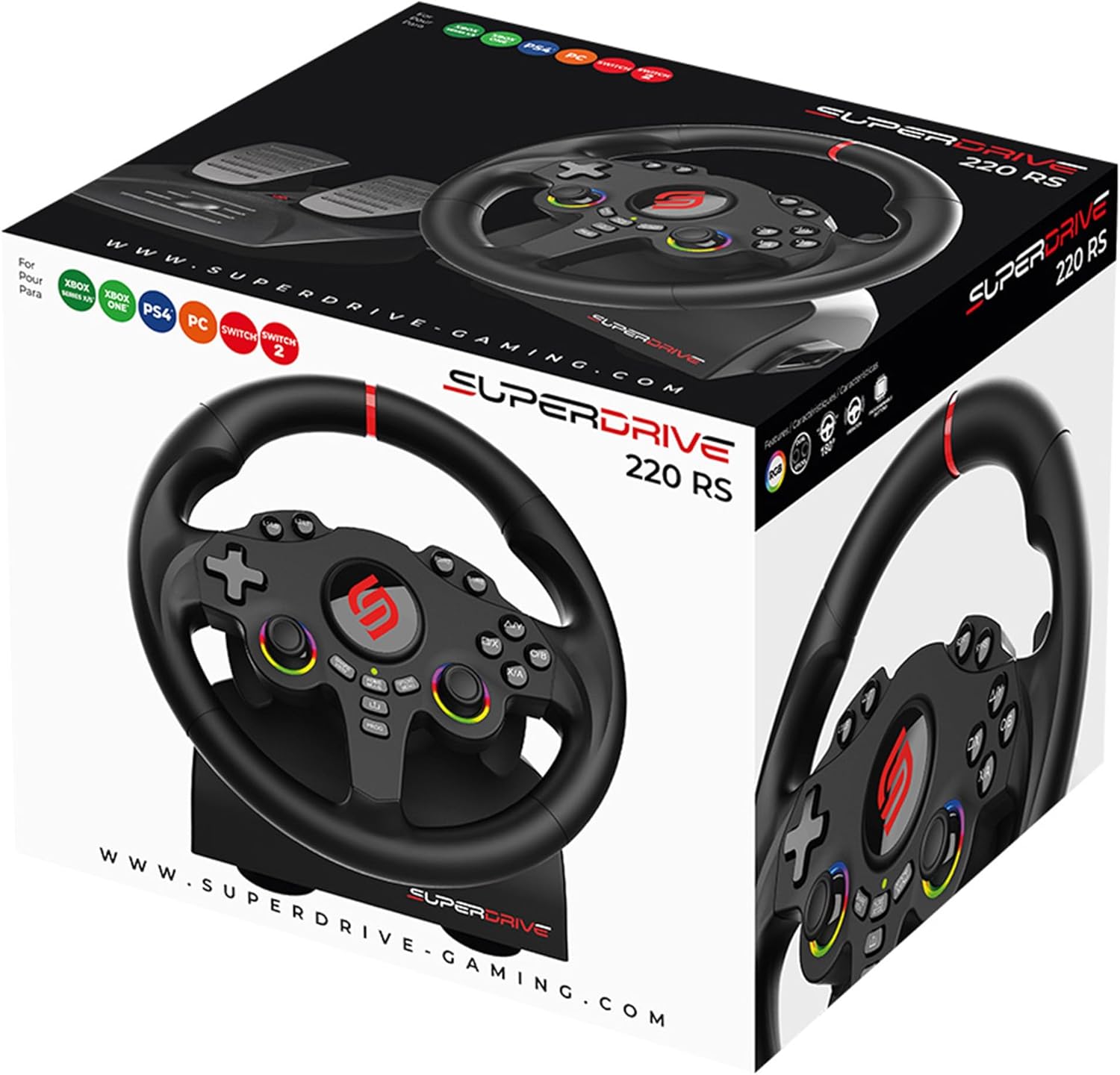
Image 4.1: The four suction cups located on the base of the steering wheel for secure mounting.
5. Instrucțiuni de utilizare
5.1 Compatibilitatea platformei
The Superdrive 220 RS is compatible with a wide range of gaming platforms:
- Nintendo Switch 2
- Nintendo Switch
- PlayStation 4 (PS4)
- Xbox Series X/S
- Xbox One
- PC Windows

Image 5.1: Visual representation of the steering wheel's multi-platform compatibility.
5.2 Reglarea sensibilității
The steering wheel offers three sensitivity levels to match your driving style and game requirements:
- Sensibilitate scăzută: Suitable for most racing games, offering a balanced response.
- Sensibilitate medie: Ideal for games with many curves, providing increased responsiveness.
- Sensibilitate mare: Designed for linking tight turns, offering maximum steering precision.
Refer to the product's quick start guide or on-screen prompts for instructions on how to cycle through sensitivity settings.

Image 5.2: Explanation of the three sensitivity levels and their recommended uses.
5.3 Programmable Buttons and LED Customization
The dual joysticks and various buttons on the wheel are programmable, allowing you to customize your control layout. The integrated RGB LED lighting can also be adjusted to:
- Fix Colors: Select a static color.
- Fix Rainbow: Display a static rainbow effect.
- Breathing Colors: Cycle through colors with a breathing effect.
Consult the product's quick start guide for specific button programming and LED customization procedures.
5.4 Feedback la vibrații
The dual vibration motors provide realistic feedback, simulating road conditions, collisions, and other in-game events to enhance your racing immersion.

Image 5.3: Illustration of the vibration feedback feature during gameplay.
6. Întreținere
To ensure the longevity and proper functioning of your Superdrive 220 RS Steering Wheel, follow these maintenance guidelines:
- curatenie: Use a soft, dry cloth to wipe down the steering wheel and pedal unit. Avoid using abrasive cleaners or solvents, as these can damage the finish.
- Depozitare: When not in use, store the device in a clean, dry place away from direct sunlight and extreme temperatures.
- Îngrijirea cablului: Avoid sharply bending or twisting the connection cables. Always grasp the plug, not the cable, when disconnecting.
7. Depanare
If you encounter issues with your Superdrive 220 RS Steering Wheel, please refer to the following common solutions:
- Fără alimentare/Fără răspuns:
- Ensure the USB cable is securely connected to both the steering wheel and the console/PC.
- Încercați să vă conectați la un alt port USB.
- Reporniți consola sau PC-ul.
- Pedals Not Responding:
- Verify that the pedal unit cable is firmly connected to the steering wheel base.
- Check for any obstructions under the pedals.
- Vibrațiile nu funcționează:
- Asigură-te că jocul pe care îl joci acceptă feedback prin vibrații.
- Check in-game settings to confirm vibration is enabled.
- Incorrect Button Mapping:
- Refer to the game's control settings to remap buttons if necessary.
- Consult the product's quick start guide for instructions on programming buttons directly on the wheel.
If these steps do not resolve the issue, please contact SUBSONIC customer support.
8. Specificații
| Numărul de model | SA5720-1 |
| Dimensiunile produsului | 30.48 x 22 x 32 cm |
| Greutate | 1.7 kilograme |
| Diametrul roții | 22 cm |
| Unghi de rotație | 180 de grade |
| Compatibilitate | Nintendo Switch 2, Switch, PS4, Xbox Series X/S, Xbox One, Windows PC |
9. Garanție și asistență
The SUBSONIC Superdrive 220 RS Steering Wheel comes with a Garanție de 2 an de la producător de la data achiziției. Această garanție acoperă defectele de materiale și de fabricație în condiții normale de utilizare.
For warranty claims, technical support, or further assistance, please refer to the contact information provided on the official SUBSONIC website-ul sau documentația achiziției dumneavoastră.