
Introducere
The Fender Mustang LTX50 is a versatile 50-watt modeling combo amplifier designed for guitarists seeking a wide range of authentic Fender tones and modern features. Equipped with a 12-inch Celestion G12P-80 speaker, it delivers dynamic sound suitable for practice, rehearsal, and performance. This amplifier offers 25 amp models and 25 effects, covering various musical styles from clean to high-gain. Its intuitive color display, onboard tuner, and 100 user preset slots provide easy customization and quick access to your preferred sounds. The Mustang LTX50 also features Bluetooth audio streaming for playing along with tracks and USB-C connectivity for direct recording and monitoring.
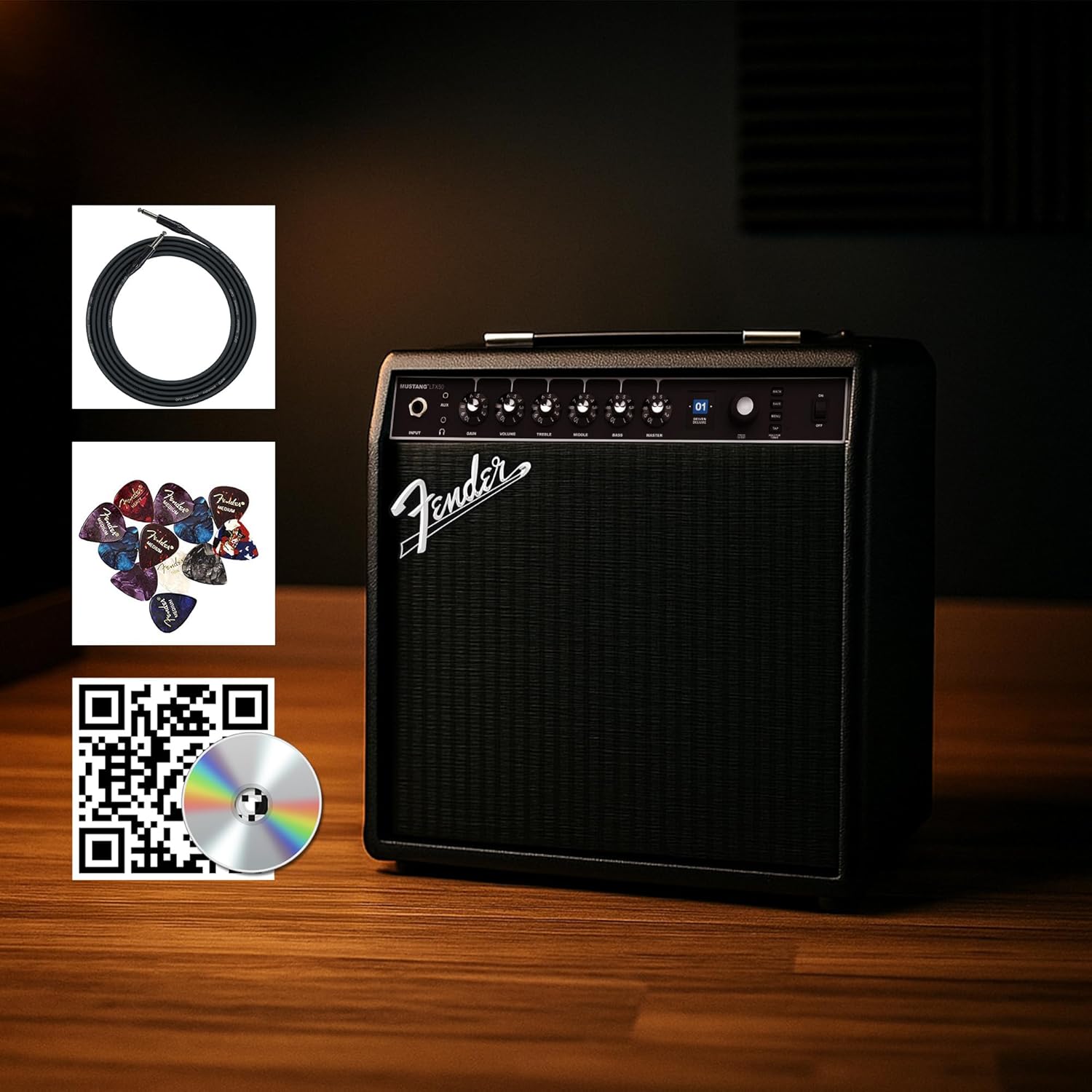
Figure 1: Fender Mustang LTX50 Guitar Combo AmpLifizer cu accesorii incluse.
Înființat
1. Unboxing și inspecție inițială
- Îndepărtați cu grijă ampLifter și toate accesoriile din ambalaj.
- Inspectați amplifier for any signs of damage that may have occurred during shipping.
- Confirm all included items are present: Mustang LTX50 amplifier, power cord, instrument cable, 12-pack guitar picks, and instructional DVD.
2. Conectarea puterii
- Asigurați ampÎntrerupătorul de alimentare al aparatului este în poziția OPRIT.
- Connect the included power cord to the AC input on the rear panel of the ampmai în viață.
- Conectați celălalt capăt al cablului de alimentare la o priză cu împământare.
3. Conectarea chitarei
- Use the included instrument cable to connect your guitar to the INTRARE jack on the front panel of the ampmai în viață.
4. Controale de bază asupraview
Familiarize yourself with the front panel controls before powering on the ampmai în viață.
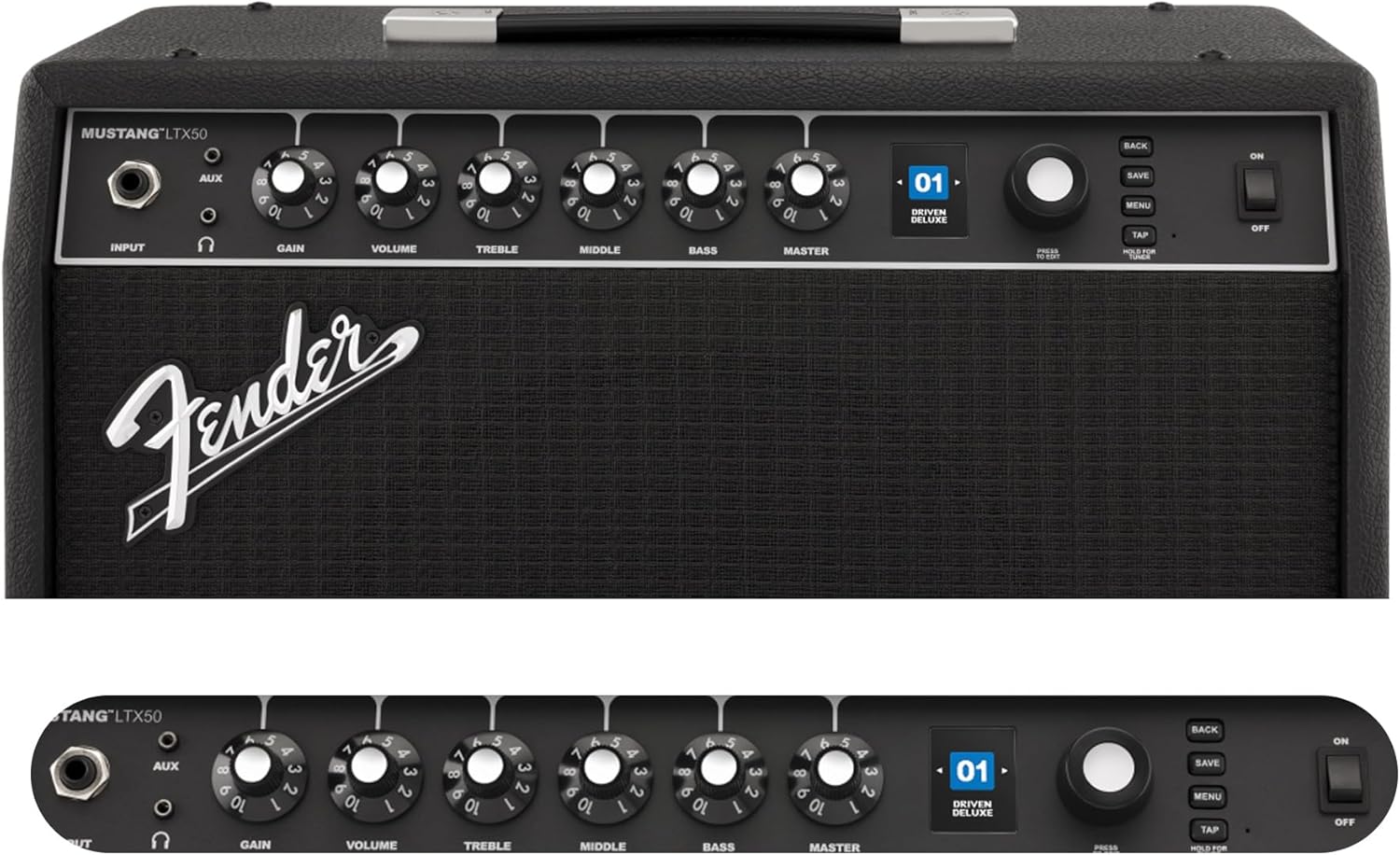
Figure 2: Front Panel Controls of the Mustang LTX50.
Instrucțiuni de operare
1. Pornire/Oprire
- To power on, ensure all volume controls are set to minimum, then flip the PUTERE comutați în poziția ON.
- Pentru a opri, întoarceți PUTERE comutați în poziția OFF.
2. Navigating Presets
- Utilizați ENCODER knob (large rotary knob) to scroll through the 100 available presets (70 factory, 30 user).
- Apăsați tasta ENCODER knob to select a preset.
- The color LCD displays the current preset number and name.
3. Ajustare Amp Modele și efecte
- Apăsați tasta MENIU butonul pentru a accesa amplifier's settings.
- Navigate through options like AMP, STOMP, MOD, DELAY, REVERB using the ENCODER.
- Select an option and use the ENCODER to choose different amp models or effects.
- Adjust parameters for each effect using the smaller control knobs (GAIN, VOLUME, TREBLE, MIDDLE, BASS, MASTER) or by selecting parameters on the display.
- Presa SALVA to store your customized preset.
4. Using the Built-in Tuner
- Țineți apăsat butonul ROBINET button to activate the chromatic tuner.
- Play a single note on your guitar; the display will show the note and indicate if it is sharp, flat, or in tune.
- Press any button or play for a few seconds to exit tuner mode.
5. Fender Tone 3.0 App Control
- Download the Fender Tone 3.0 app from your device's app store (iOS/Android).
- Activați Bluetooth pe dispozitivul dvs. mobil.
- Pe amplifizer, apăsați butonul MENIU button, navigate to "Bluetooth," and select "Pair."
- Select "Mustang LTX50" from your device's Bluetooth settings to connect.
- Use the app to wirelessly create, edit, save, and share presets, and to manage your ampsetările lifitorului.
6. Playing Along with Audio (Bluetooth)
- Once paired via Bluetooth, you can stream audio from your mobile device directly to the ampmai în viață.
- Adjust the volume of the streamed audio from your mobile device.
- Alternatively, connect an external audio source to the AUX IN jack on the front panel using a 3.5mm stereo cable.
7. Recording via USB-C
- Connect a USB-C cable from the amplifier's USB-C port to your computer (Mac or PC).
- The amplifier functions as a bidirectional audio interface, allowing direct recording and monitoring.
- Refer to your Digital Audio Workstation (DAW) software's manual for specific setup instructions.
Întreţinere
1. Curatenie
- Deconectați amplifier from power before cleaning.
- Folosiți o lavetă moale și uscată pentru a șterge suprafețele exterioare.
- Pentru murdăria persistentă, o ușoară damp Se poate folosi o lavetă cu săpun blând, urmată de o lavetă uscată.
- Evitați utilizarea de produse de curățare abrazive, solvenți sau ceruri, deoarece acestea pot deteriora finisajul.
2. Depozitare
- Depozitați ampA se păstra într-un loc răcoros și uscat, ferit de lumina directă a soarelui și de temperaturi extreme.
- Evitați depozitarea în zone cu umiditate ridicată.
- If storing for extended periods, cover the ampun protector pentru a-l proteja de praf.
3. Safety Warnings (Proposition 65)
Acest produs poate conține substanțe chimice cunoscute de Statul California ca fiind cancerigene, cu malformații congenitale sau alte probleme reproductive. Pentru mai multe informații, vizitați www.P65Warnings.ca.gov.
Depanare
Fără sunet
- Asigurați amplifier is powered on and the power cord is securely connected.
- Check that your guitar is properly connected to the INTRARE jack.
- Verificați că MAESTRU volume and individual preset volume controls are not set to zero.
- Test with a different instrument cable and guitar to rule out faulty equipment.
- If using headphones, ensure they are fully plugged into the headphone jack and that the main speaker is not muted.
Zgomot distorsionat sau nedorit
- Verificați comenzile de volum și ton ale chitarei.
- Reduceți CÂŞTIG setarea pe ampmai în viață.
- Ensure your instrument cable is not damaged or poorly shielded.
- Try a different power outlet to rule out electrical interference.
- If using high-gain amp models, some distortion is inherent. Adjust settings accordingly.
Probleme de conectivitate Bluetooth
- Ensure Bluetooth is enabled on both your mobile device and the ampmai în viață.
- Asigurați-vă că amplifier is in pairing mode (refer to "Fender Tone 3.0 App Control" section).
- Mutați dispozitivul mobil mai aproape de ampmai în viață.
- Încercați să anulați asocierea și să reasociați dispozitivele.
- Reporniți ambele amplifer și dispozitivul tău mobil.
Amplifier Not Responding
- Ciclul de alimentare al amplifier by turning it off, waiting 10 seconds, and turning it back on.
- If the issue persists, a factory reset may be necessary. Consult the Fender support website for instructions on performing a factory reset for the Mustang LTX50.
Specificații
| Numele modelului | MUSTANG LTX50 |
| Numărul de model | 2311700000 |
| Marca | Aripă |
| Amptip mai în viață | Modelare digitală |
| Putere de ieșire | 50 wați |
| Difuzor | 1 x 12" Celestion G12P-80 |
| Amp Modele | 25 |
| Efecte | 25 (distortion, overdrive, compression, modulation, reverb, delay, octave, etc.) |
| Presetări | 70 factory + 100 user slots |
| Afişa | Color LCD with onboard chromatic tuner |
| Conectivitate | Bluetooth audio, USB-C bidirectional audio |
| Ieșiri | XLR line out, Headphone out |
| Asistență pentru aplicații | Fender Tone 3.0 app (iOS/Android) |
| Material carcasă | Metal |
| Dimensiuni articol (D x L x H) | 22.3" D x 19.9" L x 12.3" H |
| Greutatea articolului | 26.4 lire sterline |
| UPC | 840262259088 |

Figure 3: Rear Panel Connections of the Mustang LTX50.
Informații despre garanție
The Fender Mustang LTX50 Guitar Combo AmpLiferul este acoperit de o Garanție limitată de 2 ani. This warranty covers defects in materials and workmanship under normal use. For full terms and conditions, please refer to the warranty documentation included with your product or visit the official Fender website-ul.
Sprijin
For further assistance, technical support, or service inquiries regarding your Fender Mustang LTX50 amplifier, please visit the official Fender support website:
You may also find additional resources, FAQs, and software updates on the Fender website-ul.