
Introducere
The iLive Cinema Pop-up Movie Kit is a comprehensive portable entertainment solution designed to transform any space into a personal cinema. This kit includes a 720p projector, a 120-inch ultra-bright projector screen, an adjustable tripod, and a powerful Bluetooth 5.0 speaker system. Enjoy crisp images and rich audio for both indoor and outdoor movie nights.
Ce este inclus
- Proiector 720p
- 120-inch Anti-Wrinkle Polyester Projector Screen (16:9 aspect ratio, 1.3 gain)
- Professional-Grade Tripod with integrated bubble level (360-degree pan, ±180-degree tilt, 41.73-inch max height, 4 kg capacity)
- Bluetooth 5.0 Speaker System (dual 4-inch full-range speakers, 16W peak output, LED light effects, rechargeable battery)
- Telecomanda
- Cablu de alimentare
- Cablu HDMI
- Cablu audio de 3.5 mm
- Cablu USB
- Husă de transport
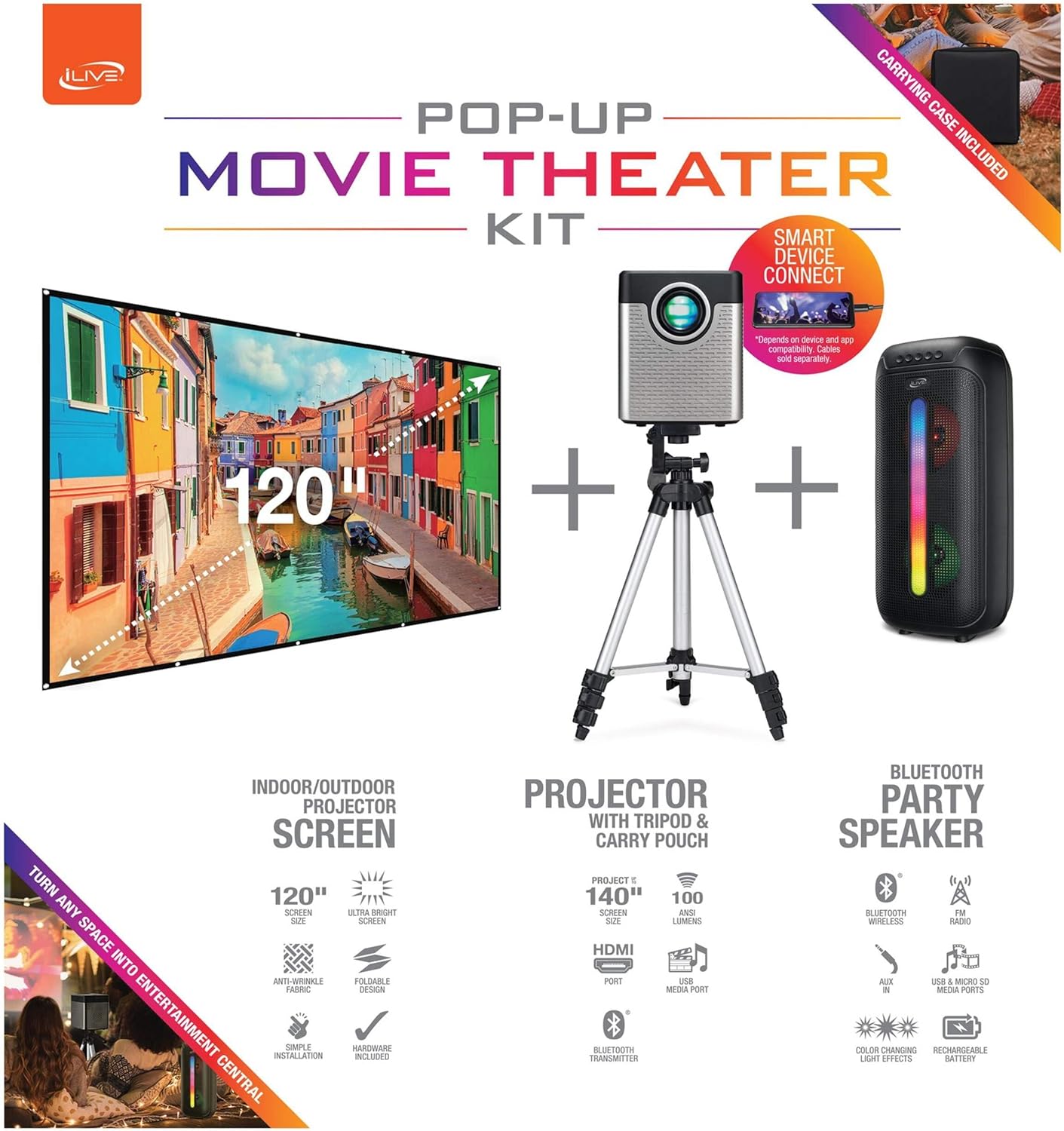
Figure 1: Diagram of the iLive Cinema Pop-up Movie Kit components.

Figure 2: The complete kit packed in its carrying case.
Înființat
- Despachetați componente: Scoateți cu grijă toate articolele din geanta de transport.
- Asamblarea trepiedului: Extend the legs of the tripod and secure them. Adjust the height to your desired viewing level. The integrated bubble level assists in ensuring a stable and level base.
- Proiector cu montare: Securely attach the projector to the tripod mount. Ensure it is stable and facing the desired projection area.
- Set Up Screen: Unfold the 120-inch anti-wrinkle screen. If using the tripod, attach the screen to the tripod frame using the provided fasteners. Ensure the screen is taut and wrinkle-free for optimal viewing. For alternative mounting, use the grommets along the screen's edges with appropriate wall hooks (not included).
- Poziție Vorbitor: Place the Bluetooth speaker in a location that provides optimal sound distribution for your viewzona de ing.
- Conectare alimentare: Connect the power cable to the projector and a suitable power outlet.
- Conectați dispozitivele (opțional): Connect your media source (e.g., laptop, gaming console, Blu-ray player) to the projector using an HDMI or USB cable. For external audio, use the 3.5mm audio input or connect wirelessly via Bluetooth to the speaker.

Figure 3: Projector mounted on the tripod.

Figura 4: Example outdoor setup with the projector and screen.
Instrucțiuni de operare
Funcționarea proiectorului
- Pornire/Oprire: Press the power button on the projector or remote control to turn the unit on or off.
- Sursa de intrare: Use the remote control to select the desired input source (HDMI, USB, etc.).
- Ajustarea focalizării: Reglați inelul de focalizare de pe lentila proiectorului până când imaginea este clară.
- Corecție trapezoială: If the projected image appears trapezoidal, use the keystone correction feature (manual or automatic, if available) to adjust the image to a rectangular shape. The projector supports vertical keystone correction.
- Raport de aspect: Select between 16:9 and 4:3 aspect ratios based on your content and preference.
- Distanța de proiecție: The projector has a flexible projection range of 2.6 to 12.5 feet. Adjust the distance to achieve the desired screen size.
Funcționarea difuzoarelor Bluetooth
- Pornire/Oprire: Press and hold the power button on the speaker to turn it on or off.
- Asociere Bluetooth: Activați Bluetooth pe dispozitivul dvs. (de exemplu, smartphone, tabletă). Caută the iLive speaker in the list of available devices and pair.
- Controlul volumului: Reglați volumul folosind comenzile de pe difuzor sau de pe dispozitivul conectat.
- Efecte de lumină LED: The speaker features LED light effects. Refer to the speaker's specific controls for adjusting or disabling these effects.
- Stereo wireless adevărat (TWS): If you have two iLive Bluetooth speakers, you can pair them together for a True Wireless Stereo experience. Follow the instructions provided with the speaker for TWS pairing.
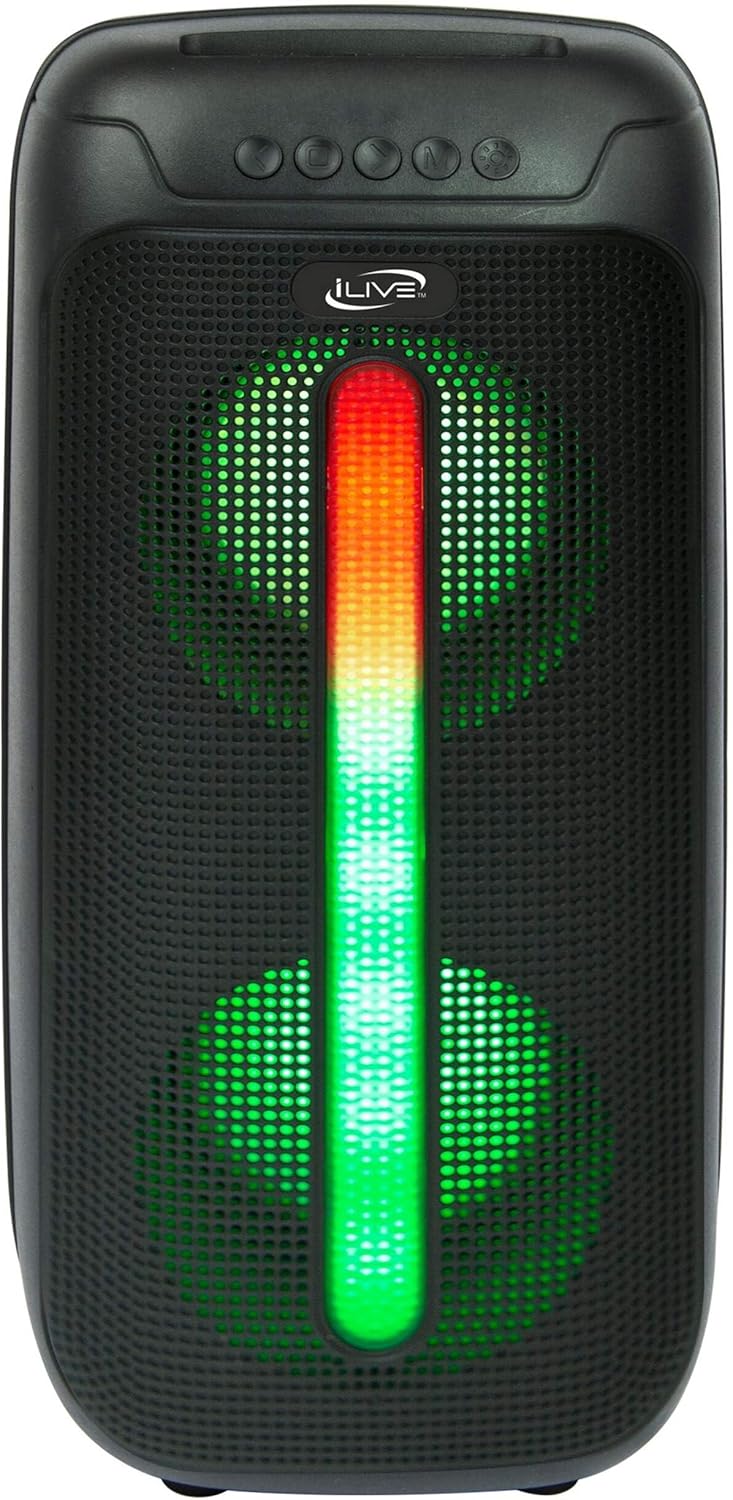
Figure 5: iLive Bluetooth 5.0 Speaker.
Întreţinere
- Lentilă proiector: Use a soft, lint-free cloth to gently clean the projector lens. Avoid abrasive materials or harsh chemicals.
- Projector Vents: Ensure the projector's ventilation openings are clear of dust and debris to prevent overheating.
- Curățarea ecranului: The anti-wrinkle polyester screen can be gently wiped with a damp cloth if necessary. Allow it to air dry completely before folding or storing.
- Îngrijirea difuzorului: Keep the speaker dry and clean. Avoid exposing it to extreme temperatures or direct sunlight.
- Depozitare: When not in use, store all components in the provided carrying case in a cool, dry place to protect them from dust and damage.
Depanare
- Nicio imagine pe ecran:
- Asigurați-vă că proiectorul este pornit și că ați scos capacul obiectivului.
- Verificați dacă este selectată sursa de intrare corectă pe proiector.
- Check all cable connections (HDMI, USB) are secure.
- Imagine neclară:
- Reglați inelul de focalizare de pe lentila proiectorului.
- Ensure the projection distance is within the recommended range (2.6-12.5 ft).
- Imagine distorsionată (trapezoidală):
- Folosiți funcția de corecție a trapezului pentru a ajusta geometria imaginii.
- Ensure the projector is placed on a level surface or the tripod is properly adjusted.
- Niciun sunet din difuzor:
- Asigurați-vă că difuzorul este pornit și încărcat.
- Verify Bluetooth pairing or 3.5mm audio cable connection.
- Check volume levels on both the speaker and the connected device.
- Probleme de asociere Bluetooth:
- Asigurați-vă că difuzorul este în modul de asociere.
- Mută difuzorul mai aproape de dispozitiv.
- Deconectați și reconectați dispozitivul.
Specificații
| Caracteristică | Caietul de sarcini |
|---|---|
| Numărul de model | THE2024BDL |
| Rezoluția afișajului | 1280 x 720 (720p) |
| Tip de afișare | LED |
| Luminozitate | 3000 lumeni |
| Raport de contrast | 1000:1 |
| Raport de aspect | 16:9, 4:3 |
| Viața sursei de lumină | 20,000 de ore |
| Interval de proiecție | 2.6 - 12.5 Feet |
| Dimensiunea maximă a imaginii | 120 inchi |
| Conectivitate | HDMI, USB, 3.5mm Audio, Bluetooth 5.0 |
| Ieșire difuzor | 16W Peak (Dual 4-inch drivers) |
| Durata de viață a bateriei difuzorului | Până la 4 ore (la 50% volum) |
| Caracteristici trepied | Integrated bubble level, 360-degree pan, ±180-degree tilt, 41.73-inch max height, 4 kg capacity |
| Suport pentru codare video | H.264, H.265 |
| Metoda de control | Telecomanda |
Videoclipuri oficiale despre produse
În acest moment nu sunt disponibile videoclipuri oficiale ale vânzătorului pentru acest produs.
Garanție și suport
For warranty information or technical support, please contact iLive customer service at 1-888-999-4215. Please have your model number (THE2024BDL) and proof of purchase ready when contacting support.