
Introducere
The eMylo Smart WiFi Thermometer Hygrometer TH03Pro is an indoor wireless sensor designed to monitor temperature and humidity levels. It features an electronic display for direct readings, connects via 2.4GHz WiFi for remote monitoring through the Smart Life App, and offers smart alerts and integration with third-party smart speakers like Amazon Alexa and Google Home. This manual provides instructions for setup, operation, and maintenance of your device.

Image: The eMylo Smart WiFi Thermometer Hygrometer can be used in various indoor environments such as bedrooms, offices, wine cellars, basements, greenhouses, and pet enclosures to monitor environmental conditions.
Conținutul pachetului
Verificați dacă toate articolele sunt prezente în colet:
- eMylo Smart WiFi Thermometer Hygrometer (TH03Pro)
- Manual de utilizare
- 2 x baterii AAA
- 1 x 3M Adhesive Tape
- 1 x Magnetic 3M Adhesive Tape

Image: This diagram illustrates the dimensions of the TH03Pro device (2.95 inches wide, 1.75 inches high, 0.69 inches deep) and lists the included accessories: the device itself, user manual, two AAA batteries, 3M adhesive, and magnetic 3M adhesive. It also highlights the hanging holes and battery compartment.
Înființat
1. Instalarea bateriei
- Deschideți capacul compartimentului bateriei de pe spatele dispozitivului.
- Introduceți cele două baterii AAA, asigurându-vă că polaritatea este corectă (+/-).
- Închideți capacul compartimentului bateriei.
2. Descărcarea aplicației și asocierea dispozitivului
- Download the "Smart Life" App from your smartphone's app store (available for iOS and Android).
- Înregistrează-te sau conectează-te la contul tău Smart Life.
- Asigurați-vă că smartphone-ul este conectat la o rețea Wi-Fi de 2.4 GHz. Note: 5G Wi-Fi networks are not supported.
- Follow the in-app instructions to add a new device. The app should automatically detect the thermometer hygrometer when it is powered on and in pairing mode.
- Confirm the device pairing within the app.
3. Montarea dispozitivului
The device can be placed on a flat surface or mounted using the provided adhesives or hanging holes.
- Montare cu adeziv: Use the 3M adhesive tape or magnetic 3M adhesive tape to stick the device to doors, walls, refrigerators, or other suitable surfaces.
- Agăţat: Utilize the hanging holes on the back of the device to mount it on small screws (screws not included).
Instrucțiuni de operare
1. Citiri pe ecranul LCD
The device's LCD display shows real-time temperature and humidity data. The Wi-Fi connection status is also indicated on the display.

Image: The device's LCD screen shows current temperature and humidity. The accompanying smartphone app interface displays the same data, along with historical trends and comfort levels, indicating accurate temperature and humidity sensitivity.
2. Modificarea unităților de temperatură (°C/°F)
To switch between Celsius (°C) and Fahrenheit (°F), press the button on the device twice quickly.
3. Remote Monitoring via Smart Life App
Once connected to Wi-Fi, you can monitor temperature and humidity data remotely from anywhere using the Smart Life App on your smartphone.
Smart App Alerts & Scenes
The Smart Life App allows you to set up custom alerts and automate actions based on temperature and humidity changes.
- High/Low Temperature/Humidity Alerts: Set specific temperature and humidity ranges within the Smart Life App. If the detected values exceed or fall below these preset ranges, you will receive instant notifications on your smartphone.
- Alerte de baterie scăzută: The app will send notifications when the device's battery level is low, reminding you to replace the batteries.
- Scene inteligente: Create automated scenes to link the thermometer hygrometer with other compatible smart devices (e.g., TUYA infrared remote controller, humidifier, dehumidifier). For example, you can configure a scene to automatically turn on an air conditioner if the temperature exceeds a certain limit, or activate a humidifier if humidity drops too low.

Image: This image displays the Smart Life App interface, showing how to set upper and lower limits for temperature and humidity alerts. It also illustrates push notifications received on a smartphone when these preset values are exceeded, along with a low battery alarm icon.
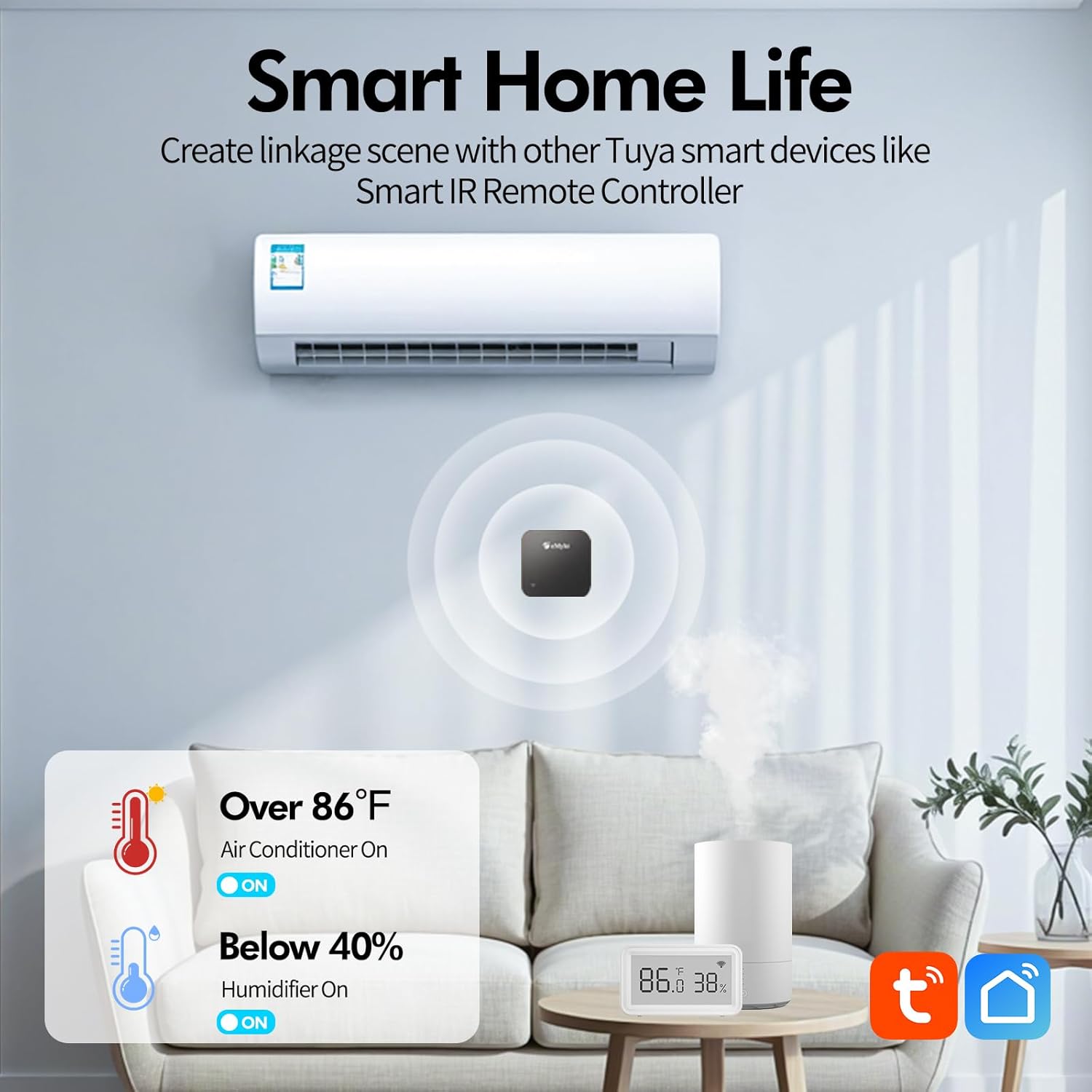
Image: This illustration demonstrates a smart home scenario where the eMylo Smart WiFi Thermometer Hygrometer is integrated with other Tuya smart devices. It shows an air conditioner turning on when the temperature exceeds 86°F and a humidifier activating when humidity falls below 40%, enabling automated climate control.
Third-Party Smart Speaker Integration
The eMylo Smart WiFi Thermometer Hygrometer is compatible with Amazon Alexa and Google Home. After connecting the device to your smart speaker system, you can inquire about current temperature and humidity data using voice commands.
Example Comenzi vocale:
- "Alexa, what's the current temperature in the [room name]?"
- "Hey Google, what's the humidity in the [room name]?"
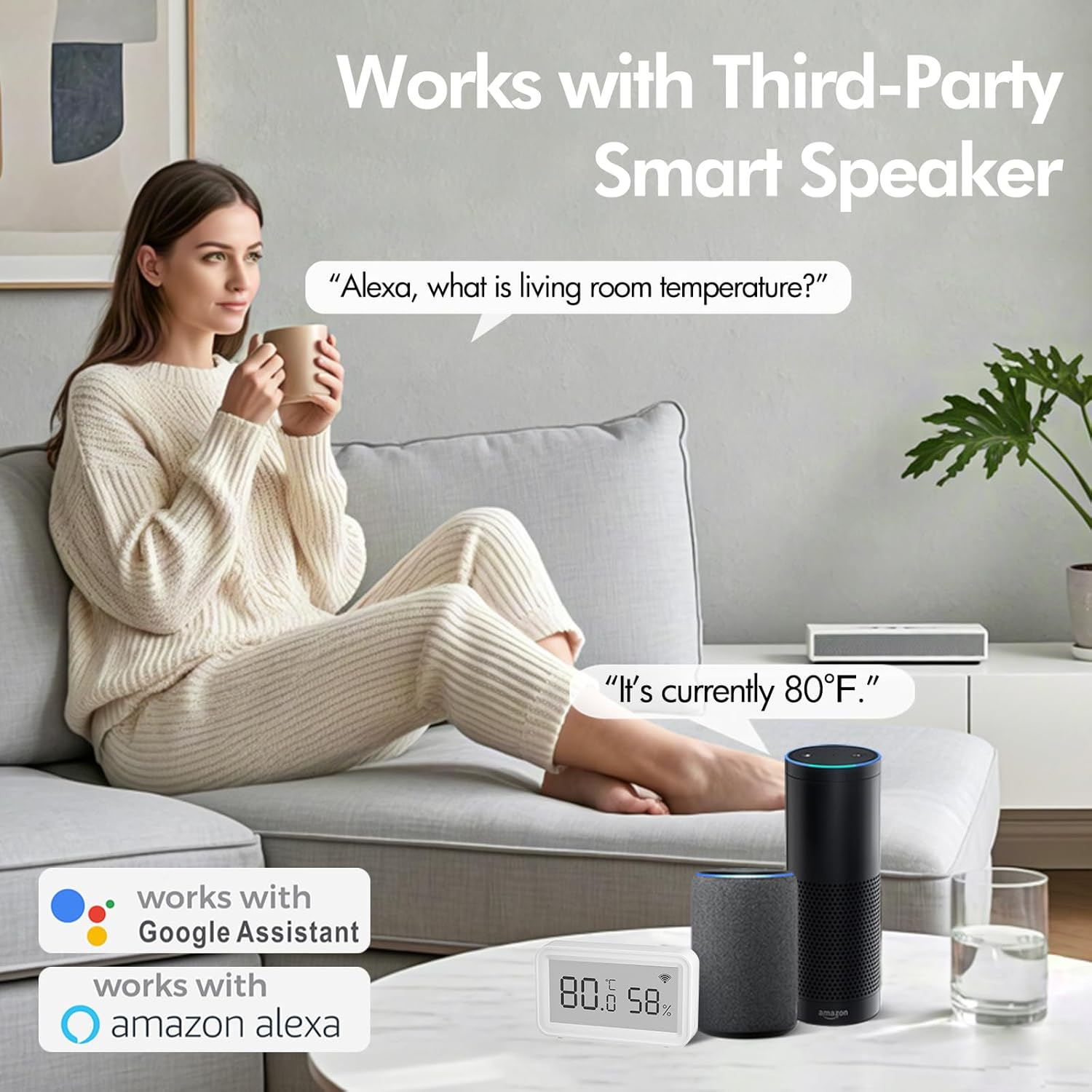
Image: A user is shown interacting with Amazon Alexa and Google Home smart speakers, demonstrating how to verbally inquire about the room temperature. The eMylo Smart WiFi Thermometer Hygrometer is visible, indicating its compatibility with these voice assistants.
Data Storage & Export
The eMylo thermometer hygrometer stores historical temperature and humidity data, which can be accessed and exported through the Smart Life App.
- Date istorice View: View temperature and humidity trends yearly, monthly, daily, or hourly within the app.
- Export de date: Export data for up to the past 1 year for analysis or record-keeping.

Image: This image illustrates the data storage and export capabilities. A smartphone screen displays a graph of temperature and humidity over time, while a laptop screen suggests the ability to download and analyze this historical data for better management.
Întreţinere
Înlocuirea bateriei
The device uses 2 x AAA alkaline batteries. When the Smart Life App sends a low battery notification, replace the batteries promptly to ensure continuous operation and accurate readings. Refer to the "Battery Installation" section under Setup for instructions.
To clean the device, use a soft, dry cloth. Do not use liquid cleaners or immerse the device in water.
Depanare
- Dispozitivul nu se conectează la Wi-Fi:
- Ensure your Wi-Fi network is 2.4GHz. The device does not support 5G Wi-Fi.
- Verificați dacă dispozitivul se află în raza de acțiune a routerului Wi-Fi.
- Restart your Wi-Fi router and the device.
- Ensure correct Wi-Fi password is entered in the Smart Life App.
- Citiri inexacte:
- Ensure the device is placed in a location free from direct sunlight, drafts, or heat sources that could affect readings.
- Allow the device some time to stabilize after initial setup or relocation.
- No display or device not powering on:
- Verificați dacă bateriile sunt introduse corect, respectând polaritatea.
- Replace the batteries with new AAA alkaline batteries.
- Frequent low battery notifications:
- Ensure you are using fresh, high-quality AAA alkaline batteries.
- If the issue persists after replacing batteries, contact customer support.
- App notifications not received:
- Check your smartphone's notification settings for the Smart Life App to ensure they are enabled.
- Verify that the alert thresholds are correctly set in the app.
- Asigurați-vă că dispozitivul are o conexiune stabilă la internet.
Specificații
| Caracteristică | Detaliu |
|---|---|
| Marca | eMylo |
| Numărul de model | TH03Pro |
| Tehnologia de conectivitate | Wi-Fi (doar 2.4 GHz) |
| Tip de afișare | LCD digital |
| Sursa de alimentare | Alimentat cu baterii (2 x baterii AAA) |
| Interval de măsurare a temperaturii | 14.2°F până la 140°F (-9.9°C până la 60°C) |
| Precizia temperaturii | ±1°C / 1.8°F |
| Interval de măsurare a umidității | 0% până la 99%RH |
| Precizia umidității | ± 5% RH |
| Caracteristici speciale | Alarm, App Companion, High Accuracy, Low Battery Indicator, Wi-Fi Support |
| Utilizare în interior/exterior | De interior |
| Material | Acrilonitril Butadien Stiren (ABS) |
| Dimensiuni (aprox.) | 2.95 inches (L) x 1.75 inches (H) x 0.69 inches (D) |
Garanție și suport
Specific warranty information is not provided in the product details. For warranty claims, technical support, or further assistance, please refer to the contact information provided with your purchase or visit the official eMylo website-ul.