
1. Introducere
This manual provides detailed instructions for the installation, operation, and maintenance of your ALITOVE Permanent Outdoor LED Strip Lights. These 100FT (30M) RGB IC LED strip lights are designed for outdoor use, featuring IP67 waterproofing, 24V low voltage operation, and smart control via app or remote. Each strip incorporates an IC chip, allowing for multiple colors to be displayed simultaneously, enhancing dynamic lighting effects.
2. Informații de siguranță
- Alimentare electrică: Use only the provided 24V adapter. Connecting to an incorrect voltagPoate deteriora produsul și poate prezenta un risc pentru siguranță.
- Hidroizolarea: The LED strip lights are IP67 waterproof, suitable for outdoor environments. Ensure all connections to the power adapter and controller are secure and protected from direct water exposure if not rated for it.
- Instalare: Do not install the lights in areas where they may be submerged in water for extended periods. Avoid piercing or damaging the strip during installation.
- Tăiere: The LED strip can be cut only at designated cut marks (every 20cm). Cutting at other points will damage the strip and void the warranty.
- Căldură: Do not cover the LED strips with materials that could trap heat, as this may reduce their lifespan.
- Copii: Nu lăsați produsul și componentele sale la îndemâna copiilor.
3. Conținutul pachetului
Verificați dacă toate articolele enumerate mai jos sunt incluse în pachetul dumneavoastră:
- 1 x 100ft (30M) LED Strip Light
- 1 x adaptor de putere 24V
- 1 x controler LED
- 90 x Cleme de montare
- 180 x șuruburi
Nota: This product does not include adhesive backing. Mounting clips and screws are provided for secure installation.

4. Instrucțiuni de configurare
- Planificați-vă aspectul: Before installation, unroll the LED strip and plan the desired path. Ensure the length is sufficient for your application.
- Montarea benzii: Use the provided mounting clips and screws to secure the LED strip to your desired surface. Space the clips evenly to ensure the strip is held firmly. The strip is flexible and can be bent to fit corners and contours.
- Conectați controlerul: Connect the LED strip to the LED controller. Ensure the connectors are aligned correctly and securely fastened.
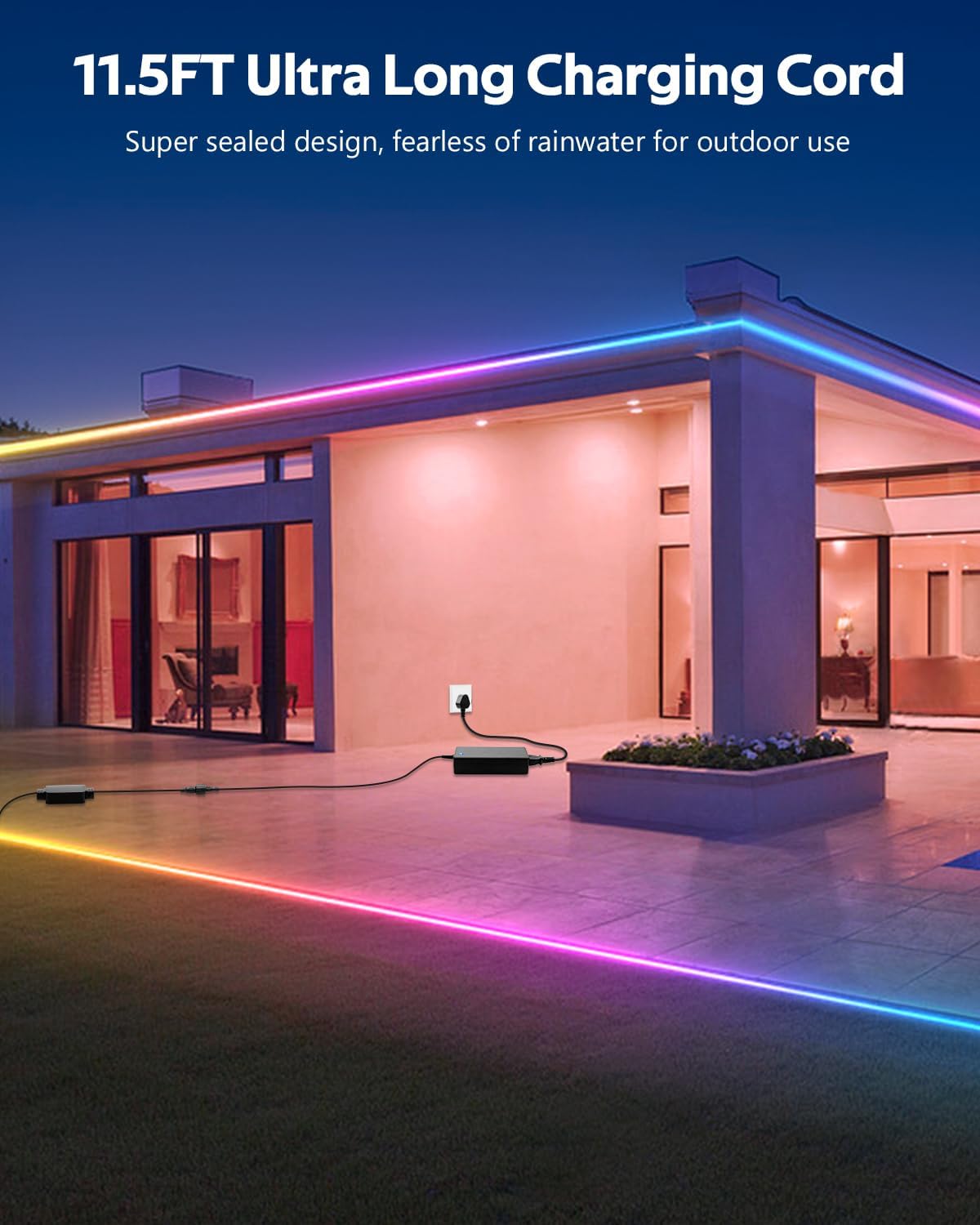
- Conectați adaptorul de alimentare: Connect the 24V power adapter to the LED controller. The product includes an 11.5FT (3.5M) ultra-long charging cord, allowing for flexible power placement without space limitations.
- Conectare: Plug the power adapter into a suitable outdoor-rated power outlet.
5. Instrucțiuni de utilizare
Your ALITOVE LED Strip Lights can be controlled using either the included remote control or the dedicated smartphone application.
5.1. App Control (Magic Lantern)
For full functionality and customization, download the "Magic Lantern" app on your smartphone.
- Descărcați aplicația: Caută "Magic Lantern" in your device's app store and install it.
- Activați Bluetooth: Asigurați-vă că Bluetooth este activat pe smartphone-ul dvs.
- Connect to Lights: Open the "Magic Lantern" app. The app should automatically detect and connect to your LED strip lights via Bluetooth. If not, follow the in-app instructions to pair.
- Caracteristici de control: În cadrul aplicației, puteți:
- Select from 16 million static colors.
- Choose from 213 dynamic lighting scenes.
- Adjust brightness and speed of dynamic effects.
- Customize colors and create your own lighting designs.

5.2. Telecomanda
Telecomanda inclusă oferă acces facil la funcțiile de bază.
- Buton de alimentare: Aprindeți/Stingeți luminile.
- Alegerea culorii: Selectați direct diverse culori statice.
- Selectarea modului: Cycle through pre-programmed dynamic lighting modes.
- Reglarea luminozității: Măriți sau micșorați intensitatea luminii.
- Reglarea vitezei: Ajustați viteza efectelor de iluminare dinamică.

5.3. Music Sync Function
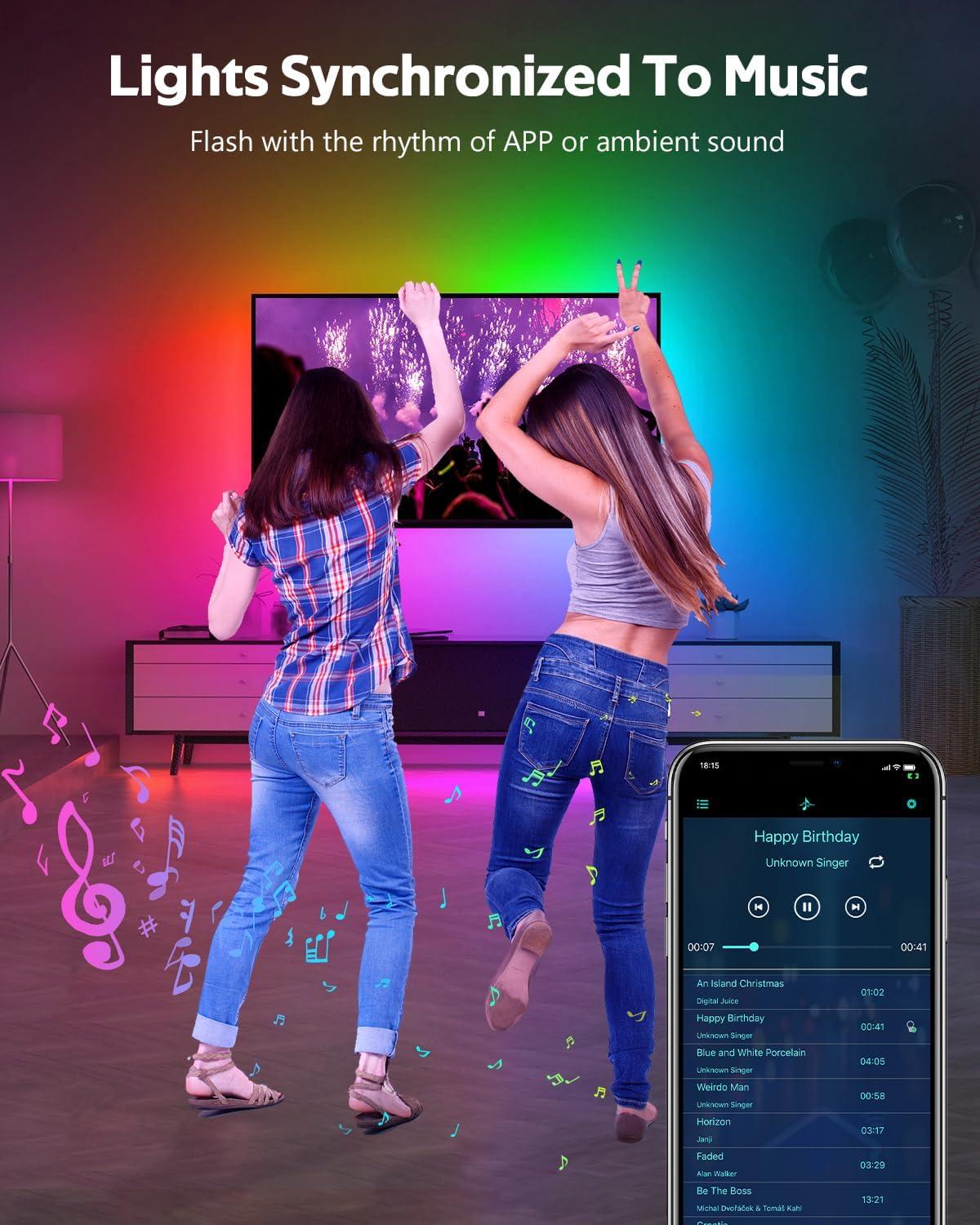
The built-in microphone allows the lights to synchronize with music or ambient sounds.
- Activare: Activate the music sync mode via the "Magic Lantern" app or the remote control (if available).
- Plasarea microfonului: For optimal response, ensure the controller's microphone is placed close to the sound source.
- App Music Playback: The app also supports music playback, allowing the lights to respond directly to the music played through your device.
5.4. Funcția de sincronizare
Set schedules for your lights to turn on or off automatically using the "Magic Lantern" app.
- Access Timing: Navigate to the timing or schedule section within the app.
- Stabiliți programe: Configure specific times for the lights to activate or deactivate.

6. Întreținere
- curatenie: Gently wipe the LED strip with a soft, damp o lavetă pentru a îndepărta praful sau murdăria. Nu folosiți substanțe chimice dure sau produse de curățare abrazive.
- Verificarea conexiunii: Periodically inspect all connections (strip to controller, controller to adapter) to ensure they are secure and free from corrosion or damage.
- Integritate rezistentă la apă: While IP67 rated, avoid prolonged exposure to extreme weather conditions if possible. Ensure no cuts or damage compromise the waterproof sealing.
- Depozitare: If storing the lights for an extended period, ensure they are clean, dry, and coiled loosely to prevent damage.
7. Depanare
| Problemă | Cauza posibila | Soluţie |
|---|---|---|
| Luminile nu se aprind. | No power, loose connection, faulty adapter/controller. | Check power outlet. Ensure all connections are secure. Test with another power source if possible. |
| Telecomanda nu funcționează. | Bateria este descărcată, telecomanda este în afara razei de acțiune, senzorul IR este blocat. | Replace remote battery. Ensure remote is pointed at the controller. Remove any obstructions. |
| Aplicația nu se poate conecta la lumini. | Bluetooth dezactivat, aplicația nu este asociată, interferențe. | Ensure Bluetooth is enabled on your phone. Restart the app and try pairing again. Move closer to the controller. |
| Luminile sunt slabe sau inconsistente. | Power supply issue, voltage drop (unlikely with 24V system), damaged section. | Ensure the power adapter is functioning correctly. Check for physical damage to the strip. |
| Sincronizarea muzicii nu răspunde. | Microphone too far from sound, low volume. | Move the controller closer to the sound source. Increase music volume. |
8. Specificații
| Caracteristică | Caietul de sarcini |
|---|---|
| Numărul de model | WS2811-30M-FGY30-24V |
| Lungime | 100 FT (30 metri) |
| Tip LED | RGB IC LED (Addressable) |
| Densitatea LED-urilor | 30 LEDs/Meter |
| Voltage | 24V DC |
| Wattage | 81 wați (maximum) |
| Evaluare rezistentă la apă | IP67 |
| Metoda de control | Bluetooth App ("Magic Lantern"), Remote Control |
| Caracteristici speciale | Music Sync, Timing Function, Dimmable, Flexible |
| Viață medie | 50,000 de ore |
| Utilizare în interior/exterior | În aer liber |
9. Garanție și asistență
For warranty information and technical support, please refer to the ALITOVE official website-ul web sau contactați direct serviciul lor de asistență pentru clienți. Păstrați bonul fiscal ca dovadă a achiziției.