
1. Introducere
Thank you for choosing the ErGear Electric Standing Desk. This manual provides essential information for the safe assembly, operation, and maintenance of your new adjustable height desk. Designed for optimal ergonomics and productivity, this desk allows you to effortlessly switch between sitting and standing positions, enhancing your workspace experience.
Key features include a smooth electric height adjustment mechanism, a spacious 160 cm x 80 cm work surface, exceptional stability with a solid steel frame, an upgraded motor for quiet operation, and a smart control panel with 4 memory presets.
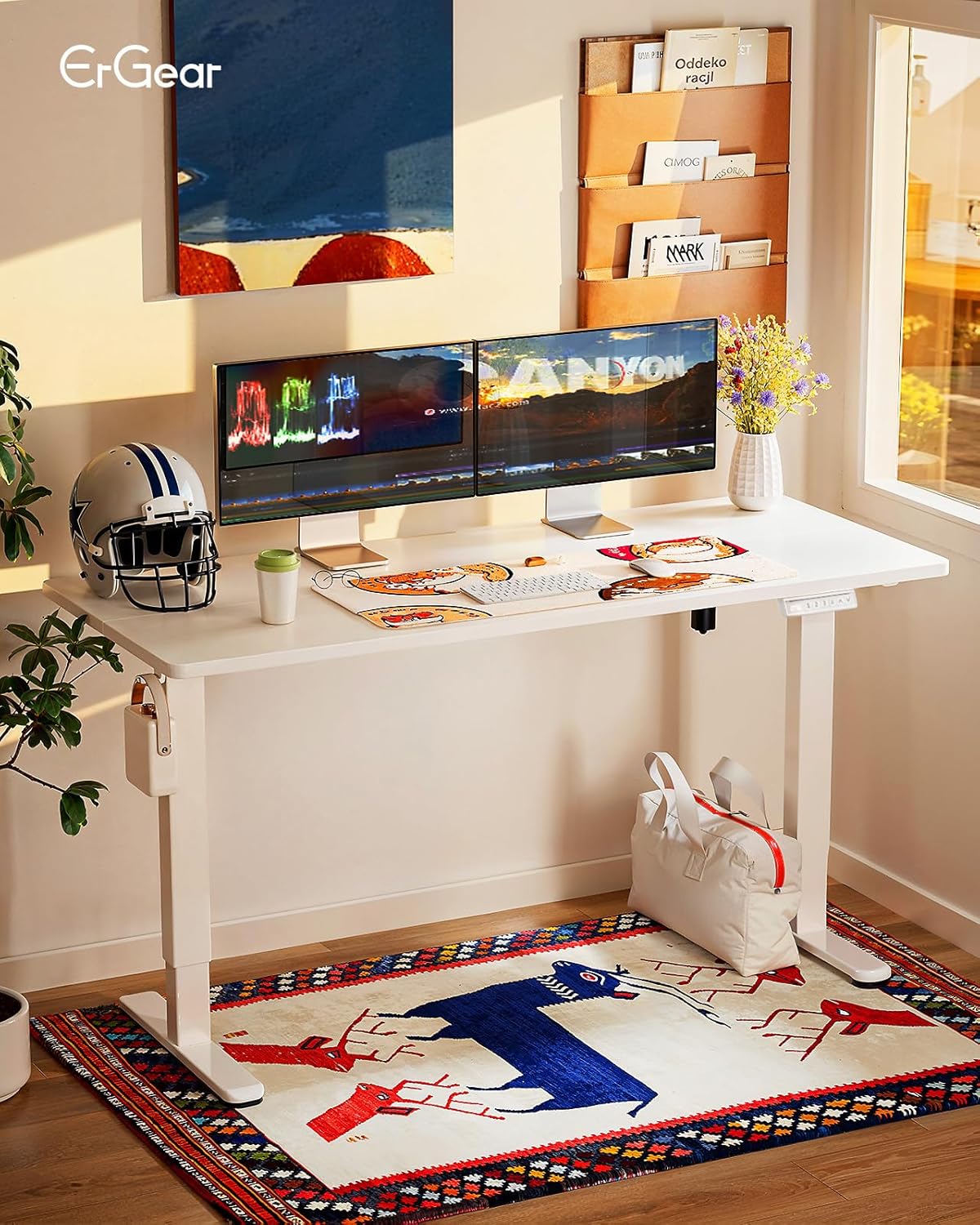
Figure 1: ErGear Electric Standing Desk in a modern office setup.
2. Informații de siguranță
Please read all safety warnings carefully before assembly and use. Failure to follow these instructions may result in injury or damage to the product.
- Do not place objects on the desk while adjusting the height.
- Keep hands and fingers away from the lifting mechanisms during operation.
- Ensure all cables are properly managed to prevent pinching or damage during height adjustments.
- Follow the provided assembly and maintenance instructions to ensure the safety and correct functioning of the desk.
- Nu supraîncărcați biroul. Capacitatea maximă recomandată este de 80 kg.
- Asigurați-vă că biroul este așezat pe o suprafață plană.
3. Lista componentelor
Before starting assembly, please verify that all components are present and undamaged. Refer to the detailed parts list included in your packaging for specific item identification.
- Desktop (160 x 80 cm, White)
- Desk Frame (Legs, Crossbar, Motor Housing)
- Control Panel with 4 Memory Presets
- Adaptor de alimentare și cablu
- Headphone Hook (Included)
- Assembly Hardware (Screws, Allen Keys, etc.)
- Manual de instructiuni
4. Configurare și asamblare
Assembly of the ErGear Electric Standing Desk is designed to be straightforward. All necessary tools for assembly are included. It is recommended to have at least one person for assembly.
- Despachetați componente: Scoateți cu grijă toate piesele din ambalaj și așezați-le pe o suprafață curată și moale pentru a preveni zgârieturile.
- Asamblați cadrul: Attach the desk legs to the crossbar according to the diagrams in your included manual. Ensure all screws are tightened securely.
- Atașați desktopul: Place the desktop upside down on a soft surface. Align the assembled frame with the pre-drilled holes on the desktop and secure it with the provided screws.
- Install Control Panel and Accessories: Mount the control panel to the underside of the desk in the designated area. Attach the headphone hook as desired.
- Conectați electronica: Connect the motor cable to the control panel and the power adapter. Plug the power adapter into a wall outlet.
- Organizare de cabluri: Utilize the integrated cable management features to keep your workspace tidy.

Figure 2: Illustration of desk assembly process.
5. Instrucțiuni de utilizare
The ErGear Electric Standing Desk features an intuitive control panel for easy height adjustment and memory functions.
5.1. Reglarea înălțimii
- Ridicați biroul: Țineți apăsat butonul Up Arrow (^) buton pentru a ridica biroul la înălțimea dorită.
- Biroul inferior: Țineți apăsat butonul Down Arrow (v) buton pentru a coborî biroul la înălțimea dorită.
- The digital display will show the current height in centimeters. The desk adjusts smoothly from 72 cm to 118 cm.
5.2. Presetări de memorie
The control panel allows you to save up to 4 preferred height settings for quick adjustments.
- Setați o poziție de memorie: Adjust the desk to your desired height using the Up/Down arrows. Press the „M.” button (or similar memory set button, if present, otherwise proceed to step 2). Then, press one of the numbered memory buttons (1, 2, 3 sau 4) până când auziți un semnal sonor sau vedeți o confirmare pe afișaj. Înălțimea curentă este acum salvată la presetarea respectivă.
- Reapelarea unei poziții de memorie: Simply press the corresponding numbered memory button (1, 2, 3 sau 4Biroul se va muta automat la înălțimea salvată.

Figure 3: Smart Control Panel with memory functions.
5.3. Ergonomic Use
The desk's adjustable height promotes a healthier work environment. Alternate between sitting and standing throughout your workday to improve circulation, reduce musculoskeletal tension, and enhance focus.

Figure 4: Ergonomic guidelines for sitting and standing.
5.4. Videoclip de produs
Video 1: Demonstrație oficială a produsuluiasing the desk's height adjustment, memory presets, stability, and motor features.
6. Întreținere
Întreținerea regulată asigură longevitatea și performanța optimă a biroului dumneavoastră electric ErGear.
- curatenie: Ștergeți suprafața de lucru și rama cu o lavetă moale șiamp Evitați substanțele chimice dure sau produsele de curățare abrazive.
- Verificați conexiunile: Periodically check all screws and electrical connections to ensure they are secure.
- Organizare de cabluri: Ensure cables remain neatly organized and are not interfering with the desk's movement.
- Evitați supraîncărcarea: Nu depășiți greutatea maximă de 80 kg.
7. Depanare
Dacă întâmpinați probleme cu biroul dvs., vă rugăm să consultați următoarele soluții comune:
| Problemă | Cauza posibila | Soluţie |
|---|---|---|
| Biroul nu se mișcă. | Cablul de alimentare este deconectat, eroare motor, supraîncărcare. | Check power connections. Reduce weight on desk. Refer to the full manual for error codes and reset procedures. |
| Biroul se mișcă neuniform. | Uneven load, loose connections. | Distribuiți greutatea uniform. Verificați și strângeți toate conexiunile cadrului. |
| Presetările de memorie nu funcționează. | Presetările nu au fost salvate corect. | Re-save your desired memory positions following the instructions in Section 5.2. |
If the problem persists, please contact ErGear customer support.
8. Specificații
Detailed technical specifications for the ErGear Electric Standing Desk.
| Caracteristică | Detaliu |
|---|---|
| Marca | ErGear |
| Numărul de model | EGESD7W-160A-EU |
| Dimensiuni produs (D x L x H) | 80 x 160 x 72-118 cm |
| Inaltimea minima | 72 de centimetri |
| Înălțimea maximă | 118 de centimetri |
| Dimensiune desktop | 160 x 80 cm |
| Culoare | Alb |
| Material pentru desktop | Lemn de inginerie |
| Material cadru | Oțel aliat |
| Mecanism de ridicare | Electric |
| Caracteristici speciale | Adjustable Height, Electric, Ergonomic |
| Greutate maximă recomandată | 80 kilograme |
| Asamblare necesară | Da |
| Instrumente pentru asamblare | Inclus |
| GTIN | 840478843941 |

Figure 5: Desk dimensions.
9. Garanție și asistență
The ErGear Electric Standing Desk comes with a limited warranty. For specific warranty terms and conditions, please refer to the documentation included with your product or visit the official ErGear website-ul.
For technical support, troubleshooting assistance, or to inquire about replacement parts, please contact ErGear customer service through the retailer where you purchased the product or via the contact information provided on the ErGear official website-ul.