
1. Introducere
Thank you for choosing the MERCUSYS MC510 2K 3MP Outdoor WiFi Camera. This manual provides detailed instructions for the installation, operation, and maintenance of your security camera. Please read this manual carefully before use to ensure proper functionality and safety. The MC510 offers 2K 3MP resolution, 360-degree panoramic view, color night vision, two-way audio, smart motion detection, and IP65 weather resistance for reliable outdoor surveillance.

Image: MERCUSYS MC510 2K Pan/Tilt Wi-Fi Camera mounted on a wall, highlighting its 2K resolution and IP65 weather resistance.
2. Informații de siguranță
- Asigurați-vă că adaptorul de alimentare este potrivit pentru sursa locală de alimentare.
- Nu expuneți camera la temperaturi extreme, umiditate sau medii corozive.
- Evitați amplasarea camerei în apropierea unor câmpuri electromagnetice puternice.
- Nu lăsați camera și accesoriile acesteia la îndemâna copiilor.
- Utilizați numai accesorii specificate de producător.
- Deconectați alimentarea cu energie electrică înainte de curățare sau efectuarea de lucrări de întreținere.
- The camera is IP65 rated for outdoor use, but avoid submerging it in water.
3. Conținutul pachetului
Verificați dacă toate articolele sunt prezente în colet:
- MC510 Camera × 1
- Adaptor de alimentare × 1
- Mounting Sticker × 1
- Suport de montare × 1
- Mounting Screws × 4 + Bracket Screws × 2
- Ancore de montare × 4
- Waterproof Gasket × 1
- Ghid de pornire rapidă
4. Produs terminatview
The MERCUSYS MC510 is a versatile outdoor security camera designed to provide comprehensive surveillance with advanced features.
Caracteristici cheie:
- 2K QHD with 360° View: Provides clear 2K 3MP video and full 360° horizontal coverage to see every corner and detail.
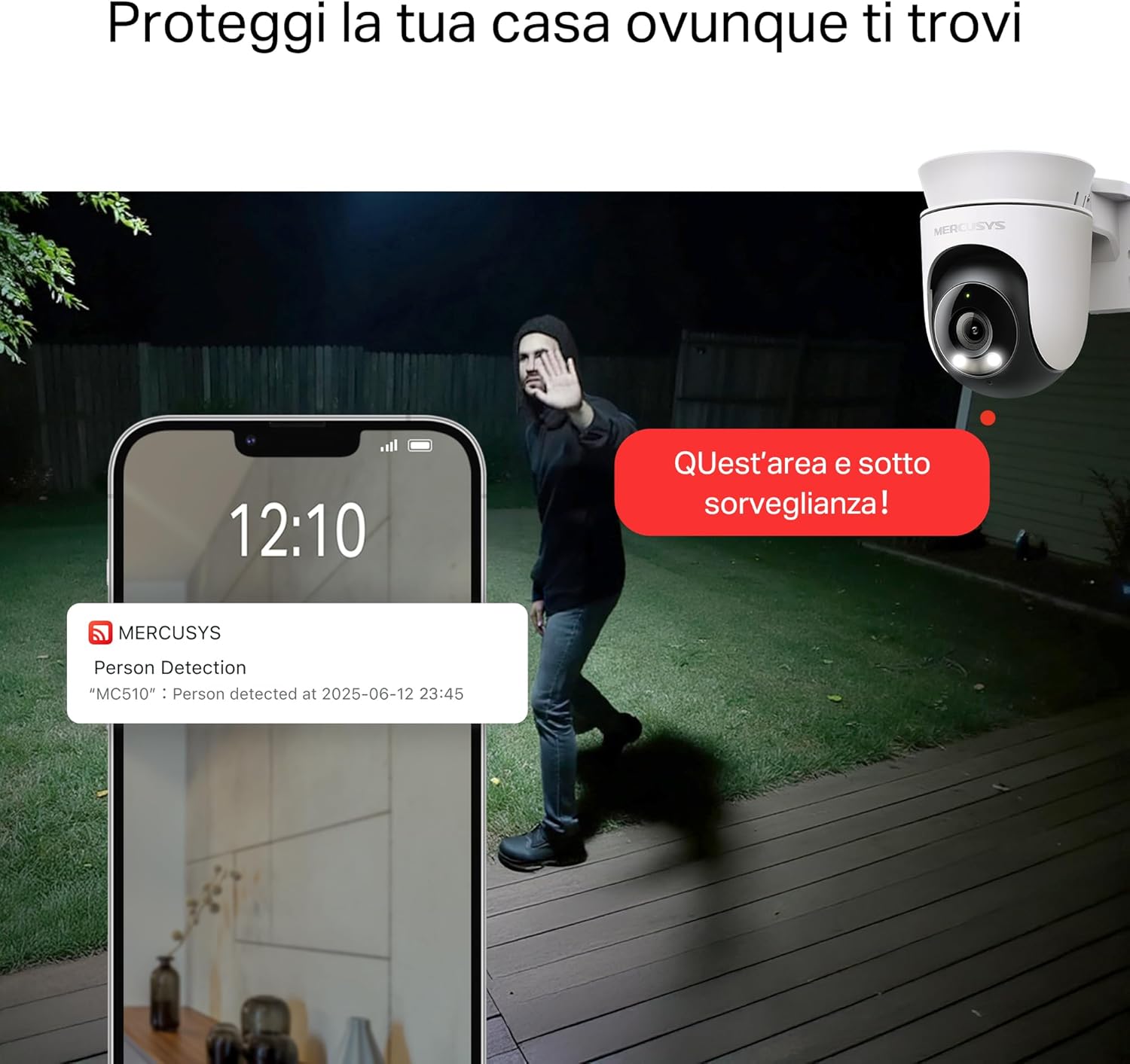
- Smart Motion Detection and Person Tracking: Automatically detects and tracks motion or people, ensuring key activities remain in focus.
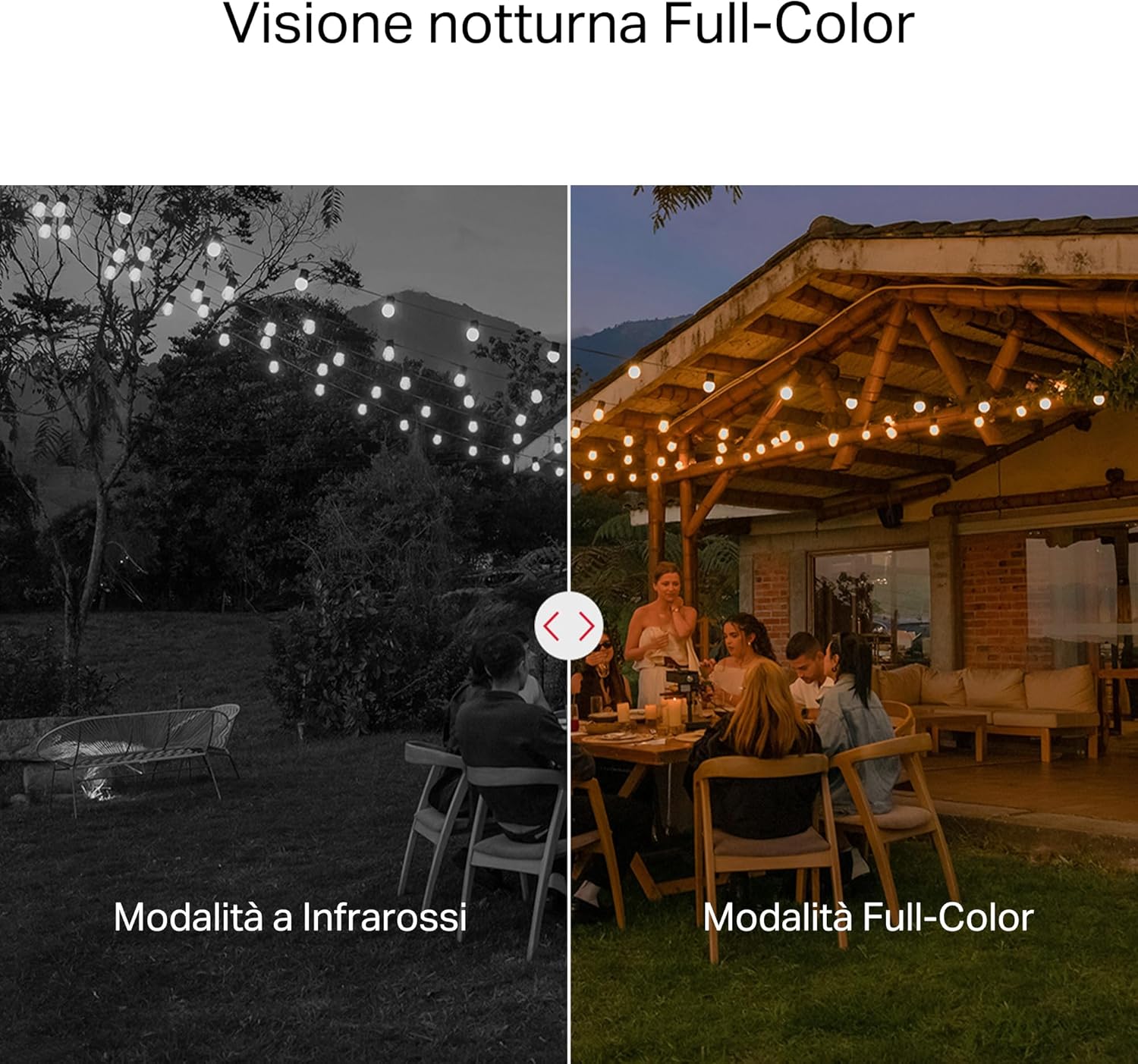
- Vedere de noapte color: Provides vivid and detailed images even at night for 24/7 protection.
- Zone de activitate personalizabile: Helps filter out irrelevant events and sends alerts only when necessary.
- Stocare locală și în cloud: Supports microSD cards up to 512GB and cloud storage for secure and flexible video backup.
- Rezistent la intemperii pentru utilizare în exterior: IP65 certified for reliable performance in rain, dust, or snow. Easily mounts on walls, ceilings, or poles.
- Privacy Protection with Lens Shield: Activate the physical lens cover when surveillance is not needed for greater peace of mind at home.
- Audio bidirecțional: Comunicați direct prin cameră.
Caracteristici vizuale:

High-resolution 2K 3MP video capture.
360-degree panoramic rotation for full coverage.
Full-Color Night Vision for clear images in low light.

Physical lens shield for enhanced privacy.
5. Configurare
5.1 Instalare fizică
The MC510 camera is designed for outdoor use and can be mounted on walls, ceilings, or poles. Its IP65 rating ensures protection against dust and water jets.
- Alegeți o locație: Alegeți o locație în aer liber potrivită care să ofere viewunghi de vizualizare și are un semnal Wi-Fi stabil.
- Montare: Use the provided mounting sticker to mark drill holes. Drill holes, insert anchors, and secure the mounting bracket with screws. Attach the camera to the bracket.
- Conexiune de alimentare: Connect the power adapter to the camera and plug it into a power outlet. Ensure the waterproof gasket is properly installed for outdoor power connections.

Image: The camera is shown mounted outdoors, demonstrating its weather-resistant design.
5.2 Instalarea și conectarea aplicației
The MC510 connects exclusively via Wi-Fi. An Ethernet port is not available.
- Descărcați aplicația: Download the official MERCUSYS app from your smartphone's app store (iOS or Android).
- Creează cont: Deschideți aplicația și creați un cont nou sau conectați-vă dacă aveți deja unul.
- Adăugați o cameră: Follow the in-app instructions to add your MC510 camera. This typically involves scanning a QR code on the camera and connecting it to your home Wi-Fi network.
5.3 Instalarea cardului MicroSD
For local storage, install a microSD card (up to 512GB, not included).
- Oprire: Disconnect the camera from power before inserting or removing the microSD card.
- Localizați slotul: Refer to the camera's physical design to locate the microSD card slot, often protected by a cover.
- Introduceți card: Introduceți ușor cardul microSD în slot până când se fixează în poziție.
- Formatați cardul: After powering on the camera and connecting it to the app, navigate to the camera settings to format the microSD card.

Image: Close-up of the camera showing the microSD card slot, indicating flexible storage options.
6. Instrucțiuni de utilizare
6.1 În direct View & Redare
- Trăi View: Open the MERCUSYS app and select your MC510 camera to view fluxul live.
- Controlul Pan/Tilt: Use the controls in the app to remotely rotate the camera horizontally (pan) and vertically (tilt) to adjust the viewunghiul de ing.
- Redare: Acces înregistrat footage from the app's playback section. You can filter by date and event.

Image: Illustration of 360-degree rotation with motion tracking.
6.2 Detectarea și urmărirea mișcării
- Activare detectare: In the app settings, enable motion detection and person tracking.
- Customize Activity Zones: Definiți zone specifice din raza de acțiune a camerei view where you want motion to be detected. This helps reduce false alarms.
- Primiți alerte: The camera will send notifications to your smartphone when motion or a person is detected in the monitored zones.

Image: A person running in a yard, with detection boxes, demonstrating motion detection and tracking.
6.3 Sunet bidirecțional
The built-in microphone and speaker allow for two-way communication.
- Activate Audio: În live view interface of the app, tap the microphone icon to speak through the camera.
- Asculta: The speaker icon allows you to hear audio from the camera's vicinity.

Image: A person detected by the camera, with a phone notification and an on-screen alert, demonstrating customizable alarms and two-way audio.
Viziune nocturnă color 6.4
The MC510 provides full-color night vision for enhanced clarity in low-light conditions.
- Activare automată: Color night vision activates automatically in low-light conditions.
- Mod infraroșu: The camera also supports traditional infrared night vision (black and white) if preferred or in extremely dark environments.

Image: Comparison of infrared (monochrome) and full-color night vision modes.
6.5 Privacy Zone & Lens Shield
Protect your privacy by defining privacy zones or activating the physical lens shield.
- Zone de confidențialitate: In the app, you can set up specific areas within the camera's view to be excluded from recording.
- Lens Shield: For complete privacy, use the app to activate the physical lens shield, which covers the camera lens.
7. Întreținere
7.1 Curățare
- Asigurați-vă că aparatul foto este oprit înainte de curățare.
- Folosiți o lavetă moale și uscată pentru a șterge corpul camerei.
- For the lens, use a lens cleaning cloth to avoid scratches. Do not use harsh chemicals or abrasive cleaners.
7.2 de actualizări de firmware
Regularly check for firmware updates through the MERCUSYS app. Updates provide new features, performance improvements, and security enhancements. Follow the in-app instructions to perform updates.
8. Depanare
If you encounter issues with your MERCUSYS MC510 camera, refer to the following common problems and solutions:
| Problemă | Soluție posibilă |
|---|---|
| Camera nu se conectează la Wi-Fi | Ensure the camera is within range of your Wi-Fi router. Check Wi-Fi password. Restart the camera and router. The MC510 only supports Wi-Fi connection, no Ethernet. |
| Calitate video slabă | Check your Wi-Fi signal strength. Ensure the camera lens is clean. Adjust camera placement to avoid glare or obstructions. |
| Motion detection issues | Verify motion detection is enabled in the app. Adjust sensitivity settings. Ensure activity zones are correctly configured. |
| MicroSD card not working | Ensure the card is inserted correctly. Format the microSD card via the app. Try a different compatible microSD card. Power cycle the camera after inserting the card. |
| Fără sunet bidirecțional | Verificați setările microfonului și difuzorului în aplicație. Asigurați-vă că volumul telefonului este la maxim. |
9. Specificații
| Caracteristică | Detaliu |
|---|---|
| Marca | MERCUSYS |
| Numele modelului | MC510 |
| Utilizare în interior/exterior | În aer liber |
| Protocol de conectare | Wifi |
| Tip de montare | Tavan, Stâlp, Perete |
| Rezoluția imaginii statice | 3 MP |
| Evaluarea internațională de protecție | IP65 |
| Tehnologia fără fir | Wifi |
| Bateriile necesare | Nu |
| Rezoluție captură video | 2K 3MP |
| Format de captură video | MPEG-4 |
| Număr de articole | 1 |
| Componente incluse | MC510 Camera, Power Adapter, Mounting Sticker, Mounting Bracket, Mounting Screws, Mounting Anchors, Waterproof Gasket, Quick Start Guide |
| Țara de origine | China |
| Producător | TP-Link |
| Dimensiunile articolului | 14.1 x 9.3 x 12.2 cm |
10. Garanție și asistență
Pentru informații despre garanție și asistență tehnică, vă rugăm să consultați site-ul oficial MERCUSYS. website-ul web sau contactați serviciul lor de asistență pentru clienți. Detaliile pot fi găsite de obicei în Ghidul de pornire rapidă inclus cu produsul sau pe fișa producătorului. website-ul.
Suport online: Vizita www.mercusys.com for FAQs, user manuals, and support resources.