
Introducere
Thank you for choosing the SABLUTE KC15 Wireless Ergonomic Keyboard and Mouse Combo. This manual provides detailed instructions for setting up, operating, and maintaining your new peripheral set. Designed for comfort and efficiency, this combo features ergonomic wave keys, a cushioned palm rest, and silent operation, compatible with multiple operating systems.
Conținutul pachetului
- 1 x SABLUTE Wireless Ergonomic Keyboard
- 1 x SABLUTE Wireless Mouse
- 1 x receptor USB 2.4G
- 1 x adaptor USB-C la USB-A
- 1 x Manual de utilizare
Instrucțiuni de configurare
1. Alimentarea dispozitivelor
- The keyboard and mouse require 2 AA batteries each (not included). Open the battery compartments on the underside of both the keyboard and mouse and insert the batteries, ensuring correct polarity.
- Locate the ON/OFF switch on the underside of both the keyboard and mouse. Switch them to the 'ON' position.

Figura 1: Location of ON/OFF switch and battery compartment.
2. Conectarea receptorului
- Locate the 2.4G USB receiver, typically stored within the mouse's battery compartment.
- Conectați receptorul USB la un port USB-A disponibil de pe computer.
- If your computer only has USB-C ports, use the provided USB-C to USB-A adapter. Connect the USB receiver to the USB-A end of the adapter, then plug the USB-C end into your computer's USB-C port.
- The keyboard and mouse are plug-and-play and should connect automatically.

Figura 2: USB-A receiver and USB-C adapter for versatile connectivity.
Instrucțiuni de operare
1. Design ergonomic și confort
- The keyboard features an ergonomic wave design that promotes a natural and relaxed typing posture, reducing wrist strain.
- An integrated cushioned palm rest provides additional support and comfort during extended use.
- Adjustable leg stands on the keyboard allow you to modify the typing angle for personalized comfort.

Figura 3: Ergonomic wave keyboard with palm rest for comfortable typing.

Figura 4: Detaliat view of the cushioned palm rest construction.
2. Quiet Typing and Clicking
- The keyboard keys are designed for quiet operation, minimizing typing noise.
- The mouse features silent micro-switches, reducing click noise by up to 95%.
3. Hotkeys and Mouse Functions
- The keyboard includes standard F1-F12 shortcut hotkeys and 8 additional one-touch hotkeys for quick access to common functions.
- The mouse is a 6-button design with 3-level adjustable tracking speed (DPI) and dedicated forward/backward buttons for enhanced navigation.
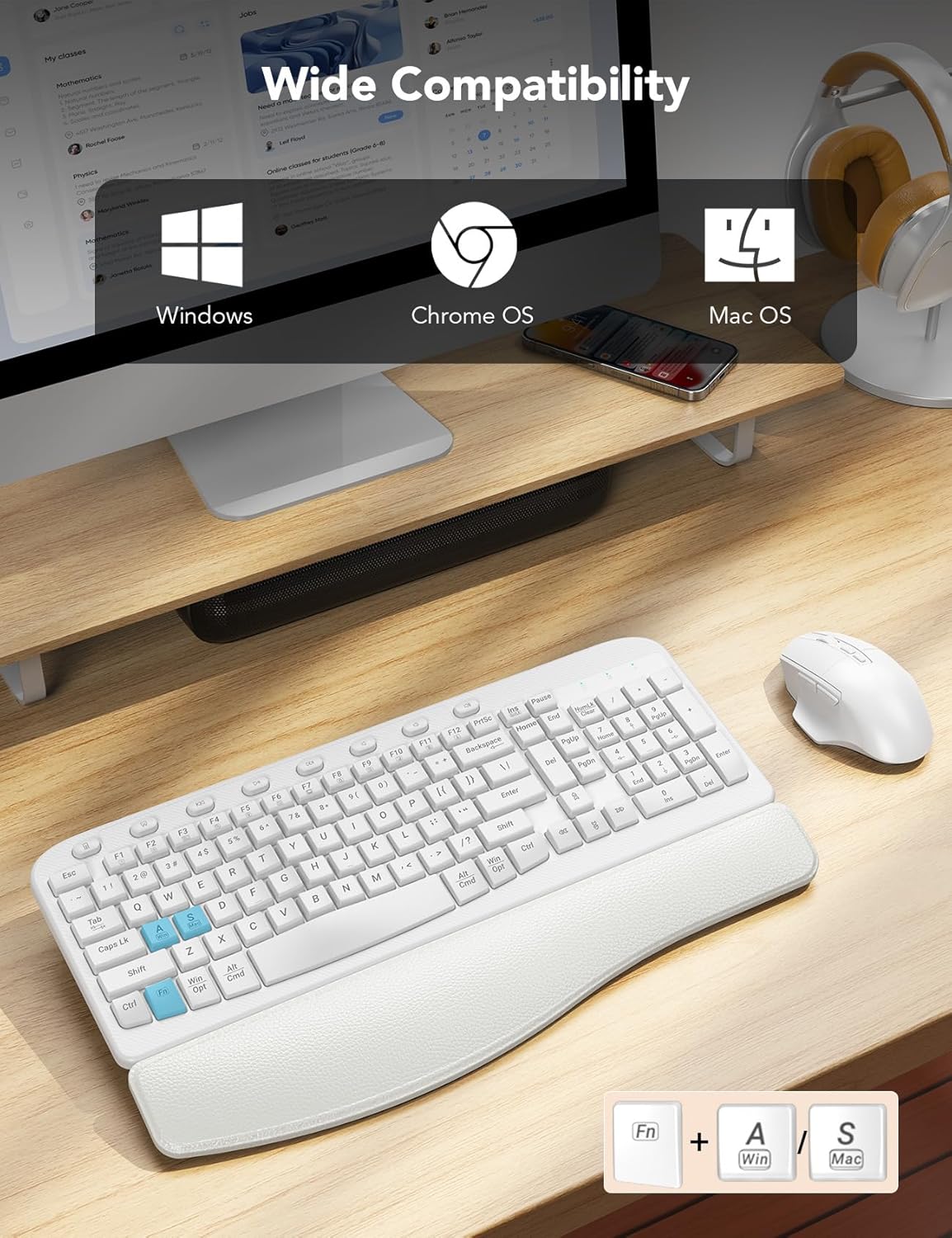
Figura 5: Features of the ergonomic 7-button mouse.
4. Compatibilitate cu mai multe sisteme de operare
- The combo is compatible with Windows, macOS, and Chrome OS.
- To switch between Windows and macOS layouts, press FN + A pentru Windows sau FN + S for macOS.
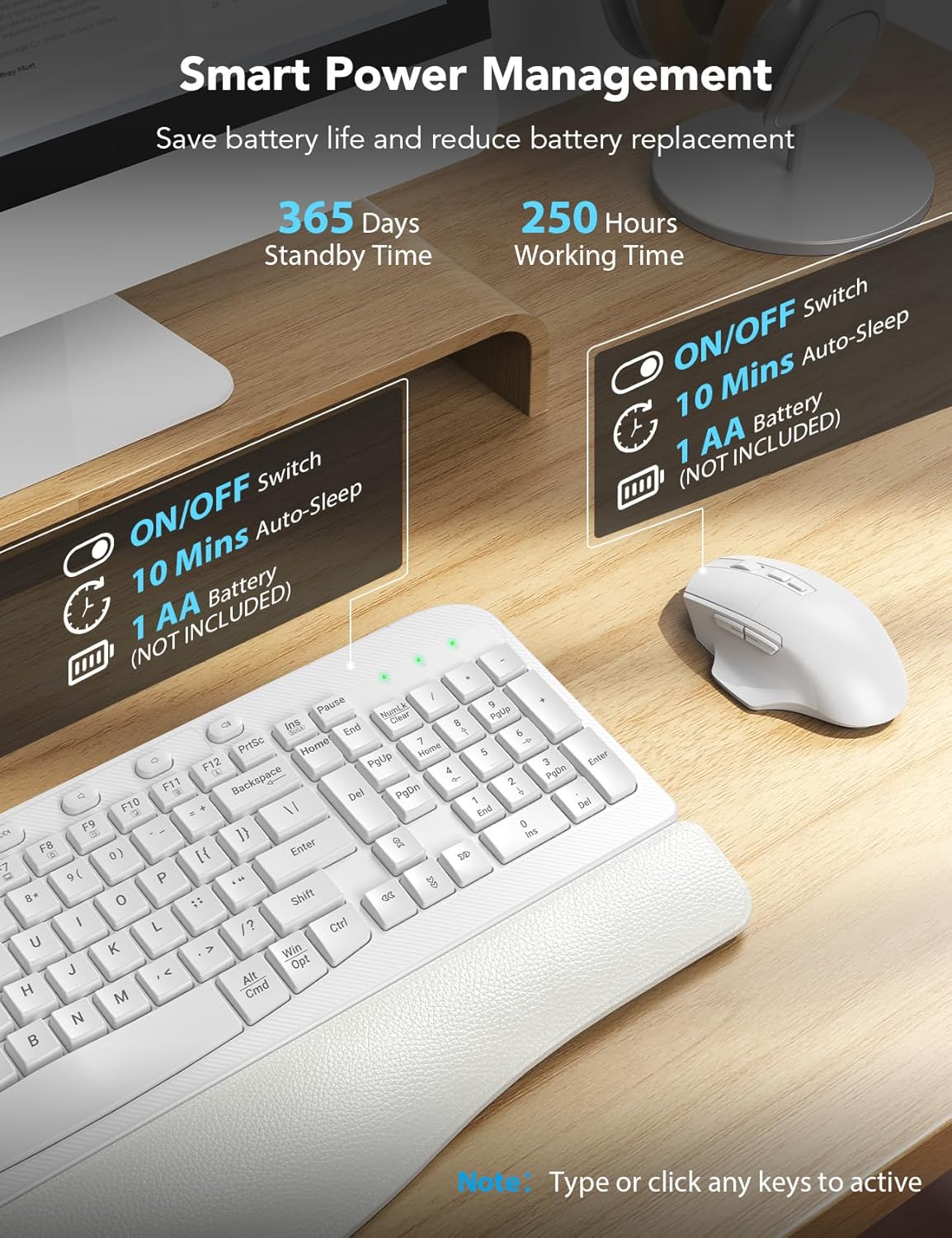
Figura 6: Multi-OS compatibility and key combinations.
5. Integrated Phone Holder
- The keyboard includes a built-in slot at the top for holding your smartphone, keeping it conveniently visible while you work.
6. Smart Power Management
- The devices feature smart power management to conserve battery life.
- After 10 minutes of inactivity, both the keyboard and mouse will enter auto-sleep mode.
- To reactivate, simply type on the keyboard or click the mouse.
- Expected battery life: Up to 365 days standby time, 250 hours working time.

Figura 7: Smart power management features.
Întreţinere
1. Curatenie
- Pentru a curăța tastatura și mouse-ul, folosiți o lavetă moale,amp pânză. Evitați utilizarea substanțelor chimice dure sau a agenților de curățare abrazivi.
- Pentru praf și resturi între taste, folosiți aer comprimat.
2. Înlocuirea bateriei
- When the devices stop responding or show signs of low power, replace the 2 AA batteries in each unit.
- Asigurați polaritatea corectă atunci când introduceți baterii noi.
Depanare
- Dispozitivele nu răspund: Ensure the keyboard and mouse are switched 'ON' and have fresh batteries. Verify the USB receiver is securely plugged into your computer's USB port (or via the adapter).
- Conexiune cu întârziere sau intermitentă: Move the receiver closer to the keyboard and mouse. Ensure there are no large metal objects or other wireless devices interfering with the 2.4G signal.
- Funcții incorecte ale tastelor (Mac/Windows): Utilizați FN + A (Windows) sau FN + S (macOS) key combination to switch the operating system layout.
- Probleme de urmărire a mouse-ului: Adjust the DPI settings on the mouse if available, or ensure the mouse is used on a suitable surface.
Specificații
| Caracteristică | Detaliu |
|---|---|
| Numărul de model | KC15 |
| Dimensiunile produsului | 11.31 x 1.88 x 17.32 inci |
| Greutatea articolului | 2.55 lire sterline |
| Tehnologia de conectivitate | 2.4G USB wireless |
| Sursa de alimentare | 2 baterii AA (nu sunt incluse) |
| Caracteristici speciale | Ergonomic wave keys, soft wrist rest, silent mouse, multi-OS compatibility, phone holder |
| Dispozitive compatibile | Laptop, Personal Computer, Television (with USB-A or USB-C port) |
Garanție și suport
SABLUTE provides a 90-day replacement policy and a 360-day manufacturer warranty for this product. For technical support or warranty claims, please contact SABLUTE customer service.
- Telefon Serviciu Clienți: 1-213-296-1273 (SUA)
- Ore de funcționare: Mon-Fri, 9:00 AM - 1:00 PM & 2:00 PM - 6:00 PM (PST)