
Introducere
This manual provides comprehensive instructions for the installation, operation, and maintenance of your UNITOPSCI 4+64G Android 15 Car Stereo. Designed specifically for Kia Soul models from 2014 to 2017, this unit enhances your driving experience with advanced features such as wireless Carplay/Android Auto, GPS navigation, Bluetooth 5.0, and a high-resolution IPS touchscreen.
Please read this manual thoroughly before installation and use to ensure proper functionality and to maximize the benefits of your new car stereo system.
Conținutul pachetului
Înainte de a începe instalarea, verificați dacă toate componentele sunt prezente în pachet:
- 1 x Radio auto
- 1 x cablu de alimentare
- 1 x Antenă GPS
- 1 x Cablu de intrare pentru camera spate
- Cablu 1 x RCA
- 2 x cablu USB
- 1 x Manual de utilizare (acest document)
- 1 x Microfon
- 1 x spate mașină View Camera foto
- 1 x Instrument de instalare

Figura 1: Pesteview of the UNITOPSCI car stereo unit and all included accessories, including cables, antennas, microphone, rear camera, and installation tools.
Configurare și instalare
Professional installation is recommended for this car stereo system. Ensure the vehicle's battery is disconnected before starting any electrical work.
1. Compatibilitatea vehiculului
This unit is designed for Kia Soul models manufactured between 2014 and 2017. Verify your vehicle's dashboard configuration matches the compatible design.

Figura 2: The UNITOPSCI car stereo seamlessly integrated into a Kia Soul dashboard, demonstrating the 'After' installation appearance.
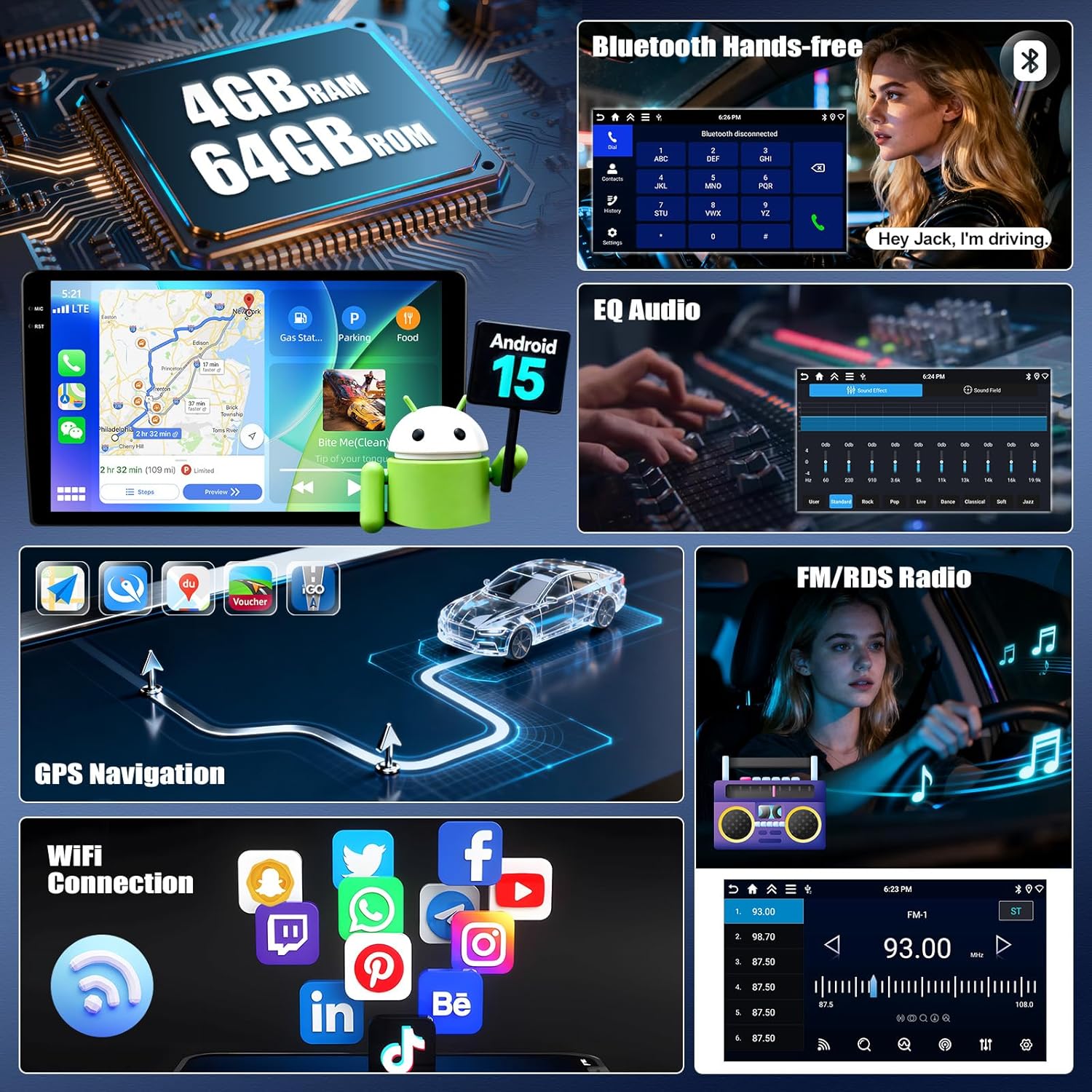
Figura 3: Visual guide indicating which Kia Soul dashboard configurations are compatible ('Fit') and incompatible ('Not Fit') with this specific car stereo model.
2. Conexiuni de cablare
Refer to the included wiring diagram for specific connections. Key connections include:
- Cablu de alimentare: Connect to the vehicle's power supply (constant 12V, accessory, and ground).
- Antena GPS: Montați într-un loc cu lumină naturală view cerului pentru o recepție optimă a semnalului.
- Cablu de intrare pentru camera din spate: Connect to the provided AHD rear view aparat de fotografiat.
- Cabluri USB: Pentru transfer de date și încărcare.
- Microfon: Pentru apeluri hands-free și comenzi vocale.
- Cabluri RCA: Pentru intrare/ieșire audio/video externă.
3. Pornirea inițială
After all connections are secure, reconnect the vehicle's battery. Turn on the ignition. The unit should power on automatically. Follow any on-screen prompts for initial setup, such as language selection and time zone.
Instrucțiuni de operare
Wireless Carplay și Android Auto
Connect your iPhone or Android smartphone wirelessly to access navigation, music, calls, and messages directly on the stereo's display. This feature integrates smart voice control via Siri or Google Assistant.
- Asigurați-vă că Bluetooth și Wi-Fi sunt activate pe smartphone-ul dvs.
- On the car stereo, navigate to the Carplay or Android Auto application.
- Select your phone from the available devices to pair.
- Confirmați codul de asociere pe ambele dispozitive.

Figura 4: The car stereo display showing the user interface for Wireless Carplay and Android Auto, with various app icons visible.
Funcționalitatea Mirror Link
Mirror Link allows you to display your smartphone's screen on the car stereo. Android users can also control their phone directly from the stereo's touchscreen.
- For iOS devices: Connect via Wi-Fi or USB.
- For Android devices: Connect via Wi-Fi or USB for mirroring, and control via USB.
Bluetooth 5.0
The integrated Bluetooth 5.0 module enables hands-free calling and wireless audio streaming.
- Access the Bluetooth menu on the stereo.
- Activați Bluetooth pe telefon și căutați dispozitivele disponibile.
- Select "UNITOPSCI" (or similar device name) from the list and pair.
- După asociere, puteți efectua/primi apeluri și reda muzică fără fir.

Figura 5: The car stereo displaying the Bluetooth interface for hands-free calling and music playback, with a phone dial pad and music controls.
Radio FM/RDS
Tune into your favorite radio stations with enhanced signal reception. RDS (Radio Data System) provides additional information like station name and song title where available.
- Select the FM/RDS application from the main menu.
- Use the scan function to automatically find and save stations, or manually tune to a frequency.

Figura 6: The car stereo displaying the FM radio interface, showing frequency selection and potential RDS information.
GPS Navigation & WiFi Connection
The unit features dual navigation capabilities, supporting both offline and online maps. Connect to Wi-Fi to access online maps, download apps, and browse the internet.
- Navigare prin GPS: Access the navigation app. Ensure the GPS antenna is properly installed for accurate positioning.
- Conexiune WiFi: Accesați Setări > Rețea și internet > Wi-Fi. Selectați rețeaua dorită și introduceți parola.

Figura 7: The car stereo displaying GPS navigation with options for online and offline maps, alongside various app icons indicating WiFi connectivity.
Controlul volanului (SWC)
Program your steering wheel buttons to control audio functions (volume, track skip) and answer calls, enhancing driving safety.
- Navigate to the SWC settings in the stereo's menu.
- Follow the on-screen instructions to "learn" each button's function by pressing the button on your steering wheel and then selecting the corresponding function on the stereo's screen.

Figura 8: The car stereo displaying the interface for programming Steering Wheel Controls, showing options to assign functions to physical buttons.
AHD spate View Camera foto
Camera video AHD pentru marșarier inclusă oferă o imagine clară view of the area behind your vehicle. It automatically activates when shifting into reverse, displaying real-time views with parking assist lines.

Figura 9: Sistemul stereo auto afișează imaginea din spate view from the AHD camera, complete with dynamic parking assist lines for safe maneuvering.
Multiple UI Themes & Split Screen
Customize your stereo's appearance with various UI themes. The split-screen function allows you to run two applications simultaneously, such as navigation and music playback.
- Teme UI: Access the theme settings to select your preferred visual style.
- Ecran împărțit: Drag an app to one side of the screen or use the dedicated split-screen button (if available) to activate.

Figura 10: The car stereo demonstrating various user interface themes and the split-screen feature, allowing two applications to run concurrently.
Întreţinere
To ensure the longevity and optimal performance of your UNITOPSCI car stereo, follow these maintenance guidelines:
- curatenie: Folosiți o lavetă moale și uscată pentru a curăța ecranul tactil și exteriorul unității. Evitați substanțele de curățare abrazive sau solvenții.
- Actualizări de software: Periodically check for software updates via the system settings to ensure you have the latest features and bug fixes. A stable Wi-Fi connection is required for updates.
- Temperatură: Evitați expunerea unității la temperaturi extreme pentru perioade lungi de timp.
- Conexiuni: Asigurați-vă că toate cablurile sunt conectate corect și nu prezintă deteriorări.
Depanare
Dacă întâmpinați probleme cu sistemul stereo al mașinii, consultați următorii pași comuni de depanare:
Fără putere
- Verificați toate conexiunile cablurilor de alimentare pentru a vă asigura că sunt fixate.
- Verificați dacă siguranța mașinii legată de sistemul stereo nu este arsă.
- Asigurați-vă că contactul vehiculului este cuplat.
Fără sunet
- Check the volume level and ensure it is not muted.
- Verificați dacă conexiunile cablurilor difuzorului sunt corecte și sigure.
- Check audio settings (EQ, balance, fader) to ensure they are not set to extreme values.
GPS Signal Loss or Inaccuracy
- Ensure the GPS antenna is mounted in a location with an unobstructed view a cerului.
- Verificați conexiunea antenei GPS la unitate.
- Update map data if available.
Probleme de conectivitate Bluetooth
- Ensure Bluetooth is enabled on both the stereo and your smartphone.
- Ștergeți asocierile anterioare de pe ambele dispozitive și încercați să le reconectați.
- Repornește atât sistemul stereo, cât și smartphone-ul.
Carplay/Android Auto nu se conectează
- Verify Wi-Fi and Bluetooth are active on your phone.
- Asigurați-vă că sistemul de operare al telefonului dvs. este actualizat.
- Check for any specific app permissions required by Carplay/Android Auto on your phone.
If problems persist after attempting these steps, please contact UNITOPSCI customer support for further assistance.
Specificații
| Caracteristică | Detaliu |
|---|---|
| Sistem de operare | Android 15 |
| RAM | 4 GB |
| ROM | 64 GB |
| Dimensiunea afișajului | 9 inci |
| Rezoluția afișajului | 1280 x 720P IPS Touchscreen |
| Versiune Bluetooth | 5.0 |
| Conectivitate | Bluetooth, Wi-Fi, USB |
| Caracteristici speciale | Wireless CarPlay, Android Auto, Mirror Link, GPS Navigation, FM/RDS, EQ, DSP, Steering Wheel Control, AHD Backup Camera |
| Dispozitive compatibile | Smartphone (Android/iOS) |
| Mod ieșire audio | Stereo |
| Metoda de control | Atinge, Voce |
| Greutatea articolului | 1.92 kilograme (4.22 de lire sterline) |
| Dimensiuni pachet | 14.17 x 11.02 x 3.74 inci |
Garanție și suport
Informații despre garanție
Your UNITOPSCI car stereo comes with a 1 an garanție from the date of purchase. This warranty covers manufacturing defects and malfunctions under normal use. Additionally, a 30-day money-back guarantee and a 12-month replacement service are offered.
Optional extended protection plans are available for purchase:
- Plan de protecție pe 2 ani
- Plan de protecție pe 3 ani
Vă rugăm să păstrați dovada achiziției pentru cererile de garanție.
Asistență pentru clienți
For any inquiries, technical assistance, or support during installation or usage, please contact our dedicated customer service team. We offer lifetime after-sales consultation and technical support.
E-mail: UNITOPSCI@126.com
Our professional after-sales team is available 24/7 to assist you.

Figura 11: Visual representation of UNITOPSCI's customer support, highlighting replacement, quick response, lifetime support, and return policies.