
1. Introducere
This manual provides essential information for the safe and efficient use of your XIAOMI Redmi 15 5G Smartphone. Please read it carefully before using the device and keep it for future reference.
2. Conținutul pachetului
Verificați dacă pachetul dvs. conține următoarele articole:
- XIAOMI Redmi 15 5G Smartphone
- Carcasă de protecție
- Cablu USB-C
- Instrumentul Ejector SIM
Nota: A power adapter is not included in the package. Please use a compatible 33W fast charger for optimal charging performance.
3. Dispozitiv Dispozitiv
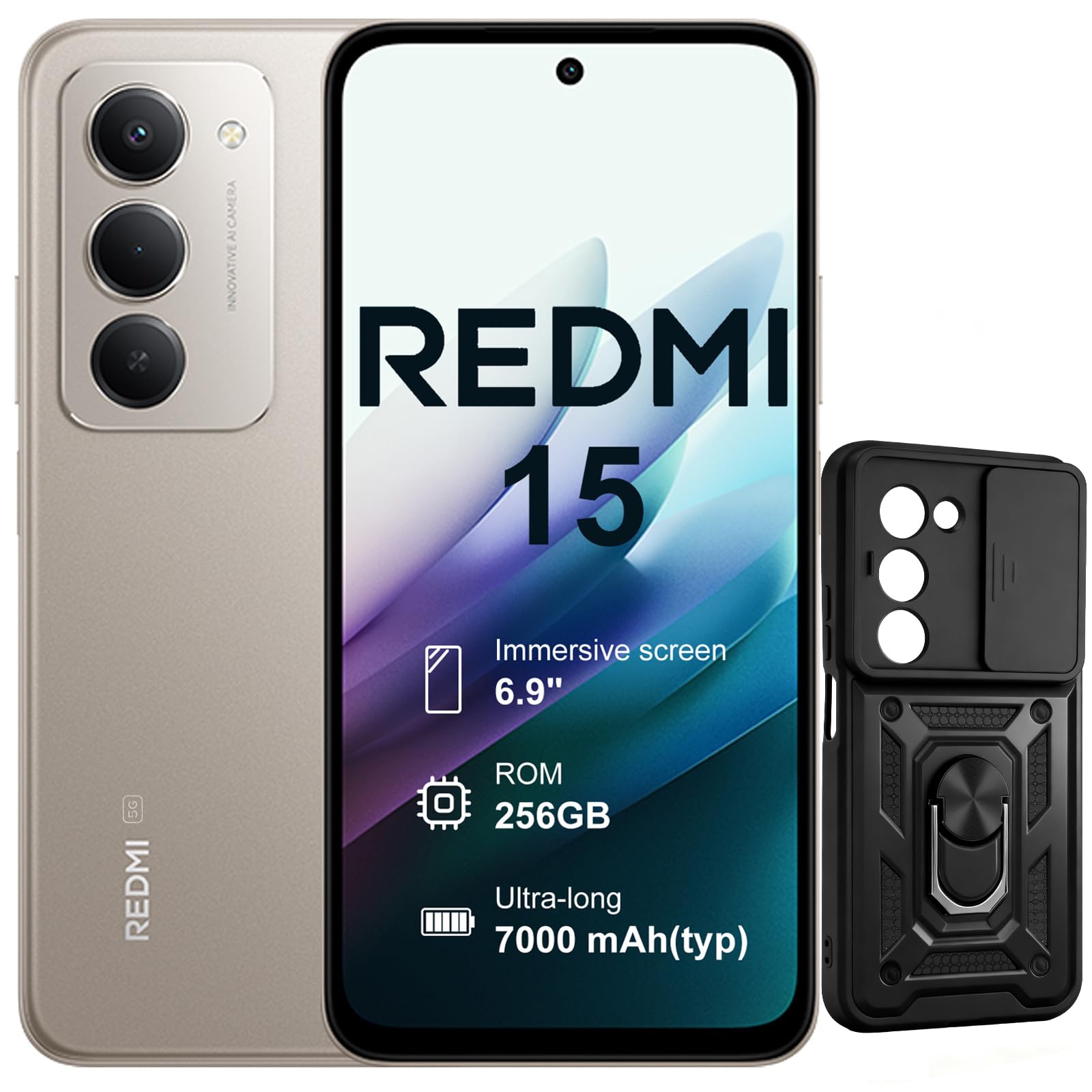
Imagine: Față și verso view of the XIAOMI Redmi 15 5G Smartphone. The device features a large display on the front and a triple camera setup on the rear.
Familiarizează-te cu componentele fizice ale smartphone-ului tău:
- Buton de alimentare: Located on the side, used to power on/off or wake/sleep the device. Also integrates the fingerprint sensor.
- Butoane de volum: Situat în lateral, folosit pentru a regla volumul fișierelor media și al apelurilor.
- Port USB-C: Situat în partea de jos, pentru încărcare și transfer de date.
- Mufă pentru căști de 3.5 mm: Located on the top/bottom, for connecting wired headphones.
- Tava cartelei SIM: Located on the side, for inserting Nano SIM cards.
- Camera frontală: Located on the display, for selfies and video calls.
- Camerele din spate: Multiple lenses on the back for high-quality photography and video recording.
4. Configurare
4.1. Introducerea cartelelor SIM
- Localizați tava cartelei SIM pe lateralul dispozitivului.
- Introduceți instrumentul de ejectare a cartelei SIM în orificiul mic de lângă tavă și apăsați ferm până când tava iese afară.
- Place your Nano SIM card(s) into the designated slots on the tray. This device supports Dual SIM.
- Reintroduceți cu grijă tava în telefon.
4.2. Pornirea inițială și configurarea
- Apăsați și țineți apăsat butonul de Pornire/Oprire până când apare sigla XIAOMI.
- Urmați instrucțiunile de pe ecran pentru a selecta limba, a vă conecta la o rețea Wi-Fi și a configura contul Google.
- Configure security features such as fingerprint recognition (integrated into the power button) and screen lock.
5. Utilizarea smartphone-ului
5.1. Afișare și interacțiune
The Redmi 15 features an immersive 6.9-inch FHD+ display with a 144Hz refresh rate for smooth visuals. It also includes an all-day eye-care display for comfortable viewing.

Imagine: O persoană viewing the smartphone screen in a dimly lit room, demonstrating the all-day eye-care display feature for reduced eye strain.
The device incorporates Wet Touch Technology 2.0, ensuring accurate touch response even when your fingers are wet or covered with oil or foam.

Image: A person interacting with the smartphone while at the beach, illustrating the Wet Touch Technology 2.0 which allows for accurate touch input even with wet fingers.
5.2. Caracteristicile camerei
The Redmi 15 5G is equipped with a 50MP AI dual camera system, offering features like Super Resolution mode and dynamic shots. Video recording is stabilized in 4K.
5.3. Connectivity and Performance
Powered by the Snapdragon 6 Gen 3 processor with integrated 5G modem, the device provides ultra-fast downloads and smooth gaming. It ensures powerful and fluid multitasking even with demanding applications.

Image: A graphic representation of the Snapdragon 6s Gen 3 processor, highlighting its 5G capabilities and support for up to 16GB RAM with memory extension.
5.4. Caracteristici speciale
Încercuiți pentru a căuta cu Google: This feature allows you to instantly search for anything you see on your phone by circling, scribbling, or tapping to pinpoint items without needing screenshots.

Image: A smartphone screen demonstrating the "Circle to Search with Google" feature, where a user circles an item in an image to perform a search and view related results.
6. Maintenance and Battery Management
6.1. Battery Charging and Longevity
The device is equipped with a 7000mAh battery, providing up to 2 days of typical use. It supports 33W turbo charging for quick power-ups.

Image: A smartphone screen displaying a charging animation with "86.11%" and "MI TURBO CHARGE", alongside text highlighting the benefits of 33W turbo charging.
The battery is designed for durability, maintaining at least 80% of its original capacity after 1600 full charging cycles. Even at 1% battery level, the phone can remain in standby mode for up to 7.5 hours or allow up to 59 minutes of calls.

Image: A graphic illustrating "1% power endurance" with call and standby times, and "1600 charge cycles, capacity still ≥80%", emphasizing battery longevity.
The device also supports 18W reverse charging, allowing it to function as a portable power bank for other devices.

Image: Two smartphones connected via a cable, demonstrating the 18W reverse charging feature where one phone charges another, effectively acting as a power bank.
6.2. Environmental Resilience
The Redmi 15 5G is designed for reliable performance even in low temperatures, with enhanced battery performance at -20°C. It is also water-resistant.

Image: A smartphone with frost on its edges, illustrating its reliable performance and battery endurance at -20°C, with specific video playback and call times.
7. Depanare
Dacă întâmpinați probleme cu dispozitivul dvs., încercați următorii pași de bază pentru depanare:
- Dispozitivul nu răspunde: Apăsați și țineți apăsat butonul de pornire timp de aproximativ 10-15 secunde pentru a forța o repornire.
- Probleme de rețea: Check if your SIM card is properly inserted. Try toggling Airplane Mode on and off. Verify your mobile data settings.
- Probleme de încărcare: Ensure the USB-C cable is securely connected to both the phone and the power adapter (not included). Try a different cable or power source.
- Defecțiuni ale aplicației: Închide și redeschide aplicația. Dacă problema persistă, golește memoria cache a aplicației sau reinstalează-o.
- Senzorul de amprentă nu funcționează: Asigurați-vă că degetul este curat și uscat. Înregistrați-vă din nou amprentele dacă este necesar.
For more advanced troubleshooting, please refer to the official XIAOMI support resources.
8. Specificații
| Caracteristică | Caietul de sarcini |
|---|---|
| Marca | XIAOMI |
| Numele modelului | Redmi 15 |
| Sistem de operare | Android 15 |
| RAM | 8 GB |
| Capacitate de stocare | 256 GB |
| Dimensiunea ecranului | 6.9 inchi |
| Rezoluţie | 2460 x 1080 |
| Rata de reîmprospătare | 144 Hz |
| Tehnologia celulară | 5G |
| Sloturi pentru carduri SIM | SIM dual |
| Identificare biometrică | Recunoașterea amprentei |
| Nivel de rezistență la apă | Rezistent la apă |
| Mufă pentru căști | 3.5 mm |
| Rezoluția camerei frontale | 8 MP |
| Rezoluția camerei din spate | 50 MP |
| Capacitatea bateriei | 7000 mAh |
| Durata medie a bateriei | 2 de zile |
| Dimensiuni | 16.9 x 8 x 0.8 cm |
| Port de încărcare | USB-C |
9. Informații despre garanție
Your XIAOMI Redmi 15 5G Smartphone comes with a Garanție de 2 an de la producătorAceastă garanție acoperă defectele de materiale și de fabricație în condiții normale de utilizare. Vă rugăm să păstrați dovada achiziției pentru reclamațiile în garanție.
For detailed warranty terms and conditions, please visit the official XIAOMI website-ul sau contactați asistența pentru clienți.
10. Suport
For further assistance, technical support, or service inquiries, please contact XIAOMI customer support through their official channels. You can also visit the official XIAOMI store for more information and resources: