
1. Introducere
Mulțumesc pentru achizițieasing the XNANO HM109 Projector. This manual provides essential information for setting up, operating, and maintaining your projector. Please read this manual thoroughly before use to ensure proper operation and to maximize your viewing experience. The HM109 features built-in streaming apps, 4K/1080P HD video projection support, WiFi 6, Bluetooth 5.0, and integrated Hi-Fi stereo speakers, designed for both indoor and outdoor home theater environments.
2. Informații de siguranță
Vă rugăm să respectați următoarele măsuri de siguranță pentru a preveni deteriorarea proiectorului și pentru a asigura siguranța utilizatorului:
- Nu blocați orificiile de ventilație. Asigurați o circulație adecvată a aerului în jurul proiectorului.
- Nu expuneți proiectorul la ploaie sau umezeală pentru a preveni incendiile sau șocurile electrice.
- Evitați să priviți direct în obiectivul proiectorului când lamp este pornit.
- Așezați proiectorul pe o suprafață stabilă și plană.
- Folosiți doar adaptorul de alimentare furnizat împreună cu proiectorul.
- Deconectați proiectorul în timpul furtunilor cu fulgere sau când nu este utilizat pentru perioade lungi de timp.
- Do not attempt to repair this product yourself. Refer all servicing to qualified personnel.
3. Conținutul pachetului
Verificați dacă toate articolele sunt prezente în colet:
- XNANO HM109 Projector
- Telecomanda
- Adaptor de alimentare
- Cablu HDMI
- Manual de utilizare (acest document)
4. Produs terminatview
Familiarize yourself with the components of your XNANO HM109 Projector.
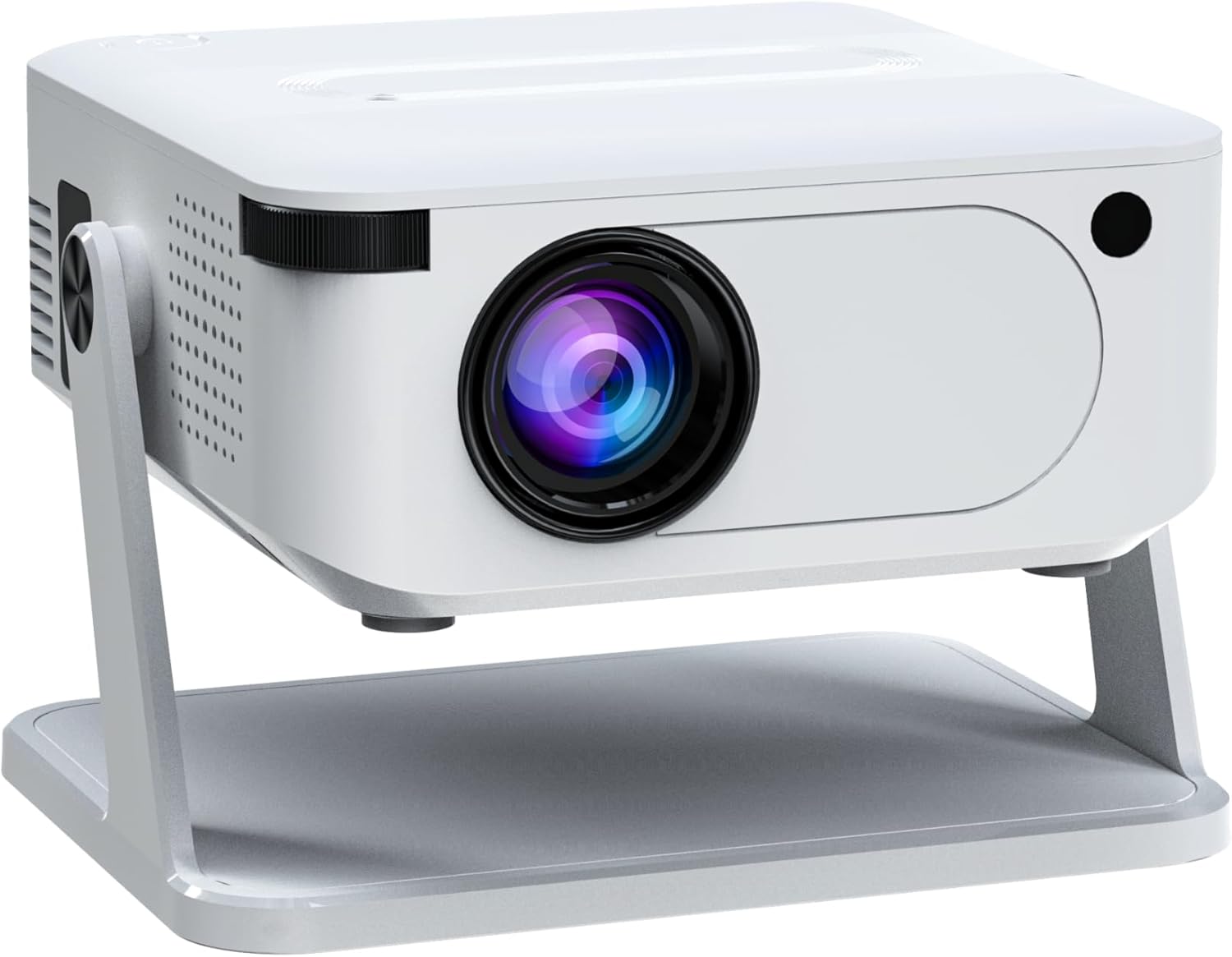
Figura 4.1: Față înclinată view of the XNANO HM109 Projector, showing the lens, focus ring, and integrated stand.
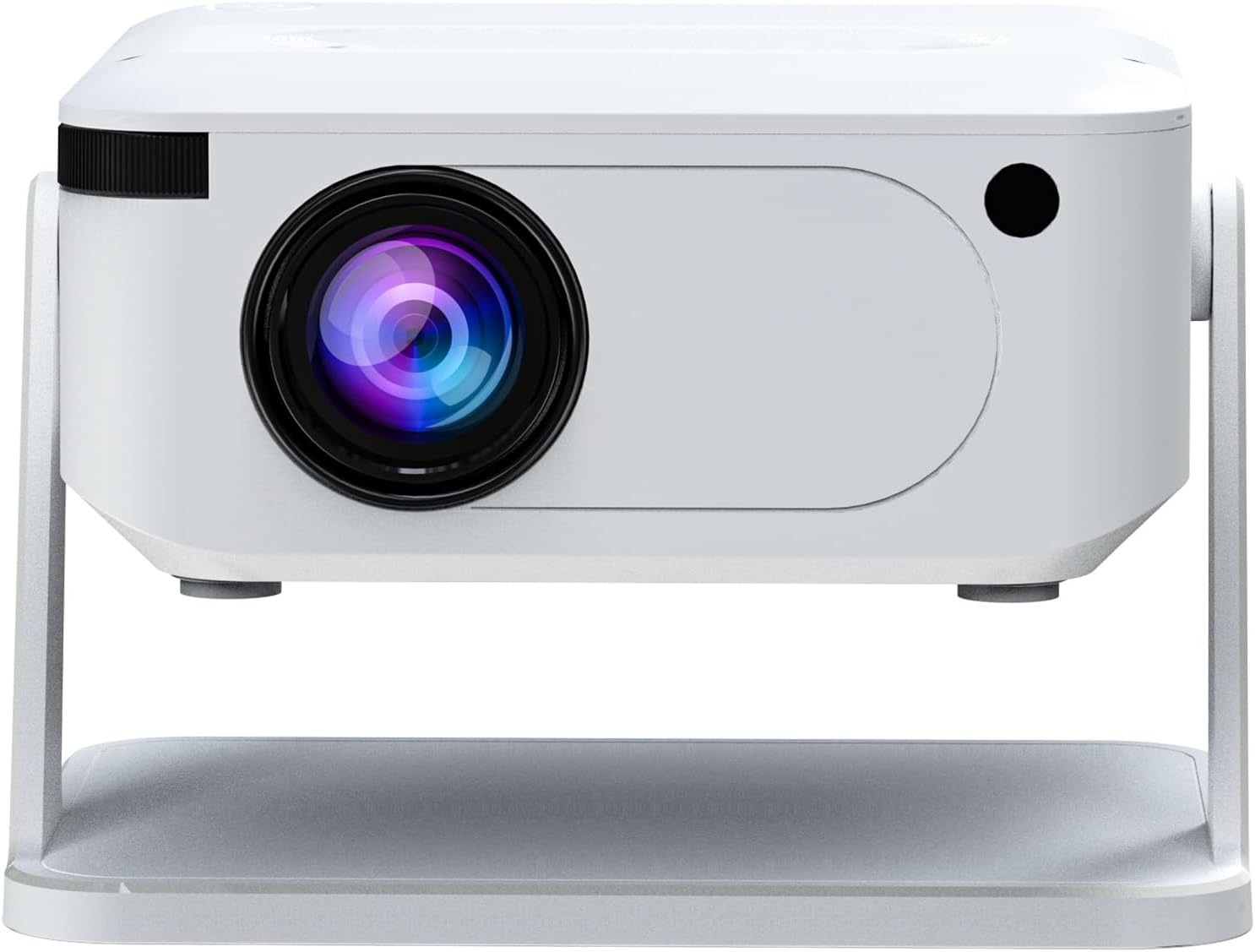
Figura 4.2: Față view of the XNANO HM109 Projector, highlighting the projection lens and infrared receiver.

Figura 4.3: Partea stângă view of the XNANO HM109 Projector, showing the power input port and ventilation grilles.

Figura 4.4: Partea dreaptă view of the XNANO HM109 Projector, detailing the HDMI, 3.5mm Audio Out, and USB ports.
Componente cheie:
- Lentila de proiectie: Emite imaginea.
- Inel de focalizare: Reglează claritatea imaginii.
- Putere de intrare: Se conectează la adaptorul de alimentare.
- Port HDMI: Connects to external video sources (e.g., laptop, game console).
- Port USB: Se conectează la dispozitive de stocare USB pentru redarea fișierelor media.
- Ieșire audio (3.5 mm): Se conectează la difuzoare externe sau căști.
- Grile de ventilație: For heat dissipation. Do not obstruct.
- Suport integrat: Allows for angle adjustment.
5. Configurare
- Plasare: Place the projector on a stable, flat surface. Ensure the projection path is clear of obstructions. The integrated stand allows for minor angle adjustments.
- Conexiune de alimentare: Connect the power adapter to the projector's power input port, then plug the adapter into a power outlet. The power indicator light will illuminate.
- Pornire: Apăsați butonul de pornire de pe proiector sau de pe telecomandă pentru a porni dispozitivul.
- Ajustarea focalizării: Once the projector is on and displaying an image, rotate the focus ring near the lens until the image appears sharp and clear.
- Corecție trapezoială: If the projected image appears trapezoidal, use the keystone correction feature (usually found in the projector's settings menu) to adjust the image shape to a perfect rectangle.
6. Instrucțiuni de utilizare
6.1 Operare de bază
- Pornire/Oprire: Apăsați butonul de alimentare de pe proiector sau de pe telecomandă.
- Navigare: Use the arrow keys on the remote control to navigate through menus. Press 'OK' or 'Enter' to confirm selections.
- Controlul volumului: Folosește butoanele de volum de pe telecomandă pentru a regla ieșirea audio.
- Selectarea sursei: Press the 'Source' button on the remote to select input sources (e.g., HDMI, USB, built-in apps).
6.2 Using Built-in Streaming Apps
The XNANO HM109 Projector comes with officially certified streaming apps pre-installed. Ensure the projector is connected to a stable internet connection via WiFi (see Section 7.1) to access these services. Navigate to the 'Apps' section from the main menu and select your desired streaming platform.
6.3 Redare media prin USB
Insert a USB flash drive into the USB port. The projector should automatically detect the device or prompt you to select the USB input source. Navigate through your files to play videos, view photos, or listen to music.
7. Conectivitate
7.1 WiFi Connection (WiFi 6)
- Go to the 'Settings' menu on the projector.
- Select 'Network' or 'WiFi Settings'.
- Turn on WiFi and select your desired network from the list of available networks.
- Enter the WiFi password using the on-screen keyboard and confirm.
- Once connected, the projector will display a confirmation message.
7.2 Conexiune Bluetooth (Bluetooth 5.0)
Conectați difuzoare sau căști Bluetooth externe pentru un sunet îmbunătățit.
- Accesați meniul „Setări”.
- Select 'Bluetooth Settings'.
- Turn on Bluetooth. The projector will start searching for nearby devices.
- Puneți dispozitivul Bluetooth (de exemplu, difuzorul, căștile) în modul de asociere.
- Selectați dispozitivul din lista de pe ecranul proiectorului pentru a-l asocia.
7.3 Conexiuni cu fir
- HDMI: Connect an HDMI cable from your source device (e.g., laptop, Blu-ray player) to the HDMI port on the projector. Select 'HDMI' as the input source.
- USB: Insert a USB storage device into the USB port for media playback. Select 'USB' as the input source.
- Ieșire audio (3.5 mm): Connect external wired speakers or headphones to this port for audio output.
8. Întreținere
- Curățarea lentilelor: Folosiți o lavetă moale, fără scame, special concepută pentru lentile optice, pentru a șterge ușor lentila proiectorului. Nu utilizați substanțe de curățare abrazive.
- Îndepărtarea prafului: Regularly clean the ventilation grilles with a soft brush or compressed air to prevent dust buildup, which can affect performance and lifespan.
- Depozitare: Când nu utilizați proiectorul pentru perioade lungi de timp, depozitați-l într-un loc răcoros și uscat, ferit de lumina directă a soarelui și de temperaturi extreme.
- Oprire corect: Opriți întotdeauna proiectorul folosind butonul de alimentare corespunzător și lăsați-l să se răcească înainte de a-l deconecta sau muta.
9. Depanare
| Problemă | Cauza posibila | Soluţie |
|---|---|---|
| Nu este afișată nicio imagine | Alimentarea nu este conectată; Sursă de intrare incorectă; Capac obiectiv pus. | Verificați conexiunea la alimentare; Selectați sursa de intrare corectă (HDMI, USB); Scoateți capacul obiectivului. |
| Imaginea este neclară | Focalizarea nu este ajustată; Proiectorul este prea aproape/departe de ecran. | Reglați inelul de focalizare; Reglați distanța de proiecție. |
| Imaginea este trapezoidală | Proiectorul nu este perpendicular pe ecran. | Adjust keystone correction in settings. |
| Nici un sunet | Volum prea mic; Dezactivat sunetul; Dispozitiv audio extern neconectat/neselectat. | Increase volume; Unmute; Check external audio connections/Bluetooth pairing. |
| Probleme de conexiune WiFi | Parolă incorectă; Router prea departe; Interferențe de rețea. | Re-enter password; Move projector closer to router; Check router settings. |
10. Specificații
| Marca: | XNANO |
| Model: | HM109 |
| Rezoluția afișajului: | 1280 x 720 (Supports 4K & 1080P HD Video Projection) |
| Tehnologie de conectivitate: | WiFi 6, Bluetooth 5.0, HDMI, USB, 3.5mm Audio Out |
| Caracteristici speciale: | Built-in Streaming Apps, Hi-Fi Stereo Speakers, Low Noise |
| Utilizări recomandate: | Indoor/Outdoor Home Theater |
| Greutatea articolului: | 1.65 livre (aprox. 0.75 kg) |
| Dimensiuni produs: | 10.16 x 5.43 x 5.75 inci (aprox. 25.8 x 13.8 x 14.6 cm) |
11. Garanție și asistență
For warranty information and technical support, please refer to the warranty card included with your product or visit the official XNANO website. You can also contact XNANO customer service through the contact details provided on their website for assistance with product inquiries, troubleshooting, or service requests.
XNANO Official Store: Visit the XNANO Store on Amazon