
Surge SG60094
Manual de utilizare pentru controlerul wireless Surge Pro
Model: SG60094
Introducere
This manual provides instructions for the Surge Wireless Pro Controller, Model SG60094. It covers setup, operation, maintenance, troubleshooting, and specifications. Please read this manual thoroughly before using the controller.
The Surge Wireless Pro Controller is designed for multi-platform compatibility, featuring Hall Effect thumb sticks and triggers for precision control.
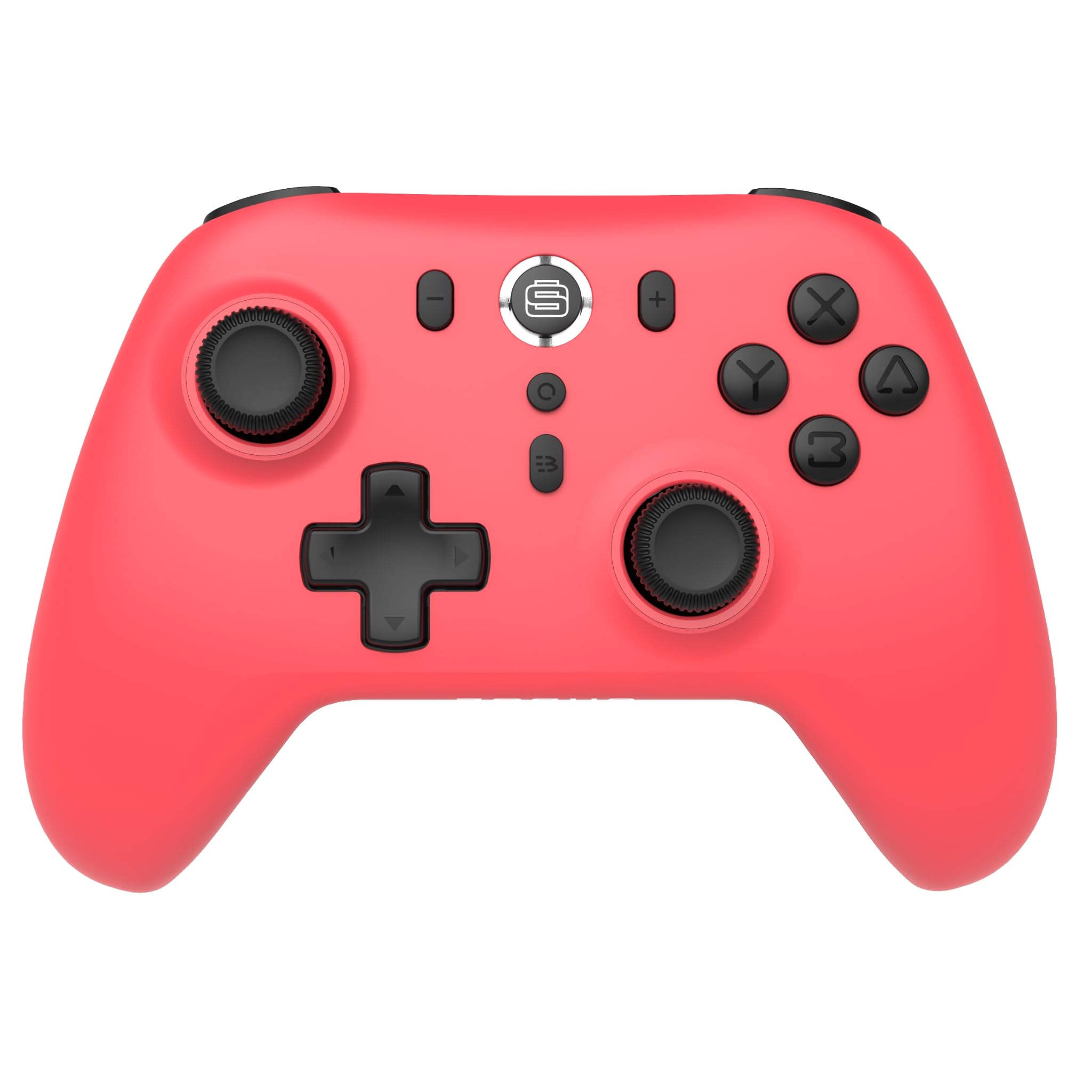
Imagine: față view of the Surge Wireless Pro Controller in Neon Red.
Caracteristici cheie
- Compatibilitate cu mai multe platforme: Supports Nintendo Switch/Switch 2 (Note: No C Button/Audio Port on Switch 2), Windows PC, Steam Deck, Android, and iOS devices.
- Hall Effect Thumb Sticks & Triggers: Engineered for precise control and to prevent stick drift.
- Funcționalitate Turbo: Offers 3 adjustable turbo levels for rapid-fire actions.
- Feedback de vibrație: Features 4 customizable vibration levels for enhanced haptic feedback.
- Comenzi de mișcare: Compatible with games that utilize motion sensing.
- Console Wake Up: Ability to wake the Nintendo Switch console from sleep mode (Nintendo Switch only).
- Baterie reîncărcabilă: Built-in 600mAh Li-polymer battery provides up to 10 hours of gameplay per charge.
- Încărcare USB-C: Includes a 1-meter USB-C charging cable.
Instrucțiuni de configurare
1. Încărcarea inițială
Before first use, fully charge the controller. Connect the included USB-C cable to the controller's charging port and the other end to a USB power source (e.g., console, PC, USB wall adapter). The charging indicator will show status.

Image: The controller connected to a USB-C charging cable.
2. Împerecherea cu Nintendo Switch
- On your Nintendo Switch console, go to the HOME Menu.
- Selecta Controlori, atunci Schimbați Grip/Comanda.
- Țineți apăsat butonul Butonul de asociere on the top of the Surge Wireless Pro Controller until the player indicator lights begin to flash.
- Once paired, the player indicator light(s) will remain solid.
- To wake the console from sleep mode, press the Home button on the controller.
3. Pairing with PC, Android, or iOS
The pairing process may vary slightly depending on your device's operating system. Generally, you will need to enable Bluetooth on your device and search for new devices.
- Ensure Bluetooth is enabled on your PC, Android, or iOS device.
- On the Surge Wireless Pro Controller, press and hold the Butonul de asociere until the indicator lights flash.
- On your device, select "Surge Pro Controller" from the list of available Bluetooth devices.
- Urmați orice instrucțiuni de pe ecran pentru a finaliza asocierea.
Video: Un pesteview of the 8Bitdo Ultimate 2 Wireless Controller, demonstrating general wireless controller setup principles.
Instrucțiuni de operare
Aspect buton

Image: Diagram showing the button layout of the Surge Wireless Pro Controller.
- Manete analogice stânga/dreapta: For movement and camera control. Features Hall Effect technology for enhanced durability and precision.
- D-pad: Pentru intrare direcțională.
- Butoane A/B/X/Y: Butoane de acțiune standard.
- Butoane L/R: Nasturi de umăr.
- Declanșatoare ZL/ZR: Analog triggers with Hall Effect sensors.
- Buton Acasă: Returns to the console's home menu.
- Buton Captură de ecran: Face capturi de ecran.
- Butoane Plus (+) / Minus (-): Pentru navigarea în meniul din joc.
- Buton Turbo: Activates/deactivates turbo function.
- Buton de asociere: Folosit pentru asocierea prin Bluetooth.
Funcția Turbo
To activate turbo for a button, press and hold the Buton Turbo, then press the desired action button (A, B, X, Y, L, R, ZL, ZR). Repeat the process to deactivate. There are 3 adjustable turbo levels; refer to the full product manual for detailed adjustment instructions.
Ajustarea vibrațiilor
The controller offers 4 levels of vibration intensity. Specific button combinations or software may be required to adjust these levels. Consult the full product manual or manufacturer's website for precise instructions.
Întreţinere
- curatenie: Folosiți o cârpă moale și uscată pentru a curăța controlerul. Evitați utilizarea substanțelor chimice dure sau a materialelor abrazive.
- Depozitare: Depozitați controlerul într-un loc răcoros și uscat, ferit de lumina directă a soarelui și de temperaturi extreme.
- Îngrijirea bateriei: Pentru a prelungi durata de viață a bateriei, evitați descărcarea completă frecventă a acesteia. Încărcați controlerul în mod regulat, chiar dacă nu îl utilizați pentru perioade lungi de timp.
- Îngrijirea cablului: Handle the USB-C charging cable carefully. Avoid bending or twisting it excessively.
Depanare
| Problemă | Soluţie |
|---|---|
| Controlerul nu pornește. | Ensure the controller is fully charged. Connect it to a power source using the USB-C cable. |
| Nu se poate realiza asocierea cu dispozitivul. | Make sure Bluetooth is enabled on your device. Press and hold the pairing button on the controller until lights flash. Ensure the controller is not already paired with another device. Try restarting both the controller and the device. |
| Stick drift or inaccurate input. | The controller features Hall Effect sticks to minimize drift. If issues persist, ensure the controller's firmware is up to date. Contact customer support if the problem continues. |
| Vibrațiile nu funcționează. | Check in-game settings to ensure vibration is enabled. Verify the vibration intensity level on the controller. |
| Console Wake Up not functioning. | This feature is only supported on Nintendo Switch. Ensure the controller is properly paired with the Switch. |
Specificații
- Număr de model: SG60094
- Baterie: 1 Nonstandard Battery (600mAh Li-polymer, included)
- Durata de viață a bateriei: Până la 10 de ore (aproximativ)
- Port de încărcare: USB-C
- Conectivitate: Bluetooth Wireless
- Dimensiuni: 20.1 x 14 x 6.6 cm (aproximativ)
- Greutate: 310 g (aproximativ)
- Țara de origine: China
Garanție și suport
For warranty information and customer support, please refer to the official Surge website or contact support directly at support@surgegaming.com.
De obicei, produsul este însoțit de o garanție a producătorului care acoperă defectele de materiale și de fabricație. Vă rugăm să păstrați dovada achiziției pentru reclamații în garanție.
Ask a question about this manual
Ask about setup, troubleshooting, compatibility, parts, safety, or missing instructions. Manuals+ will review the question and use this page’s manual context to help answer it.