
Introducere
Mulțumesc pentru achizițieasing the AGPTEK M6U MP3 Player. This device is designed to provide a high-quality portable audio experience with its 64GB internal storage and Bluetooth 5.3 connectivity. This manual will guide you through the setup, operation, and maintenance of your new MP3 player to ensure optimal performance and longevity.
Conținutul pachetului
Vă rugăm să verificați pachetul pentru următoarele articole:
- AGPTEK M6U MP3 Player (1 unit)
- USB Type-C Cable (for data transfer and charging) (1 unit)
- Wired Earphones (can be used as FM antenna) (1 unit)
- User Manual (multi-language, including English) (1 unit)
Produs terminatview
The AGPTEK M6U MP3 Player features a sleek design with a 2.4-inch LCD screen and intuitive controls. Familiarize yourself with the device's physical components.

Imagine: The AGPTEK M6U MP3 Player, showcasing its compact size and user interface. The device is held in a hand, highlighting its portability and the layout of its screen and physical control buttons.
The player is equipped with a durable zinc alloy body, providing a comfortable grip. It features a responsive display for easy navigation through menus and media files.
Înființat
1. Încărcarea dispozitivului
Before initial use, fully charge the MP3 player. Connect the provided USB Type-C cable to the player's charging port and the other end to a USB power adapter (not included) or a computer's USB port.
- O încărcare completă durează de obicei 2 până la 2.5 ore.
- The battery charges to 80% capacity in approximately 1.5 hours.
- O baterie complet încărcată oferă până la 40 de ore de redare a muzicii.

Imagine: The AGPTEK M6U MP3 Player displaying its battery charging status and indicating a long playback time. The image visually represents the charging process and extended battery life.
2. Pornire/Oprire
- Pentru a porni: Apăsați și țineți apăsat butonul de pornire (de obicei situat pe lateral) până când ecranul se aprinde.
- Pentru a opri: Press and hold the Power button until a power-off option appears on the screen, then confirm.
3. Transferul muzicii Files
Connect the MP3 player to your computer using the provided USB Type-C cable. The player will appear as a removable disk drive. You can then drag and drop your music files (FLAC, MP3, WMA, WAV, APE, ACELP, AAC, Audible, OGG) directly into the player's storage.

Imagine: The AGPTEK M6U MP3 Player screen showing various album covers and music playback information, with an overlay indicating internal memory. This illustrates the player's capacity for storing thousands of songs.
The player comes with 64GB of internal memory. You can also expand storage using a microSD card.
4. Asociere Bluetooth
To connect your AGPTEK M6U to Bluetooth headphones or speakers:
- Go to the Bluetooth menu on your MP3 player.
- Activați Bluetooth.
- Puneți căștile/difuzorul Bluetooth în modul de asociere.
- Select your device from the list of available devices on the MP3 player's screen.
- The player supports automatic reconnection to previously paired devices upon power-on.
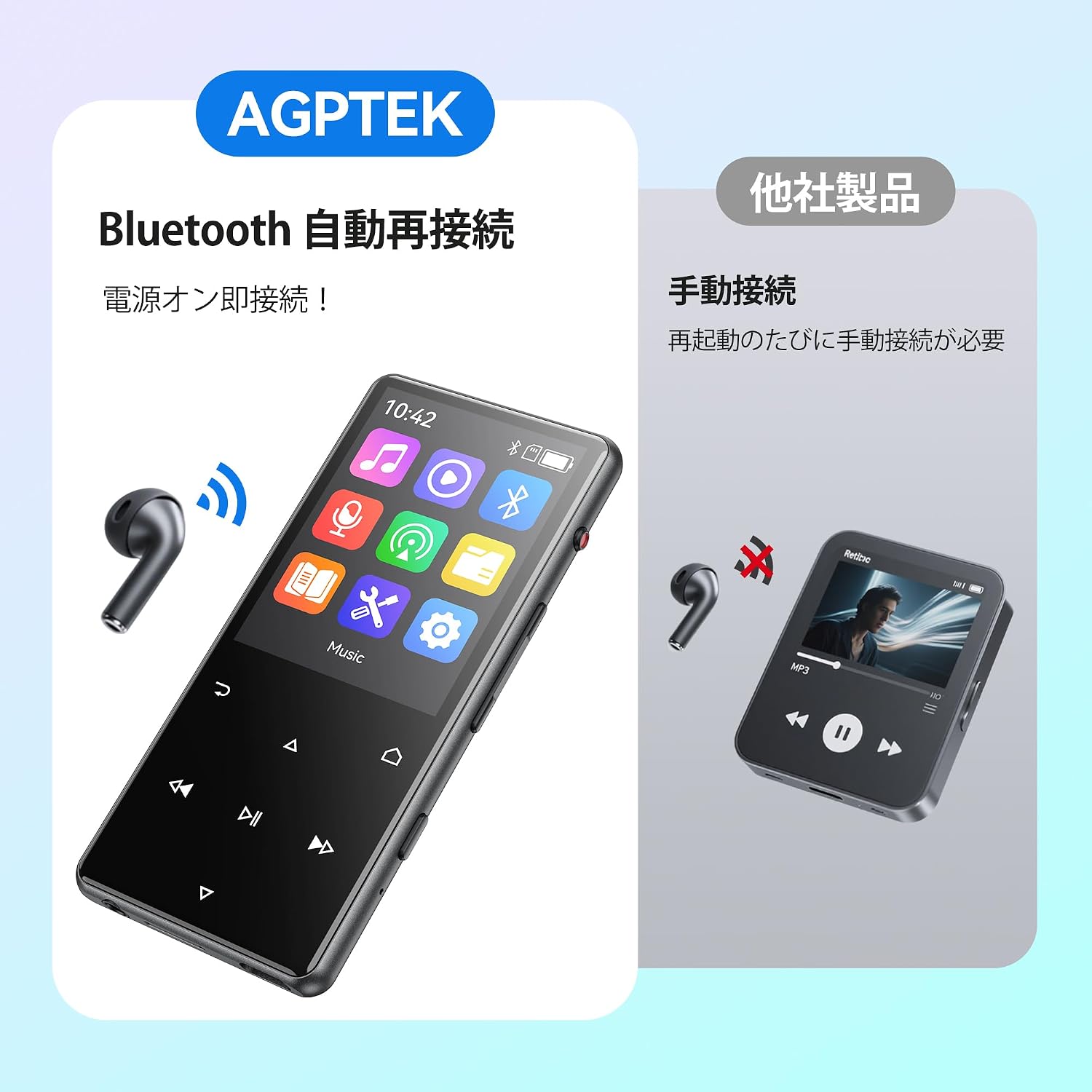
Imagine: The AGPTEK M6U MP3 Player connected wirelessly to a pair of Bluetooth earbuds, illustrating the automatic reconnection feature. The screen shows the Bluetooth icon, indicating an active connection.
Instrucțiuni de operare
1. Navigare de bază
Use the touch screen or physical buttons (Play/Pause, Next/Previous, Volume) to navigate through menus and control playback. The interface is designed for intuitive use.
2. Redarea muzicii
From the main menu, select "Music" to browse your audio files. You can sort by artist, album, genre, or view all songs. Tap a song to begin playback.
- Press the Play/Pause button to start or pause music.
- Folosiți butoanele Următor/Anterior pentru a sări peste piese.
- Reglați volumul folosind comenzile de volum dedicate.
3. Înregistrare voce
The AGPTEK M6U features a one-key recording function, allowing you to quickly capture audio. This is useful for lectures, meetings, or personal notes.

Imagine: The AGPTEK M6U MP3 Player screen showing an active recording session, indicated by a large microphone icon and a filename. This highlights the device's one-key recording capability, useful for capturing ideas or discussions instantly.
To start a recording, locate the dedicated recording button (if available, otherwise navigate through the menu). Recordings are saved in MP3 or WAV format.
4. Radio FM
To use the FM radio function, connect the wired earphones to the player. The earphones act as an antenna. Navigate to the FM Radio application from the main menu, then scan for available stations.
5. Setări
Access the "Settings" menu to customize various aspects of your player, including display brightness, language, date and time, equalizer settings, and system information.
Întreţinere
- curatenie: Folosiți o lavetă moale și uscată pentru curățarea dispozitivului. Evitați substanțele de curățare lichide sau materialele abrazive.
- Depozitare: Depozitați playerul într-un loc răcoros și uscat, ferit de lumina directă a soarelui și de temperaturi extreme.
- Îngrijirea bateriei: Pentru a prelungi durata de viață a bateriei, evitați descărcarea completă frecventă a acesteia. Încărcați bateria în mod regulat, chiar dacă nu este utilizată pentru perioade lungi de timp.
- Actualizări de software: Verificați periodic formularul oficial AGPTEK webpentru orice actualizări de firmware disponibile, pentru a asigura performanțe optime și funcții noi.
Depanare
| Problemă | Soluţie |
|---|---|
| Dispozitivul nu pornește. | Ensure the battery is charged. Connect the player to a power source for at least 10 minutes, then try powering on again. |
| Cannot connect to Bluetooth headphones. | Make sure Bluetooth is enabled on both the player and the headphones. Put headphones in pairing mode. Ensure they are within range and not connected to another device. |
| Muzică files are not recognized. | Verificați dacă muzica files are in a supported format (FLAC, MP3, WMA, WAV, APE, ACELP, AAC, Audible, OGG). Ensure files are transferred correctly to the player's internal storage or microSD card. |
| Ecranul nu răspunde. | Try restarting the device. If the issue persists, a factory reset might be necessary (note: this will erase all data). |
Specificații
| Caracteristică | Detaliu |
|---|---|
| Marca | AGPTEK |
| Numărul de model | M6U |
| Memoria internă | 64 GB |
| Dimensiunea ecranului | 2.4 inchi |
| Tehnologia de afișare | LCD |
| Tehnologia de conectivitate | USB, Bluetooth 5.3 |
| Dispozitive compatibile | PC, Headphones |
| Tip media | microSD Card (expandable storage) |
| Formate audio acceptate | FLAC, MP3, WMA, WAV, APE, ACELP, AAC, Audible, OGG |
| Supported Recording Formats | MP3, WAV |
| Formate video acceptate | AMV, AVI (240*320) |
| Durata de viață a bateriei (medie) | Până la 40 ore |
| Culoare | Negru |
| Origine | China |
Garanție și suport
The AGPTEK M6U MP3 Player comes with a 180-day warranty from the date of purchase. This warranty covers manufacturing defects under normal use.
For technical support, warranty claims, or further assistance, please contact AGPTEK customer service through their official website or the retailer where you purchased the product. Please have your model number (M6U) and proof of purchase ready when contacting support.
Informații importante privind siguranța
- Nu expuneți dispozitivul la temperaturi extreme, la lumina directă a soarelui sau la umiditate ridicată.
- Evitați scăderea sau supunerea dispozitivului la impacturi puternice.
- Nu încercați să dezasamblați sau să reparați dispozitivul singur. Aceasta va anula garanția.
- Folosiți doar cabluri și accesorii de încărcare aprobate.
- Listen to audio at moderate volumes to prevent hearing damage.