
Xbox EP2-29563
Xbox Wireless Controller Storm Breaker Special Edition
Model: EP2-29563
Marca: Xbox
Introducere
The Xbox Wireless Controller Storm Breaker Special Edition is designed to provide an enhanced gaming experience across multiple platforms. This controller features a unique aesthetic with classic grays and blacks, offset with whites, along with textured grips for improved handling. It offers seamless connectivity and customizable controls to optimize your gameplay.
Caracteristici cheie
- Storm Breaker Special Edition Design: Features a distinctive gray, black, and white pattern.
- Textured Triggers: Provides enhanced grip and control during gameplay.
- Rubberized Grips: Located on the back cases for secure handling.
- Wireless & Bluetooth Connectivity: Easily pairs with Xbox consoles, PCs, and mobile devices.
- Butonul de distribuire: Seamlessly capture and share screenshots and game recordings.
- Maparea butoanelor personalizabile: Personalize controls using the Xbox Accessories app.
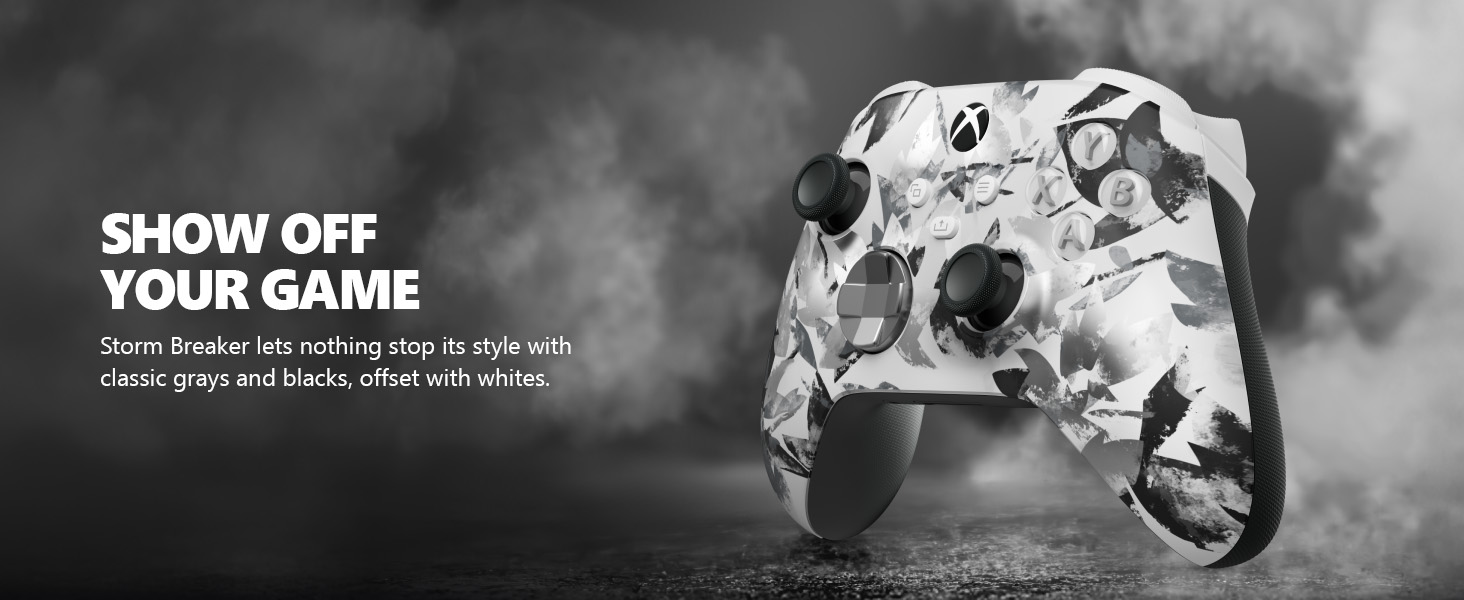
Image: The Xbox Wireless Controller Storm Breaker Special Edition showcasing its distinctive color scheme.
Înființat
1. Instalarea bateriei
The controller requires two AA batteries (included). To install:
- Localizați compartimentul bateriilor pe spatele controlerului.
- Press the small tab and lift the battery cover.
- Introduceți cele două baterii AA, asigurându-vă că polaritatea este corectă (+ și -).
- Puneți la loc capacul bateriei până când se fixează în poziție.
2. Asocierea cu dispozitive
The controller supports both Xbox Wireless and Bluetooth for versatile connectivity.
- For Xbox Console:
- Pornește consola Xbox.
- Press the Xbox button on your controller to turn it on.
- Apăsați și mențineți apăsat butonul Asociere (⏚) on the top of the controller until the Xbox button flashes rapidly.
- Press the Pair button on your Xbox console (usually near the USB port or on the front).
- The Xbox button on the controller will become solid when connected.
- For PC (Windows 10/11) via Bluetooth:
- Asigurați-vă că PC-ul are Bluetooth activat.
- Press the Xbox button on your controller to turn it on.
- Apăsați și mențineți apăsat butonul Asociere (⏚) on the top of the controller until the Xbox button flashes rapidly.
- Pe PC, accesați Setări > Dispozitive > Bluetooth și alte dispozitive.
- Select "Add Bluetooth or other device" and then "Bluetooth".
- Choose "Xbox Wireless Controller" from the list and follow on-screen prompts.
- Pentru dispozitive mobile (Android/iOS):
- Activați Bluetooth pe dispozitivul dvs. mobil.
- Press the Xbox button on your controller to turn it on.
- Apăsați și mențineți apăsat butonul Asociere (⏚) on the top of the controller until the Xbox button flashes rapidly.
- On your mobile device, search for Bluetooth devices and select "Xbox Wireless Controller" to pair.
Video: Un pesteview of the Xbox Wireless Controller, demonstrating its physical features and ports, useful for understanding setup.
Operarea controlerului
1. Controale de bază
- Stick-uri: Use for movement and camera control.
- D-pad: Ideal for precise directional input in games and menu navigation.
- Butoanele A, B, X, Y: Primary action buttons for in-game commands.
- Triggers (LT/RT) & Bumpers (LB/RB): Used for various actions like shooting, accelerating, or menu selection.
2. Butonul Partajare
The dedicated Share button (⤓) allows you to quickly capture and share your gaming moments:
- Press once to take a screenshot.
- Press and hold to record the last 30 seconds of gameplay.
3. Mufă pentru căști
A 3.5mm audio jack is located at the bottom of the controller, allowing you to connect compatible headsets for in-game audio and chat.
4. Customization with Xbox Accessories App
Download the Xbox Accessories app on your Xbox console or Windows PC to customize button mapping and create personalized controller profiles.
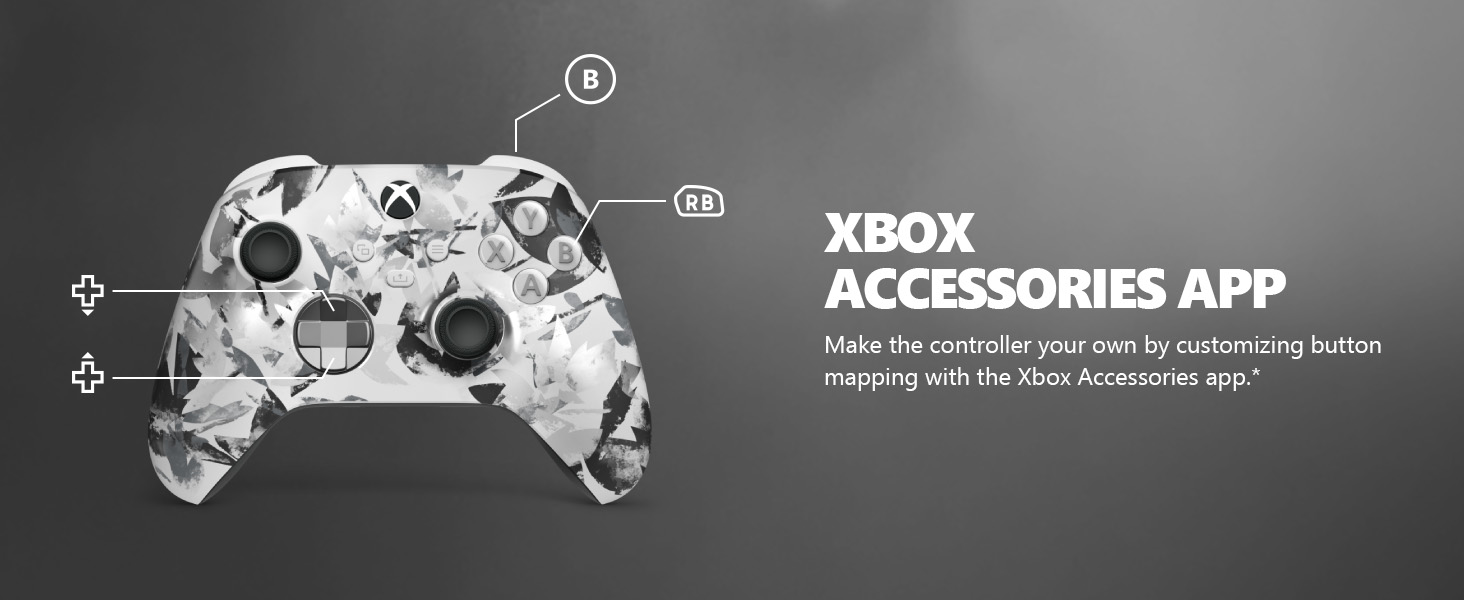
Image: The Share button and an illustration of button mapping customization via the Xbox Accessories app.
Întreţinere
- curatenie: Folosiți o lavetă moale și uscată pentru a curăța controlerul. Evitați substanțele de curățare abrazive sau solvenții.
- Îngrijirea bateriei: Scoateți bateriile dacă telecomanda nu va fi utilizată pentru o perioadă lungă de timp, pentru a preveni scurgerile.
- Depozitare: Depozitați controlerul într-un loc răcoros și uscat, ferit de lumina directă a soarelui și de temperaturi extreme.
Depanare
- Controlerul nu se conectează:
- Asigurați-vă că bateriile sunt instalate și încărcate corect.
- Re-attempt the pairing process as described in the Setup section.
- Verificați dacă există interferențe de la alte dispozitive wireless.
- Update controller firmware via the Xbox Accessories app.
- Butoanele nu răspund:
- Curățați în jurul butoanelor pentru a îndepărta orice resturi.
- Test the controller with another device or game to isolate the issue.
- Durată scurtă de viață a bateriei:
- Utilizați baterii AA proaspete, de înaltă calitate.
- Consider using a rechargeable battery pack (sold separately) for extended play.
Specificații
| Caracteristică | Detaliu |
|---|---|
| Numărul de model | EP2-29563 |
| Conectivitate | Xbox Wireless, Bluetooth |
| Compatibilitate | Xbox Series X|S, Xbox One, Windows 10/11, Android, iOS |
| Sursa de alimentare | 2 baterii AA (incluse) |
| Port audio | Mufă pentru căști de 3.5 mm |
| Dimensiuni | 6.91 x 5.61 x 2.76 inci |
| Greutate | 14.1 uncii |
| Producător | Microsoft |
Garanție și suport
For warranty information and technical support, please refer to the documentation included with your product or visit the official Xbox support webPăstrați dovada achiziției pentru reclamații în garanție.
Suport online: support.xbox.com
Ask a question about this manual
Ask about setup, troubleshooting, compatibility, parts, safety, or missing instructions. Manuals+ will review the question and use this page’s manual context to help answer it.