
Introducere
This manual provides detailed instructions for the setup, operation, and maintenance of your HyperGear FIT X2 Smartwatch + Fitness Tracker. Please read this manual thoroughly before using the device to ensure proper function and to maximize your user experience.
Ce este în cutie
- HyperGear FIT X2 Smartwatch
- Cablu magnetic de încărcare
- Manual de utilizare (acest document)
Înființat
1. Încărcarea dispozitivului
Before initial use, fully charge your HyperGear FIT X2 Smartwatch. Connect the magnetic charging cable to the charging contacts on the back of the watch and plug the USB end into a power source (e.g., computer USB port or a 5V/1A USB wall adapter). The watch display will indicate charging status.

Image: The HyperGear FIT X2 Smartwatch connected to its magnetic charging cable, showing a 'Fully Charged' notification on its screen.
A full charge typically takes approximately 2.5 hours. The watch offers up to 5+ days of typical use and up to 15 days of basic use on a single charge.
2. Pornire/Oprire
- Pornire: Press and hold the side button until the HyperGear logo appears on the screen.
- Oprire: From the watch face, swipe down to access the quick settings, then tap the power icon. Confirm power off. Alternatively, navigate to Settings > System > Power Off.
3. Instalarea și asocierea aplicației
The HyperGear FIT X2 requires the 'Da Fit' companion app for full functionality and data synchronization. The app is compatible with iOS 9.0+ and Android 5.0+ devices.
- Descărcați aplicația: Caută 'Da Fit' in the Apple App Store (for iOS) or Google Play Store (for Android) and install it on your smartphone.
- Activați Bluetooth: Asigurați-vă că Bluetooth este activat pe smartphone-ul dvs.
- Deschide aplicația Da Fit: Lansează aplicația „Da Fit” și urmează instrucțiunile de pe ecran pentru a crea un cont sau a te autentifica.
- Adăugați dispozitiv: In the app, navigate to the 'Device' section and tap 'Add Device'. The app will search for nearby devices. Select 'FIT X2' from the list to pair.
- Confirmați împerecherea: A pairing request may appear on your watch and phone. Confirm on both devices to complete the connection.

Image: A smartphone screen showing the 'Da Fit' app download options and the HyperGear FIT X2 Smartwatch, illustrating the companion app integration.
Instrucțiuni de operare
1. Navigarea prin interfață
The FIT X2 features a 2-inch ultra-large touchscreen LCD display and a side button for navigation.
- Glisati in sus: Notificări de acces.
- Deplasați degetul în jos: Accesați setările rapide (de exemplu, luminozitate, Nu dezactivați funcția, economisire baterie).
- Glisați la stânga/dreapta: Cycle through widgets (e.g., activity, heart rate, weather, music control).
- Apăsați butonul lateral: Return to the watch face from any screen, or open the app menu from the watch face.
- Robinet: Selectați un element sau deschideți o aplicație.
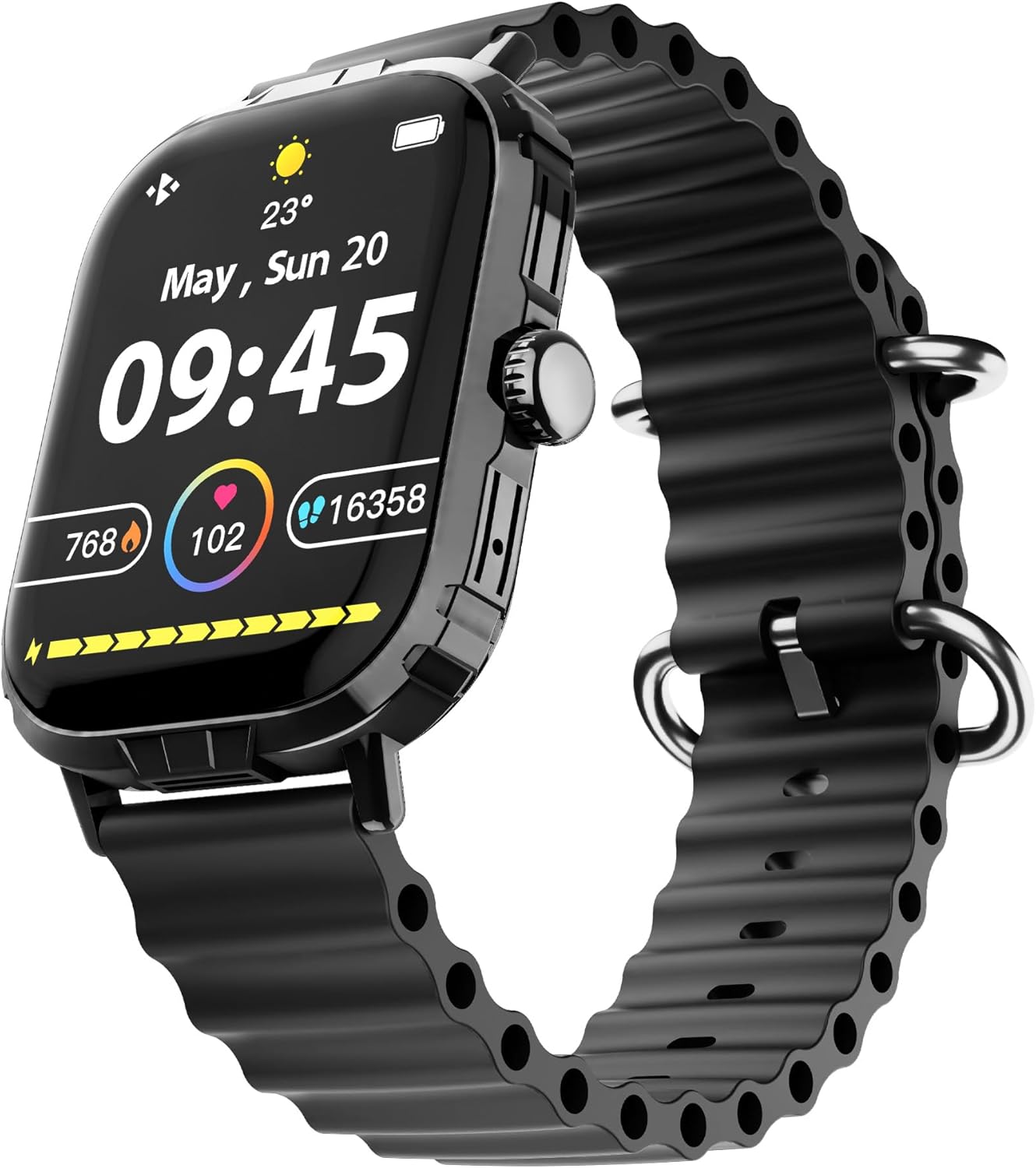
Image: The HyperGear FIT X2 Smartwatch showing its main watch face with current time, date, and various health metrics.
2. Funcții de monitorizare a stării de sănătate
The FIT X2 provides 24-hour health monitoring capabilities.
- Ritmul cardiac: Access the Heart Rate app on the watch or swipe to the Heart Rate widget. The watch will automatically measure your heart rate. For continuous monitoring, enable it in the Da Fit app settings.
- Oxigenul din sânge (SpO2): Open the SpO2 app on the watch. Keep your arm still during measurement.
- Tensiunea arterială: Open the Blood Pressure app on the watch. Follow on-screen instructions for accurate readings.
- Niveluri de stres: The watch can estimate stress levels. Access this feature via the dedicated app.
All health metrics can be viewed in detail and tracked over time within the Da Fit companion app.

Image: A visual representation of the HyperGear FIT X2's 24-hour health monitoring features, including heart rate, blood pressure, blood oxygen, and stress levels.
3. Monitorizarea fitnessului
The FIT X2 supports over 100 exercise and sport modes.
- Urmărirea activității: The watch automatically records daily step count, calories burned, and total minutes of moderate or high physical activity. View these metrics on the watch or in the Da Fit app.
- Moduri de exercițiu: From the app menu, select 'Exercise' to choose from various sport modes. The watch will track relevant data for your chosen activity.
- GPS Route Mapping: When connected to your smartphone, the Da Fit app can utilize your phone's GPS to map your outdoor exercise routes.

Image: The HyperGear FIT X2 Smartwatch displaying fitness tracking data, including step count, calories burned, and minutes exercised, with an individual engaged in physical activity.
4. Monitorizarea somnului
Wear your FIT X2 to bed to monitor your sleep patterns.
- Sleep Time & Quality: The watch tracks your total sleep duration and analyzes sleep stages (Awake, REM, Light, Restful).
- Sesiuni de respirație ghidată: Access guided breathing exercises on the watch to help improve relaxation before sleep.
Detailed sleep analysis and scores are available in the Da Fit app.

Image: The HyperGear FIT X2 Smartwatch showing sleep tracking features, including sleep duration, quality, and guided breathing, with a person sleeping in the background.
5. Caracteristici de comunicare
Stay connected with your smartphone via Bluetooth.
- On-Wrist Calls: With the built-in microphone and speaker, you can make and receive phone calls directly from your watch when connected to your phone.
- Notificări inteligente: Receive notifications for texts, social media apps, emails, and more directly on your watch. Manage notification settings in the Da Fit app.
- Controlul muzicii: Controlează redarea muzicii pe smartphone (redare, pauză, omitere melodii) de pe ceas.

Image: The HyperGear FIT X2 Smartwatch highlighting its connectivity features, including Bluetooth pairing, on-wrist call functionality, smart notifications, and music control.
6. Alte aplicații
The FIT X2 includes over 15 easy-to-use applications:
- Cronometru
- Cronometru
- Alarma
- Vreme
- Calculator
- Obturator de la distanță al camerei
- Asistent vocal AI
- Găsiți telefon
- Lanternă
- And more, accessible via the app menu.
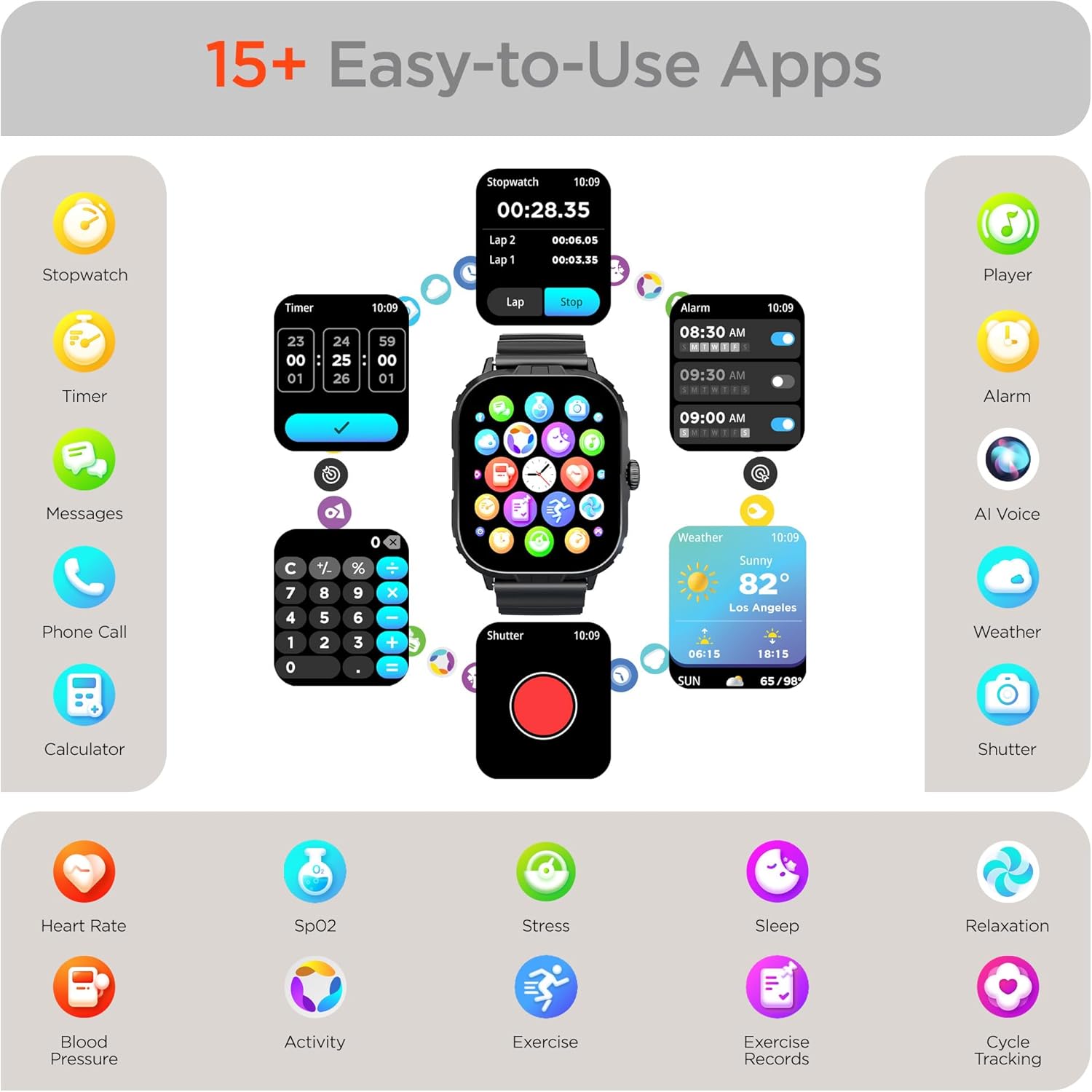
Image: The HyperGear FIT X2 Smartwatch showcasing its array of built-in applications, such as stopwatch, timer, alarm, weather, calculator, and various health monitoring tools.
Întreţinere
1. Curatenie
Curățați regulat ceasul inteligent și cureaua pentru a preveni iritațiile pielii și a menține performanța dispozitivului.
- Ștergeți ecranul și carcasa ceasului cu o lavetă moale, fără scame. Dacă este necesar, frecați ușor.ampro pânza cu apă.
- For the silicone strap, wash with mild soap and water, then rinse thoroughly and dry completely before reattaching to your wrist.
- Evitați utilizarea substanțelor chimice dure, a produselor de curățare abrazive sau a solvenților, deoarece acestea pot deteriora dispozitivul.
2. Rezistenta la apa
The HyperGear FIT X2 is IP65 rated, meaning it is dustproof and water-resistant. It is certified sweatproof, splashproof, and rainproof. It is not recommended for swimming, showering, or submersion in water.
3. Înlocuirea curelei
The FIT X2 uses universally compatible 22mm-wide watch straps with quick-release spring bars. To replace the strap:
- Locate the quick-release lever on the underside of the strap where it connects to the watch body.
- Pull the lever inward to release the spring bar and gently detach the strap.
- Align the new 22mm strap with the watch lugs, insert one end of the spring bar, then pull the quick-release lever to slide the other end into place. Release the lever to secure.
Depanare
- Ceasul nu se pornește: Asigurați-vă că ceasul este complet încărcat. Conectați-l la cablul de încărcare magnetică și la o sursă de alimentare timp de cel puțin 10 de minute.
- Nu se poate realiza asocierea cu smartphone-ul:
- Asigurați-vă că Bluetooth este activat pe smartphone și pe ceas.
- Make sure the watch is within Bluetooth range of your phone (typically 10 meters).
- Reporniți atât ceasul, cât și smartphone-ul.
- Check if the 'Da Fit' app has necessary permissions enabled on your phone.
- If previously paired, try unpairing from your phone's Bluetooth settings and the Da Fit app, then re-pair.
- Măsurători inexacte ale stării de sănătate:
- Asigurați-vă că ceasul este purtat strâns pe încheietura mâinii, la aproximativ lățimea unui deget deasupra osului încheieturii mâinii.
- Țineți brațul nemișcat în timpul măsurătorilor.
- Curățați senzorul de pe spatele ceasului.
- Notificările nu apar:
- Verify the watch is connected to your phone via Bluetooth.
- Check notification settings within the 'Da Fit' app to ensure desired apps are enabled.
- Ensure your phone's notification settings allow the 'Da Fit' app to display notifications.
- Durată scurtă de viață a bateriei:
- Reduceți luminozitatea ecranului.
- Dezactivați monitorizarea continuă a ritmului cardiac dacă nu este necesară.
- Limit frequent use of power-intensive features like calls or GPS tracking.
- Asigurați-vă că ceasul este complet încărcat de fiecare dată.
Specificații
| Caracteristică | Caietul de sarcini |
|---|---|
| Model | FIT X2 |
| Dimensiunea afișajului | 2 Inches IPS LCD |
| Conectivitate | Bluetooth 5.2 |
| Capacitatea bateriei | 250 Miliamp Ore |
| Durata de viață tipică a bateriei | 5+ zile |
| Basic Battery Life | Până la 15 de zile |
| Timp de reîncărcare | 2.5 Hours (Rapid Recharge) |
| Rezistenta la apa | IP65 (Dustproof, Sweatproof, Splashproof, Rainproof) |
| Compatibilitatea sistemelor de operare | Android 5.0+ / iOS 9.0+ |
| Materialul carcasei | Zinc Alloy (11mm thick) |
| Compatibilitatea curelei | 22mm Quick-Release |
| Greutatea articolului | 4.8 uncii |
Informații despre garanție
HyperGear products are designed and manufactured to the highest quality standards. For specific warranty details, including coverage period and terms, please refer to the warranty card included with your product or visit the official HyperGear webPăstrați dovada achiziției pentru reclamații în garanție.
Sprijin
If you encounter any issues or have questions not covered in this manual, please contact HyperGear customer support:
- Suport online: Visit the official HyperGear website pentru întrebări frecvente, ghiduri de depanare și formulare de contact.
- Asistență prin e-mail: Refer to your product packaging or the HyperGear website pentru adresa de e-mail a serviciului clienți.