
Introducere
The FMOUSE M109 is a compact and versatile 2-in-1 device, functioning as both a wireless Bluetooth mouse and a TF (MicroSD) card reader. Designed for portability, it includes an 8GB TF card and a Type-C to USB adapter, making it suitable for various computing environments and on-the-go use. This manual provides detailed instructions for its setup, operation, maintenance, and troubleshooting.
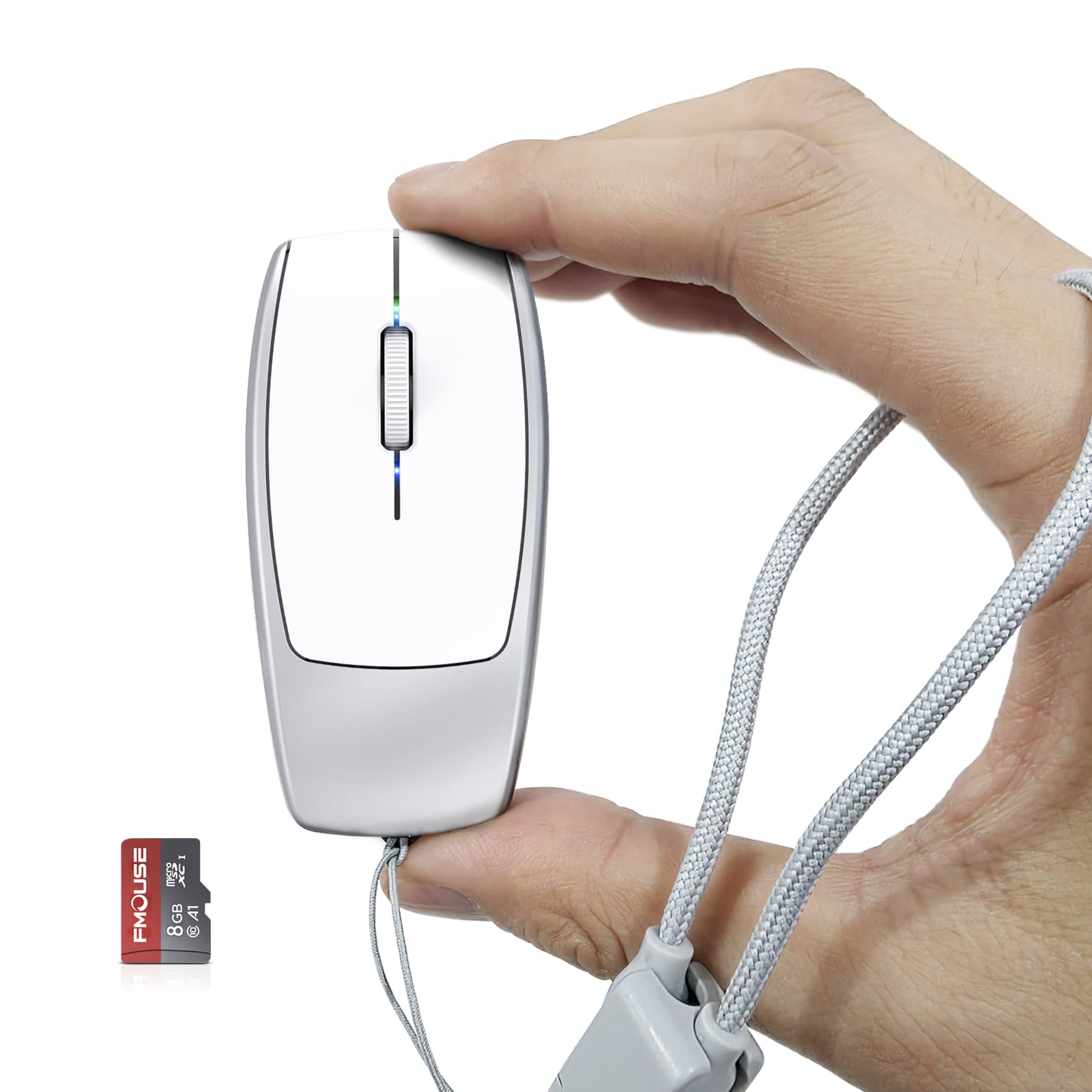
Image: The FMOUSE M109 Mini Portable 2-in-1 Wireless Bluetooth Mouse and TF Card Reader.
Ce este în cutie
Vă rugăm să verificați conținutul pachetului pentru a vă asigura că toate articolele sunt prezente:
- 1 x 2-in-1 Bluetooth Mouse & TF Card Reader (FMOUSE M109)
- 1 x card TF de 8 GB
- 1 x Adaptor de tip C la USB
- 1 x Type-C Charging Cable (doubles as a lanyard)
- 1 x manual de instrucțiuni

Image: The FMOUSE M109 mouse, 8GB TF card, Type-C to USB adapter, and Type-C charging cable/lanyard.
Înființat
1. Încărcarea mouse-ului
Before first use, fully charge the mouse. Connect the included Type-C charging cable to the mouse's Type-C port and the other end to a USB power source (e.g., computer USB port, wall adapter). The charging indicator light will show charging status. A full charge typically takes 2-3 hours.

Image: The FMOUSE M109 connected to a charging cable via its Type-C port, with the Type-C to USB adapter shown.
2. Introducerea cardului TF
Locate the TF card slot on the underside of the mouse. Gently insert the provided 8GB TF card (or another compatible TF card up to 2TB) into the slot until it clicks into place. Ensure the card is inserted in the correct orientation.

Image: The FMOUSE M109 showing the TF card slot and an inserted 8GB TF card.
3. Pornirea și asocierea prin Bluetooth
- Localizați comutatorul ON/OFF din partea inferioară a mouse-ului și glisați-l în poziția „ON”.
- On your device (laptop, phone, tablet), navigate to the Bluetooth settings.
- The mouse should appear as 'BTS 5.1 Mouse' or similar in the list of available devices. Select it to pair.
- If prompted, confirm the pairing. The mouse's indicator light may change to confirm a successful connection.

Image: The underside of the FMOUSE M109, highlighting the ON/OFF switch, DPI switch key, and Bluetooth reset button.
Instrucțiuni de operare
1. Mouse Functionality
Once paired, the FMOUSE M109 operates as a standard wireless mouse. It features left-click, right-click, and a scroll wheel for navigation.
2. Reglarea DPI-ului (sensibilității)
The mouse has an adjustable DPI switch key located on its underside. A single click of this button cycles through three DPI levels: 800, 1200, and 1600. Select the sensitivity that best suits your preference and task.
3. Resetare Bluetooth
If you experience connectivity issues or wish to pair the mouse with a new device, you can reset the Bluetooth connection. Long press the DPI switch key on the bottom of the mouse until the indicator light flashes, signaling that the mouse is ready for a new pairing.
4. TF Card Reader Function
When the TF card is inserted into the mouse and the mouse is connected to a computer, it functions as a portable storage device. You can access the contents of the TF card directly through your computer's file explorer. The mouse supports TF cards up to 2TB capacity.
Image: The DPI switch key and Bluetooth reset function on the underside of the FMOUSE M109.
5. Using the Type-C to USB Adapter
The included Type-C to USB adapter allows for broader compatibility, enabling you to connect the mouse's Type-C charging cable (which doubles as a lanyard) to standard USB-A ports for charging or data transfer if needed.
6. Demonstrație video
Video: Official FMOUSE demonstration of the Mini 2-in-1 Bluetooth Mouse & TF Card Reader features and usage.
Întreţinere
To ensure the longevity and optimal performance of your FMOUSE M109, follow these maintenance guidelines:
- curatenie: Use a soft, dry cloth to wipe the exterior of the mouse. For stubborn dirt, a slightly damp Se poate folosi o lavetă, dar asigurați-vă că nu pătrunde umezeală în dispozitiv. Evitați substanțele chimice dure sau produsele de curățare abrazive.
- Depozitare: Depozitați mouse-ul într-un loc răcoros și uscat, ferit de lumina directă a soarelui și de temperaturi extreme.
- Îngrijirea bateriei: To prolong battery life, avoid fully discharging the mouse frequently. Charge it when the battery is low. If storing for an extended period, charge it to about 50% every few months.
- Manipularea cardurilor TF: Always eject the TF card safely from your computer before removing it from the mouse to prevent data corruption.
Depanare
If you encounter issues with your FMOUSE M109, refer to the following common solutions:
| Problemă | Soluție posibilă |
|---|---|
| Mouse does not turn on. | Ensure the ON/OFF switch is in the 'ON' position. Charge the mouse fully. |
| Mouse-ul nu se conectează prin Bluetooth. | Ensure Bluetooth is enabled on your device. Perform a Bluetooth reset on the mouse (long press DPI button). Remove previous pairings from your device and try pairing again. Ensure the mouse is charged. |
| TF card is not recognized. | Ensure the TF card is inserted correctly and fully into the slot. Try re-inserting the card. Test the TF card in another device if possible to rule out card issues. Ensure the mouse is connected to your computer. |
| Mouse movement is erratic or unresponsive. | Check the battery level and charge if necessary. Ensure the optical sensor on the bottom is clean and free of obstructions. Try adjusting the DPI setting. Ensure you are using the mouse on a suitable surface. |
Specificații
Key technical specifications for the FMOUSE M109:
- Marca: FMOUSE
- Model: M109
- Tehnologie de conectivitate: Bluetooth
- Tehnologia de detectare a mișcării: Optic
- Niveluri DPI: 800, 1200, 1600 (adjustable)
- Butoane: 3 (Stânga, Dreapta, Rotiță de derulare/Mijloc)
- Baterie: 120mAh Built-in Lithium-ion battery
- Port de încărcare: Tip-C
- Cititor de carduri TF: Supports up to 2TB (8GB TF card included)
- Dimensiuni: 78 × 38 × 22 mm (3.07 × 1.49 × 0.87 țoli)
- Greutate: Aproximativ 30 g (1.06 oz)
- Raza wireless: Până la 10 metri
- Dispozitive compatibile: Laptops, phones, computers
- Sisteme de operare: Windows 7/8/10 or later, macOS 10.08 or later, Chrome OS, Android 5.0 or later
- Material carcasă: Plastic
Image: The compact dimensions of the FMOUSE M109 mouse, measuring 3.07 x 1.49 x 0.87 inches.
Garanție și suport
Informații despre garanție
The FMOUSE M109 comes with a Garanție de 2 an de la producător de la data achiziției. Această garanție acoperă defectele de materiale și de fabricație în condiții normale de utilizare. Nu acoperă daunele cauzate de utilizarea necorespunzătoare, accidente, modificări neautorizate sau uzură normală.
Asistență pentru clienți
For technical assistance, warranty claims, or any questions regarding your FMOUSE M109, please contact FMOUSE Brand customer support. Refer to the contact information provided on the product packaging or the official FMOUSE website pentru cele mai actualizate canale de asistență.