
CHEREEKI B0FHHKMP1X
CHEREEKI Digital LED Alarm Clock User Manual
Model: B0FHHKMP1X
Introducere
Mulțumesc pentru achizițieasing the CHEREEKI Digital LED Alarm Clock. This manual provides detailed instructions for setting up and operating your new alarm clock. Please read it thoroughly before use and keep it for future reference.
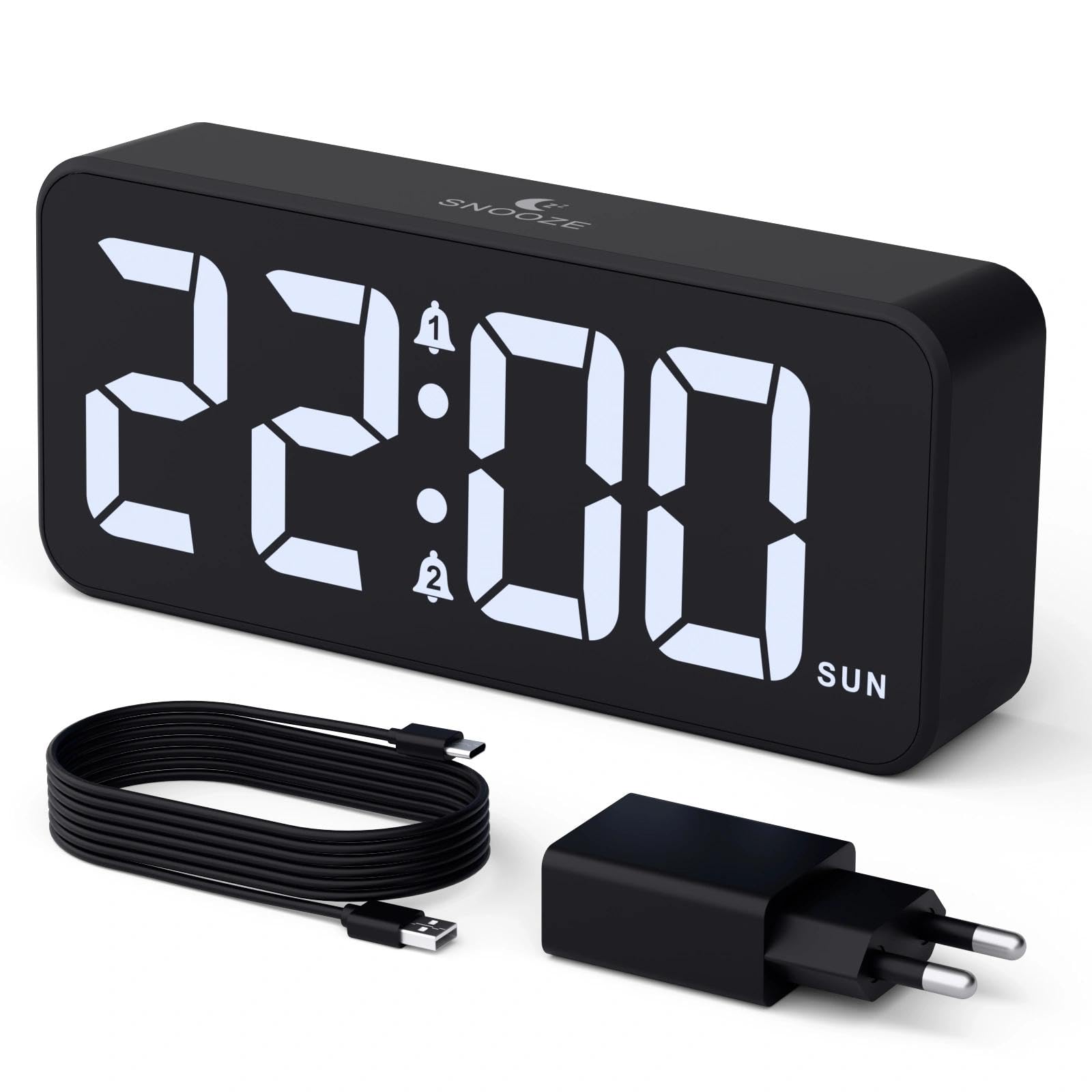
Image: The CHEREEKI Digital LED Alarm Clock, showcasing its large LED display and key features.
Informații de siguranță
- Ensure the power adapter and cable are compatible with the device's voltage requirements (5V/1A or 5V/2A).
- Nu expuneți dispozitivul la apă sau umiditate excesivă.
- Evitați plasarea dispozitivului în apropierea surselor de căldură sau în lumina directă a soarelui.
- Nu încercați să dezasamblați sau să reparați dispozitivul singur. Contactați serviciul de asistență pentru clienți dacă apar probleme.
- A nu se lăsa la îndemâna copiilor.
Conținutul pachetului
- CHEREEKI Digital LED Alarm Clock
- Power Adapter (5V/1A or 5V/2A)
- USB Charging Cable (1.5m)
- Manual de utilizare
- CR2032 Backup Battery (pre-installed or included)

Image: Illustration of the items included in the product package.
Aspectul produsului și comenzile

Image: Rear panel of the alarm clock with labels for all buttons and ports.
- Butonul de setare a orei: Press to enter time setting mode.
- Buton Alarmă 1: Press to set Alarm 1.
- Buton Alarmă 2: Press to set Alarm 2.
- Butoane Sus / Jos: Adjust values during setting.
- Buton variator: Rotate to adjust display brightness (0-100%).
- Buton de volum: Rotate to adjust alarm volume (10 levels).
- Port de ieșire USB: Pentru încărcarea dispozitivelor externe.
- Port de intrare tip C: For power supply to the alarm clock.
- Buton DST: For Daylight Saving Time adjustment.
- Compartiment baterie: Houses the CR2032 backup battery.
Înființat
1. Conexiune la alimentare
The alarm clock operates solely on AC power. Connect the provided USB cable to the Type-C input port on the back of the clock and plug the adapter into a standard wall outlet (5V/1A or 5V/2A). The display will light up.

Image: The alarm clock connected to a power source via its adapter.
2. Baterie de rezervă
A CR2032 backup battery is included to retain time and alarm settings during power outages. This battery does not power the display or alarm functions; it only preserves memory. Ensure the battery is correctly installed in the compartment on the back of the clock.

Image: Close-up of the backup battery compartment, indicating its purpose to retain settings during power loss.
Instrucțiuni de operare
Setarea orei
- Press the "TIME SET" button. The hour digits will flash.
- Use the "UP" or "DOWN" buttons to adjust the hour.
- Press "TIME SET" again to confirm the hour and move to minute setting. The minute digits will flash.
- Use the "UP" or "DOWN" buttons to adjust the minutes.
- Press "TIME SET" once more to confirm the minutes and exit time setting mode.
Setarea alarmelor (Alarma 1 și Alarma 2)
This clock supports two independent alarms with three scheduling options.
- Press the "ALARM 1" or "ALARM 2" button. The alarm hour digits will flash.
- Use the "UP" or "DOWN" buttons to adjust the alarm hour.
- Press the respective alarm button again to confirm the hour and move to minute setting. The minute digits will flash.
- Use the "UP" or "DOWN" buttons to adjust the alarm minutes.
- Press the alarm button again to select the alarm schedule:
- Zilele lucrătoare: de luni până vineri
- Weekend-uri: Sâmbătă până duminică
- Zilnic: de luni până duminică
- Press the alarm button once more to confirm the schedule and exit alarm setting mode.
- To enable/disable an alarm, press the "ALARM 1" or "ALARM 2" button briefly outside of setting mode. An alarm icon will appear/disappear on the display.

Image: The alarm clock demonstrating dual alarm settings with various scheduling options.
Funcția de amânare
When the alarm sounds, touch the top of the clock to activate the 5-minute snooze function. The alarm will temporarily stop and sound again after 5 minutes. To turn off the alarm completely, press any other button on the back of the clock.
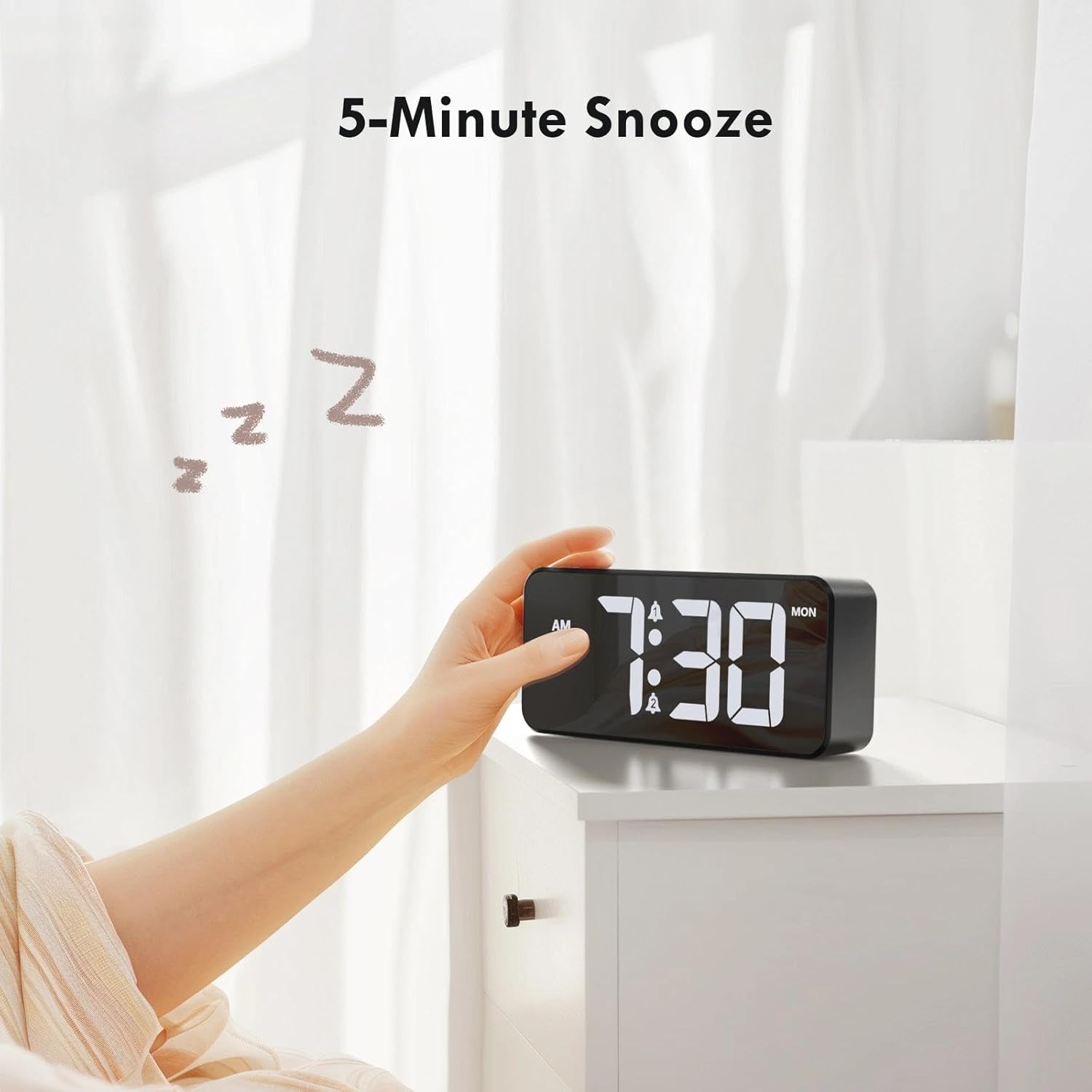
Image: A user activating the snooze function by touching the top of the alarm clock.
Reglarea luminozității afișajului
Rotate the "DIMMER" knob on the back of the clock to adjust the display brightness from 0% (off) to 100% (maximum brightness). This allows for comfortable viewîn orice stare de iluminare.

Image: Visual representation of the adjustable brightness feature and the dimmer knob.
Reglarea volumului alarmei
Rotate the "VOLUME" knob on the back of the clock to select one of the 10 available alarm volume levels. Choose a volume that suits your preference.

Image: The volume control knob and a visual scale indicating adjustable volume levels.
Format 12/24 ore
To switch between 12-hour and 24-hour time formats, press and hold the "TIME SET" button for a few seconds until the format changes. In 12-hour format, "AM" or "PM" indicators will be displayed.

Image: The alarm clock showing both 12-hour and 24-hour time display options.
Port de încărcare USB
The USB-A output port on the back of the clock allows you to charge other devices, such as smartphones or tablets. Simply connect your device's charging cable to this port.

Image: The alarm clock charging a smartphone via its integrated USB port.
Ora de vară (DST)
To adjust for Daylight Saving Time, press the "DST" button on the back of the clock. This will advance or set back the time by one hour. Press it again to revert.
Întreţinere
- Clean the clock's surface with a soft, dry cloth. Do not use abrasive cleaners or solvents.
- Păstrați dispozitivul ferit de praf și resturi.
- If the backup battery needs replacement, use a CR2032 coin cell battery. Ensure correct polarity.
Depanare
| Problemă | Cauza posibila | Soluţie |
|---|---|---|
| Afișajul este oprit. | Not connected to power; Dimmer set to 0%. | Ensure the clock is plugged into a working power outlet. Rotate the Dimmer knob to increase brightness. |
| Alarma nu sună. | Alarm not activated; Volume set to minimum. | Press the ALARM 1/2 button to activate the alarm (icon should appear). Rotate the Volume knob to increase volume. |
| Setările se pierd după întreruperea alimentăriitage. | Bateria de rezervă este descărcată sau lipsește. | Înlocuiți bateria de rezervă CR2032. |
| Încărcarea prin USB nu funcționează. | Clock not powered; Device cable faulty. | Ensure the alarm clock is powered. Try a different USB cable or device. |
Specificații
- Marca: CHEREEKI
- Model: B0FHHKMP1X
- Culoare: Negru
- Tip de afișare: LED digital
- Material: Acrilonitril Butadien Stiren (ABS)
- Dimensiuni produs: 14.5 x 3.81 x 6.5 cm (5.7 x 1.5 x 2.5 țoli)
- Greutatea articolului: 230 grame (0.5 lbs)
- Sursa de alimentare: Wired Electric (5V/1A or 5V/2A adapter)
- Baterie de rezervă: CR2032 (for memory retention only)
- Caracteristici speciale: Adjustable Brightness, Dual Alarm, Snooze, USB Charging Port, 12/24H Format, Adjustable Volume, Day of Week Display
Garanție și suport
This CHEREEKI Digital LED Alarm Clock comes with a Garanție pe viață. For any product inquiries, technical support, or warranty claims, please contact CHEREEKI customer service through the retailer where you purchased the product or visit the official CHEREEKI website pentru informații de contact.
Vă rugăm să păstrați dovada achiziției în scopul garanției.
Ask a question about this manual
Ask about setup, troubleshooting, compatibility, parts, safety, or missing instructions. Manuals+ will review the question and use this page’s manual context to help answer it.