
Introducere
This manual provides essential information for setting up, operating, and maintaining your XIAOMI REDMI 15C smartphone. Please read it carefully to ensure optimal performance and longevity of your device.
Ce este în cutie
Upon opening your XIAOMI REDMI 15C package, you should find the following items:
- XIAOMI REDMI 15C Smartphone
- Cablu USB
- (Note: Charger may not be included and needs to be purchased separately.)
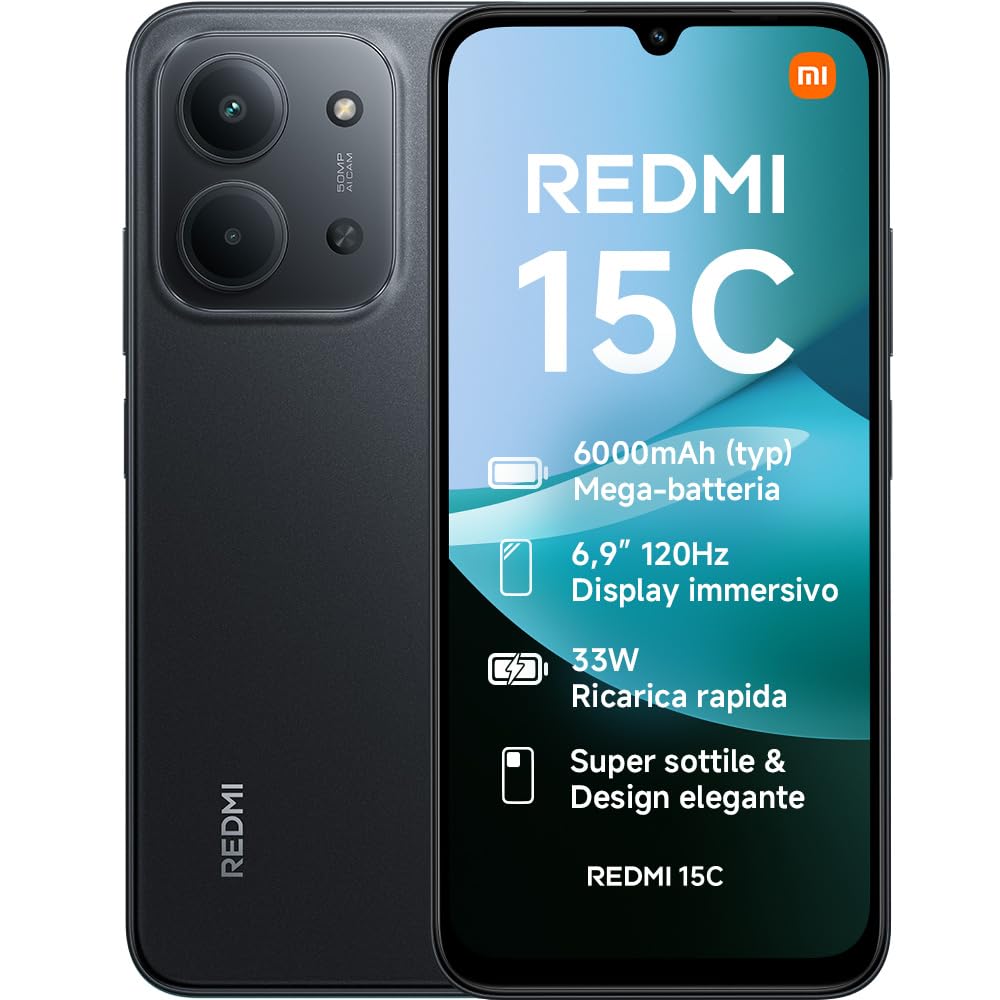
Image: The XIAOMI REDMI 15C smartphone, showcasing designul său elegant.
Înființat
1. Introducerea cartelei SIM
Locate the SIM card tray on the side of your device. Use the provided SIM ejector tool to open the tray. Insert your Nano SIM card(s) and/or microSD card into the designated slots. Ensure the tray is fully reinserted to maintain water and dust resistance.
2. Încărcarea inițială
Before first use, it is recommended to fully charge your device. Connect the USB cable to the phone's USB-C port and to a compatible power adapter (not included). The phone supports 33W fast charging.

Image: The XIAOMI REDMI 15C connected to a charger, illustrating the fast charging capability.
3. Pornire și configurare inițială
Press and hold the power button until the XIAOMI logo appears. Follow the on-screen instructions to select your language, connect to Wi-Fi, set up your Google account, and configure security features like facial recognition.
Utilizarea dispozitivului dvs
Afișare și navigare
The Redmi 15C features an immersive 6.9-inch display with AdaptiveSync up to 120Hz, providing a smooth and responsive visual experience for browsing and media consumption. The display is also TÜV Rheinland certified for low blue light, flicker-free, and circadian friendly viewing, ensuring prolonged visual comfort.

Image: The XIAOMI REDMI 15C display, highlighting its immersive visual experience.
Managementul bateriei
Equipped with a 6000mAh battery, the Redmi 15C offers extended usage. Utilize the 33W ultra-fast charging for quick power-ups. The device also supports reverse charging, allowing it to act as a power bank for other devices.
- Până la 22 de ore de redare video
- Până la 82 ore de redare a muzicii
- Up to 20 hours of reading

Image: An illustration of the 6000mAh battery capacity within the XIAOMI REDMI 15C.
Caracteristicile camerei
Capture moments with the 50MP AI dual camera system. It supports Ultra HD mode for detailed photos and Portrait mode for artistic depth effects. The front camera also offers a beauty selfie mode for enhanced self-portraits.

Image: Close-up of the XIAOMI REDMI 15C's 50MP AI dual camera system.
Performanță și software
Powered by an octa-core MediaTek Helio G81-Ultra processor and up to 16GB of RAM (with memory expansion), the Redmi 15C ensures smooth performance for daily tasks. It runs on Xiaomi HyperOS 2, offering a fluid user experience and seamless interconnectivity with other Xiaomi devices.
Conectivitate și securitate
The device supports 4G LTE, Bluetooth, and Wi-Fi connectivity. For security, it includes facial recognition. The USB-C port is used for charging and data transfer.
Întreţinere
Rezistenta la apa si praf
The Redmi 15C features IP64 water and dust resistance, providing protection against splashes and dust ingress. While resistant, it is not waterproof; avoid submerging the device in water.

Image: The XIAOMI REDMI 15C, illustrating its IP64 water and dust resistance.
Îngrijirea ecranului
The display incorporates Wet Touch 2.0 technology, allowing for precise responses even with wet, oily, or soapy hands. To clean the screen, use a soft, lint-free cloth. Avoid harsh chemicals.

Image: A hand interacting with the XIAOMI REDMI 15C display in an outdoor setting, demonstrating Wet Touch 2.0 technology.
Îngrijire generală
Avoid exposing your device to extreme temperatures, direct sunlight for prolonged periods, or strong magnetic fields. Use only approved accessories. Regular software updates are recommended for optimal performance and security.
Depanare
If you encounter issues with your Redmi 15C, consider the following common solutions:
- Dispozitivul este lent sau nu răspunde: Close unnecessary background applications. Restart the device. Ensure sufficient storage space is available.
- Bateria se descarcă repede: Reduce screen brightness. Disable unused features like Bluetooth or GPS. Check for power-intensive apps in settings.
- Probleme de conectivitate la rețea: Activează și dezactivează Modul Avion. Repornește dispozitivul. Verifică introducerea cartelei SIM.
- Camera quality issues: Ensure the camera lens is clean. Take photos in well-lit environments for best results.
- Probleme de afișare: Adjust display settings. If the screen is unresponsive, perform a forced restart (refer to the device's specific instructions for forced restart).
For persistent issues, refer to the official XIAOMI support website-ul sau contactați serviciul pentru clienți.
Specificații
| Caracteristică | Detaliu |
|---|---|
| Marca | XIAOMI |
| Numele modelului | Redmi 15C |
| Sistem de operare | Hyper OS |
| Dimensiunea memoriei RAM | 4 GB |
| Model CPU | MediaTek Helio G81-Ultra |
| Capacitate de stocare | 256 GB |
| Dimensiunea ecranului | 6.9 inchi |
| Rezoluția ecranului | 1080 x 2246 (1080p Full HD) |
| Rata de reîmprospătare | 120 Hz |
| Tip de ecran | LCD |
| Furnizor de servicii wireless | Deblocat |
| Culoare | Negru |
| Sloturi pentru carduri SIM | SIM unic |
| Identificare biometrică | Recunoașterea facială |
| Nivel de rezistență la apă | Rezistent la apă (IP64) |
| Rezoluția camerei din spate | 50 MP |
| Number of Rear Cameras | 2 |
| Max Battery Power | 6000 mAh |
| Timp de vorbire | 6 de ore |
| Tehnologia de conectivitate | 4G LTE, Bluetooth, Wi-Fi |
| Anul modelului | 2025 |
| Țara de origine | China |
Garanție și suport
Informații despre garanție
Your XIAOMI REDMI 15C comes with a Garanție de 2 an de la producător. Spare parts availability in the EU is also guaranteed for 2 years. Please retain your proof of purchase for warranty claims.
Asistență pentru clienți
For further assistance, technical support, or warranty service, please visit the official XIAOMI support website-ul lor sau contactați departamentul lor de asistență pentru clienți. Puteți găsi mai multe informații pe Magazinul XIAOMI pe Amazon.
Additional documents like the Safety Information and Data Transparency Statement are available in PDF format:


