
karuisrc K610
Manual de utilizare dronă GPS karuisrc K610
Model: K610
1. Introducere
This manual provides essential information for the safe operation and maintenance of your karuisrc K610 GPS Drone. Please read this manual thoroughly before operating the drone to ensure proper usage and to prevent damage or injury. The K610 is a foldable GPS quadcopter equipped with a 4K camera, designed for both beginners and experienced users, featuring intelligent flight modes and stable performance.

Image 1.1: The karuisrc K610 GPS Drone in flight.
2. Ghid de siguranță
Operating a drone requires responsibility. Adhere to the following safety guidelines to ensure a safe flight experience for yourself and others:
- Verificare înainte de zbor: Always inspect the drone, propellers, and battery before each flight. Ensure all components are securely attached and undamaged.
- Conditii de mediu: Fly in open areas, away from people, animals, buildings, and obstacles. Avoid flying in strong winds, rain, snow, or fog.
- Siguranța bateriei: Use only approved batteries and chargers. Do not overcharge or puncture batteries. Discontinue use if batteries are damaged or swollen.
- Linia de vedere: Mențineți linia vizuală a dronei în permanență.
- Respectați confidențialitatea: Do not use the drone to invade privacy.
- Regulamente locale: Fiți conștienți și respectați toate legile și reglementările locale privind operarea dronelor.
3. Conținutul pachetului
Verificați dacă toate articolele sunt prezente în colet:
- K610 Drone x 1
- Telecomandă x 1
- Batteries x 1 (Nonstandard Battery)
- Elice de rezervă x 4
- Șurubelniță x 1
- Cablu USB x 1
- Carcasa de transport x 1
- Manual de instrucțiuni x 1

Image 3.1: Included items in the karuisrc K610 drone package.
4. Componente pesteview
4.1 Dronă
The K610 drone features a foldable design for portability, brushless motors for stable flight, and an integrated 4K camera.

Image 4.1: The karuisrc K610 drone and remote control.
4.2 Telecomandă
The remote control provides intuitive flight control and a mount for your smartphone to view fluxul FPV.
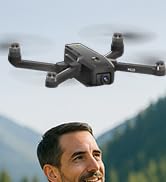
Image 4.2: Remote control with smartphone for FPV viewing.
5. Configurare
5.1 Instalarea și încărcarea bateriei
- Insert the modular battery into the drone's battery compartment until it clicks into place.
- To charge, remove the battery from the drone. Connect the USB charging cable to the battery and a suitable USB power adapter (not included).
- The charging indicator on the battery will show its status. Ensure the battery is fully charged before flight.

Image 5.1: Modular battery for the K610 drone.
5.2 Instalarea elicei
Attach the propellers according to the markings (A and B) on the propellers and motor arms. Ensure they are securely fastened with the provided screwdriver.
5.3 Configurare telecomandă
- Install 3x AA batteries (not included) into the remote control.
- Extend the phone holder and securely mount your smartphone.
5.4 Instalarea și conectarea aplicației
- Download the official karuisrc drone app from your smartphone's app store.
- Porniți drona, apoi porniți telecomanda.
- On your smartphone, connect to the drone's Wi-Fi network (usually named 'K610-XXXXXX').
- Deschideți aplicația pentru a stabili o conexiune și view fluxul FPV în direct.

Image 5.2: 5GHz WiFi transmission for real-time viewing.
5.5 Calibrare
Before the first flight and after any significant change in location, perform compass and gyroscope calibration as instructed in the app or quick start guide. This ensures stable flight and accurate GPS positioning.
6. Operare
6.1 Comenzi de zbor de bază
Refer to the remote control diagram in the quick start guide for specific joystick and button functions. Generally:
- Left Joystick: Controls altitude (up/down) and rotation (yaw left/right).
- Right Joystick: Controls forward/backward and left/right movement (pitch/roll).
6.2 Decolare și aterizare
- Decolare cu o singură cheie: Press the designated take-off button on the remote or in the app. The drone will automatically ascend to a safe height and hover.
- Decolare manuală: Push both joysticks to the bottom-outer corners to unlock motors, then slowly push the left joystick up to ascend.
- Aterizare cu o singură tastă: Press the designated landing button. The drone will descend and land automatically.
- Aterizare manuală: Slowly pull the left joystick down to descend. Once landed, push both joysticks to the bottom-outer corners to stop motors.
6.3 GPS Features
The K610 drone utilizes GPS for enhanced stability and intelligent flight functions.
- Auto Return Home (RTH): The drone can automatically return to its take-off point if the signal is lost, battery is low, or the RTH button is pressed.

Image 6.1: GPS Auto Return Home functionality.
6.4 Moduri avansate de zbor
Access these modes via the drone's app:
- Urmați-mă: The drone will automatically follow the remote control or smartphone, capturing footagpe măsură ce te miști.
- Waypoint Flight (Tap Fly): Tap points on the map in the app, and the drone will fly along the specified path.
- Point-of-Interest (Circle Fly): Select a point on the map, and the drone will circle around it at a set radius and altitude.

Image 6.2: Advanced flight modes: Follow Me, Circle Fly, and Tap Fly.
6.5 4K Camera Operation
The K610 is equipped with a 4K UHD camera with 90° adjustable tilt for capturing high-quality aerial footage și fotografii.
- Captură foto/video: Use the dedicated buttons on the remote control or the app interface to take photos or start/stop video recording.
- Unghiul camerei reglabil: The camera's tilt can be adjusted remotely via the app or remote control.
- Suport pentru carduri SD: Insert an SD card (not included) into the drone for direct storage of high-resolution media.

Image 6.3: The K610's 4K HD Camera.
6.6 Produs terminatview Video
Watch this video for a visual guide on the karuisrc K610 GPS Drone's features and operation.
Videoclipul 6.4: Terminatview of the karuisrc K610 GPS Drone's features and capabilities.
7. Întreținere
Întreținerea regulată asigură longevitatea și performanța optimă a dronei tale.
- curatenie: Gently wipe the drone and remote control with a soft, dry cloth after each use. Avoid using harsh chemicals.
- Inspecția elicei: Regularly check propellers for cracks, bends, or damage. Replace damaged propellers immediately using the provided spares.
- Îngrijirea bateriei: Store batteries in a cool, dry place. Do not store fully charged or completely depleted batteries for extended periods. Charge them to about 50-60% for long-term storage.
- Depozitare: When not in use, fold the drone and store it in its carrying case to protect it from dust and physical damage.
8. Depanare
Dacă întâmpinați probleme, consultați următoarele probleme și soluții comune:
| Problemă | Cauza posibila | Soluţie |
|---|---|---|
| Drona nu decolează și nu răspunde la comenzi. | Low battery, improper calibration, motors locked. | Charge drone/remote batteries. Perform calibration. Unlock motors (refer to section 6.2). |
| Zbor instabil sau derivă. | Poor calibration, strong winds, damaged propellers. | Recalibrate the drone. Fly in calm conditions. Inspect and replace damaged propellers. |
| No FPV feed on smartphone. | Wi-Fi not connected, app not open, drone/phone too far apart. | Ensure phone is connected to drone's Wi-Fi. Open the app. Move closer to the drone. |
| GPS features (RTH, Follow Me) not working. | Insufficient GPS signal, drone not calibrated. | Fly in an open area with clear sky. Wait for sufficient GPS satellites to connect (indicated by app). Perform GPS calibration. |
9. Specificații
Key technical specifications for the karuisrc K610 GPS Drone:
| Caracteristică | Detaliu |
|---|---|
| Numele modelului | K610 |
| Greutatea articolului | 204 de grame (7.2 uncii) |
| Camera foto | 4K UHD (4096×3072P images), 12 MP Effective Still Resolution, 90° Adjustable, CMOS Sensor |
| Rezoluție captură video | 1080p (format MP4) |
| Tehnologia de conectivitate | Wi-Fi, RF (5GHz FPV Transmission) |
| Tip control | Telecomanda |
| Caracteristici speciale | Adjustable, Auto-Landing, Portable, GPS Auto Return, Follow Me, Waypoint Flight, Point-of-Interest Circle |
| Tip motor | Motor fără perii |
| Baterie | 1 Nonstandard Lithium Ion Battery (included) |
| Timp de zbor | Up to 20 minutes (typical 18 minutes) |
| Material | Plastic |
| Dimensiunile produsului | 7 cm L x 2 cm l x 8 cm Î |

Image 9.1: Brushless motor technology for the K610 drone.
10. Garanție și asistență
For warranty information or technical support, please contact karuisrc customer service. Keep your purchase receipt as proof of purchase.
- Telefon: +44 7419 298225
- E-mail: Karuisrc@gmail.com

Image 10.1: karuisrc customer support.
Ask a question about this manual
Ask about setup, troubleshooting, compatibility, parts, safety, or missing instructions. Manuals+ will review the question and use this page’s manual context to help answer it.