
1. Introducere
The NiTHO NEXUS DARK OPS is a versatile wireless controller designed for multi-platform gaming. It offers compatibility with PC (Windows), Nintendo Switch, Switch Lite, Switch OLED, Android, and iOS devices. This controller features a precise 6-axis gyro, four levels of vibration, and magnetic Hall Effect triggers for enhanced gaming accuracy and responsiveness. Customizable RGB lighting and a programmable turbo function further enrich the gaming experience. This manual provides essential information for setting up, operating, maintaining, and troubleshooting your controller.

The NiTHO NEXUS DARK OPS controller features an ergonomic design for comfortable extended gameplay sessions.
2. Conținutul pachetului
- NiTHO NEXUS DARK OPS Wireless Controller
- Cablu de încărcare USB-C
- Manual de utilizare (acest document)
3. Aspectul controlerului

Detaliat view componentelor controlerului și etichetele acestora.
- Balansoar stânga: Analog joystick for movement and camera control.
- - Key: Buton funcțional al sistemului.
- Buton de asociere: Folosit pentru a iniția modul de asociere Bluetooth.
- Cross Arrow Key (D-Pad): Directional input for navigation and specific game actions.
- Butonul TURBO: Activates and adjusts the turbo function.
- Butonul HOME: Revine la ecranul principal al sistemului.
- Legendă captură de ecran: Captures screenshots during gameplay.
- + Cheie: Buton funcțional al sistemului.
- Taste A/B/X/Y: Butoane de acțiune standard.
- Balansoar dreapta: Analog joystick for movement and camera control.
- Indicator luminos de mod: Afișează modul curent de conectare și starea bateriei.
- R1/L1 (Shoulder Buttons): Top trigger buttons.
- R2/L2 (Trigger Buttons): Bottom trigger buttons with Hall Effect technology.
- Port de încărcare TYPE-C: Pentru încărcarea controlerului.
- Force Online Button: For specific connection scenarios.
4. Configurare și conectare
The NiTHO NEXUS DARK OPS controller supports wireless connection via Bluetooth to various platforms.

The controller is compatible with Nintendo Switch, PC, Android, and iOS devices.
4.1 General Pairing Instructions
- Asigurați-vă că controlerul este suficient încărcat.
- Țineți apăsat butonul Butonul de asociere on the controller until the Mode Indicator Light begins to flash rapidly, indicating it is in pairing mode.
- On your device (Switch, PC, Android, iOS), navigate to the Bluetooth settings.
- Caută available Bluetooth devices and select "NEXUS DARK OPS" or a similar name.
- Once connected, the Mode Indicator Light will become solid.
4.2 Conectarea la Nintendo Switch
- Din meniul HOME, selectați Controlori > Schimbați Grip/Comanda.
- În timp ce vă aflați pe acest ecran, apăsați și mențineți apăsat butonul Butonul de asociere on the NEXUS DARK OPS controller.
- The controller will pair with the Switch, and the player indicator lights will illuminate.
4.3 Conectarea la PC (Windows)
- Du-te la Setări > Dispozitive > Bluetooth și alte dispozitive.
- Asigurați-vă că Bluetooth este activat On.
- Clic Adăugați Bluetooth sau alt dispozitiv > Bluetooth.
- Țineți apăsat butonul Butonul de asociere pe controler.
- Select "NEXUS DARK OPS" from the list of devices to pair.
4.4 Connecting to Android/iOS Devices
- Activați Bluetooth pe dispozitivul dvs. Android sau iOS.
- Accesați setările Bluetooth.
- Țineți apăsat butonul Butonul de asociere pe controler.
- Select "NEXUS DARK OPS" from the list of available devices to connect.
5. Instrucțiuni de utilizare
5.1 Iluminare RGB
The controller features customizable RGB lighting with 7 vibrant colors and 4 dynamic lighting modes.

Explore 7 colors and 4 lighting modes including Jumping, Colorful Constant, Rainbow Mixing, and Breathing effects.
To cycle through the lighting modes or colors, refer to the specific button combination in the quick start guide included with your product. Typically, a dedicated button or a combination with the TURBO button controls RGB effects.
5.2 Feedback la vibrații
The controller includes dual motors for vibration feedback with 4 adjustable levels: Off, Low, Medium, and High.

Adjust vibration intensity from 0% to 100% for personalized feedback.
To adjust vibration intensity, consult the quick start guide for the specific button sequence, often involving the TURBO button and a directional input.
5.3 Funcția Turbo
The programmable turbo function allows for rapid-fire actions with three speed settings: 5, 10, or 15 shots per second.

Set your turbo speed to 5, 10, or 15 shots per second for competitive advantage.
To activate turbo for a button, press and hold the TURBO button, then press the desired action button. Repeat the process to adjust speed or deactivate turbo for that button.
5.4 Magnetic Hall Effect Triggers
The controller is equipped with magnetic Hall Effect triggers. This technology provides smooth, accurate trigger response and helps prevent common issues like analog stick drift, ensuring long-lasting precision.

Magnetic Hall Effect triggers offer precise and durable input.
5.5 6-Axis Gyro Motion Sensor
A precise 6-axis gyro sensor is integrated into the controller, allowing for responsive motion control in games that support it. This feature captures tilts and rotations, enhancing gameplay in racing, action, and adventure titles.
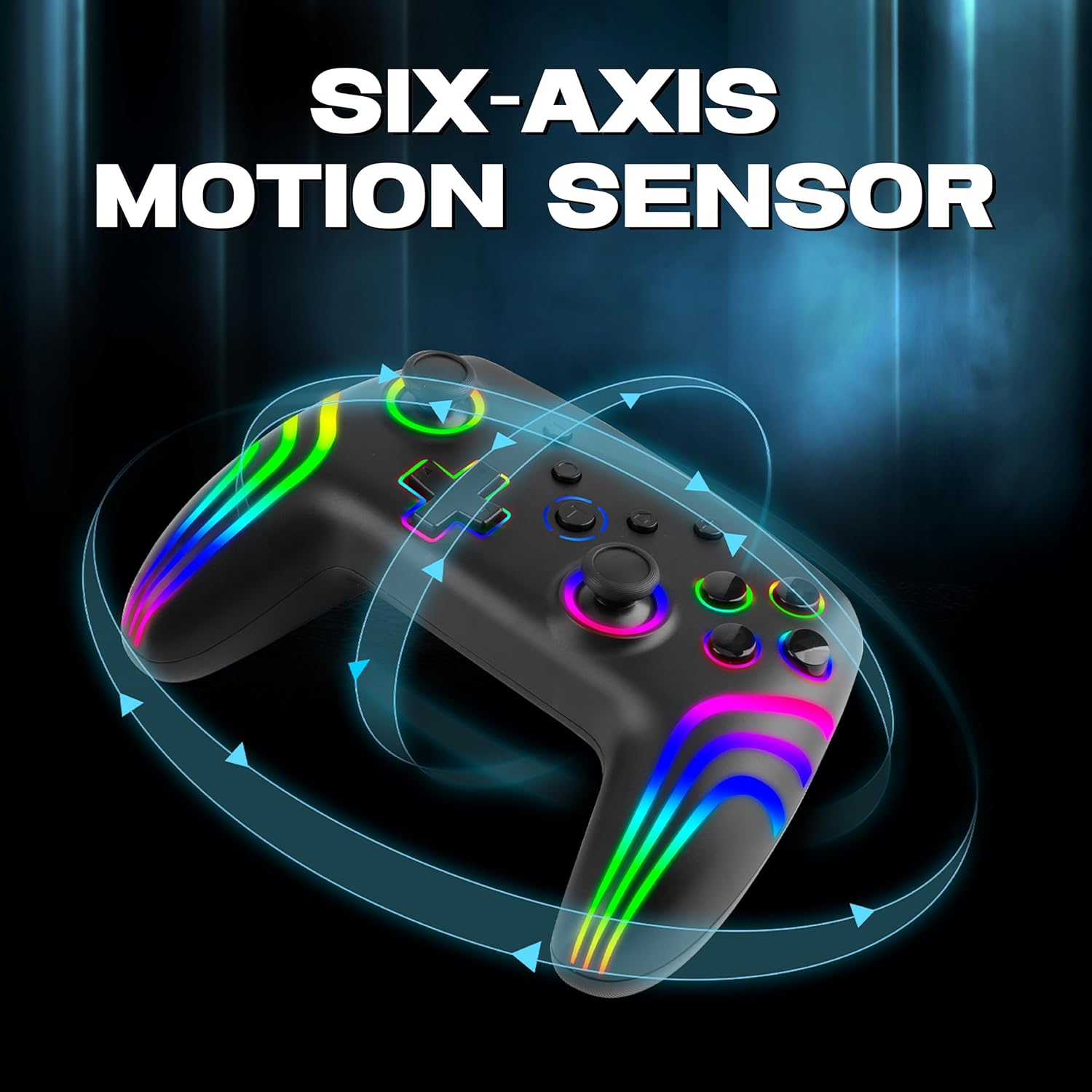
The 6-axis gyro provides accurate motion sensing for immersive gameplay.
6. Încărcarea controlerului
The NiTHO NEXUS DARK OPS controller is equipped with a built-in 800mAh rechargeable battery.

The 800mAh battery offers up to 9 hours of gameplay on a 2.5-hour charge.
- Connect the supplied USB-C charging cable to the TYPE-C charging port on the controller.
- Connect the other end of the cable to a USB power source (e.g., console, PC, USB wall adapter).
- The Mode Indicator Light will typically show charging status (e.g., blinking while charging, solid when fully charged).
- A full charge takes approximately 2.5 hours and provides up to 9 hours of continuous gameplay.
7. Întreținere
- curatenie: Folosiți o cârpă moale și uscată pentru a curăța controlerul. Evitați utilizarea substanțelor chimice dure sau a materialelor abrazive.
- Depozitare: Depozitați controlerul într-un loc răcoros și uscat, ferit de lumina directă a soarelui și de temperaturi extreme.
- Îngrijirea bateriei: Pentru a prelungi durata de viață a bateriei, evitați descărcarea completă frecventă a controlerului. Încărcați-l regulat, chiar dacă nu îl utilizați pentru perioade lungi de timp.
- Evitați picăturile: Protejați controlerul de căderi și impacturi, care pot deteriora componentele interne.
8. Depanare
- Controller does not power on:
- Ensure the controller is fully charged. Connect it to a power source and wait for the charging indicator.
- If the battery is completely drained, it may take a few minutes of charging before the controller responds.
- Unable to pair the controller:
- Make sure the controller is in pairing mode (Mode Indicator Light flashing rapidly).
- Asigurați-vă că Bluetooth este activat pe dispozitiv și că acesta poate fi detectat.
- Mută controlerul mai aproape de dispozitiv.
- Eliminați orice asocieri anterioare ale controlerului din setările Bluetooth ale dispozitivului și încercați din nou asocierea.
- Reporniți atât controlerul, cât și dispozitivul.
- Controlerul se deconectează frecvent:
- Ensure there are no obstructions or sources of interference (e.g., Wi-Fi routers, other Bluetooth devices) between the controller and your device.
- Keep the controller within the effective Bluetooth range (typically up to 10 meters).
- Check the controller's battery level. Low battery can affect connection stability.
- Butoanele sau joystick-urile nu răspund:
- Asigurați-vă că controlerul este conectat corect la dispozitiv.
- Testează controlerul pe un alt dispozitiv sau joc pentru a determina dacă problema este specifică unei anumite configurații.
- Perform a factory reset if available (refer to the quick start guide for specific instructions, often involves a small reset button).
- Motion sensor (gyro) not working:
- Verifică dacă jocul pe care îl joci acceptă comenzi prin mișcare.
- Ensure the controller is properly calibrated. Some systems or games may require manual calibration.
- If connected to PC, ensure necessary drivers or software are installed and updated.
9. Specificații
| Numărul de model | NEXUS DARK OPS |
| Conectivitate | Wireless (Bluetooth) |
| Compatibilitate | PC (Windows), Nintendo Switch / Lite / OLED / Switch 2, Android, iOS |
| Tip baterie | Built-in Rechargeable Nonstandard Battery |
| Capacitatea bateriei | 800mAh |
| Timp de joacă | Până la 9 ore |
| Timp de încărcare | Aproximativ 2.5 ore |
| Port de încărcare | USB tip C |
| Dimensiuni (Lxlxh) | 16.1 x 6.5 x 11.1 cm |
| Greutate | 270 g |
| Caracteristici | RGB Lighting, Hall Effect Triggers, 6-Axis Gyro, Dual Motor Vibration, Turbo Function, Programmable Buttons |
10. Garanție și asistență
For warranty information, please refer to the documentation provided at the time of purchase or contact your retailer. Specific warranty terms may vary by region and retailer.
10.1 Suport tehnic
If you encounter issues not covered in the troubleshooting section or require further assistance, please contact NiTHO customer support:
- Manufacturer Support Email: nithoamazonin@mtm-t.com
- Importer Support Email (India): marketgateindia@gmail.com