
1.view
The TOWODE 2K Light Bulb Security Camera offers advanced surveillance features for your home. Designed for easy installation into standard E27 light sockets, this camera provides high-definition video, motion detection, two-way audio, and comprehensive area coverage. It is compatible with 2.4GHz Wi-Fi networks for wireless connectivity.
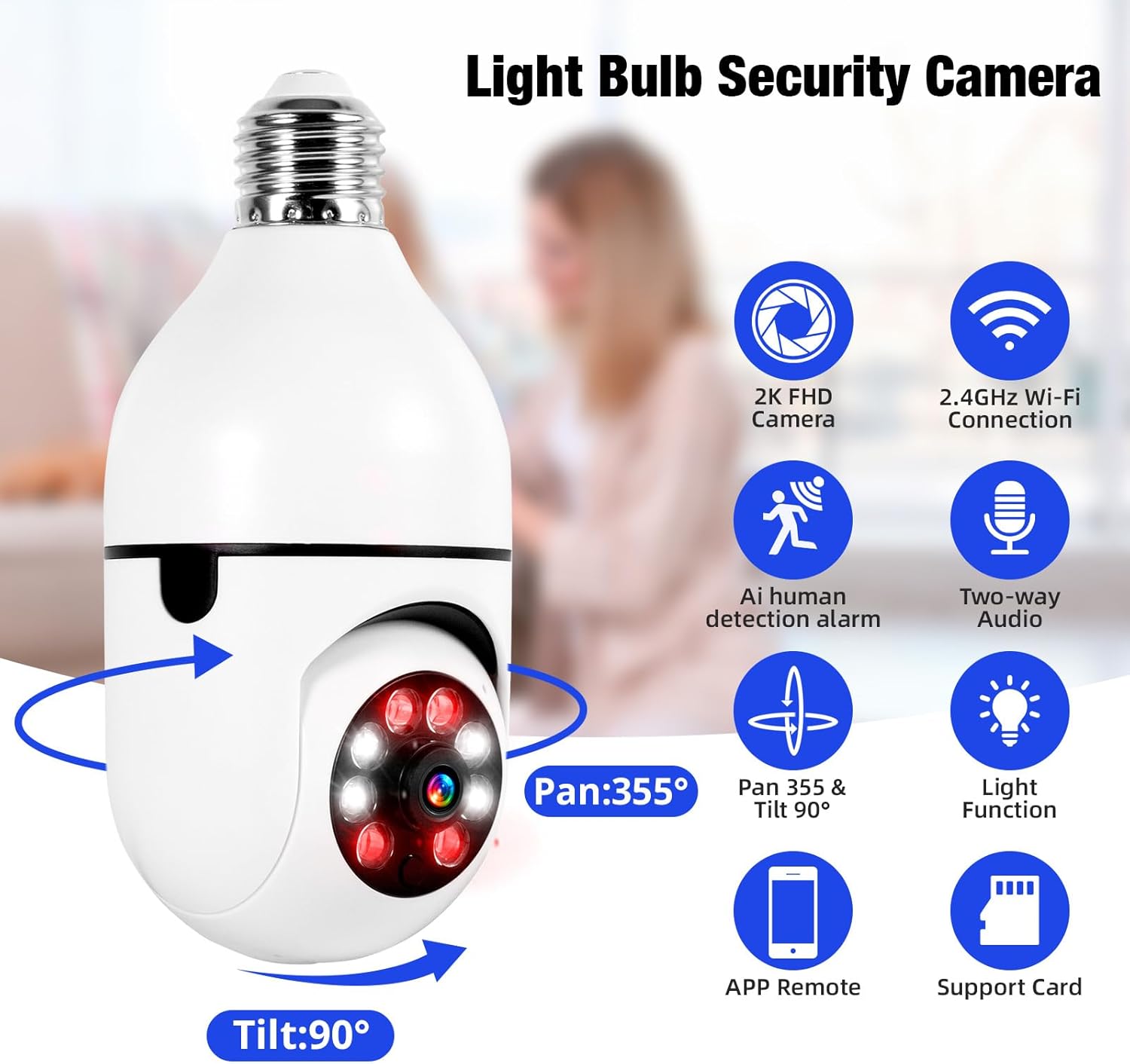
Image 1.1: The TOWODE 2K Light Bulb Security Camera, highlighting its 2K FHD camera, 2.4GHz Wi-Fi connection, AI human detection alarm, two-way audio, Pan 355° & Tilt 90° rotation, light function, APP remote control, and support for SD card storage.
2. Conținutul pachetului
Verificați dacă toate articolele sunt prezente în colet:
- TOWODE 2K Light Bulb Security Camera (2 units)
- E27 Light Sockets (2 units)
- Manual de instructiuni
3. Caracteristicile produsului
- High-Definition Image Quality: Features ultra-clear 2K resolution, four built-in infrared lights, and four white lights. Infrared automatically switches to full-color mode at night, capturing clear details in dark environments.
- Instalare ușoară: Fits standard E27 light sockets (compatible with 110V-240V). Plug-and-play screw-in installation requires no drilling or wiring. An adapter is included for direct power source connection.
- AI Human Detection & Real-Time Alarm: Supports two-way voice chat for communication. Effectively filters out environmental disturbances like rustling leaves. Customizable voice alarms and real-time alerts are sent to your phone upon anomaly detection.
- 360 ° panoramic View: Supports remote control with 355° horizontal rotation and 90° vertical pan. Provides nearly 360° panoramic monitoring without blind spots, handling wide-angle detection and precise tracking.
- Opțiuni multiple de stocare: Supports cloud storage, local Micro SD cards (up to 128GB), and cell phone memory for continuous 24/7 recording.
4. Configurare și instalare
The camera is designed for simple installation, similar to replacing a light bulb.
- Alegeți locația: Select a location with a standard E27 light socket (110V-240V compatible) or a power source where the included adapter can be used. Ensure the location provides adequate Wi-Fi signal strength.
- Înșurubați camera: Carefully screw the camera into the E27 light socket. If using the adapter, plug the adapter into a power source and then screw the camera into the adapter.
- Pornire: Ensure the light socket or power source is switched on. The camera will power up and initiate its startup sequence.

Image 4.1: A person demonstrating the easy installation of the light bulb camera by screwing it into a standard E27 socket.
5. Conexiune la aplicație
To operate your camera, download the companion mobile application and connect it to your Wi-Fi network.
- Descărcați aplicația: Caută the 'AJCloud' app in your smartphone's app store (iOS or Android) and install it.
- Înregistrare/Autentificare: Deschide aplicația și urmează instrucțiunile de pe ecran pentru a crea un cont nou sau pentru a te conecta dacă ai deja unul.
- Adăugați dispozitiv: Tap the '+' icon or 'Add Device' option within the app. Select 'Light Bulb Camera' or a similar option.
- Conectați-vă la Wi-Fi: Follow the app's prompts to connect the camera to your 2.4GHz Wi-Fi network. You may need to scan a QR code on the camera or enter your Wi-Fi password.
- Configurare completă: Once connected, name your camera and complete any remaining setup steps. The camera feed should now be visible in the app.
Video 5.1: An official product video demonstrating the features and setup of the Light Bulb Camera, including app integration and functionality.
6. Instrucțiuni de utilizare
6.1. Detectarea și urmărirea mișcării
The camera features advanced AI human detection and motion tracking capabilities.
- Alerte în timp real: When motion or a human figure is detected, the camera sends instant alerts to your connected smartphone.
- Urmărirea mișcării: Camera poate urmări automat obiectele în mișcare în câmpul său view, asigurând supravegherea continuă.
- Alarme personalizabile: Set up personalized voice alarms through the app to deter intruders.
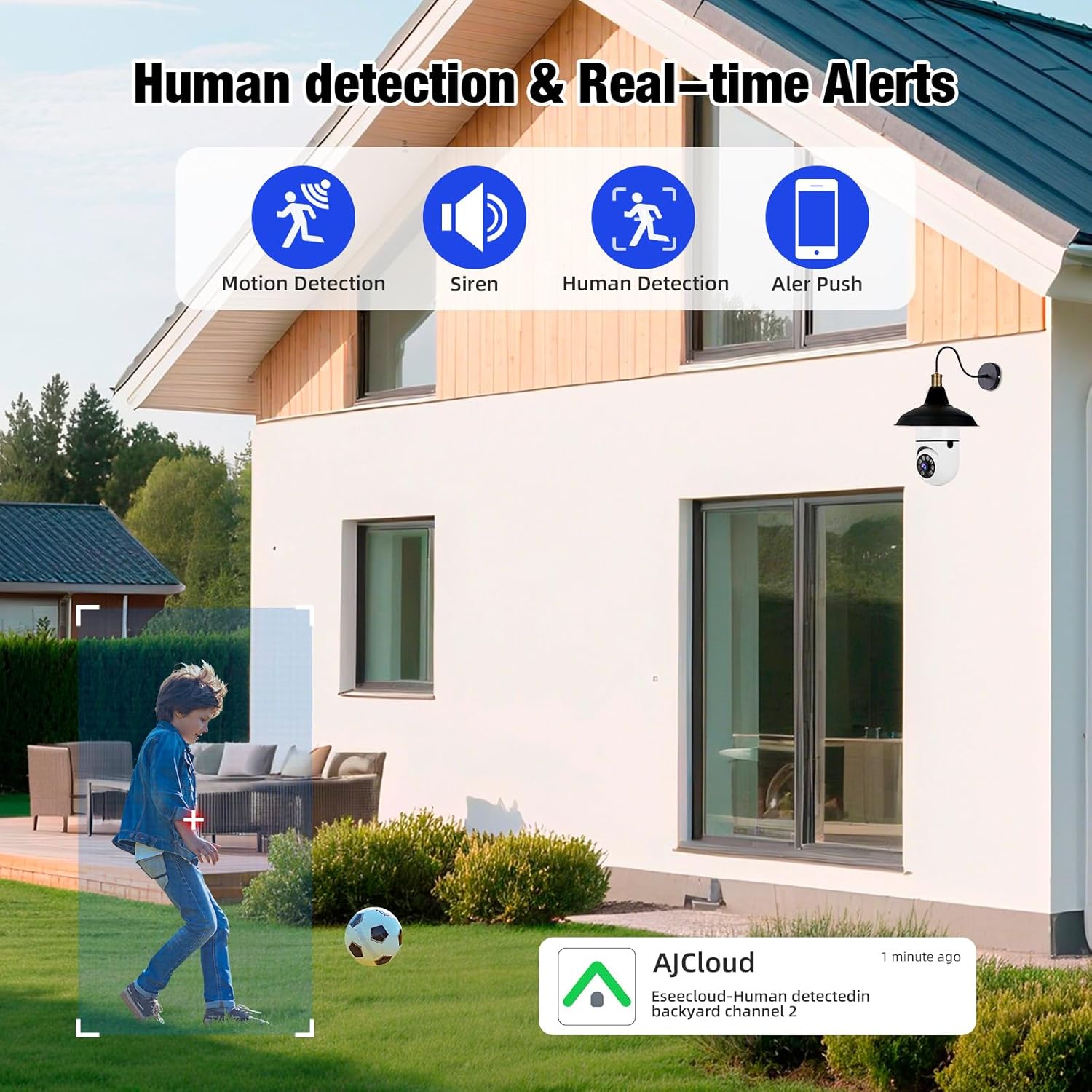
Image 6.1: The camera's human detection feature in action, showing an alert notification on a smartphone as a child is detected in the backyard.

Image 6.2: An illustration of the camera's real-time alarm and human detection at night, with a warning light activated and a notification on a smartphone.
6.2. Vedere de noapte
The camera provides clear visibility even in low-light conditions.
- Vedere de noapte color: Utilizing its white lights, the camera can switch to full-color mode at night, providing detailed and vibrant images.
- Viziune de noapte în infraroșu: For discreet monitoring, the infrared lights provide clear black and white video in complete darkness.
6.3. Sunet bidirecțional
Comunicați direct prin cameră utilizând funcția audio bidirecțională.
- Speak and Listen: Use the app to speak to visitors or deter unwanted guests, and listen to audio from the camera's location.

Image 6.3: The two-way audio function, illustrating communication between a user via smartphone and a delivery person at the door through the camera.

Image 6.4: A visual representation of the two-way audio feature, showing a person interacting with a delivery driver at their doorstep via the camera.
6.4. Video Playback & Storage
Acces înregistrat footage and manage storage options.
- Stocare locală: Insert a Micro SD card (up to 128GB, not included) into the camera's slot for continuous local recording.
- Stocare în cloud: Subscribe to cloud storage services through the app for secure, remote video backup.
- Mobile Storage: Save important video clips directly to your smartphone's memory.
- Redare: View inregistrat footage directly from the app, with options to download or share.

Image 6.5: The camera highlighting its support for both Micro SD card (up to 128GB) and cloud storage solutions for video recording.
7. Întreținere
Întreținerea regulată asigură performanța optimă și durata de viață a camerei de securitate.
- curatenie: Gently wipe the camera lens and body with a soft, dry cloth to remove dust and debris. Avoid abrasive cleaners.
- Actualizări firmware: Periodically check the app for available firmware updates to ensure your camera has the latest features and security enhancements.
- Conexiune Wi-Fi: Asigurați o conexiune Wi-Fi stabilă de 2.4 GHz pentru funcționare neîntreruptă.
- Managementul stocării: În mod regulat review și gestionează-ți foo-ul înregistrattage, especially if using local SD card storage, to prevent it from becoming full.
8. Depanare
If you encounter issues with your TOWODE 2K Light Bulb Security Camera, refer to the following common solutions:
| Problemă | Soluţie |
|---|---|
| Camera nu se conectează la Wi-Fi | Ensure your Wi-Fi is 2.4GHz. Check Wi-Fi signal strength at the camera's location. Restart your router and the camera. Re-attempt the connection process in the app. |
| Calitate slabă a imaginii | Verify the camera lens is clean. Ensure adequate lighting for optimal performance. Check your internet speed; a slow connection can affect streaming quality. |
| Fără alerte de mișcare | Check app notification settings and ensure they are enabled. Verify motion detection sensitivity settings in the app. Ensure the camera has a clear view a zonei de monitorizat. |
| Audio bidirecțional nu funcționează | Check microphone and speaker settings in the app. Ensure your phone's volume is up. Verify the camera's microphone and speaker are not obstructed. |
| Cardul SD nu înregistrează | Ensure the SD card is inserted correctly. Format the SD card through the app. Check if the SD card is full or corrupted. Replace the SD card if necessary. |
9. Specificații
| Caracteristică | Detaliu |
|---|---|
| Numele modelului | DPDZ02 |
| Rezoluție captură video | 2K (implied from product title, specifications list states 1080p, but product title is 2K, so 2K is used as primary) |
| Tehnologia de conectivitate | Fără fir (Wi-Fi 2.4 GHz) |
| Utilizare în interior/exterior | Outdoor (as per product title, specifications list states Indoor, but product title is Outdoor, so Outdoor is used as primary) |
| Sursa de alimentare | Electric cu fir |
| Interval Pan/Tilt | 355° orizontală, 90° verticală |
| Vedere de noapte | Vedere nocturnă color, vedere nocturnă în infraroșu |
| Opțiuni de stocare | Cloud Storage, Micro SD Card (up to 128GB), Cell Phone Memory |
| Caracteristica specială | HD Resolution, AI Human Detection, Two-Way Audio |
| Dimensiuni (L x l x H) | 1.18 x 1.18 x 2.76 inci |
| Greutatea articolului | 15.8 uncii |
10. Garanție și asistență
For warranty information or technical support, please refer to the contact details provided on the product packaging or visit the official TOWODE website-ul. Păstrați chitanța de achiziție pentru cererile de garanție.