
Introducere
Welcome to the instruction manual for your Ikarao Karaoke Machine Shell S1. This portable home system is designed to deliver a premium audio experience with its 280W 2.2-channel speaker, 10.1-inch lyrics display, and two wireless self-charging microphones. This manual provides essential information for setting up, operating, and maintaining your device to ensure optimal performance and enjoyment.
The Ikarao Shell S1 offers versatile connectivity options including HDMI, USB, AUX, WiFi, and Bluetooth 5.3, making it suitable for various entertainment setups. Enjoy features like adjustable EQ, autotune, and preloaded KaraFun membership for a professional-grade karaoke experience.
Ce este în cutie
- 1 x Shell S1 Smart Karaoke Machine
- 2 x Bluetooth Wireless Microphones
- 1 x Portable Shoulder Strap
- 1 x Type C Cable (Charger not included)
- 1 x Manual de utilizare
Înființat
- Încărcare inițială: Before first use, fully charge the karaoke machine using the provided Type C cable. Connect the cable to the DC 15V input port on the rear panel and plug it into a compatible USB power adapter (not included).
- Microphone Charging: Place the two wireless microphones into their designated charging slots located under the top lid of the machine. The microphones feature a magnetic self-charging design. An indicator light on the microphone will show charging status.
- Pornire: Open the top lid to reveal the 10.1-inch screen. Press and hold the power button on the front control panel of the main unit. The screen will display the Ikarao logo as it boots up.
- Conexiune Wi-Fi: Once the system is powered on, navigate to the settings menu on the 10.1-inch screen to connect to your local Wi-Fi network (2.4G/5G supported). This is essential for accessing online content like YouTube and KaraFun.

Image: Ikarao Karaoke Machine Shell S1 with its 10.1-inch screen open, revealing the charging slots for the two wireless microphones. The main unit features a speaker grille and control panel.
Instrucțiuni de operare
Comenzile unității principale
- Buton de alimentare: Apăsați și mențineți apăsat pentru a porni/opri unitatea.
- Buton Bluetooth: Activates Bluetooth pairing mode for connecting external devices.
- Buton de bas: Toggles the bass boost feature for enhanced low-frequency sound.
- Butonul de mod: Cycles through different input modes (Bluetooth, AUX, Local Play).
- Buton de volum: Rotates to adjust the master volume of the speaker. The LED ring around the knob indicates the volume level.

Image: Close-up of the rear panel of the Ikarao Karaoke Machine, displaying various connectivity ports including HDMI, USB, AUX, and the DC power input.
Utilizarea microfonului
- Pornire/Oprire: Press and hold the power button on each microphone to turn it on or off.
- Controlul volumului: Use the '+' and '-' buttons on the microphone to adjust its individual volume.
- Efecte de voce: The system offers various voice effects accessible via the screen interface or dedicated buttons. Options include: Original, Karaoke (with echo), Super, Professional, Monster (deep voice), Popular, Cartoon (high-pitched voice), and Custom (adjustable reverb, treble, bass).

Image: The two wireless microphones are securely placed in their magnetic charging slots within the Ikarao Karaoke Machine, indicating their self-charging capability.
Screen Interface and Apps
The 10.1-inch built-in touchscreen provides access to various functions and applications:
- Sing Menu: Access Media Player for local files, YouTube for karaoke videos (requires Wi-Fi), and Media Library for pre-installed songs.
- Meniul aplicației: Features pre-installed apps like KaraFun (6-month membership included) and YouTube. You can also download other compatible apps.
- Setări: Adjust display brightness, sleep time, check wireless mic battery levels, and configure HDMI settings. Sound settings allow control over tone volume, wireless mic volume, and mic modes. Wi-Fi settings manage network connections.
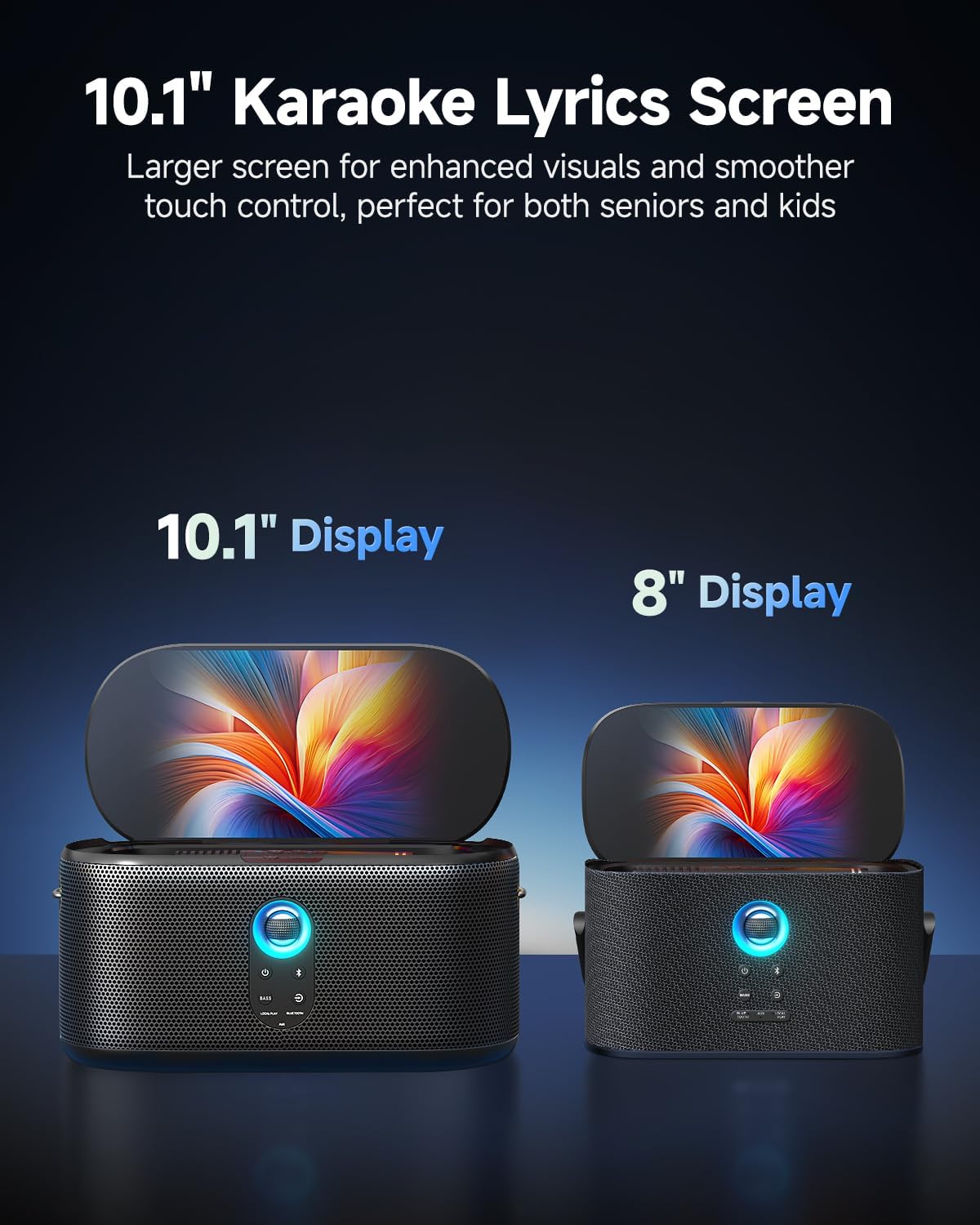
Image: The Ikarao Karaoke Machine with its 10.1-inch screen open, showing the user interface with icons for Media Player, YouTube, and other applications.
Conectivitate
The Shell S1 offers multiple ways to connect your audio and video sources:
- HDMI: Connect to a TV or external display to mirror the screen for a larger karaoke experience.
- USB: Redați conținut media fileeste direct de pe o unitate USB.
- AUX: Connect external audio devices via an auxiliary cable.
- Bluetooth 5.3: Redați wireless sunet de pe smartphone, tabletă sau alte dispozitive compatibile Bluetooth.
- WiFi 2.4G/5G: Access online streaming services and content.
- Intrare chitara: Plug in a guitar for live jam sessions.
Moduri de sunet
Adjust the audio output to suit your environment and preferences:
- Hi-Fi: Standard high-fidelity audio.
- Aprinde: A lighter sound profile.
- În aer liber: Optimized for outdoor use, enhancing projection and clarity.
- Bas: Emphasizes low frequencies for a deeper sound.
Întreţinere
- curatenie: Use a soft, dry cloth to clean the exterior of the machine and screen. Avoid abrasive cleaners or solvents.
- Îngrijirea bateriei: To prolong battery life, avoid fully discharging the unit frequently. Store in a cool, dry place when not in use for extended periods.
- Depozitare: When storing, ensure the top lid is closed to protect the screen and microphones.
Depanare
- Fără putere: Ensure the unit is fully charged or connected to a power source. Check the power button.
- Fără sunet: Check the master volume knob and individual microphone volumes. Ensure the correct input mode is selected.
- Microfonul nu se conectează: Ensure microphones are charged and powered on. Re-pair them if necessary.
- Probleme Wi-Fi: Verify your Wi-Fi network is active and the correct password is entered in the settings.
- Probleme cu oglindirea ecranului: Ensure your TV or external display is set to the correct HDMI input.
Specificații
| Caracteristică | Detaliu |
|---|---|
| Greutatea articolului | 11.68 lire sterline |
| Dimensiunile produsului | 6.88 x 6.69 x 13.89 inci |
| Numărul de model al articolului | Shell S1 |
| baterii | 1 baterie non-standard (inclusă) |
| Număr de vorbitori | 4 (dual 3.5" woofers, dual 1" tweeters) |
| Sursa de alimentare | Alimentat cu baterie |
| Caracteristica specială | Afișaj versuri |
| Culoare | Negru |
| Dispozitive compatibile | Gaming Console, Smartphone, Television |
| Tip conector | HDMI |
Garanție și suport
For warranty information and customer support, please refer to the contact details provided on the product packaging or the official Ikarao webPăstrați bonul fiscal ca dovadă a achiziției pentru orice reclamații în garanție.