
1. Introducere
This user manual provides comprehensive instructions for the safe and effective operation of the BSIDE Thermal Imager Multimeter. Please read this manual thoroughly before using the device and retain it for future reference.
2. Informații de siguranță
Respectați întotdeauna următoarele măsuri de siguranță pentru a preveni vătămările corporale sau deteriorarea dispozitivului:
- Nu utilizați dispozitivul dacă acesta pare deteriorat.
- Ensure proper polarity when connecting test leads.
- Nu depășiți valorile maxime de intrare pentru nicio funcție.
- Procedați cu precauție atunci când lucrați cu circuite sub tensiune.
- Refer to local electrical codes and safety standards.
3. Produs terminatview
The BSIDE Thermal Imager Multimeter is a versatile tool combining a high-resolution thermal camera with a full-featured digital multimeter. It is designed for applications such as home inspection, HVAC, electrical plumbing, electronic maintenance, and circuit analysis.
3.1 Caracteristici cheie
- 428x320 IR Resolution Thermal Imaging Camera
- Dual-Light Fusion for enhanced visibility
- 20000 Count Digital Multimeter functions (AC/DC Voltage, Resistance, Capacitance, Diode, Continuity, Temperature, AC Current Clamp)
- Data Recording Mode for tested data over time
- Macro Lens for detailed inspection of small components
- 15 Thermal Palettes for diverse visualization
- 3.98-inch Touch TFT LCD Screen (320x480 resolution)
- Temperature Range: -20℃ to 550℃ (-4℉ to 1022℉)
- Rata de actualizare 25Hz
- Efficient Data Storage and Export via USB
3.2 Conținutul pachetului
- 1 x Infrared Camera Multimeter
- 1 x Obiectiv macro
- 1 x cablu de încărcare
- 1 x Husă de transport
- 1 x Manual de utilizare (acest document)
Note: The flexible AC current clamp is not included in the standard package.
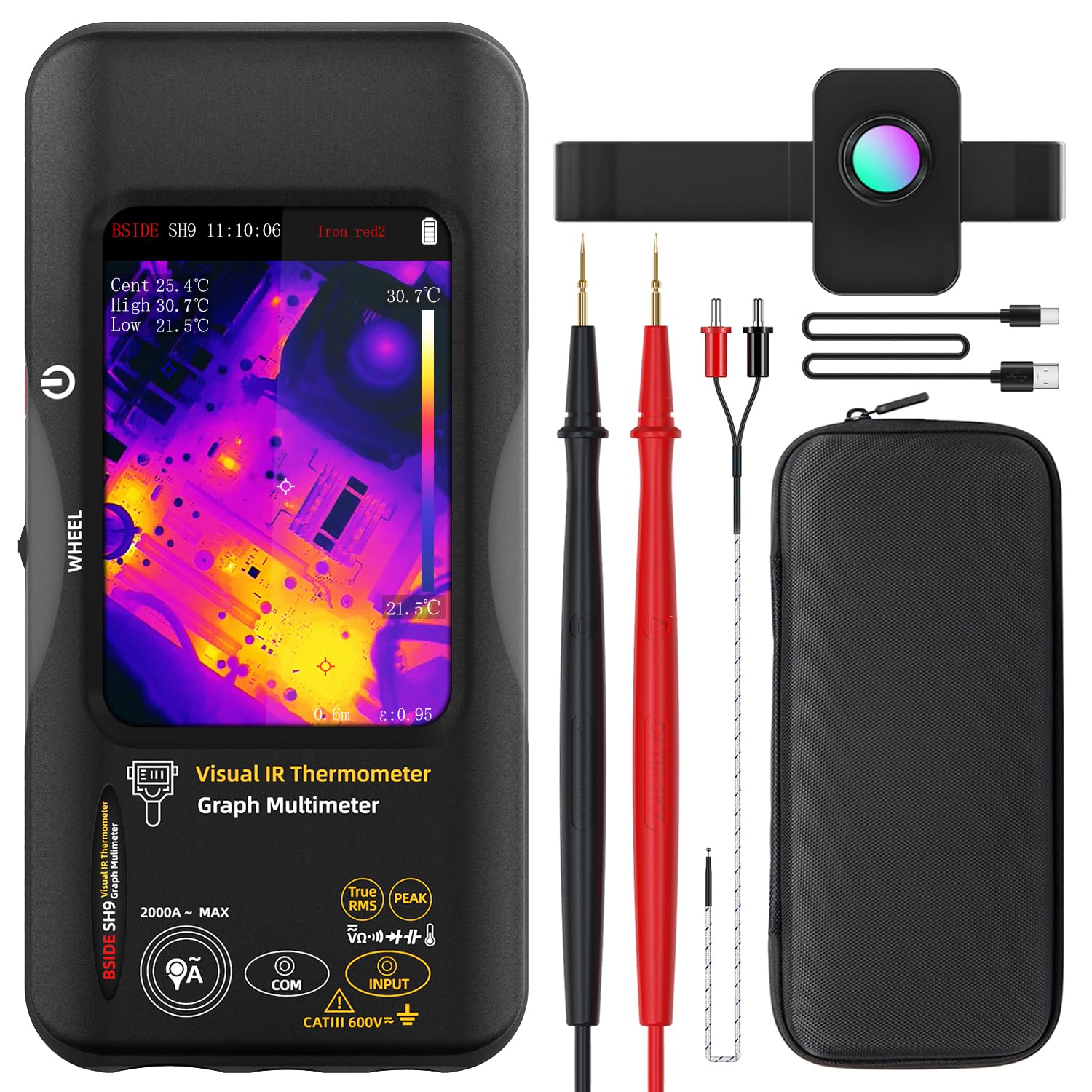
Figure 1: The BSIDE Thermal Imager Multimeter along with its included accessories, such as the macro lens, charging cable, and carrying case.
4. Configurare
4.1 Încărcarea dispozitivului
The device comes with a built-in 2500mAh rechargeable battery. Before first use, fully charge the device using the provided charging cable. Connect the charging cable to the device's charging port and a suitable USB power source.
4.2 Pornire/Oprire
Press and hold the power button located on the side of the device to power it on or off. The TFT LCD screen will illuminate upon successful power-on.
5. Instrucțiuni de utilizare
5.1 Navigarea prin interfață
The device features a 3.98-inch touch TFT LCD screen for intuitive navigation. Use touch gestures to select functions, adjust settings, and view data. A physical wheel button may also be present for additional control.
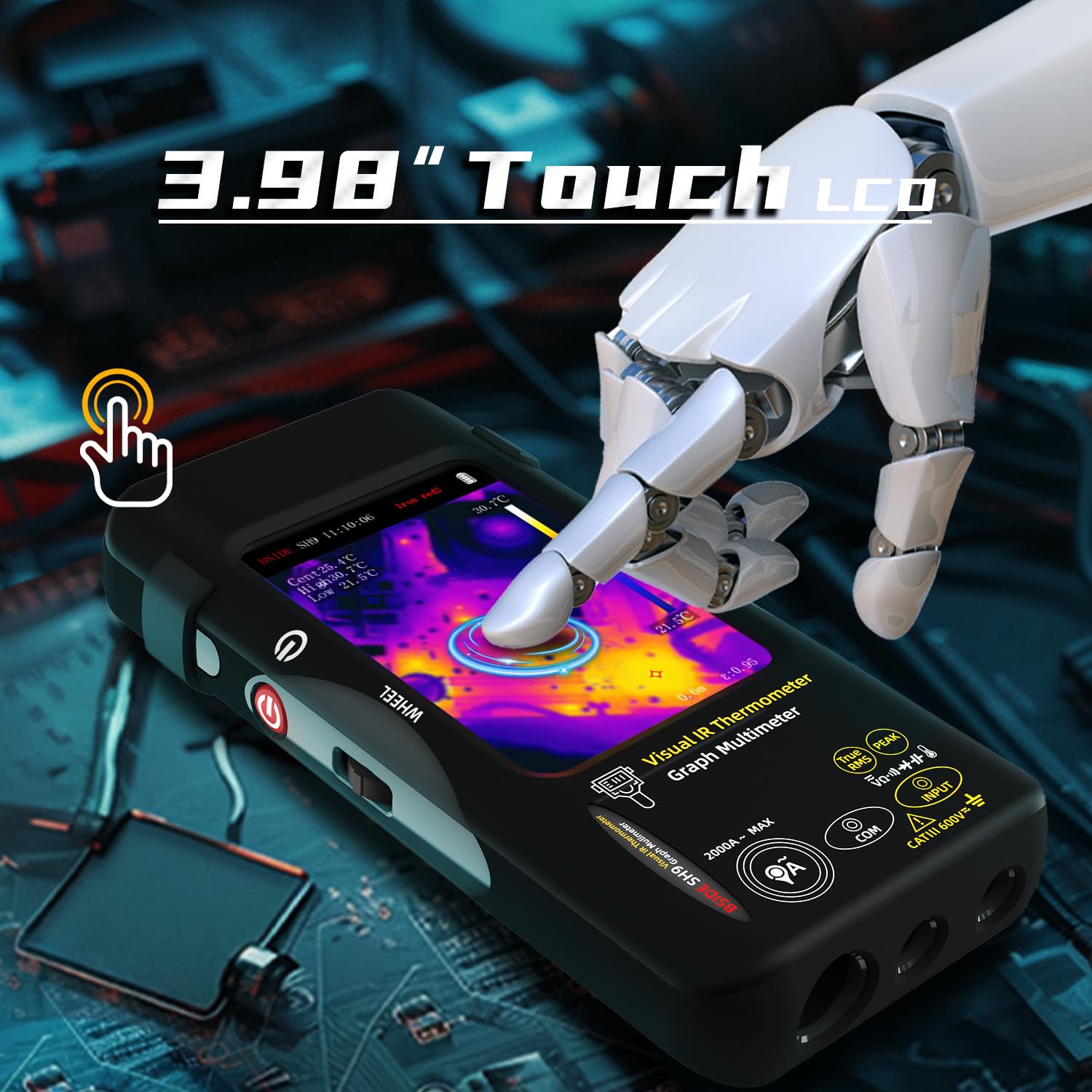
Figure 2: Demonstrates the touch screen interface of the device, allowing for easy interaction and data viewing.
5.2 Modul de imagistică termică
To activate the thermal imaging function, select the appropriate mode on the screen. The device will display a thermal image with a resolution of 428x320 pixels. Hot, cold, and central spots temperatures are displayed on the screen.

Figure 3: The device displaying a thermal image with temperature readings, highlighting its 428x320 IR resolution capability.
5.2.1 Dual-Light Fusion
The Dual-Light Fusion feature overlays regular visual images with thermal images, providing enhanced detail and context. This mode is particularly useful for identifying the exact location of thermal anomalies.

Figure 4: Illustrates the difference between Fusion Mode and pure Thermal Mode, demonstrating how dual-light fusion provides a clearer understanding of the thermal landscape.
5.2.2 Palete termice
The device offers 15 different thermal palettes to visualize temperature differences. Users can select the most suitable palette for their application to improve contrast and clarity.

Figure 5: A visual representation of the 15 distinct thermal palettes, including White Hot, Black Hot, Rainbow, and Iron Red, which can be selected to optimize thermal image interpretation.
5.2.3 Using the Macro Lens
Attach the included macro lens for detailed inspection of small electronic components, PCB hot spots, or other miniature objects. The macro lens has a working object distance of 35mm and a magnification of 0.3X.
5.3 Funcțiile multimetrului
The integrated digital multimeter provides 20000 counts for precise measurements. Connect the test leads to the appropriate input jacks on the device.

Figure 6: The multimeter function showing a DC voltage reading with 20000 counts, demonstrating its high precision for electrical measurements.
5.3.1 moduri de măsurare
Select the desired measurement mode (e.g., DC Voltage, AC Voltage, Resistance, Capacitance, Diode, Continuity, Temperature, AC Current) using the on-screen interface or physical controls. Refer to the display for real-time readings.

Figure 7: The device in multimeter mode, displaying an AC voltage measurement along with a graph, indicating its data recording capability.
5.3.2 Data Recording Mode
The device can record up to 3 measurements over time, displaying them as a graph. This feature is useful for monitoring trends or intermittent issues. Access the recording mode through the menu.
6. Managementul datelor
6.1 Image and Data Export
The device can store over 15,000 images. Connect the device to a computer via the provided USB cable to export stored thermal images and recorded measurement data for further analysis or reporting.

Figure 8: The device connected to a laptop, illustrating the real-time image export feature, allowing users to transfer and review thermal images on a larger screen.
7. Întreținere
7.1 Curățare
Wipe the device's exterior with a soft, damp lavetă. Nu utilizați substanțe de curățare abrazive sau solvenți. Asigurați-vă că dispozitivul este oprit înainte de curățare.
7.2 Depozitare
When not in use, store the device in its carrying case in a cool, dry place, away from direct sunlight and extreme temperatures.
7.3 Îngrijirea bateriei
To prolong battery life, avoid fully discharging the battery frequently. Recharge the device regularly, even if not in active use, especially if storing for extended periods.
8. Depanare
| Problemă | Cauza posibila | Soluţie |
|---|---|---|
| Dispozitivul nu pornește. | Low battery; Device malfunction. | Charge the battery; Contact customer support. |
| Imaginea termică este neclară sau neclară. | Lens is dirty; Incorrect focus/distance. | Clean the lens with a soft cloth; Adjust distance to object. |
| Multimeter readings are inaccurate. | Incorrect mode selected; Damaged test leads. | Verify the selected measurement mode; Inspect and replace test leads if necessary. |
| Cannot export data to computer. | USB cable issue; Driver not installed. | Try a different USB port/cable; Install necessary drivers (if applicable, check manufacturer website-ul). |
9. Specificații
9.1 Infrared Camera Specifications
- Dimensiunea afișajului: LCD TFT de 3.98 inchi
- Rezoluție IR: 320 x 428
- Rezoluția ecranului: 320 x 480
- Unghiul de View (FOV): 50.0°(H)x 37.2°(V)/63.6°(D)
- Spatial Resolution (IFOV): 8.89 mrad
- Interval de temperatură: -20 ℃ până la 550 ℃ (de la -4 ℉ la 1022 ℉)
- Sensibilitate termică/NETD: Less than 50mk
- Rata de reîmprospătare: 25 Hz
- Setări distanță: 0.3-3 m
- emisivitate: 0.01-1 (Reglabil)
- Number of storage image: 15000
9.2 Digital Multimeter Specifications
- MAX Display: 20000 conturi
- DC Voltage: 20mV/200mV (±0.1%+3), 2V/20V (±0.1%+3), 200V/1000V (±0.5%+3)
- AC Voltage: 20mV/200mV (±0.5%+3), 2V/20V/200V/750V (±0.05%+3)
- Flexible AC Current: 200A/2000A (0.1A/1A resolution)
- Rezistenţă: 200Ω (±0.5%+3), 2kΩ/20KΩ/200KΩ (±0.2%+3), 2MΩ/20MΩ (±1%+3), 200MΩ (±5%+5)
- Capacitate: 999.99nF (±5.0%+20), 9.999µF/999.9µF (±2%+5), 99.999mF (±5%+10)
- Temperatură: -20℃~1300℃/-4℉-2372℉ (±2%+5)
- Dioda: Da
- Continuitate: Da
9.3 Macro Lens Specifications
- Working object distance: 35mm
- Mărire: 0.3X
9.4 Specificații generale
- Putere: 2500mAh rechargeable battery (built-in)
- Dimensiune: 169 x 81 x 26.8mm (6.65 x 3.19 x 1.02 țoli)
- Greutate: 274 g (9.69 uncii)
10. Garanție și asistență
Pentru informații despre garanție și asistență tehnică, vă rugăm să consultați site-ul oficial al producătorului. website-ul lor web sau contactați departamentul de asistență pentru clienți. Păstrați dovada achiziției pentru solicitările de garanție.
Manufacturer: BSIDE
Contact information may be found on the official BSIDE website-ul sau în ambalajul produsului.