
1. Introducere
This manual provides essential information for the safe operation and maintenance of your SuperRC V666 Drone with Camera. Please read it thoroughly before first use to ensure proper setup and to maximize your flying experience. The V666 drone features a brushless motor, optical flow positioning, and an HD 180° adjustable camera, designed for both beginner and adult users.
2. Măsuri de siguranță
- Mediul de zbor: Fly in open areas, away from people, animals, buildings, and power lines. Avoid flying in strong winds or adverse weather conditions.
- Siguranța bateriei: Use only the provided batteries and charging cable. Do not overcharge or puncture batteries. Discontinue use if batteries show signs of damage or swelling.
- Siguranța elicei: Țineți mâinile, fața și hainele largi departe de elicele în rotație. Asigurați-vă că elicele sunt fixate în siguranță înainte de zbor.
- Linia de vedere: Mențineți întotdeauna linia vizuală a dronei în timpul zborului.
- Recomandare de vârstă: Acest produs este potrivit pentru utilizatorii cu vârsta de 14 ani și peste.
- Interferență: Avoid flying near strong electromagnetic interference sources.
- Multiple Drones: When operating multiple drones simultaneously, power on and pair each drone and its remote control separately to prevent frequency conflicts.
3. Conținutul pachetului
Verificați dacă toate articolele enumerate mai jos sunt incluse în pachetul dumneavoastră:
Imagine: Pesteview of the SuperRC V666 Drone package contents, showing the drone, remote control with screen, two batteries, spare propellers, screwdriver, USB charging cable, card reader, and memory card.
- SuperRC V666 Drone
- Telecomandă cu ecran integrat
- 2 x Lithium Ion Batteries (1000mAh each)
- Elice de rezervă
- Gărzile elice
- Geantă de mână
- Cablu micro-USB
- Şurubelniţă
- Cititor de carduri
- Card de memorie
4. Identificarea componentelor
4.1 Drone Overview
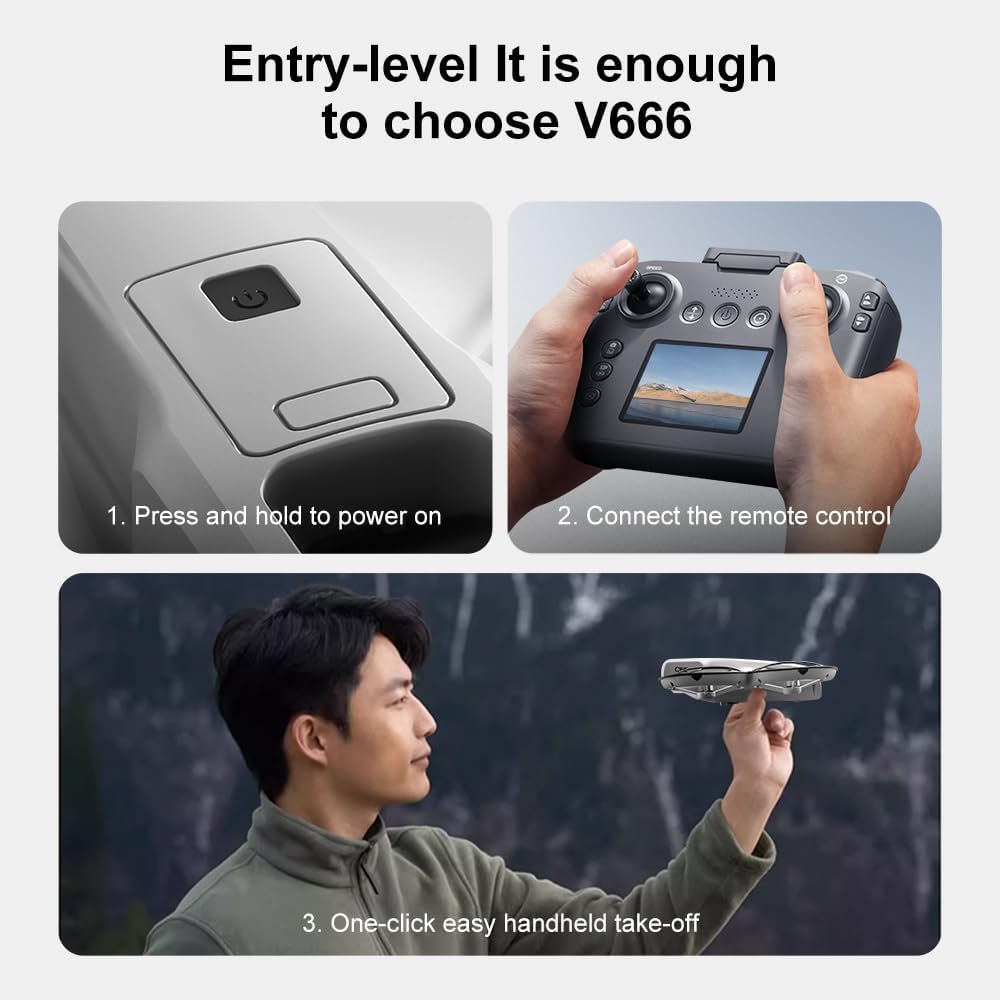
Imagine: Detaliată view of the SuperRC V666 Drone, showing the main body, camera, and protected propellers.
Familiarize yourself with the drone's key components:
- Camera: Front-mounted, 180° manually adjustable HD camera.
- Elice: Four propellers with protective guards.
- Motoare fără perii: Provide stable and powerful flight.
- Compartiment baterie: Located on the drone's body.
- Buton de alimentare: For turning the drone on/off.
- Body Light: Integrated lighting for visibility.
4.2 Control de la distanțăview
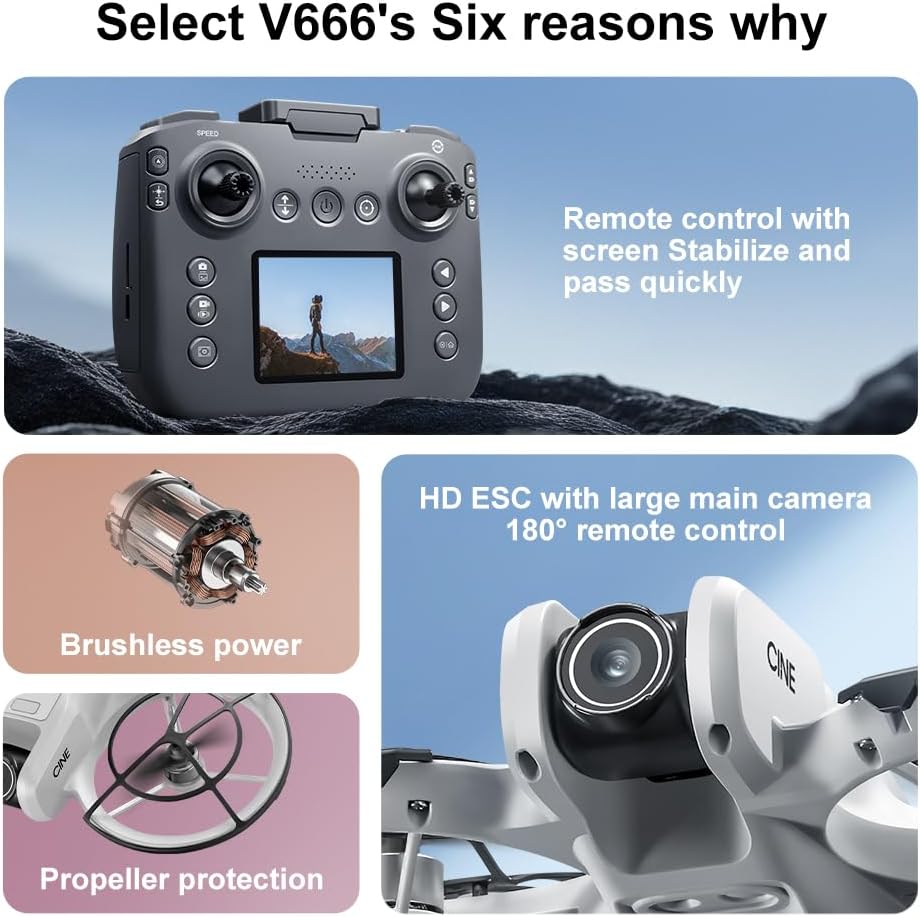
Image: The remote control for the SuperRC V666 Drone, featuring a central display screen, dual joysticks, and multiple control buttons.
Caracteristicile telecomenzii:
- Joystick-uri: Left for throttle/yaw, right for pitch/roll.
- Integrated Screen: Displays flight information and live camera feed.
- Buton de alimentare: Pentru a porni/opri telecomanda.
- One-Key Take-off/Landing Button: Inițiază decolarea sau aterizarea automată.
- Buton de reglare a vitezei: Comută între diferite viteze de zbor.
- Butoane foto/video: For capturing images and recording video.
- Butoane de decupare: For fine-tuning drone stability.
5. Configurare
5.1 Instalarea și încărcarea bateriei
- Insert the fully charged Lithium Ion battery into the drone's battery compartment. Ensure it clicks into place securely.
- To charge the battery, connect it to the Micro-USB cable and then to a USB power source (e.g., computer, USB wall adapter). The charging indicator will show the charging status.
- Charge the remote control battery using its dedicated charging port and cable.
5.2 Instalarea elicei
The drone comes with propeller guards pre-installed. If you need to replace propellers:
- Identify the correct propeller type (A or B) for each motor. Propellers are typically marked.
- Align the propeller with the motor shaft and press down firmly until it is secure.
- Ensure all propellers rotate freely without obstruction.
5.3 Împerecherea dronei cu telecomanda

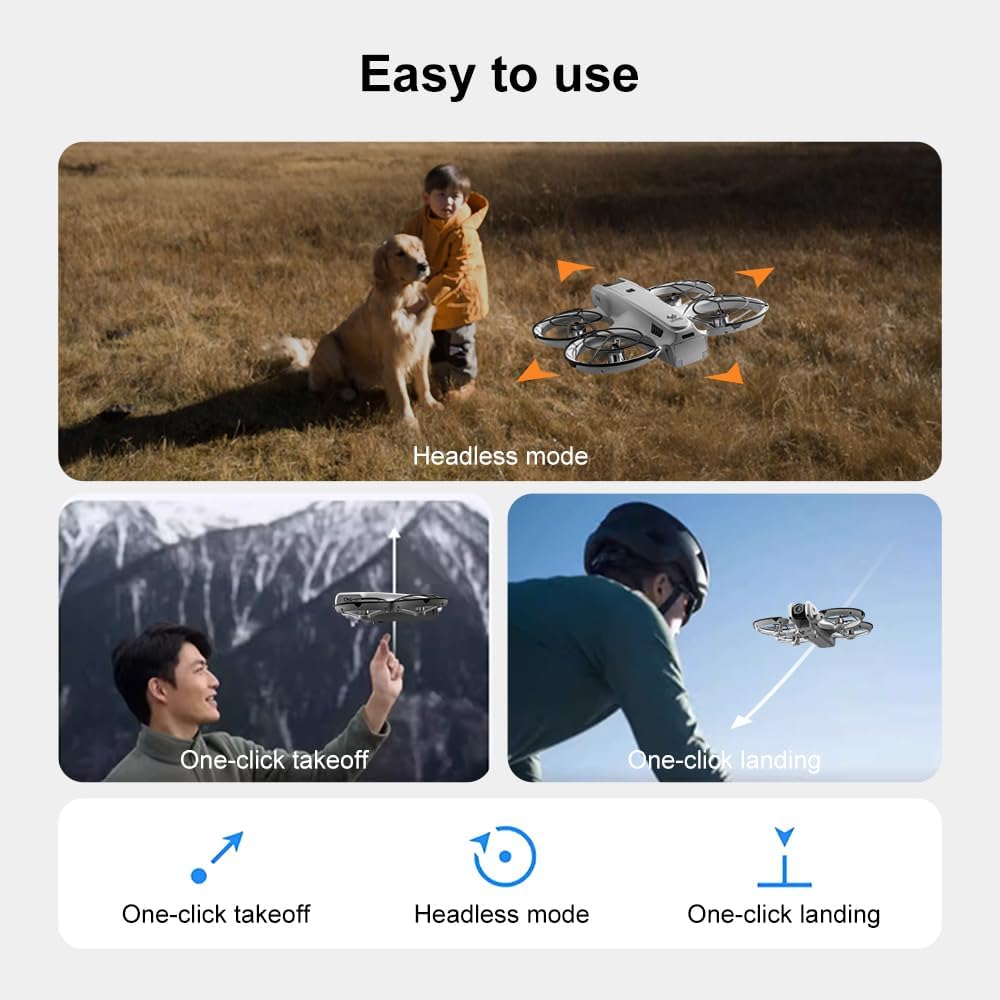
Image: Visual guide demonstrating the steps for powering on the drone, connecting the remote control, and initiating a one-click handheld take-off.
- Așezați drona pe o suprafață plană și plană.
- Press and hold the power button on the drone until its indicator lights turn on.
- Porniți telecomanda.
- The drone and remote control will automatically attempt to pair. Once paired, the drone's indicator lights will become solid.
- Nota: If operating multiple drones, power on and pair each drone and its remote control individually to avoid signal interference.
6. Instrucțiuni de utilizare
6.1 Comenzi de zbor de bază
- Joystick stânga (accelerație/girare):
- Push up/down: Increase/decrease altitude (Throttle).
- Push left/right: Rotate drone left/right (Yaw).
- Joystick dreapta (înclinare/rotire):
- Push up/down: Move drone forward/backward (Pitch).
- Push left/right: Move drone left/right (Roll).
- Reglarea vitezei: Press the speed button on the remote to cycle through different flight speeds (e.g., low, medium, high).
6.2 One-Key Functions
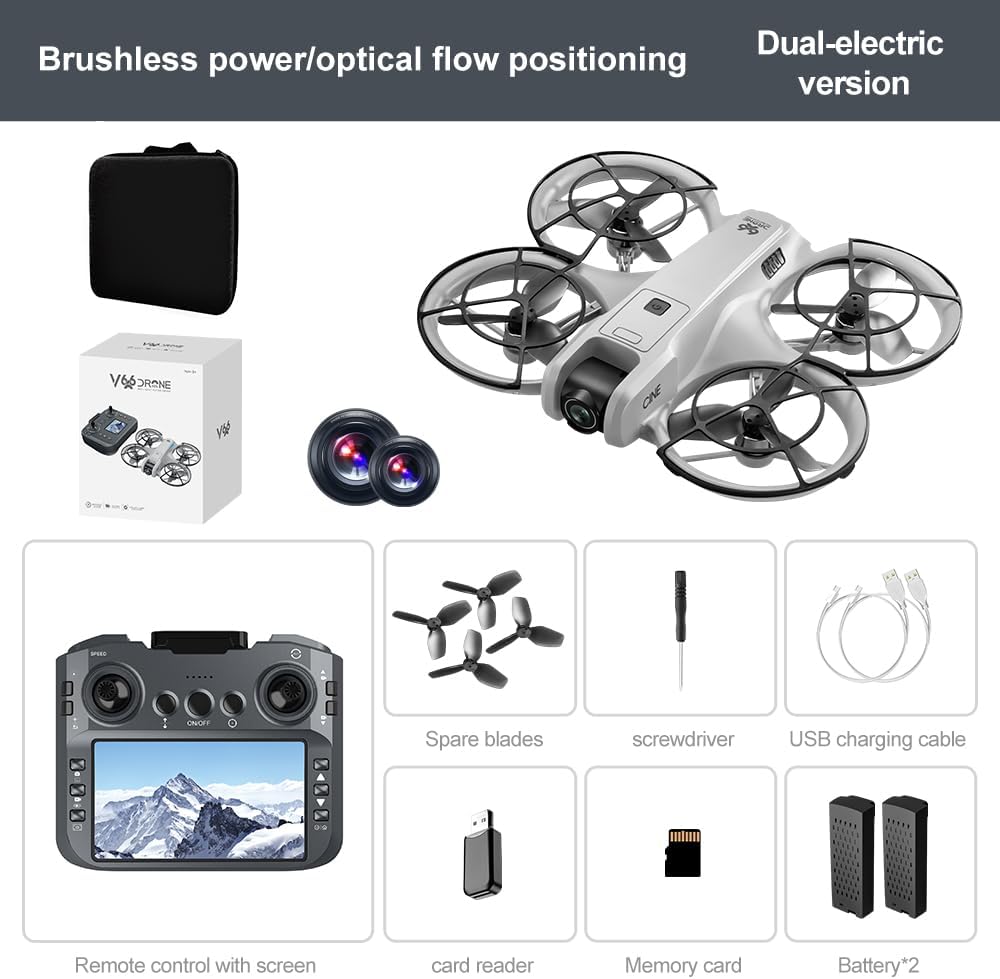
Image: Visual representation of the drone's Headless Mode, One-Click Take-off, and One-Click Landing functionalities.
- Decolare cu o singură cheie: Press the designated button once, and the drone will automatically ascend to a stable hovering height.
- Aterizare cu o singură tastă: Press the designated button once, and the drone will automatically descend and land gently.
- Returnare cu o singură cheie: Activates the drone's return-to-home function. The drone will attempt to return to its take-off point.
6.3 Mod fără cap
In Headless Mode, the drone's orientation is relative to the pilot, regardless of which way the drone's front is facing. This simplifies control for beginners.
6.4 Controlul gesturilor
The drone supports gesture-based photo and video capture. Perform specific hand gestures in front of the camera to trigger these functions during flight.
6.5 Funcționarea camerei
- Reglarea unghiului camerei: The camera lens can be manually adjusted 180° before flight to achieve the desired viewunghiul de ing.
- Captură foto/video: Use the dedicated buttons on the remote control to take photos or start/stop video recording.
- Feed live: The integrated screen on the remote control provides a real-time view from the drone's camera via Wi-Fi connectivity.
- Depozitare: Captured photos and videos are saved to the inserted memory card.
7. Întreținere
- curatenie: Use a soft, dry cloth to clean the drone and remote control. Avoid using solvents or harsh chemicals.
- Înlocuirea elicei: If propellers are damaged, replace them with spare parts using the provided screwdriver. Ensure correct propeller type (A or B) is used for each motor.
- Depozitare: Store the drone and its components in a cool, dry place, away from direct sunlight and extreme temperatures. Remove batteries if storing for extended periods.
8. Depanare
| Problemă | Cauza posibila | Soluţie |
|---|---|---|
| Drona nu pornește | Bateria nu este încărcată sau instalată incorect. | Asigurați-vă că bateria este complet încărcată și introdusă corect. |
| Drone fails to pair with remote control | Remote control not powered on, or pairing sequence incorrect. | Ensure both devices are powered on. Follow pairing steps (Section 5.3). Avoid multiple drones pairing simultaneously. |
| Drona se deplasează în derivă în timpul zborului | Not calibrated on a flat surface, or environmental factors. | Ensure drone is placed on a flat surface before take-off. Perform calibration if available (refer to remote control instructions). Avoid strong winds. |
| Poor camera image quality or no live feed | Weak Wi-Fi signal, camera lens dirty, or memory card issue. | Ensure drone is within Wi-Fi range. Clean camera lens. Check memory card for proper insertion and sufficient space. |
| Timp de zbor scurt | Battery not fully charged, or battery degradation. | Fully charge batteries before each flight. Consider replacing old batteries if performance significantly degrades. |
9. Specificații
| Caracteristică | Detaliu |
|---|---|
| Marca | SuperRC |
| Numele modelului | V666 |
| Culoare | Gri |
| Greutatea articolului | 0.2 kilograme (aprox. 7 uncii) |
| Dimensiunile produsului | 7 cm L x 6 cm l x 2 cm Î |
| Nivel de calificare | Începător |
| Tip motor | Motor fără perii |
| Camera foto | HD 180° Manually Adjustable |
| Rezoluție captură video | 720p |
| Format de captură video | MP4 |
| Tehnologia de conectivitate | Wi-Fi, Radio Frequency |
| Tehnologia senzorilor optici | Flux optic, CMOS |
| Tip baterie | Ioni de litiu |
| Capacitatea bateriei | 1000 mAh |
| Tip control | Telecomanda |
| Caracteristici speciale | Adjustable Camera, One Button Return, One Key Rotation, Rechargeable, Speed Adjustment, Optical Flow Positioning |
10. Garanție și asistență
For warranty information or technical support, please refer to the documentation included with your purchase or contact SuperRC customer service directly. Keep your proof of purchase for any warranty claims.
Pentru asistență suplimentară, puteți vizita SuperRC Store on Amazon.