
1. Introducere
The Machenike KG98 is a versatile mechanical gaming keyboard designed for various uses including work, gaming, and study. It features multi-device connectivity, hot-swappable switches, an ergonomic structure, and customizable RGB lighting. This manual provides detailed instructions for setup, operation, and maintenance to ensure optimal performance and user experience.
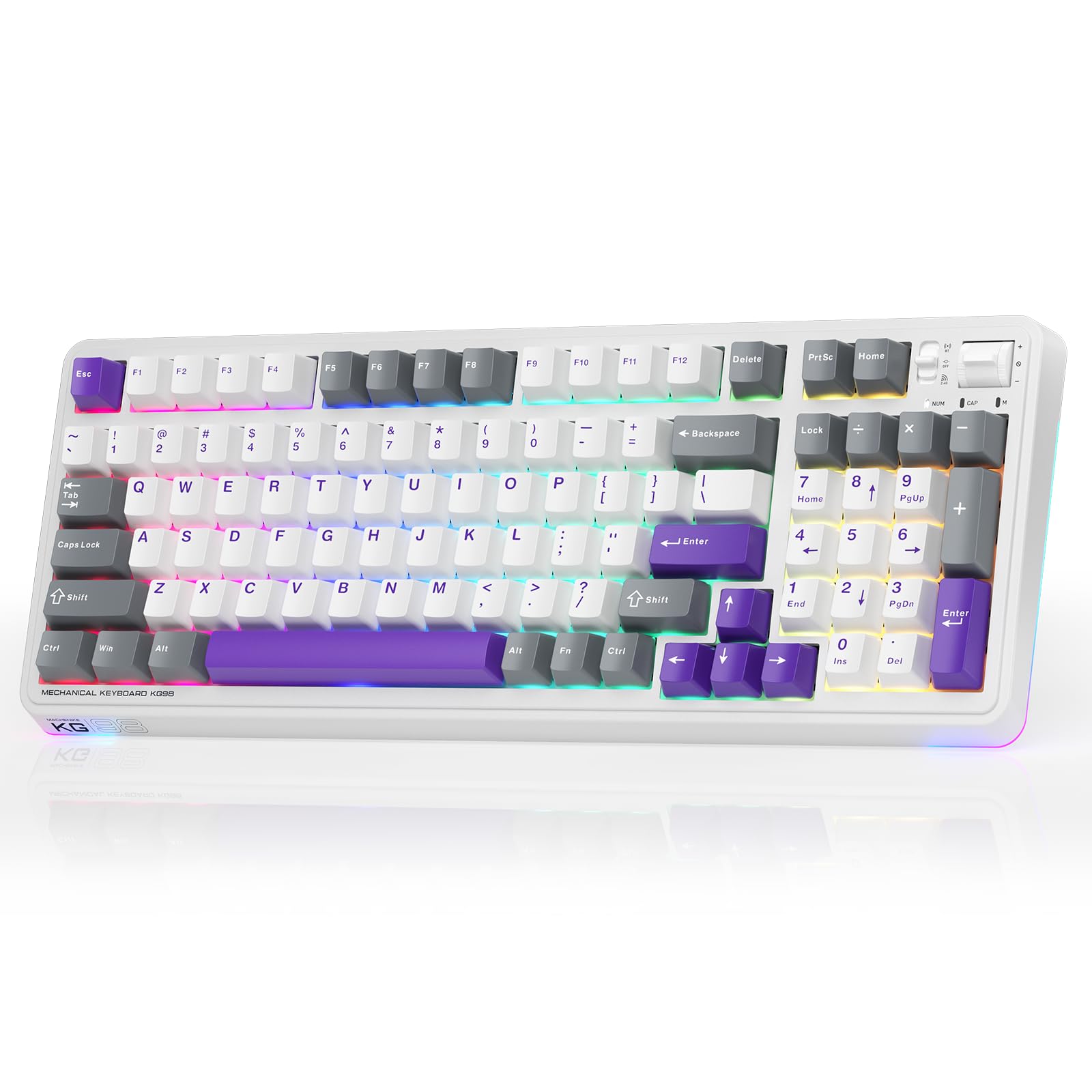
Figure 1: Machenike KG98 Mechanical Gaming Keyboard
2. Ce se află în cutie
Vă rugăm să verificați dacă toate articolele sunt prezente la despachetare:
- Machenike KG98 Mechanical Keyboard
- Extra 2 Grey Pre-lubed Linear Switches
- Extractor pentru chei
- Cablu USB (de la tipul A la tipul C)
- Manual de utilizare (acest document)

Figure 2: Box Contents of the KG98 Keyboard
3. Configurare
3.1 Moduri de conectivitate
The KG98 keyboard supports three connection modes: Wired (USB-C), 2.4G Wireless, and Bluetooth (BT5.0). A mode switch is located on the top-right side of the keyboard.
- Modul cu fir: Connect the provided USB-C cable to the keyboard and your computer. The mode switch should be in the middle (USB) position.
- Modul wireless 2.4G: Locate the 2.4G USB dongle (usually stored magnetically on the keyboard's underside). Insert the dongle into your computer's USB port. Slide the mode switch to the bottom (2.4G) position. The keyboard will automatically connect.
- Mod Bluetooth: Slide the mode switch to the top (BT) position. On your device (computer, tablet, smartphone), search for Bluetooth devices and select 'Machenike KG98'. The keyboard's indicator light will flash blue during pairing.
3.2 Încărcarea tastaturii
The keyboard is equipped with an 8000mAh battery. To charge, connect the USB-C cable to the keyboard and a power source (e.g., computer USB port, USB wall adapter). The indicator light will show charging status.

Figure 3: Connectivity and Multimedia Control Switches
Video 1: Machenike KG98 Mechanical Keyboard Overview (Seller Content)
This video demonstrates the unboxing, various features, and connectivity options of the Machenike KG98 Mechanical Keyboard, including switch removal and typing sound tests.
4. Instrucțiuni de utilizare
4.1 Combinații de taste funcționale
The KG98 keyboard utilizes the 'Fn' key for various secondary functions. Refer to the included user manual for a comprehensive list of Fn key combinations for both Windows and macOS, including multimedia controls, brightness adjustments, and system functions.
4.2 Controlul iluminării RGB
The keyboard features 16.8 million customizable RGB backlighting and dual-sided RGB light strips. Use the following key combinations to adjust the lighting:
- Fn + Shift: Cycle through various RGB lighting effects.
- Fn + Enter: Change the solid color of the current lighting effect.
- Fn + Săgeată sus/jos: Reglați luminozitatea iluminării de fundal (4 niveluri).
- Fn + Săgeată stânga/dreapta: Adjust animation speed (4 levels).
- Fn + Pagină înainte/Pagină înainte: Change side light strip color.
- Fn + Acasă/Sfârșit: Change side light strip mode/speed.
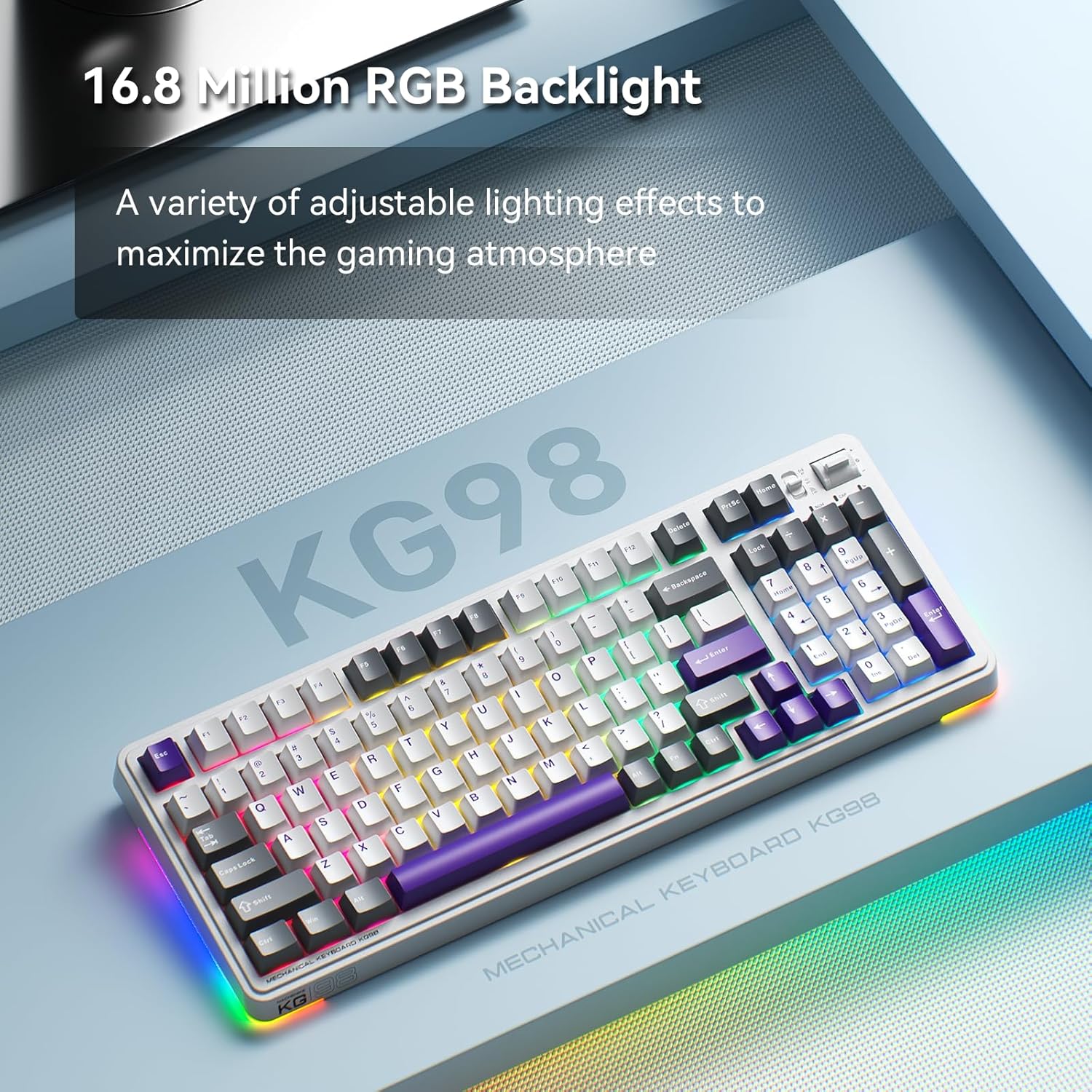
Figura 4: Iluminare de fundal RGB personalizabilă
4.3 Multimedia and Volume Controls
A multi-functional toggle switch is located on the top-right of the keyboard, allowing for quick adjustments:
- Roti: Reglați volumul în sus sau în jos.
- Presa: Activare/dezactivare sunet.
- Apăsați și mențineți apăsat: Comutați între modurile de iluminare RGB.
5. Personalizare
5.1 Comutatoare înlocuibile la cald
The KG98 keyboard features hot-swappable sockets, allowing you to easily replace switches without soldering. This enables personalization of typing feel and sound. Use the included keycap puller and switch puller to remove and install switches. The keyboard supports both 3-pin and 5-pin switches.

Figura 5: Comutatoare înlocuibile la cald
5.2 Înlocuirea capacului tastelor
The keyboard comes with durable PBT keycaps. You can replace these with aftermarket keycaps of your choice to further customize the keyboard's aesthetics. Use the keycap puller to safely remove keycaps.
5.3 Personalizarea software-ului
Download the official Machenike software to unlock advanced customization options, including:
- Key remapping for individual keys.
- Macro recording and assignment.
- Detailed RGB lighting effects and color customization.
- Adjusting debounce time and sleep settings.
6. Specificații
| Numărul de model | KG98 |
| Dimensiunile produsului | 16.61 cm L x 7.48 cm l x 2.16 cm Î |
| Greutatea articolului | 3.39 lire sterline |
| Tehnologia de conectivitate | BT5.0 (Bluetooth), 2.4G Wireless, USB-C Wired |
| Descrierea tastaturii | Tastatură mecanică fără fir Garnitură |
| Iluminarea tastaturii | RGB |
| Baterie | 1 baterie litiu-ion (inclusă) |
| Caracteristica specială | Noise-canceling, Hot-swappable switches, Multi-functional switch |
| Dispozitive compatibile | Consolă de jocuri, Laptop, PC, Smartphone, Tabletă |
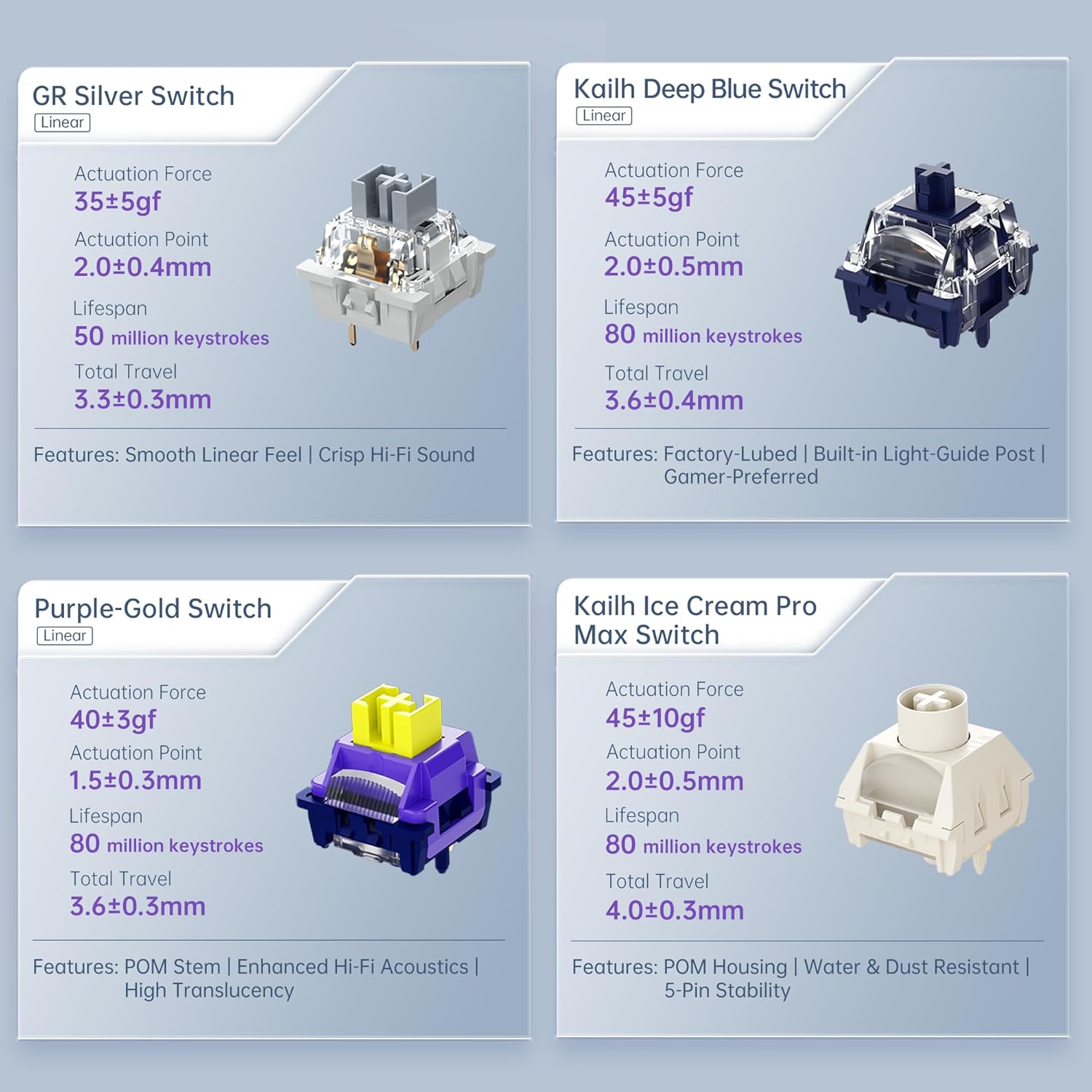
Figure 6: Premium 5-Layer Acoustic Filling Design
7. Întreținere
To ensure the longevity and optimal performance of your Machenike KG98 keyboard, follow these maintenance guidelines:
- curatenie: Regularly clean the keyboard with a soft, dry cloth. For deeper cleaning, remove keycaps using the provided puller and use compressed air to clear debris from between switches.
- Evitați lichidele: Do not expose the keyboard to liquids. If spills occur, immediately disconnect the keyboard and allow it to dry completely before re-using.
- Depozitare: Depozitați tastatura într-un loc răcoros și uscat, ferit de lumina directă a soarelui și de temperaturi extreme.
8. Depanare
If you encounter issues with your Machenike KG98 keyboard, try the following troubleshooting steps:
- Niciun raspuns: Ensure the keyboard is properly connected in wired mode, or that the 2.4G dongle/Bluetooth is correctly paired and the mode switch is in the correct position. Check battery level.
- Probleme de conectivitate: For wireless modes, ensure the keyboard is within range of your device. Try re-pairing Bluetooth or re-inserting the 2.4G dongle.
- Luminile RGB nu funcționează: Check brightness settings (Fn + Up Arrow). Ensure the lighting mode is active (Fn + Shift).
- Cheile nu se înregistrează: If individual keys are not working, try replacing the switch using the provided tools and extra switches.
- Probleme de software: Ensure you have the latest version of the Machenike software installed. Restart your computer and the software.
- Resetare din fabrică: If problems persist, you can perform a factory reset via the customization software.
9. Garanție și asistență
For warranty information, technical support, or service inquiries, please contact Machenike customer support through their official website or the contact details provided with your purchase. Keep your proof of purchase for warranty claims.


