
1. Introducere
This manual provides essential instructions for the safe operation and maintenance of your karuisrc K600GPS-7 GPS Drone. Please read this manual thoroughly before operating the drone to ensure proper usage and to prevent damage or injury. Retain this manual for future reference.
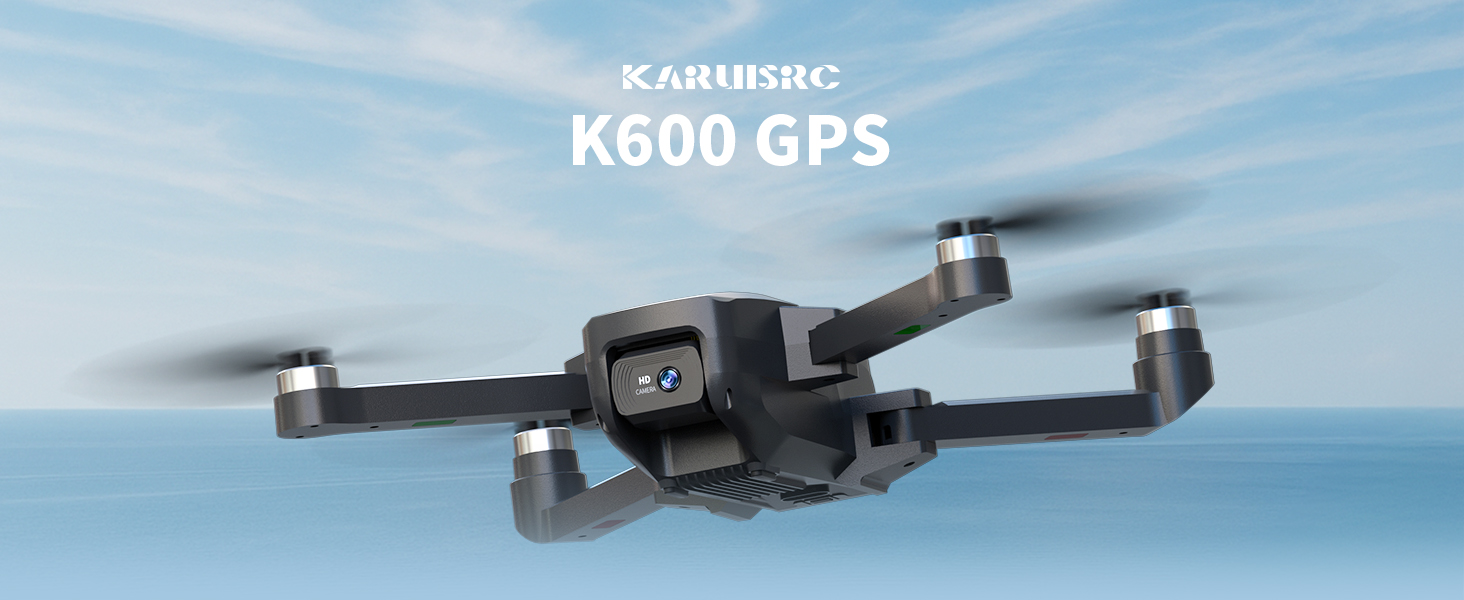
The karuisrc K600GPS-7 drone features a 110° FOV, 90° adjustable 1080P HD camera, 5G Wi-Fi connectivity, a 4.5-inch HD LCD screen on the remote, and a 1312 ft transmission range.
2. Ghid de siguranță
Adhering to these safety guidelines is crucial for safe drone operation and to prevent accidents or damage.
- Verificare înainte de zbor: Always inspect the drone, remote control, and propellers for any damage before each flight. Ensure batteries are fully charged.
- Conditii de mediu: Do not fly in strong winds, rain, snow, or fog. Maintain clear line of sight with the drone.
- Zona de zbor: Operate in open areas, away from people, animals, buildings, and power lines. Avoid flying over crowds or private property.
- Siguranța bateriei: Use only the provided charger and batteries. Do not overcharge or puncture batteries. Discontinue use if batteries show signs of swelling or damage.
- Respectați confidențialitatea: Be mindful of privacy laws when using the camera function.
- Recomandare de vârstă: This drone is intended for adults.
3. Conținutul pachetului
Verificați dacă toate articolele sunt prezente în colet:
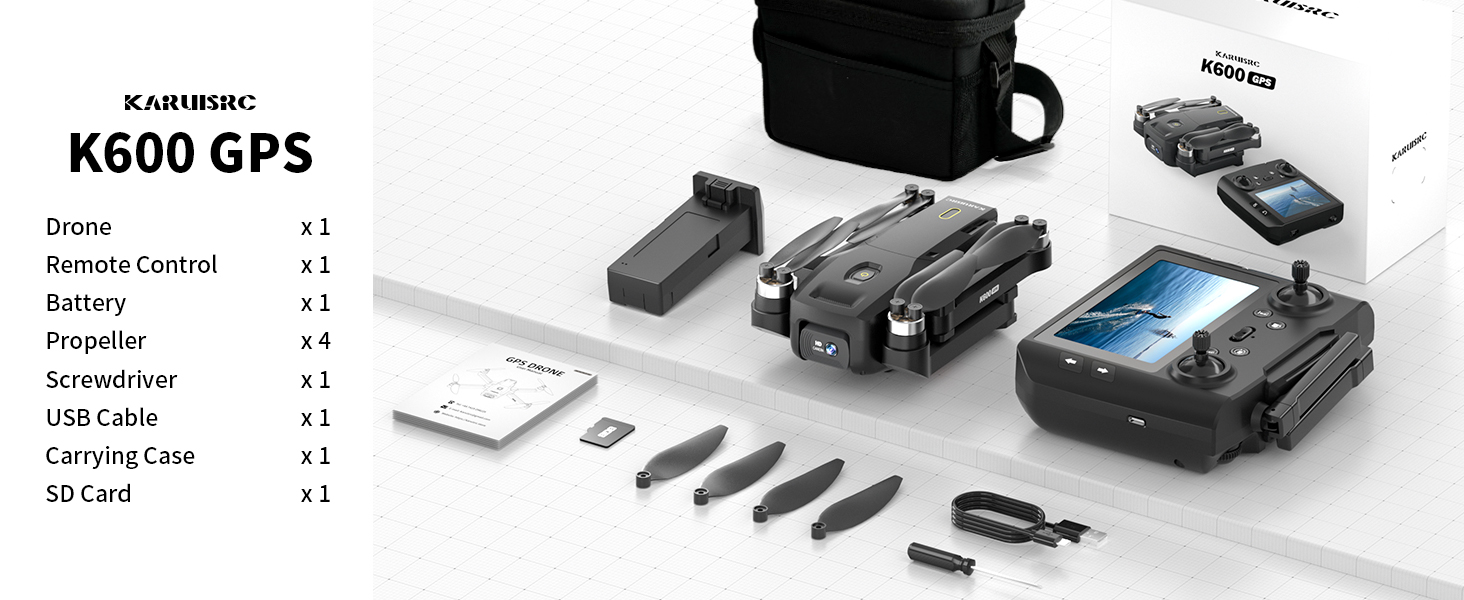
The karuisrc K600GPS-7 package includes the drone, remote control, battery, propellers, screwdriver, USB cable, carrying case, and an SD card.
- karuisrc K600GPS-7 Drone x 1
- Remote Control with 4.5-inch LCD Screen x 1
- Drone Battery (Lithium Ion) x 1
- Elice de rezervă x 4
- Șurubelniță x 1
- Cablu de încărcare USB x 1
- Carcasa de transport x 1
- Card SD de 32 GB x 1
- Manual de utilizare x 1
4. Produs terminatview
4.1 Componentele dronei

The karuisrc K600GPS-7 drone features a foldable design for portability, equipped with a 1080p HD camera and GPS module.
- Brațe pliabile: Pentru depozitare și transport compact.
- Elice: Patru elice principale pentru zbor.
- Cameră HD: Front-facing 1080p camera with 90-degree adjustable angle.
- Bottom Camera: For optical flow positioning and landing assistance.
- Modul GPS: Enables precise positioning and intelligent flight functions.
- Compartiment baterie: Houses the removable Lithium Ion flight battery.
4.2 Telecomandă

The remote control for the karuisrc K600GPS-7 features an integrated 4.5-inch HD LCD screen for real-time video feed and flight data.
- Ecran LCD HD de 4.5 inci: Displays real-time video feed and flight parameters.
- Stick de control: Left stick for throttle/yaw, right stick for pitch/roll.
- Butoane funcționale: Dedicated buttons for one-key takeoff/landing, auto-return, photo/video capture, and speed modes.
- antene: For stable signal transmission.
- Compartiment baterie: For remote control batteries (not included, typically AA).
5. Ghid de instalare
5.1 Încărcarea bateriilor
- Drone baterie: Connect the drone battery to the USB charging cable and plug it into a 5V/2A USB adapter (not included). The indicator light will show charging status and turn off when fully charged. Charging time is approximately 120-150 minutes.
- Baterie telecomandă: Insert 3 AA batteries (not included) into the remote control's battery compartment, ensuring correct polarity.
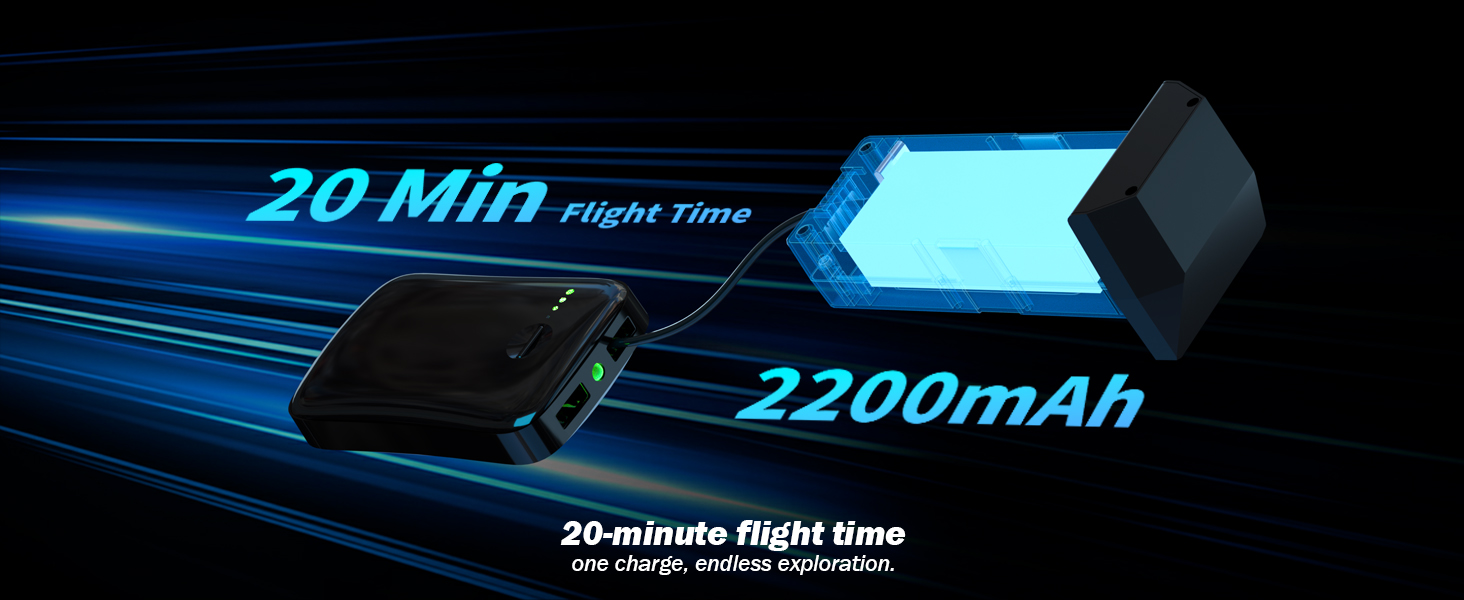
The karuisrc K600GPS-7 drone battery provides approximately 20 minutes of flight time with a 2200mAh capacity.
5.2 Instalarea elicei
Attach the propellers to the motor shafts according to the markings (A and B) on both the propellers and the drone arms. Use the provided screwdriver to secure them firmly.
5.3 Introducerea cardului SD
Insert the provided 32GB SD card into the drone's SD card slot. Ensure it is inserted correctly until it clicks into place. This card is used for storing photos and videos.

The karuisrc K600GPS-7 drone supports an SD card for media storage, with a 32GB card included.
5.4 Împerechere și calibrare
- Așezați drona pe o suprafață plană și plană.
- Turn on the drone, then turn on the remote control. The remote will automatically search for the drone.
- Once paired, perform gyroscope calibration by moving both control sticks to the bottom-left or bottom-right corners simultaneously until the drone's indicator lights flash rapidly and then become solid.
- Perform GPS calibration by rotating the drone horizontally and then vertically as instructed by the remote control's screen or indicator lights. Wait for sufficient GPS satellites to be acquired (usually indicated by solid green lights).
6. Instrucțiuni de utilizare
6.1 Comenzi de zbor de bază

Operating the karuisrc K600GPS-7 drone in an open environment allows for optimal flight experience.
- Decolare/Aterizare: Press the one-key takeoff/landing button or push both control sticks to the bottom-outward corners to start/stop motors, then push the left stick up to ascend.
- Urcare/Coborâre: Push the left control stick up/down.
- Înainte înapoi: Push the right control stick up/down.
- Left/Right Sideward Flight: Push the right control stick left/right.
- Virați stânga/dreapta (Girlire): Push the left control stick left/right.
6.2 GPS Intelligent Flight Functions
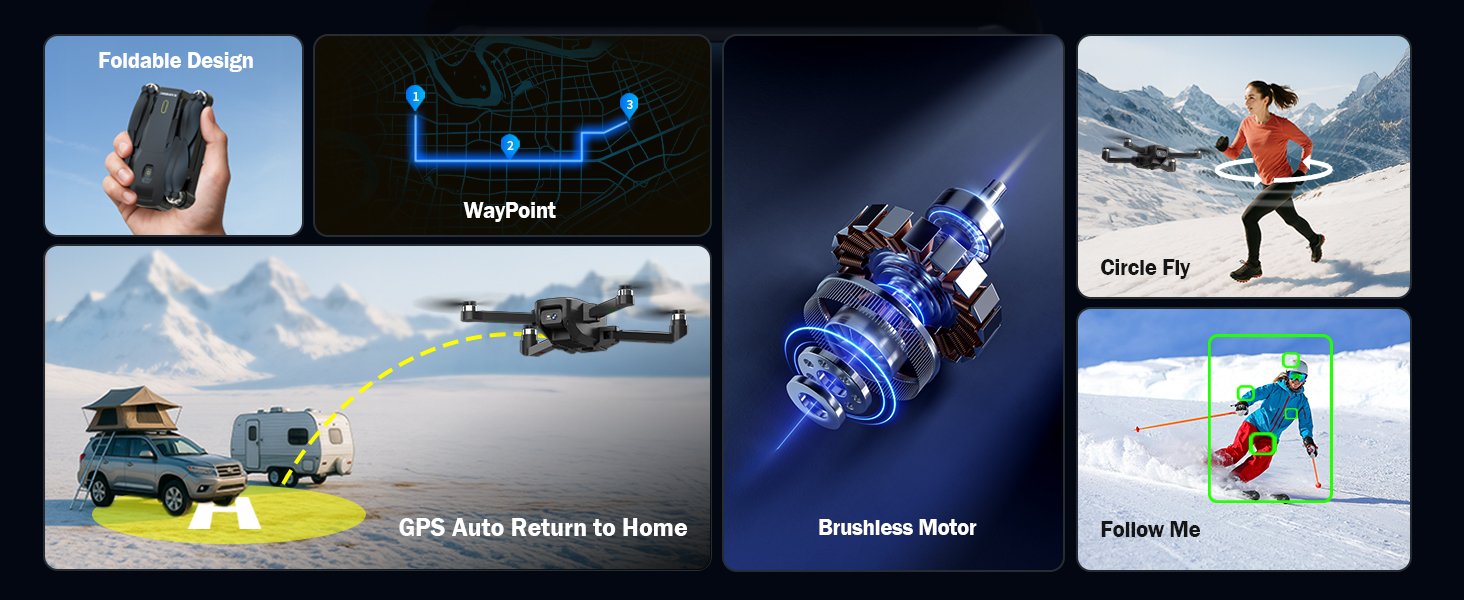
The karuisrc K600GPS-7 drone offers advanced features including WayPoint flight, Circle Fly, GPS Auto Return to Home, and Follow Me mode.
- GPS Auto Return to Home (RTH): The drone will automatically return to its takeoff point if the signal is lost, battery is low, or RTH is manually activated. Ensure sufficient GPS signal before flight.
- Modul Urmăriți-mă: The drone will automatically follow the remote control (or connected smartphone) at a set distance (3-50 meters) and altitude, keeping the subject centered.
- Zbor cu punct de referință: Plan a custom flight path by tapping points on the map within the companion app. The drone will fly along the designated route.
- Zbura în cerc: The drone will orbit around a designated point or the remote control, capturing footage from various angles.

The GPS auto-return function ensures the karuisrc K600GPS-7 drone safely returns to its starting point.
6.3 Funcționarea camerei

The karuisrc K600GPS-7 features a 1080p HD camera with 90-degree electric adjustment for versatile aerial photography and videography.
- Captură foto: Press the dedicated photo button on the remote control to take a picture.
- Înregistrare video: Press the dedicated video button to start recording. Press again to stop.
- Reglarea unghiului camerei: Use the designated button or dial on the remote to adjust the camera's vertical angle (90-degree electric adjustment).
- Camere duble: Switch between the front and bottom cameras via the remote or companion app for different perspectives.
6.4 Utilizarea ecranului LCD
The 4.5-inch HD LCD screen on the remote control provides a clear, real-time view from the drone's camera. It also displays important flight data such as altitude, distance, speed, and battery level. Monitor this information to ensure safe and controlled flight.
7. Întreținere
Întreținerea regulată asigură longevitatea și performanța optimă a dronei tale.
- curatenie: Use a soft, dry cloth to clean the drone and remote control. Avoid using solvents or harsh chemicals.
- Inspecția elicei: Regularly check propellers for cracks, bends, or damage. Replace any damaged propellers immediately using the provided spare parts.
- Îngrijirea bateriei: Store batteries in a cool, dry place. Do not store fully charged or completely depleted batteries for extended periods. Charge them to about 50-60% for long-term storage.
- Întreținere motor: Keep motors free from dust and debris. Do not attempt to lubricate motors.
- Depozitare: When not in use, store the drone and its accessories in the provided carrying case to protect them from dust and physical damage.
8. Depanare
Consultați această secțiune pentru probleme frecvente și soluțiile aferente.
| Problemă | Cauza posibila | Soluţie |
|---|---|---|
| Drona nu pornește | Bateria nu este încărcată sau este introdusă incorect. | Ensure drone battery is fully charged and correctly inserted. |
| Remote control does not power on | AA batteries not inserted or depleted. | Insert fresh AA batteries with correct polarity. |
| Drone cannot pair with remote | Incorrect pairing sequence or interference. | Ensure drone and remote are turned on in sequence. Move to an area with less interference. Repeat pairing steps. |
| Drona se deplasează în derivă în timpul zborului | Gyroscope not calibrated or strong wind. | Perform gyroscope calibration on a flat surface. Avoid flying in strong winds. |
| Funcțiile GPS nu funcționează | Insufficient GPS signal or calibration not performed. | Fly in an open outdoor area. Perform GPS calibration. Wait for sufficient satellite acquisition. |
| Calitate slabă a imaginii camerei | Obiectivul este murdar sau condițiile de iluminare sunt slabe. | Curățați obiectivul camerei. Asigurați o iluminare adecvată pentru înregistrare. |
| Eroare card SD | Cardul SD nu este introdus corect sau este corupt. | Reinsert the SD card. Try formatting the card (backup data first) or use a different compatible SD card. |
9. Specificații
| Caracteristică | Detaliu |
|---|---|
| Marca | karuisrc |
| Numele modelului | K600GPS-7 |
| Caracteristici speciale | Auto Follow, Auto-Landing, GPS Auto Return |
| Culoare | Negru |
| Rezoluție captură video | 1080p |
| Tehnologia de conectivitate | Wi-Fi, Bluetooth |
| Nivel de calificare | Toate |
| Greutatea articolului | 150 de grame (5.3 uncii) |
| Format de captură video | MP4 |
| Tip control | Telecomanda |
| Material | Plastic |
| Compoziția celulei bateriei | Ioni de litiu |
| Baterii incluse | Yes (1 Nonstandard Battery for drone) |
| Telecomanda inclusa | Da |
| Tehnologia senzorilor optici | CMOS, CCD |
| Dimensiunile produsului | 7.09 cm L x 1.97 cm l x 8.66 cm Î |
| Producător | karuisrc |
| Data primului disponibil | 11 iunie 2025 |
10. Garanție și asistență
karuisrc is committed to providing quality products and customer satisfaction. For any questions, technical assistance, or warranty claims, please contact our support team.

karuisrc customer support is available Monday to Sunday, 24 hours a day.
- E-mail: Karuisrc@gmail.com
- Telefon: +44 7419 298225
Please have your model number (K600GPS-7) and purchase information ready when contacting support.