
1. Introducere
This manual provides detailed instructions for the setup, operation, and maintenance of your Cillso IDW26 Smart Watch. Please read this manual thoroughly before using your device to ensure proper functionality and to maximize your user experience.

Image: The Cillso IDW26 Smart Watch, showcasing its main display with various metrics and a separate screen illustrating an incoming call.
2. Ce se află în cutie
- 1x Cillso IDW26 Smart Watch
- 1x Type-C Magnetic Charging Cable
- 1x Manual de utilizare
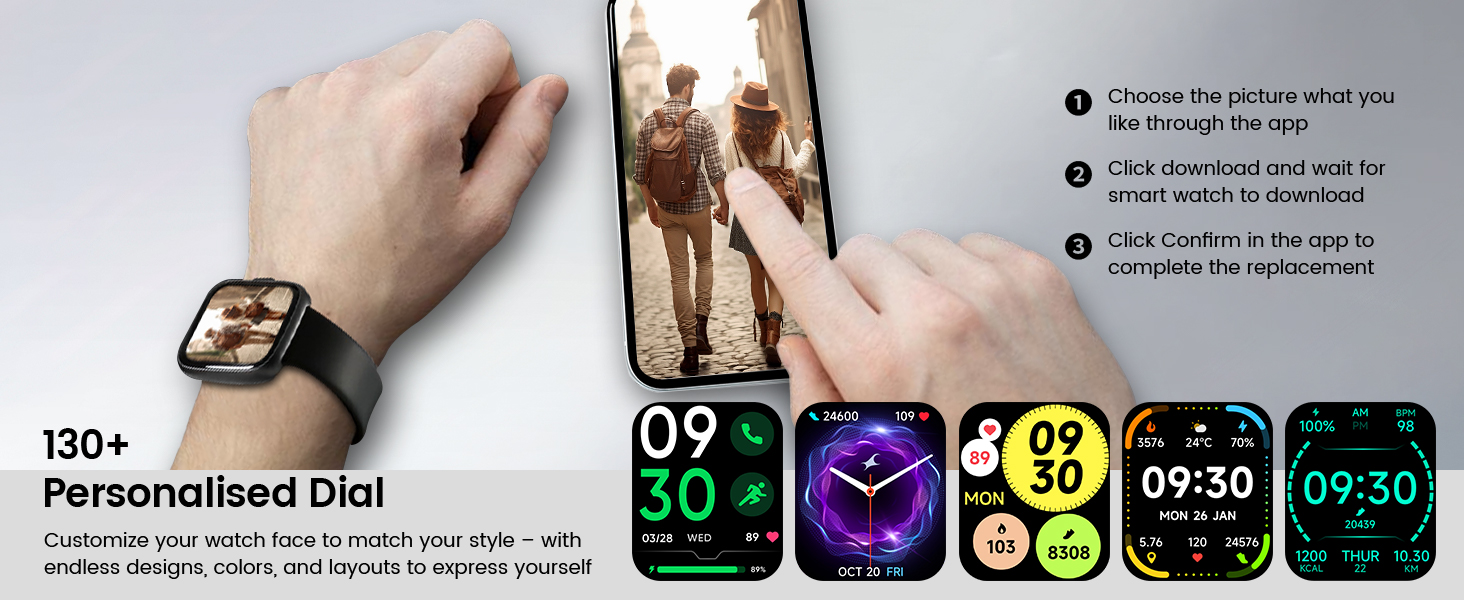
Image: A visual representation of the Cillso IDW26 Smart Watch packaging contents, showing the watch, its magnetic charging cable, and the included user manual.
3. Configurare și utilizare inițială
3.1 Încărcarea dispozitivului
Before first use, fully charge your Cillso IDW26 Smart Watch. Connect the magnetic charging cable to the charging points on the back of the watch and plug the USB end into a power adapter (not included) or a computer's USB port. A full charge typically takes approximately 1.5 to 2 hours.

Imagine: Partea din spate view of the Cillso IDW26 Smart Watch, highlighting the optical sensor for health monitoring and the two metallic contacts for magnetic charging.
3.2 Instalarea și asocierea aplicației
To unlock the full functionality of your Cillso IDW26 Smart Watch, you need to install the companion application on your smartphone. The watch is compatible with smartphones running iOS 9.0+ and Android 5.0+ (or later versions).
- Descărcați aplicația: Scan the QR code provided in the watch's packaging or search for "VeryFit" in your smartphone's app store (App Store for iOS, Google Play Store for Android).
- Activați Bluetooth: Asigurați-vă că Bluetooth este activat pe smartphone-ul dvs.
- Deschideți aplicația: Launch the "VeryFit" app and follow the on-screen instructions to create an account or log in.
- Adăugați dispozitiv: Within the app, navigate to the "Add Device" section. The app will search for nearby devices.
- Selectați-vă ceasul: Select "IDW26" from the list of found devices.
- Confirmați împerecherea: A pairing request will appear on your phone and watch. Confirm the pairing on both devices.
- Permiteți notificări: Grant the app necessary permissions, especially for notifications, to ensure messages and calls are displayed on your smartwatch.
For certain message notifications, the "GloryFit" app may also be mentioned in some contexts. If you encounter issues with specific message types, verify settings within both "VeryFit" and "GloryFit" if both are installed, or consult the app's help section.

Image: A visual guide demonstrating the pairing process for the Cillso IDW26 Smart Watch, from enabling Bluetooth to confirming the connection and allowing notifications.
For further assistance with app installation and pairing, you can visit the official support page: https://t.ido.ink/eAriqu
4. Utilizarea ceasului inteligent
4.1 Navigare pe ecran tactil
- Glisați în sus/jos: Derulați prin meniuri și notificări.
- Glisați la stânga/dreapta: Access quick widgets or different feature screens.
- Robinet: Selectați un element sau confirmați o acțiune.
- Apăsați și mențineți apăsat: Personalizați fețele ceasului (pe ecranul principal).
4.2 Side Button Functionality
The physical button on the side of the watch typically serves the following functions:
- Apăsare scurtă: Wake up the screen, return to the previous screen, or go back to the home screen.
- Apasare prelungită: Power on/off the device, or access a quick menu (e.g., restart, power off).
5. Caracteristici cheie
5.1 Bluetooth Calling and Message Notifications
The Cillso IDW26 Smart Watch features Bluetooth 5.3 for stable connectivity, allowing you to make and answer calls directly from your wrist. It includes a sensitive microphone and speaker for clear communication. Once paired with the "GloryFit" or "VeryFit" app, you will receive notifications for incoming calls, SMS messages, and alerts from various social media applications (e.g., Facebook, Twitter, WhatsApp, Instagram). Notifications are delivered via intuitive customizable vibrations.

Image: The Cillso IDW26 Smart Watch showing a message notification from WeChat and an incoming call interface with options to answer or decline.
5.2 Built-in Alexa Voice Control
Access Amazon Alexa's intelligent voice assistant directly from your wrist. Speak commands to check news, weather, calendar updates, set reminders, control smart home devices, and manage music playback. This feature enhances hands-free operation and daily efficiency.

Image: A user interacting with the Cillso IDW26 Smart Watch's built-in AI voice assistant, asking questions like "What time is it?" and "Weather today?".
5.3 1.83" HD Display and Customization
The smartwatch features a 1.83-inch HD display with 3D tempered glass, offering a resolution of 320x385 pixels for clear visuals and high touch sensitivity. The 4-level adjustable brightness ensures readability in various lighting conditions. Through the "VeryFit" app, you can choose from over 130 watch faces or create custom designs using your own photos.

Imagine: O imagine detaliată view of the Cillso IDW26 Smart Watch's 1.83-inch HD screen, emphasizing its clarity and display technology.

Image: A demonstration of the Cillso IDW26 Smart Watch's customization options, showing multiple watch face designs and the process of selecting or creating a personalized dial through the app.
5.4 Monitorizarea stării de sănătate 24/7
Equipped with a high-precision optical sensor, the IDW26 Smart Watch provides continuous health monitoring:
- Monitorizarea ratei cardiace: Tracks your heart rate in real-time, providing insights into your cardiovascular health.
- Monitorizarea somnului: Analyzes sleep quality by identifying deep sleep, light sleep, and awake phases, offering suggestions for improved sleep habits.
- Monitorizarea oxigenului din sânge (SpO2): Monitors your blood oxygen levels for essential wellness insights.
- Antrenamentul respirației: Guides you through breathing exercises with gentle vibrations and visual cues to help calm your mind and body.

Image: A composite image illustrating the 24/7 health monitoring capabilities of the Cillso IDW26 Smart Watch, including heart rate, sleep tracking, blood oxygen measurement, and guided breath training.
5.5 120+ Sports Modes
The fitness tracker supports over 120 professional sport modes, covering a wide range of indoor and outdoor activities such as running, cycling, soccer, and more. High-precision sensors accurately track steps, distance, calories burned, and workout duration, assisting in performance analysis and training plan optimization.

Image: A person hiking with the Cillso IDW26 Smart Watch, alongside graphics illustrating the watch's 24-hour activity tracking and icons representing over 120 sports modes.
5.6 Clasă de protecție împotriva apei IP68
With an IP68 rating, the smartwatch is resistant to sweat, rain, and can be worn during handwashing. It is not suitable for swimming or hot showers.

Image: The Cillso IDW26 Smart Watch shown with water droplets, visually representing its IP68 waterproof capabilities for daily activities like hand washing, exposure to rain, and perspiration.
5.7 funcții suplimentare
The Cillso IDW26 Smart Watch includes several practical features to enhance daily convenience:
- Ceas cu alarmă: Setați mai multe alarme.
- Cronometru și cronometru: Pentru o cronometrare precisă în timpul activităților.
- Phone Locator: Helps find your paired smartphone.
- Controlul camerei: Controlează de la distanță camera telefonului tău.
- Controlul muzicii: Gestionați redarea muzicii pe smartphone.
- Prognoza meteo: Primește actualizări meteo în timp real.
- Memento sedentar: Vă îndeamnă să vă mișcați după perioade de inactivitate.

Image: A collage of images depicting various practical functions of the Cillso IDW26 Smart Watch, including stopwatch, alarm clock, camera control, music control, weather forecast, and sedentary reminder.
6. Durata de viață a bateriei și încărcarea
The Cillso IDW26 Smart Watch is powered by a 300mAh battery designed for low power consumption.
- Timp de utilizare: Up to 5-7 days with typical use.
- Timp de așteptare: Până la 30 zile.
- Timp de încărcare: Aproximativ 1.5 ore pentru o încărcare completă.
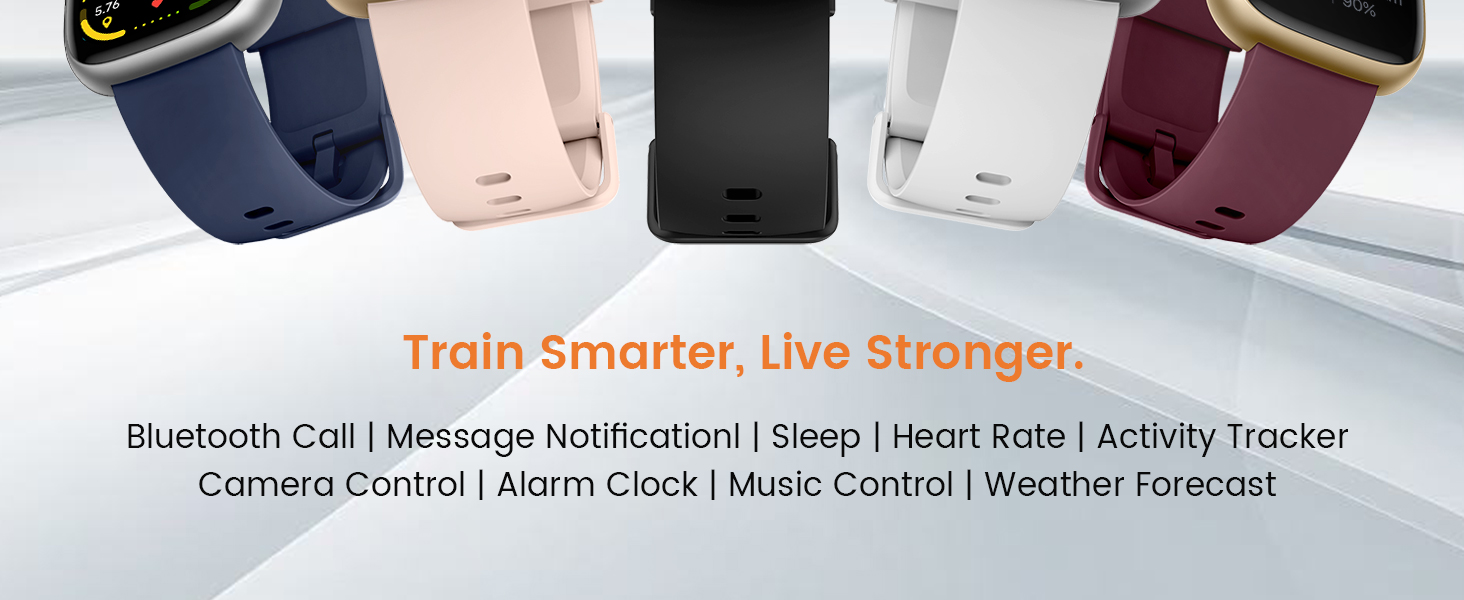
Image: A graphic illustrating the battery performance of the Cillso IDW26 Smart Watch, detailing its 2-hour charging time, 7 days of normal use, and 30 days of standby time.
7. Întreținere și îngrijire
- curatenie: Ștergeți ceasul și cureaua în mod regulat cu o cârpă moale și uscată. Dacă este necesar, folosiți o cârpă ușor uscată.amp cârpă și apoi se usucă bine.
- Evitați substanțele chimice: Nu folosiți substanțe chimice dure, solvenți de curățare sau detergenți puternici, deoarece aceștia pot deteriora finisajul și garniturile ceasului.
- Expunerea la apă: While IP68 rated, avoid prolonged submersion, hot water, or steam. Dry the watch thoroughly if it gets wet.
- Temperatură: Evitați expunerea ceasului la temperaturi extreme (foarte calde sau foarte reci) sau la lumina directă a soarelui pentru perioade lungi de timp.
- Impact: Protejați ceasul de impacturi puternice sau căderi.
8. Depanare
If you encounter issues with your Cillso IDW26 Smart Watch, please refer to the following common solutions:
- Ceasul nu se pornește: Asigurați-vă că ceasul este complet încărcat. Conectați-l la încărcător timp de cel puțin 10 de minute.
- Nu se poate conecta la telefon:
- Asigurați-vă că Bluetooth este activat pe telefon și pe ceas.
- Asigurați-vă că ceasul se află în raza de acțiune a telefonului.
- Reporniți atât telefonul, cât și ceasul.
- Try unpairing and re-pairing the device through the "VeryFit" app.
- Check if the "VeryFit" app has all necessary permissions enabled on your phone.
- Notificările nu apar:
- Asigurați-vă că ceasul este asociat cu succes și conectat la aplicație.
- Verify that notification permissions are granted to the "VeryFit" app in your phone's settings.
- Check the notification settings within the "VeryFit" app to ensure specific app notifications are enabled.
- Ensure your phone's notification bar displays the messages; if not, the watch cannot receive them.
- Date inexacte privind sănătatea:
- Asigurați-vă că ceasul este purtat strâns pe încheietura mâinii, nici prea strâmt, nici prea lejer.
- Curățați senzorul de pe spatele ceasului.
- Evitați mișcarea excesivă în timpul măsurătorilor.
- Durată scurtă de viață a bateriei:
- Reduceți luminozitatea ecranului.
- Dezactivați monitorizarea continuă a ritmului cardiac dacă nu este necesară.
- Limitează numărul de aplicații care trimit notificări către ceas.
- Asigurați-vă că ceasul este complet încărcat de fiecare dată.
If these steps do not resolve your issue, please contact Cillso customer support.
9. Specificații
| Caracteristică | Detaliu |
|---|---|
| Numele modelului | IDW26 |
| Marca | Cillso |
| Dimensiunea ecranului | 1.83 inchi |
| Rezoluția ecranului | 320x385 pixeli |
| Formă | Pătrat |
| GPS | GPS prin Smartphone |
| Compoziția celulei bateriei | Polimer de litiu |
| Tehnologia de conectivitate | Bluetooth 5.3 |
| Capacitatea bateriei | 300 Miliamp Ore |
| Caracteristici speciale | Activity Tracker, Alarm Clock, Camera Control, Touchscreen, Weather Forecast, Alexa Built-in, Bluetooth Calling, Heart Rate/Sleep Monitor, 120+ Sports Modes, IP68 Waterproof |
| Compatibilitatea sistemelor de operare | iOS 9.0+, Android 5.0+ |
| Greutatea articolului | 10 de grame (0.353 uncii) |
| Rezistenta la apa | IP68 (Resistant to sweat, rain, handwashing) |
10. Garanție și asistență
Cillso is committed to providing quality products and customer service.
10.1 Asistență pentru clienți
If you have any questions about the product, encounter problems, or require assistance, please contact Cillso customer service through the platform where you purchased the product (e.g., Amazon). Cillso offers 24-hour customer service to help resolve any issues promptly.

Image: A graphic indicating customer support availability, prompting users to contact for assistance with product issues.