
1. Introducere
This manual provides detailed instructions for the installation, operation, and maintenance of your CHSTEK 8581B Android 13 Car Radio. This advanced multimedia system is designed specifically for Volvo S60, S40, V40, V70, XC70, and XC90 models manufactured between 2000 and 2004. It features an 8-inch HD touch screen, Wireless CarPlay, Wired Android Auto, GPS navigation, Bluetooth connectivity, and 4G/WiFi capabilities to enhance your driving experience.
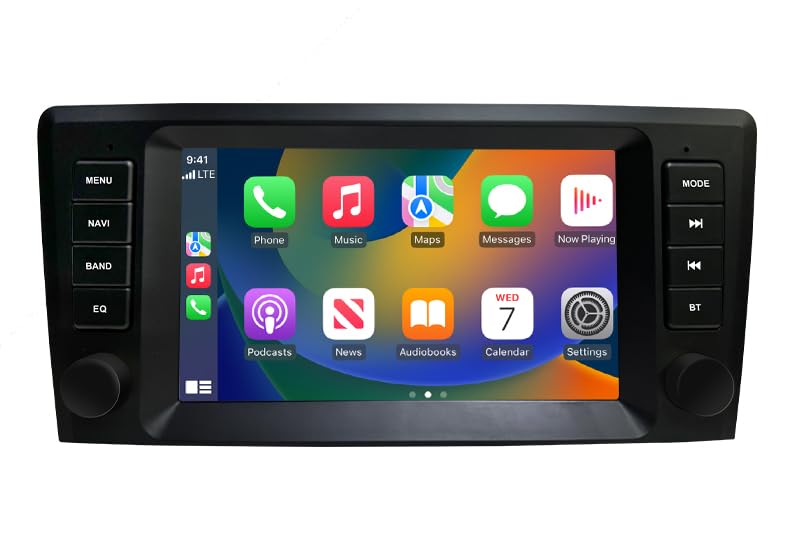
Imaginea 1: Pesteview of the CHSTEK 8581B Car Radio highlighting its 8-core processor, 4GB RAM + 64GB storage, DSP, 4G, and Android 13 features.
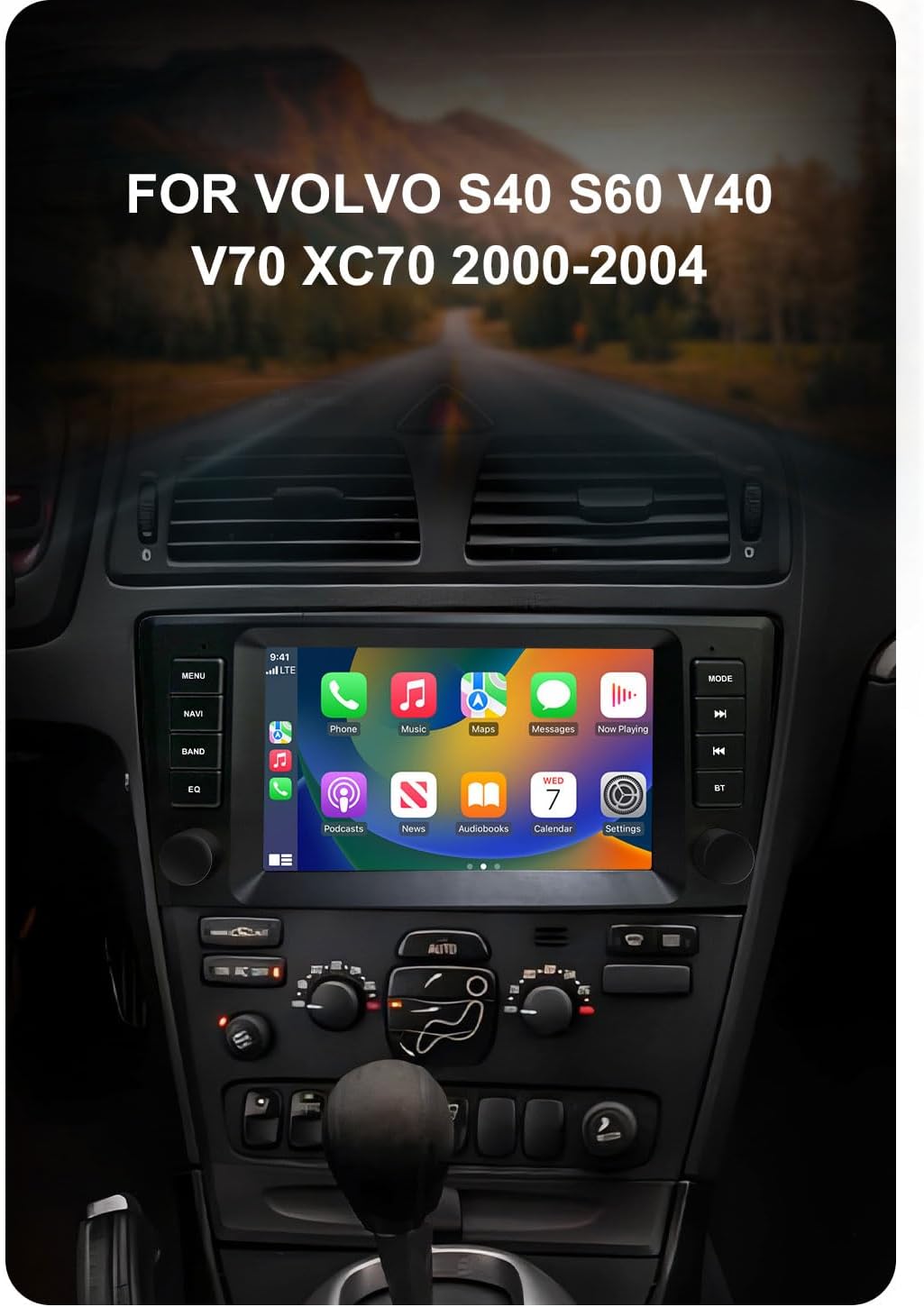
Image 2: The CHSTEK Car Radio seamlessly integrated into a Volvo S40, S60, V40, V70, XC70, or XC90 dashboard, demonstrating its compatibility.
2. Configurare și instalare
The CHSTEK 8581B Car Radio is designed for a plug-and-play installation. However, professional installation is recommended to ensure proper functionality and to avoid damage to your vehicle's electrical system.
2.1 Verificarea compatibilității vehiculului
Before installation, verify that your vehicle's dashboard matches the appearance shown in the 'After Installation' image below. If you are uncertain about compatibility, please provide your car's detailed information to customer service for confirmation.
2.2 Etapele de instalare
- Scoateți cu grijă unitatea radio auto existentă.
- Connect the provided plug-and-play cables to the corresponding ports on the new CHSTEK 8581B unit and your vehicle's wiring harness.
- Fixați noua unitate în deschizătura de pe bord.
- Test all functions (power, audio, touch screen, navigation, etc.) before fully reassembling the dashboard.

Image 3: Comparison of a Volvo dashboard before and after the installation of the CHSTEK Car Radio, demonstrating the integrated fit.
2.3 Instalarea cartelei SIM 4G (opțional)
The unit supports 4G connectivity via a SIM card. The 4G SIM cable allows for easy replacement of the SIM card without disassembling the main unit.
- Insert a compatible 4G SIM card into the provided 4G SIM cable slot.
- Connect the 4G SIM cable to the designated port on the car radio.
Notă importantă: 4G network functionality may vary by region. Customers in the Americas (e.g., United States, Canada, Mexico, Brazil) should confirm 4G network compatibility with customer service. 4G SIM card network function is not supported in Japan and South Korea due to different carriers and network basebands.

Image 4: The CHSTEK Car Radio displaying its 4G and WiFi capabilities, including a detailed view of the 4G SIM cable for easy SIM card access.
3. Instrucțiuni de utilizare
3.1 Operare de bază
- Pornire/Oprire: Apăsați și mențineți apăsat butonul de alimentare (de obicei situat pe panoul frontal) pentru a porni sau opri unitatea.
- Touch screen: Navigate the Android 13 interface using the responsive 8-inch 1280*720P HD touch screen.
- Controlul volumului: Use the physical knobs or on-screen controls to adjust the volume.
- Teme multiple pentru interfața utilizator: Customize your user experience by selecting from various built-in desktop themes.
- Funcția ecran împărțit: Utilize two applications simultaneously, such as navigation and music playback, for enhanced multitasking.

Image 5: The CHSTEK Car Radio displaying its split-screen feature, showing video playback and navigation simultaneously.
3.2 Caracteristici de conectivitate
- Wireless CarPlay: Connect your iPhone wirelessly to access maps, make calls, send messages, and enjoy music directly on the car radio display. Use Siri voice control for hands-free operation.

Image 6: The CHSTEK Car Radio displaying the Wireless CarPlay interface, showing various iPhone applications and Siri voice control in action.
- Android Auto prin cablu: Connect your Android device via USB to mirror features like GPS mapping, music playback, SMS, and telephone functions. Google Assistant can be activated via voice control.

Image 7: The CHSTEK Car Radio displaying the Wired Android Auto interface, showing common Android applications.
- Legătură oglindă: Mirror your smartphone screen directly onto the car radio display.
- Bluetooth: Pair your phone for hands-free calling, access to phone contacts, and Bluetooth music streaming. An external microphone is supported for clear communication.

Image 8: The CHSTEK Car Radio's Bluetooth interface, showing options for phone calls, address book, and music playback.
- Navigație GPS și WiFi: The unit includes built-in GPS for online and offline navigation. Download offline maps for use without an internet connection. Connect to WiFi to access online movies, news, and streaming services like YouTube and TikTok.
- Radio FM: Tune into FM radio stations (87.50-108.0 MHz) with 18 preset stations available.
- Funcția EQ: Utilize the built-in Equalizer (DSP*36EQ) to customize audio output for optimal sound quality.
3.3 Redare multimedia
- Unitatea face nu have a built-in DVD/CD reader.
- Există nu built-in SD card slot. External media can be connected via USB.
4. Întreținere
Regular maintenance ensures the longevity and optimal performance of your car radio.
- Curățarea ecranului: Use a soft, lint-free cloth to gently wipe the touch screen. Avoid abrasive cleaners or harsh chemicals.
- Actualizări de software: Periodically check for available software updates through the system settings to ensure you have the latest features and performance enhancements.
- Conditii de mediu: Evitați expunerea unității la temperaturi extreme sau la lumina directă a soarelui pentru perioade lungi de timp.
5. Depanare
If you encounter issues with your CHSTEK 8581B Car Radio, refer to the following common solutions. If the problem persists, contact customer support.
- Fără putere: Check all power connections and ensure the vehicle's ignition is on. Verify fuses are intact.
- Fără sunet: Verificați nivelurile volumului, selecția sursei audio și conexiunile difuzoarelor. Asigurați-vă că funcția de dezactivare a sunetului nu este activată.
- Ecranul tactil nu răspunde: Try restarting the unit. If the issue continues, a factory reset might be necessary (note: this will erase personal data).
- Bluetooth/CarPlay/Android Auto Connection Issues: Ensure Bluetooth is enabled on both devices. For wired connections, try a different USB cable. For wireless connections, ensure both devices are discoverable and within range.
- Pierdere semnal GPS: Asigurați-vă că antena GPS este instalată corect și are o vizibilitate clară. view a cerului.
6. Specificații
| Caracteristică | Caietul de sarcini |
|---|---|
| Numărul de model | 8581B |
| Sistem de operare | Android 13 |
| Procesor | 8 nuclee la 1.6 GHz |
| RAM | 4 GB |
| Stocare internă | 64 GB |
| Dimensiunea afișajului | 8 inchi |
| Rezoluția ecranului | Rezoluție HD 1280*720P |
| Conectivitate | Wireless CarPlay, Wired Android Auto, Mirror Link, Bluetooth, 4G, WiFi |
| GPS | Built-in GPS, supports online/offline maps (Worldwide) |
| Caracteristici audio | FM Radio (87.50-108.0 MHz, 18 presets), DSP*36EQ |
| Caracteristici speciale | Touchscreen, Voice Command, Multiple UI Themes, Split Screen |
| Tipul de service al vehiculului | masina |
| Componente incluse | As shown (main unit, wiring harness, GPS antenna, 4G antenna, external microphone) |
| Greutatea articolului | 3520 lire sterline (Note: This weight appears to be a data entry error. Actual weight is likely much lower, e.g., 3.52 lbs.) |
| Dimensiuni pachet | 11.81 x 9.84 x 7.87 inci |
7. Garanție și asistență
7.1 Garanția produsului
The CHSTEK 8581B Car Radio comes with a 1 an garanție de la data achiziției, acoperind defectele de fabricație. Vă rugăm să păstrați dovada achiziției pentru reclamațiile în garanție.
Extended protection plans may be available for purchase separately to provide additional coverage beyond the standard warranty period.
7.2 Asistență pentru clienți
For technical assistance, troubleshooting, or warranty inquiries, please contact CHSTEK Radio customer service. Provide your product model number (8581B) and purchase details for efficient support.