
1. Produs terminatview
The ICERIVER AE2 is a high-performance ALEO miner designed for efficient cryptocurrency mining. It features a robust power supply unit (PSU) and is engineered for stable operation within a wide voltage range. This manual provides essential information for setting up, operating, and maintaining your AE2 miner.

Figura 1: Față view of the ICERIVER AE2 ALEO Miner, showcasing its compact design and integrated cooling fans.
Caracteristici cheie:
- ALEO Hashrate: 720MH/S (±5%) for optimal mining performance.
- Wall Power: 1300W/h (±10%) power consumption.
- Conexiune: Standard Ethernet for network connectivity.
- Voltage Intrare: 100-240V AC, ensuring compatibility with various power grids.
- Temperatura de functionare: Designed to operate efficiently between 0~40 ℃.
2. Ghid de instalare
2.1 Despachetarea
- Carefully open the packaging and remove the miner.
- Inspect the miner for any visible damage during transit. If damage is found, contact your vendor immediately.
- Verify that all components are present: the ICERIVER AE2 miner unit and the power supply cable.
2.2 Conexiunea fizică
Before powering on, ensure all necessary cables are securely connected.

Figura 2: Spate view of the ICERIVER AE2 ALEO Miner, showing the power input and Ethernet port.
- Conexiune de alimentare: Connect the provided power cable to the power input port on the miner. Ensure the other end is connected to a grounded power outlet (100-240V AC).
- Conexiune retea: Connect an Ethernet cable from your router or network switch to the Ethernet port on the miner. A stable internet connection is crucial for mining operations.
2.3 Pornirea inițială
- Once all cables are securely connected, switch on the power supply to the miner.
- Observe the indicator lights on the miner. Typically, a green light indicates power, and a blinking light indicates network activity.
- Allow a few minutes for the miner to boot up and acquire an IP address from your network.
3. Funcționare
3.1 Configurarea rețelei
The miner is configured to obtain an IP address automatically via DHCP by default. For advanced users, static IP configuration is possible via the web interfata.
- Finding the Miner's IP Address:
- Check your router's connected devices list.
- Use an IP scanner tool on your network.
- Accesarea Web Interfata: Deschide a web browser and enter the miner's IP address into the address bar. You will be prompted for login credentials (refer to the default credentials provided with your unit or contact support if not found).
- Configurația piscinei: În cadrul web interface, navigate to the "Miner Settings" or "Pool Configuration" section to enter your ALEO mining pool details (pool URL, worker name, password).
3.2 Monitorizare și control
The web interface provides real-time monitoring of the miner's status, hashrate, temperature, and fan speed.
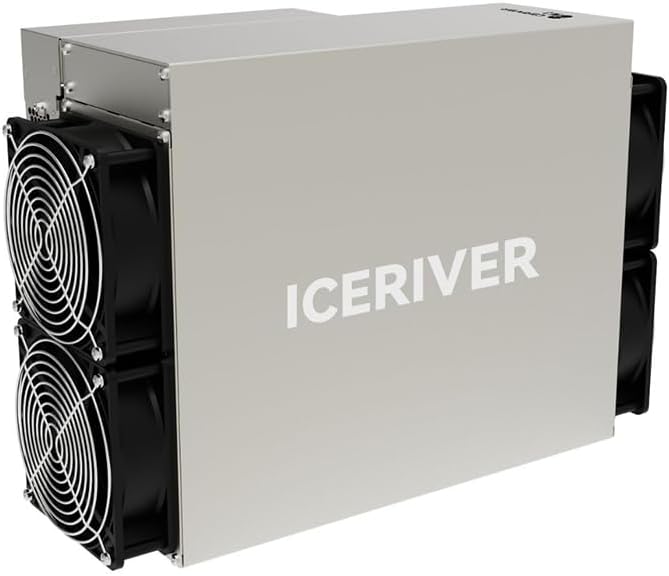
Figure 3: Close-up of the ICERIVER AE2 control panel, showing status indicator lights.
- Indicatori de stare:
- LED verde: Power on / Normal operation.
- LED roșu: Error / Warning (check web interface for details).
- LED de rețea: Blinking indicates network activity.
- Restart/Reboot: The web interface allows for remote rebooting of the miner if necessary.
4. Întreținere
4.1 Curățare
Regular cleaning is essential to ensure optimal performance and longevity of your miner.
- Frecvenţă: Clean the miner every 1-3 months, depending on the operating environment.
- Procedură:
- Power off and unplug the miner before cleaning.
- Use compressed air to remove dust from the fans and heatsinks.
- Wipe the exterior with a dry, soft cloth. Do not use liquid cleaners.
4.2 de actualizări de firmware
Periodically check the official ICERIVER website for firmware updates. Updates can improve performance, stability, and security.
- Download the latest firmware from the official source.
- Follow the update instructions provided on the web interface or with the firmware package.
- Do not power off the miner during a firmware update.
4.3 Considerații de mediu
- Ensure the operating environment is well-ventilated to prevent overheating.
- Maintain ambient temperature within the specified range (0~40 ℃).
- Avoid high humidity and direct exposure to water or corrosive substances.
5. Depanare
This section addresses common issues you might encounter with your ICERIVER AE2 miner.
| Problemă | Cauza posibila | Soluţie |
|---|---|---|
| Minerul nu pornește. | Power cable loose; Power outlet issue; PSU failure. | Check power cable connections. Test power outlet. Contact support if PSU is suspected. |
| Fără conexiune la rețea. | Ethernet cable loose/faulty; Router/switch issue; Incorrect IP configuration. | Verify Ethernet cable. Restart router/switch. Check network settings in web interfata. |
| Low hashrate or no mining. | Incorrect pool settings; Network instability; Overheating; Firmware issue. | Verify pool URL, worker name, and password. Check network stability. Ensure proper ventilation. Update firmware. |
| Supraîncălzire. | Poor ventilation; Dust accumulation on fans/heatsinks; High ambient temperature. | Improve airflow around the miner. Clean fans and heatsinks. Relocate to a cooler environment. |
If the issue persists after attempting these solutions, please refer to the support section or contact technical assistance.
6. Specificatii tehnice
| Caracteristică | Valoare |
|---|---|
| Numele modelului | AE2 720MH/S |
| ALEO Hashrate | 720MH/S (±5%) |
| Wall Power | 1300W/h (±10%) |
| Conexiune | Ethernet |
| Voltage Intrare | 100-240V AC |
| Temperatura de operare | 0~40 ℃ |
| Dimensiuni produs (L x l x H) | 19.5 x 29 x 43 cm |
| Greutatea articolului | 13 kg |
| Metoda de răcire | Aer |
| Proiectarea sursei de alimentare | Non-modulare |
7. Garanție și asistență
7.1 Informații despre garanție
Due to the specialized nature of mining equipment, the product's daily revenue is influenced by total network computing power and cryptocurrency price fluctuations. In principle, returns are not accepted unless due to product failure. If a return is accepted for reasons other than product failure, a 30% return fee may be charged. Please retain your proof of purchase for warranty claims.
7.2 Suport tehnic
For technical assistance, troubleshooting beyond this manual, or warranty inquiries, please contact your vendor or the manufacturer, ICERIVER, through their official support channels. Ensure you have your product model number and purchase details ready when contacting support.
Nota: Always refer to the latest information on the official ICERIVER website pentru cele mai actualizate resurse de asistență și date de contact.