
1. Introducere
Thank you for choosing the Pro Breeze 40L Smart Dehumidifier. This manual provides important information regarding the safe operation, installation, use, and maintenance of your appliance. Please read this manual thoroughly before use and retain it for future reference.
This dehumidifier is designed to efficiently remove excess moisture from the air, helping to prevent mold, mildew, and condensation in spaces up to 50 m².
2. Instrucțiuni importante de siguranță
Respectați întotdeauna măsurile de siguranță de bază atunci când utilizați aparate electrice pentru a reduce riscul de incendiu, electrocutare și vătămare corporală.
- Citiți cu atenție toate instrucțiunile înainte de a utiliza aparatul.
- Asigurați-vă că voltagVolumul indicat pe eticheta cu valori nominale corespunde cu cel al rețelei de alimentare.tage.
- Nu scufundați aparatul, cablul de alimentare sau ștecherul în apă sau alte lichide.
- Nu utilizați aparatul cu un cablu sau un ștecher deteriorat sau după ce acesta funcționează defectuos, a fost scăpat pe jos sau deteriorat în vreun fel.
- Nu lăsați aparatul la îndemâna copiilor și a animalelor de companie.
- Always unplug the appliance when not in use, before cleaning, or before moving.
- Asigurați-vă că aparatul este așezat pe o suprafață stabilă, plană.
- Nu blocați orificiile de admisie sau de evacuare a aerului. Mențineți o distanță de cel puțin 20 cm în jurul unității.
- Acest aparat este destinat exclusiv utilizării în interior.
- Do not use in bathrooms or other excessively humid environments where water may splash onto the unit.
3. Produs terminatview
3.1 Componente
The Pro Breeze 40L Smart Dehumidifier features a compact design with integrated controls and a water tank. It includes a continuous drainage option and mobility wheels for easy placement.
Imagine: față view of the Pro Breeze 40L Smart Dehumidifier, highlighting its dimensions (52cm height, 28cm depth, 35.5cm width) and key features like smart app control, laundry mode, 5.5L tank, and low energy consumption.
3.2 Panoul de control și afișaj
The dehumidifier is equipped with an intuitive touch control panel and an LED display for easy operation and monitoring of humidity levels.

Image: A hand interacting with the touch control panel of the dehumidifier, showing the digital display and various function buttons.
4. Configurare
4.1 Despachetarea
- Scoateți cu grijă dezumidificatorul din ambalaj.
- Îndepărtați toate materialele de ambalare, inclusiv orice folii sau benzi de protecție.
- Verificați aparatul pentru a depista orice semne de deteriorare. Dacă este deteriorat, nu-l utilizați și contactați serviciul de asistență pentru clienți.
4.2 Plasarea
Place the dehumidifier on a firm, level surface in the desired room. Ensure there is at least 20 cm of clear space around all sides of the unit to allow for proper airflow.

Image: A person easily moving the dehumidifier across a wooden floor in a living room, demonstrating its portability with four swivel wheels.
4.3 Conexiune la alimentare
Conectați cablul de alimentare la o priză electrică cu împământare. Asigurați-vă că priza îndeplinește cerințele de alimentare specificate în secțiunea „Specificații”.
4.4 Drenaj continuu (opțional)
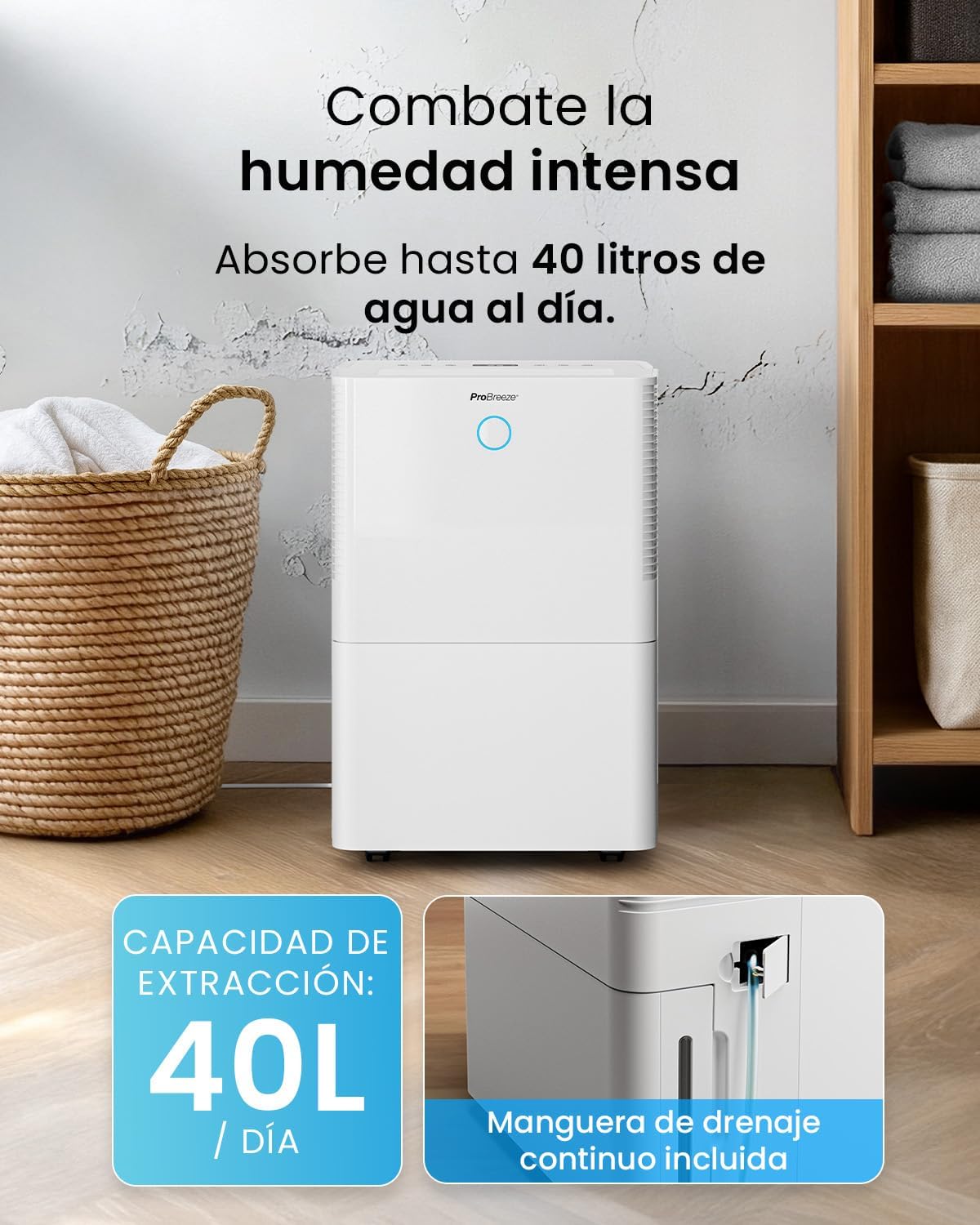
For continuous operation without needing to empty the water tank, attach the included drainage hose. Connect one end to the drainage port on the back of the unit and the other end to a suitable drain or container that is lower than the drainage port.

Imagine: Prim-plan view of the dehumidifier's side, showing the continuous drainage hose connected and leading to a floor drain.
5. Instrucțiuni de utilizare
5.1 Pornire/Oprire
Apăsați tasta Putere butonul de pe panoul de control pentru a porni sau opri unitatea.
5.2 Setarea umidității dorite
The dehumidifier features an automatic sensor that continuously measures room humidity. Use the Umiditate buttons to set your desired humidity level between 30% and 80%.

Image: A family relaxing in a living room with the dehumidifier operating. An overlay illustrates the humidity indicator lights: Blue for >50% (Low), Green for 50-70% (Medium), and Red for <70% (High).
5.3 Moduri de operare
- Modul automat: The unit will automatically adjust its operation to maintain the set humidity level.
- Mod continuu: The dehumidifier will operate continuously regardless of the humidity level, ideal for very damp conditii.
- Mod de spălare: This mode is designed to accelerate the drying of clothes indoors by running at maximum fan speed and continuous dehumidification.
- Modul de somn: Reduces fan speed and dims the display for quiet operation during the night.

Image: A woman smiling while placing clothes on a drying rack next to the dehumidifier, illustrating the accelerated laundry drying feature.

Image: A family watching television in a dimly lit living room, with the dehumidifier operating quietly in the foreground, indicating its silent operation and night mode features.
5.4 Funcția de cronometru
Utilizați Cronometru button to set a 24-hour timer for automatic power on or off. This allows you to schedule operation according to your needs.

Image: A close-up of a smartphone screen displaying the Pro Breeze app's 24-hour timer function, allowing users to schedule the dehumidifier's operation.
6. Conectivitate Wi-Fi și control prin aplicație
The Pro Breeze 40L Smart Dehumidifier can be controlled remotely via the free Pro Breeze app, compatible with both Alexa and Google Home.
6.1 Instalarea și asocierea aplicației
- Download the Pro Breeze app from your smartphone's app store.
- Follow the in-app instructions to create an account and pair your dehumidifier.
- Ensure your dehumidifier is powered on and your smartphone is connected to a 2.4GHz Wi-Fi network during the pairing process.
6.2 Funcții de telecomandă
Prin intermediul aplicației, puteți:
- Turn the dehumidifier on/off.
- Ajustați setările de umiditate.
- Select operating modes (Auto, Continuous, Laundry, Sleep).
- Set and manage the 24-hour timer.
- Monitor current room humidity.

Image: A woman using a smartphone to control the dehumidifier, with icons for Amazon Alexa and Google Home indicating voice control compatibility.
7. Întreținere
Întreținerea regulată asigură performanța optimă și durata de viață a dezumidificatorului dumneavoastră.
7.1 Curăţarea filtrului de aer
Filtrul de aer trebuie curățat la fiecare două săptămâni sau mai des, în funcție de utilizare și de calitatea aerului.
- Opriți și deconectați dezumidificatorul.
- Scoateți filtrul de aer din spatele unității.
- Spălați filtrul cu apă caldă cu săpun. Clătiți-l bine și lăsați-l să se usuce complet la aer înainte de a-l introduce din nou.
- Do not operate the dehumidifier without the filter installed.
7.2 Golirea și curățarea rezervorului de apă
When the water tank is full, the unit will automatically shut off and an indicator light will illuminate. Empty the tank and clean it regularly to prevent mold and bacteria growth.
- Trageți cu grijă rezervorul de apă din partea din față a unității.
- Se toarnă apa colectată.
- Clean the tank with mild detergent and water. Rinse thoroughly.
- Reinsert the dry tank firmly into the dehumidifier.

Image: The dehumidifier in operation, with an overlay indicating its 40L/day extraction capacity and the continuous drainage hose option.
7.3 Curățarea externă
Ștergeți exteriorul dezumidificatorului cu un material moale, damp pânză. Nu utilizați agenți de curățare abrazivi sau solvenți.
8. Depanare
If you encounter issues with your dehumidifier, refer to the following table before contacting customer support.
| Problemă | Cauza posibila | Soluţie |
|---|---|---|
| Dezumidificatorul nu pornește. | No power; Power cord not plugged in; Water tank full or not correctly inserted. | Check power supply; Plug in power cord; Empty and reinsert water tank correctly. |
| Nu s-a colectat apă. | Room humidity too low; Temperature too low; Air filter blocked; Continuous drainage hose connected. | Increase desired humidity setting; Ensure room temperature is above 5°C; Clean air filter; Disconnect continuous drainage hose if collecting water in tank. |
| Unitatea este zgomotoasă. | Unit not on a level surface; Air filter blocked; Fan obstruction. | Așezați pe o suprafață plană și stabilă; Curățați filtrul de aer; Verificați dacă există obstrucții în zona ventilatorului. |
| Probleme cu conexiunea Wi-Fi. | Parolă Wi-Fi incorectă; Nu este conectat la rețeaua de 2.4 GHz; Routerul este prea departe. | Verify password; Connect to 2.4GHz Wi-Fi; Move unit closer to router or use a Wi-Fi extender. |
9. Specificații
- Marca: Pro Breeze
- Nume model: PB-D-32W-W
- Extracția umidității: Până la 40 de litri/zi
- Capacitatea rezervorului de apa: 5.3 litri
- Marimea recomandata a incaperii: Până la 50 m² (538 ft²)
- Dimensiuni (L x l x H): 27.5 x 35.5 x 52.2 cm
- Greutate: 16.36 kg
- Număr de viteze: 3
- Caracteristici speciale: Smart App Control, Automatic Humidity Sensor, Automatic Shut-off, 24-hour Timer, Laundry Mode, Sleep Mode, Continuous Drainage
- Nivel de zgomot: <49dB
10. Garanție și asistență
For warranty information and customer support, please refer to the documentation included with your purchase or visit the official Pro Breeze website. Ensure you have your model number (PB-D-32W-W) and proof of purchase available when contacting support.
Producător: Un grup de vânzare cu amănuntul