
Introducere
Thank you for choosing the Dekala Smart Sunrise Alarm Clock. This device combines a sunrise simulation alarm, a wireless charging station, a white noise sleep sound machine, and a versatile night light. This manual provides instructions for setup, operation, and maintenance to ensure optimal performance.
Conținutul pachetului
Verificați dacă toate articolele sunt prezente în colet:
- 1x Smart Sunrise Alarm Clock with Wireless Charging
- 1x Wireless Charging Dock for iWatch
- 1x adaptor de încărcare
- 1x manual de instrucțiuni
Nota: Please use the original Dekala adapter included in the package for proper functionality.
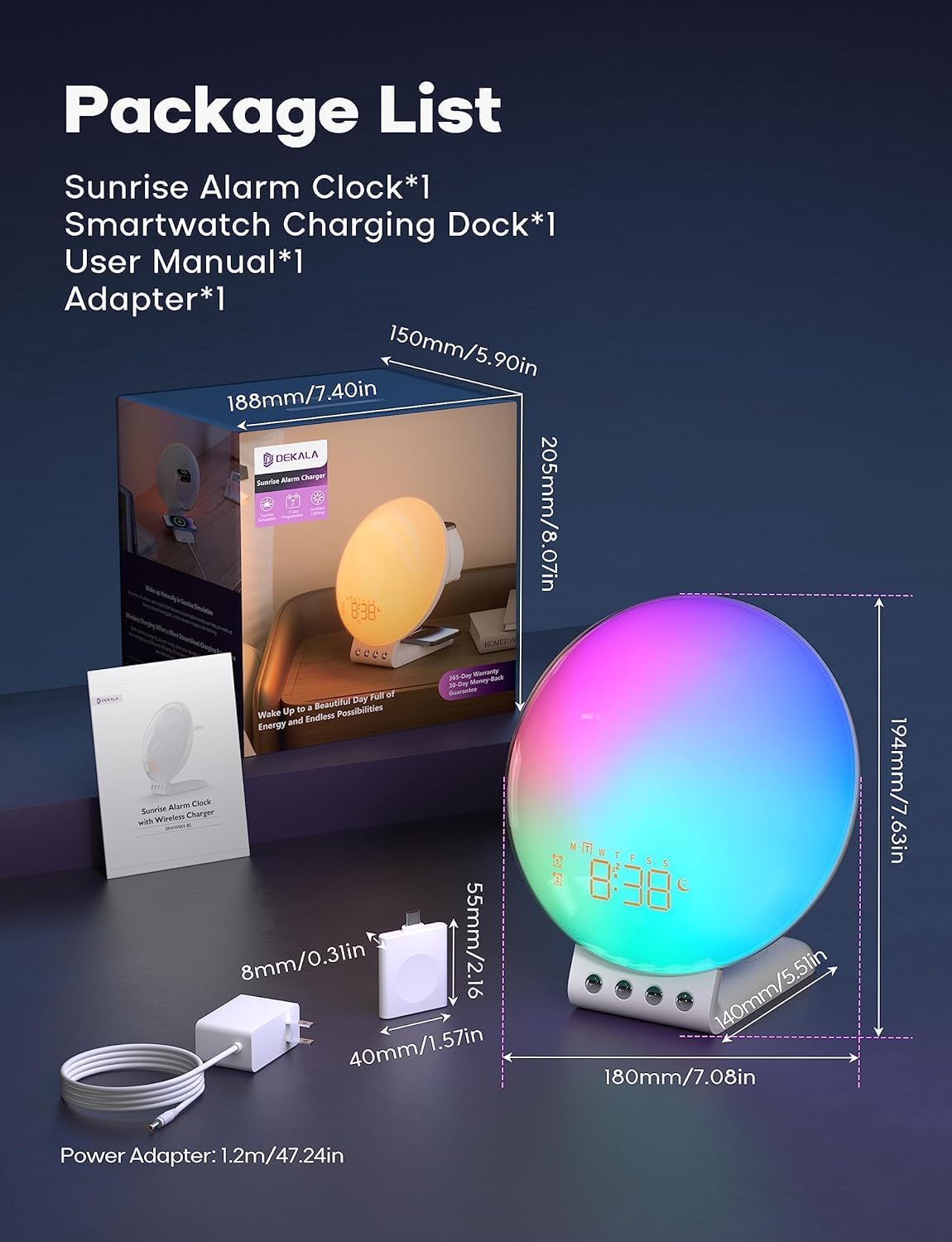
Image: Package contents and dimensions of the Dekala Smart Sunrise Alarm Clock.
Înființat
- Conexiune de alimentare: Connect the provided charging adapter to the alarm clock and plug it into a power outlet.
- iWatch Charging Dock: Attach the iWatch wireless charging dock to the designated port on the alarm clock.
- Pornire inițială: The clock display will illuminate upon successful power connection.
- Conexiune aplicație (opțional): For advanced features and easier control, download the Dekala App. A 2.4G WiFi connection is required for the initial setup of the app. Follow the in-app instructions to pair your device.
Instrucțiuni de operare
1. Sunrise Simulation Alarm Clock
The sunrise simulation feature gradually increases light intensity before your set alarm time, mimicking a natural sunrise to gently wake you up. The alarm clock supports 7-day programmable dual alarms.
- Setarea alarmelor: Use the controls on the device or the Dekala App to set up to two independent alarms.
- Sunete personalizabile: Choose from various alarm sounds including Bird chirping, Ocean, Valley Stream, Melodic, Music Box, Wind Chimes, and Beeping.
- Funcție de amânare: Tap the top of the device to activate the snooze function, which provides an additional 9 minutes of sleep, up to 5 times.

Image: Visual representation of the gradual sunrise simulation feature.
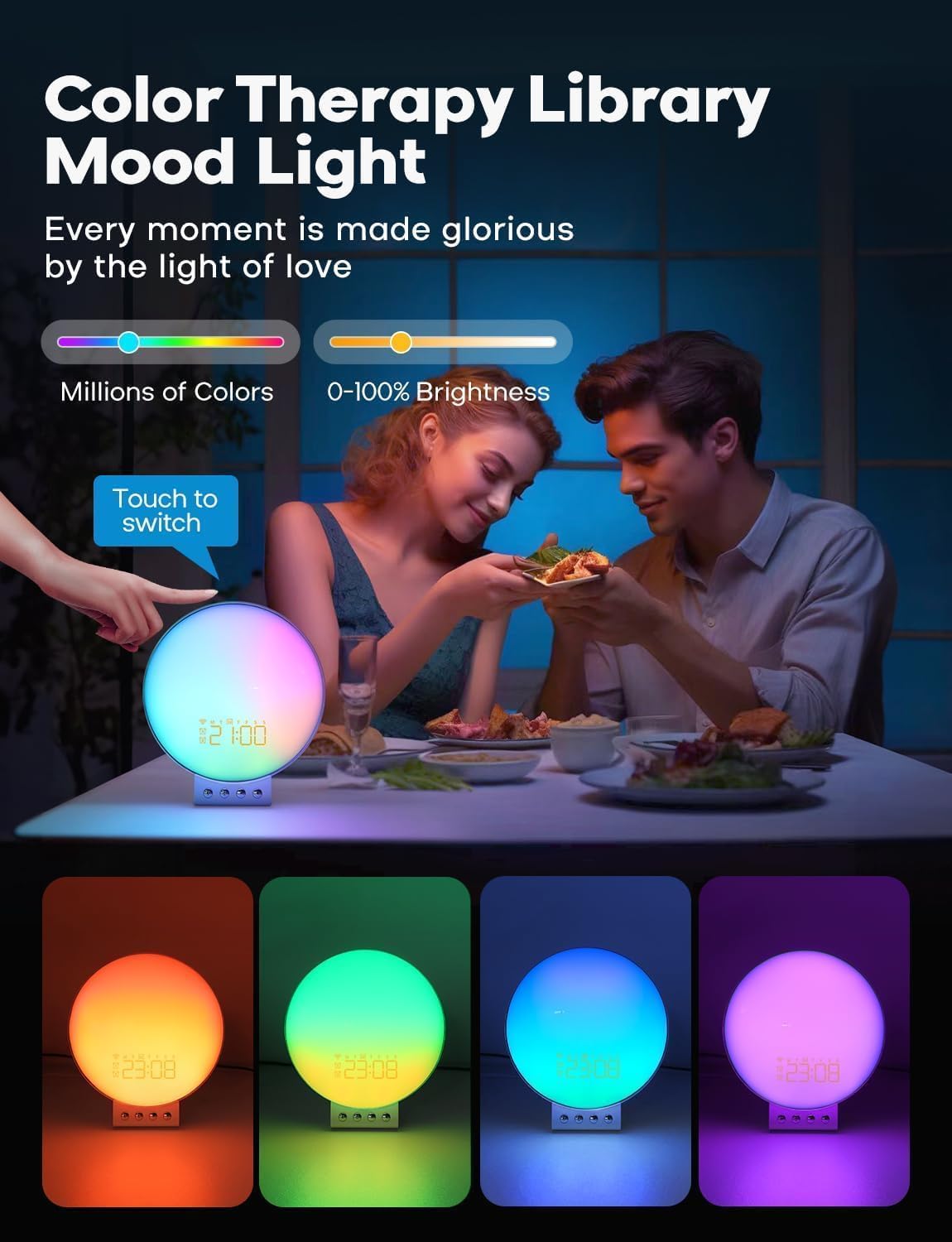
Image: Illustration of 7-day programmable dual alarms and the snooze function.
2. Stație de încărcare wireless
The alarm clock features an integrated wireless charging station for compatible devices.
- Telefoane mobile: Supports up to 15W wireless charging for iPhone 14/13/12/11/X Series, Samsung Galaxy S23/S22/S21/S20/Note 20/Note 10, Google Pixel 7 Pro/6 Pro, and other Qi-enabled wireless charging cellphones.
- Apple Watch: Provides 3W charging for Apple Watch SE/8/7/6/5/4/3/2. Note: Does not support Samsung Watch and iWatch 1.
- Casti: Offers 5W charging for AirPods 2/3/Pro.
- Încărcare optimă: For optimal phone charging, ensure your phone case thickness is within 8mm (0.2 inches).

Image: The alarm clock functioning as a multi-device wireless charging station.
3. Sleep Sound Machine
Enhance your sleep environment with 8 calming sleep sounds. Sounds can be played throughout the night or set to gradually fade out with a countdown timer.
- Available Sounds: White noise, Pink noise, Brown noise, Wind, Rain, Bonfire, Night Whispers, Yoga, and Zen.
- Fade-Out Timer: As the timer progresses, both the sound and night light will diminish, promoting a peaceful transition to sleep.

Image: The alarm clock used as a sleep aid with various sound options.
4. Personalized Lighting Experience
Customize the ambiance with adjustable brightness levels and multiple light modes.
- Luminozitate: Adjust brightness from 0-100%.
- Moduri de lumină: Includes warm yellow night light, breathing regulation light, and colorful ambient light for various settings.
- Color Therapy: Explore millions of colors to create different moods. Touch the device to switch between colors.

Image: The alarm clock providing color therapy and mood lighting.
5. Control vocal inteligent
Control your alarm clock using simple voice commands through compatible voice assistants or the Dekala App.
- Compatibilitate: Works with Hey Google and Alexa.
- Dekala App: Use the dedicated app for comprehensive control and customization.
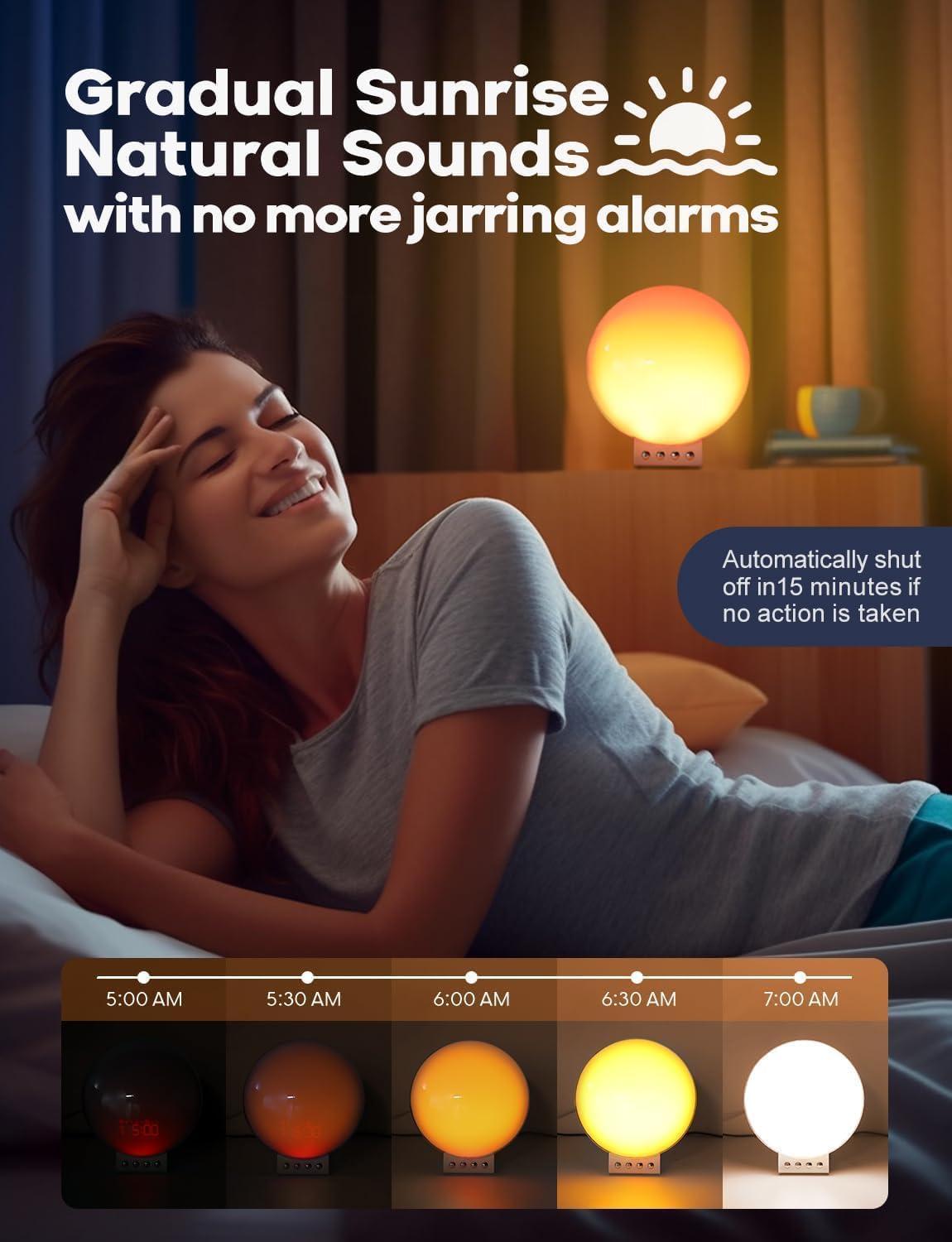
Image: Demonstrating smart voice control integration with the alarm clock.
6. Lumină de noapte
The device functions as a night light with adjustable brightness levels (L1-L20).
Video: Demonstrating the night light function and adjustable brightness levels of the Dekala Smart Sunrise Alarm Clock.
Specificații
| Marca | Dekala |
| Numărul de model | SRWW-S |
| Culoare | Alb |
| Tip de afișare | Digital |
| Sursa de alimentare | Electric cu fir |
| Dimensiunile produsului | 6 cm lățime x 6 cm înălțime |
| Material | Plastic, acril |
| Ceas cu alarmă | Da |
| Încărcare fără fir | Yes (Phone, Apple Watch, Earbuds) |
| Sunete de somn | White noise, Pink noise, Brown noise, Wind, Rain, Bonfire, Night Whispers, Yoga, Zen |
| Control vocal | Hey Google, Alexa, Dekala App |
Depanare
- Dispozitivul nu pornește: Ensure the power adapter is securely connected to both the device and a working power outlet. Use only the provided Dekala adapter.
- Încărcarea fără fir nu funcționează:
- Verificați dacă dispozitivul este compatibil cu Qi și așezat corect pe suportul de încărcare.
- Remove any thick phone cases (over 8mm) that may interfere with charging.
- Ensure no metal objects are between the device and the charging pad.
- Confirm the iWatch charging dock is properly attached.
- Probleme de conectare la aplicație:
- Ensure your smartphone is connected to a 2.4G WiFi network during initial setup.
- Restart the app and the alarm clock.
- Verificați dacă există actualizări ale aplicației.
- Alarm Not Sounding/Light Not Activating:
- Verify alarm settings (time, days, sound, light intensity) are correctly configured.
- Ensure the volume is not set to zero.
- Light Too Bright: Adjust the brightness levels using the device controls or the Dekala App. The device offers 0-100% brightness adjustment.
Întreţinere
- curatenie: Ștergeți dispozitivul cu o lavetă moale și uscată. Nu utilizați substanțe de curățare abrazive sau solvenți.
- Depozitare: Depozitați dispozitivul într-un loc răcoros și uscat atunci când nu îl utilizați pentru perioade lungi de timp.
- Adaptor de alimentare: Folosiți doar adaptorul de alimentare original furnizat împreună cu dispozitivul.
Garanție și suport
For warranty information, technical support, or customer service inquiries, please refer to the contact details provided on the product packaging or visit the official Dekala website-ul. Păstrați chitanța de achiziție pentru cererile de garanție.