
1. Produs terminatview
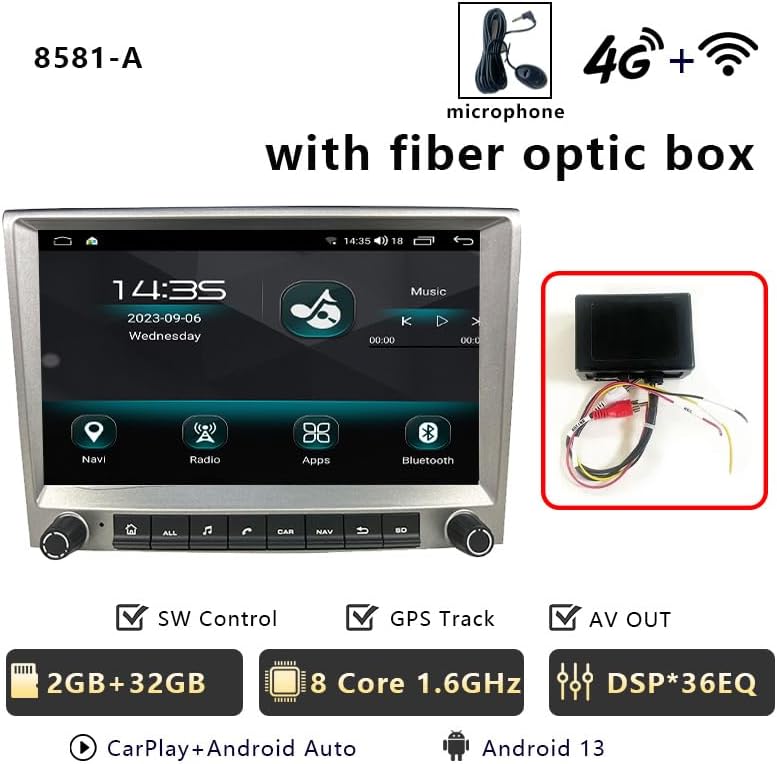
This manual provides detailed instructions for the CHSTEK 8581A+Box Android Car Radio, designed for Porsche Cayman, 911, 987, and Boxster 997 models manufactured between 2005 and 2013. This 8-inch 1280x720P HD touch screen unit offers a comprehensive multimedia and navigation experience, integrating seamlessly with your vehicle's existing systems. It features an Android 13 operating system, wireless CarPlay, wired Android Auto, GPS navigation, 4G/WiFi connectivity, Bluetooth hands-free calling, FM radio, and an EQ function for enhanced audio quality.
Notă importantă: If your vehicle is equipped with a Harman Kardon or BOSE audio system, a fiber optic box may be required for proper sound functionality. Please contact support for assistance.
2. Conținutul pachetului
Verificați dacă toate componentele enumerate mai jos sunt incluse în pachet:
- Main Unit (Android Car Radio)
- Cablajul ISO
- CANbus Cable
- Cabluri USB (2x)
- Cutie CANbus
- Optical Fibre Decoder (if applicable)
- Cablul camerei
- Antenă 4G
- Antena GPS
- Cablu antenă radio
- Cablu USB original
- Manual de utilizare a utilizatorului
3. Configurare și instalare
Professional installation is recommended. Ensure the vehicle's power is disconnected before beginning installation. Refer to the following videos for detailed installation guidance.
3.1. Instalare generală pesteview
3.2. Wiring Harness and Module Installation
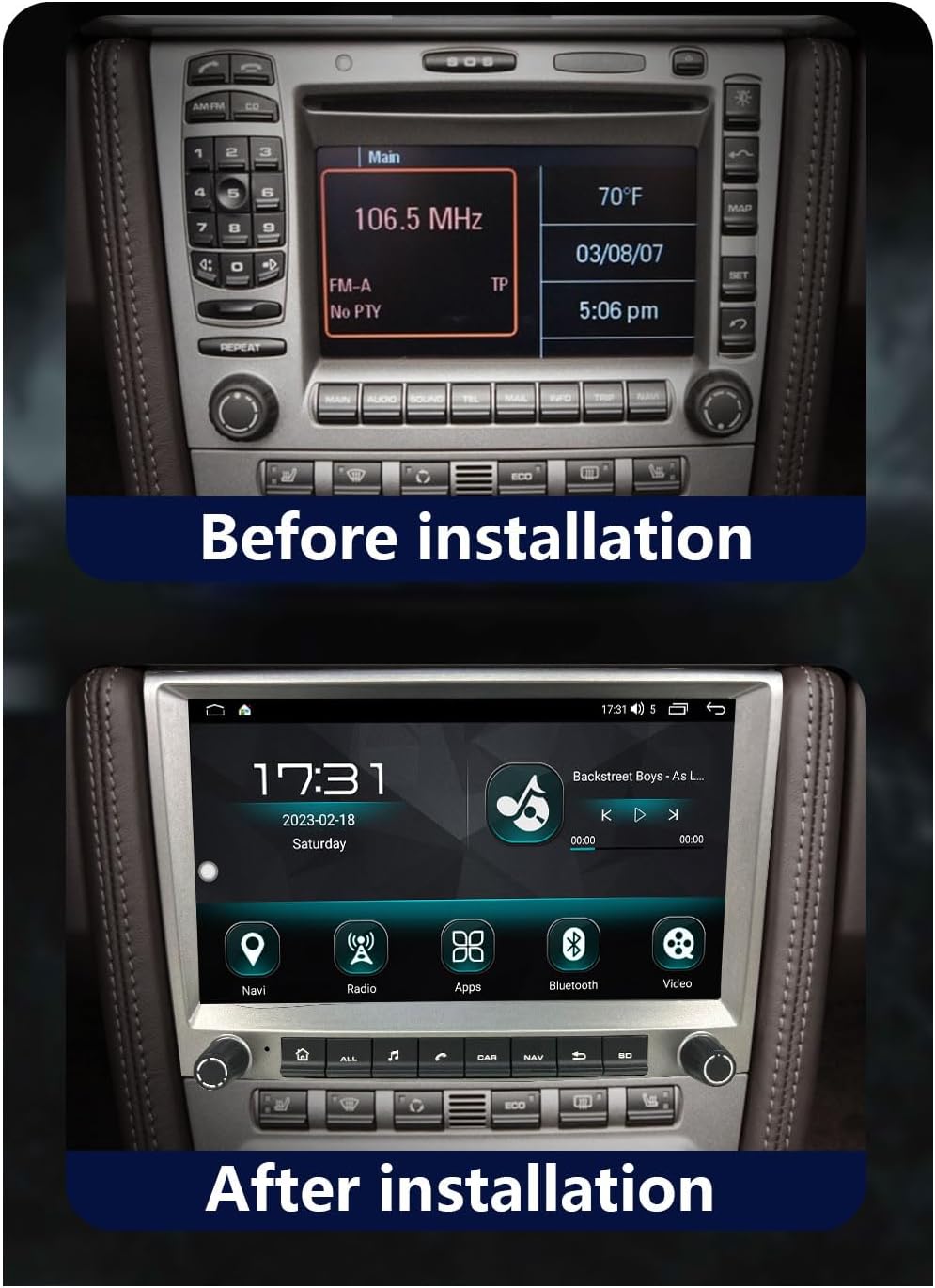
3.3. Înainte și după instalare
4. Instrucțiuni de utilizare
Familiarize yourself with the various functions and features of your new car radio.
4.1. Wireless CarPlay & Wired Android Auto
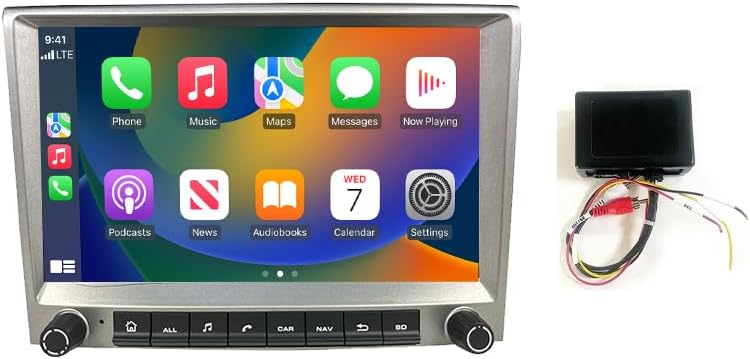
Connect your iPhone wirelessly or Android device via a wired connection to access a simplified version of your phone's screen on the car radio. This allows for navigation, calls, messages, and music playback through the car's display. Voice control (Siri or Google Assistant) is supported.


4.2. Navigație GPS și conectivitate WiFi
The head unit features built-in GPS navigation, supporting both online and offline maps. Download necessary offline maps for navigation without an internet connection. Real-time traffic conditions can be accessed with an internet connection. Connect to WiFi to stream online content, browse the web, and use various online applications.

4.3. Bluetooth Hands-free & FM Radio
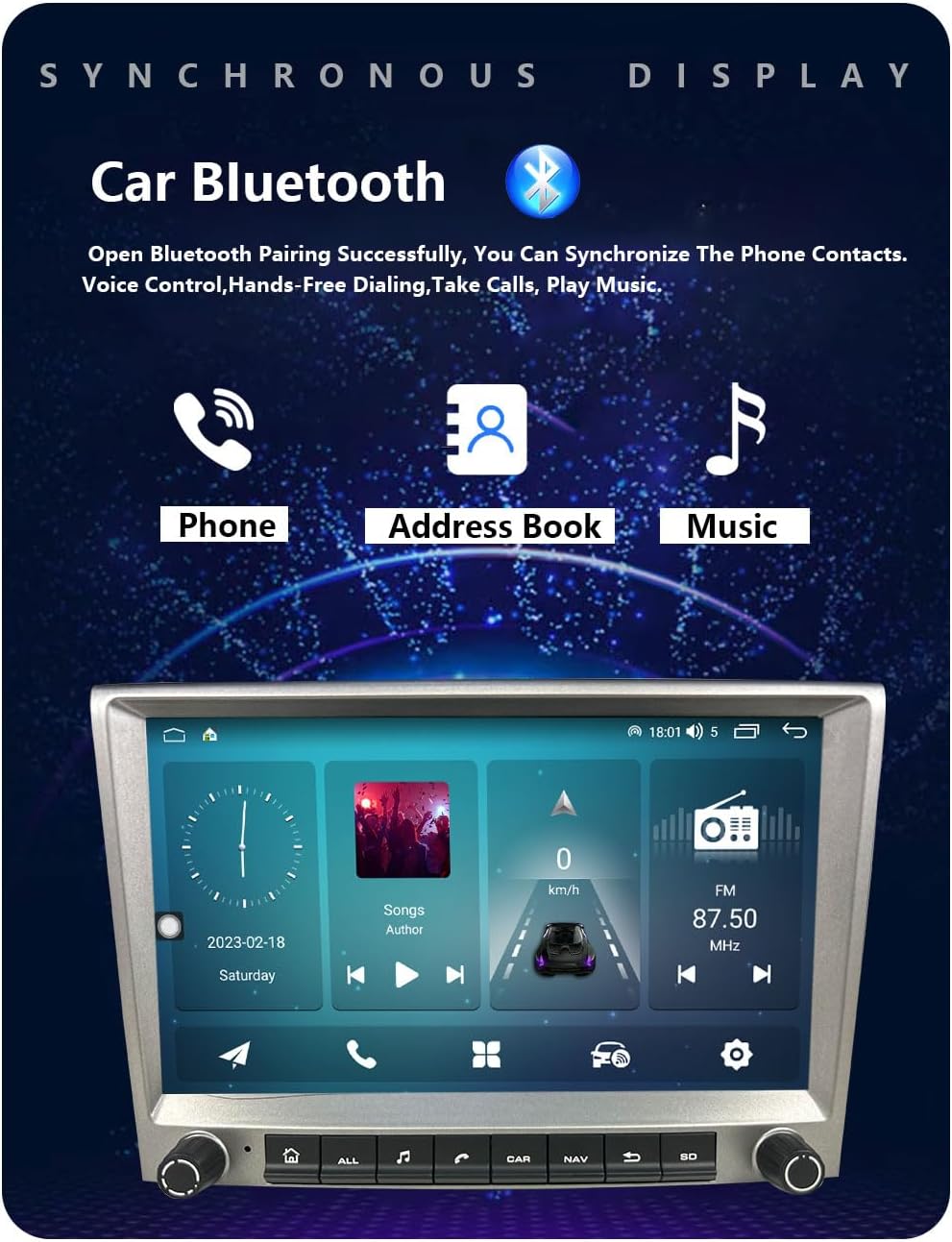
Enjoy hands-free calling and Bluetooth music streaming. Download your phonebook for easy access to contacts. The FM radio provides 18 preset stations (FM 87.50-108.0 MHz) for news and music. An integrated EQ function allows for sound customization.
4.4. Multiple UI Themes & Split Screen Function
Personalize your experience with multiple built-in UI desktop themes. The split-screen function allows you to run two different applications simultaneously, such as navigation and music playback.

4.5. Rear Camera & Parking Sensor Support
The unit supports original rear cameras and parking sensors, providing visual assistance for safe parking and maneuvering. This integration ensures that existing vehicle safety features remain functional.
5. Întreținere
To ensure optimal performance and longevity of your CHSTEK 8581A+Box Android Car Radio, follow these maintenance guidelines:
- Curățarea ecranului: Folosiți o cârpă moale, fără scame dampened with a screen cleaner or water to gently wipe the touch screen. Avoid abrasive materials or harsh chemicals.
- Actualizări de software: Periodically check for software updates to ensure you have the latest features, bug fixes, and security enhancements. Follow the on-screen prompts or consult the manufacturer's website pentru procedurile de actualizare.
- Conexiuni prin cablu: Asigurați-vă că toate cablurile sunt conectate corect. Conexiunile slăbite pot duce la funcționalitate intermitentă sau la pierderea semnalului.
- Conditii de mediu: Evitați expunerea unității la temperaturi extreme, la lumina directă a soarelui pentru perioade lungi de timp sau la umiditate excesivă.
- Îngrijire generală: Keep the unit free from dust and debris. Do not attempt to open the casing or perform repairs yourself, as this may void the warranty.
6. Depanare
If you encounter any issues with your car radio, refer to the following common troubleshooting steps:
- Fără sunet: If your car has a Harman Kardon or BOSE audio system, ensure a fiber optic box is correctly installed. Check all audio connections.
- Unitatea nu pornește: Verify that the power cable is securely connected and that the vehicle's battery has sufficient charge. Check the fuse.
- Probleme de conexiune CarPlay/Android Auto: Ensure your phone's Bluetooth and Wi-Fi are enabled. For wired connections, try a different USB cable. Restart both the car radio and your mobile device.
- Pierdere semnal GPS: Ensure the GPS antenna is properly installed and has a clear line of sight to the sky. Move the antenna if necessary.
- Ecranul tactil nu răspunde: Perform a soft reset of the unit (refer to the main unit's specific reset procedure). Ensure the screen is clean and free from obstructions.
- Comenzile de pe volan nu funcționează: Some high-grade versions of specific car models (e.g., Cayman 2010-2012) may not fully support steering wheel controls. Verify CANbus connections and settings.
If the problem persists after attempting these steps, please contact CHSTEK customer support for further assistance.
7. Specificații
Key technical specifications for the CHSTEK 8581A+Box Android Car Radio:
| Caracteristică | Caietul de sarcini |
|---|---|
| Greutatea articolului | 4.4 lire sterline |
| Dimensiuni pachet | 11.81 x 9.84 x 7.87 inci |
| Numărul de model al articolului | GMC |
| Dimensiunea afișajului | 8 inchi |
| Dimensiunea ecranului | 8 inchi |
| Caracteristica specială | Bluetooth, ecran tactil |
| Tehnologia de conectivitate | Fără fir |
| Tip hartă | La nivel mondial |
| Producător | CHSTEK |
| Prima disponibilă | 29 mai 2025 |
8. Garanție și asistență
The CHSTEK 8581A+Box Android Car Radio comes with a 1 an garanție de la data achiziției. Această garanție acoperă defectele de fabricație și defecțiunile în condiții normale de utilizare. Nu acoperă daunele cauzate de instalare necorespunzătoare, utilizare necorespunzătoare, accidente sau modificări neautorizate.
For technical support, warranty claims, or any questions regarding your product, please contact CHSTEK customer service through the retailer where the product was purchased or refer to the contact information provided in your purchase documentation.