
1. Introducere
Thank you for choosing the GUSGU SplitFolio Detachable Keyboard Case. This manual provides detailed instructions for setting up, operating, and maintaining your new keyboard case. Designed for versatility and protection, this case enhances your iPad experience, transforming it into a powerful productivity tool or an entertainment hub.
2. Compatibilitate
The GUSGU SplitFolio Detachable Keyboard Case is compatible with the following iPad models:
- 2024 iPad Air 13-inch (M2)
- 2025 iPad Air 13-inch (M3)
- 2022 iPad Pro 12.9-inch (6th Gen)
- 2021 iPad Pro 12.9-inch (5th Gen)
- 2020 iPad Pro 12.9-inch (4th Gen)
- 2018 iPad Pro 12.9-inch (3rd Gen)
To verify your iPad model number, refer to the back of your device or check your iPad's settings under 'About'.

Figure 2.1: Compatibility chart and guide to verify your iPad model number.
3. Caracteristici
3.1 Magnetic Detachable Design
The keyboard attaches magnetically to the case, allowing for seamless transitions between typing and tablet-only use. This design provides stability for typing and can be easily detached when you prefer to use your iPad without the keyboard, reducing bulk.

Figure 3.1: The keyboard detaches magnetically for flexible use.
3.2 Adjustable Kickstand & 360° Rotation
The integrated kickstand and 360° rotatable hinge allow you to find the perfect viewing or working angle. This flexibility supports various activities, including drawing, typing, presenting, or watching media.

Figure 3.2: The adjustable kickstand provides multiple viewunghiuri de ing.
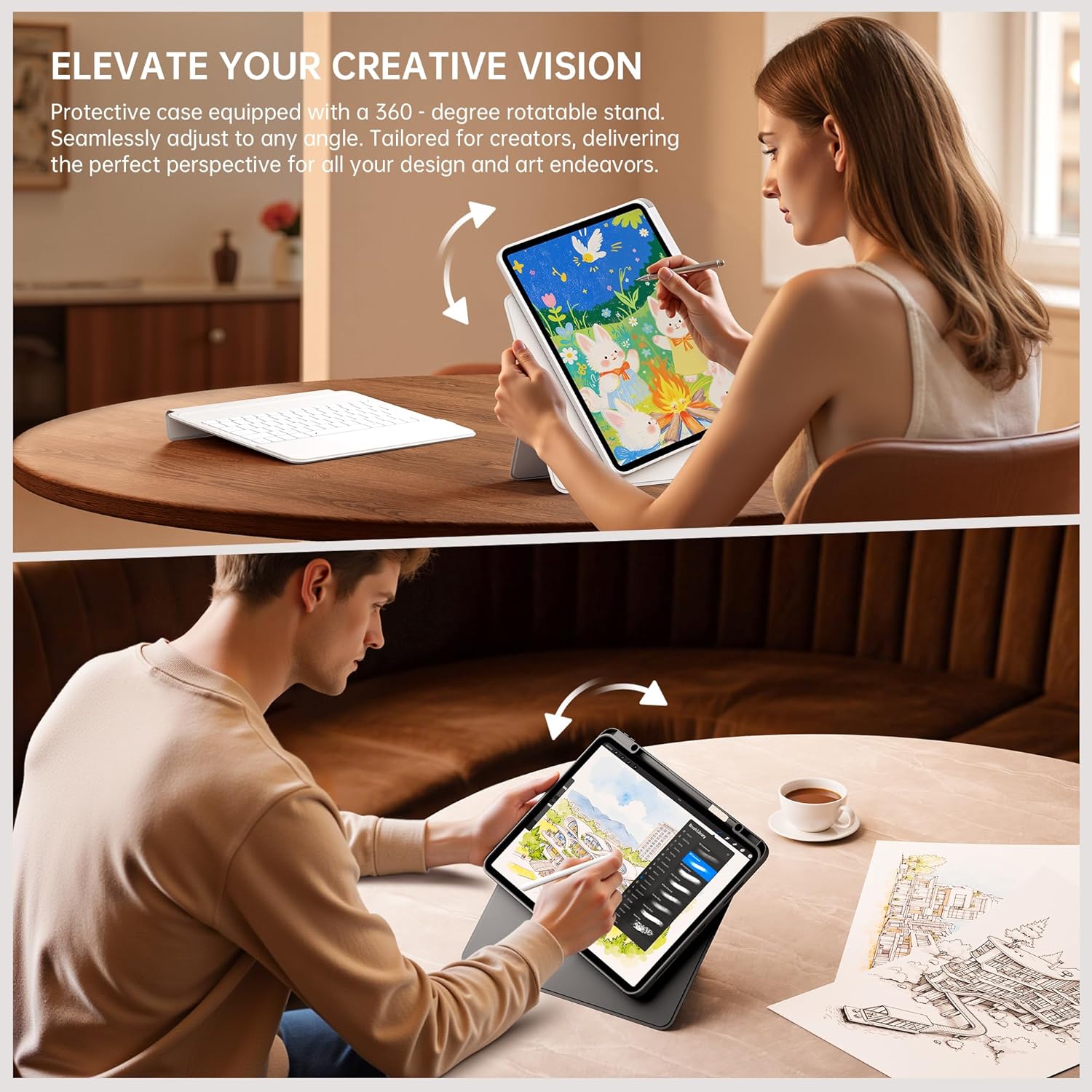
Figure 3.3: The case supports 360° rotation for portrait or landscape orientation.
3.3 Multi-Touch Trackpad with Native Gesture Support
Navigate your iPad with precision using the multi-touch trackpad. It supports native iPadOS gestures, enabling intuitive actions like swiping, scrolling, and switching between applications to enhance your workflow and multitasking efficiency.

Figure 3.4: The trackpad supports native iPadOS gestures for smooth navigation.
3.4 7-Color Backlit Keyboard
The keyboard features 7 adjustable backlight colors, allowing you to customize your typing experience. This is particularly useful in dim environments and adds a personalized touch to your workspace.

Figure 3.5: The keyboard features 7 adjustable backlight colors.
3.5 Secure Form-Fit Protection & Apple Pencil Holder
The case provides secure, form-fit protection for your iPad, safeguarding it from everyday bumps and scratches. It also includes a dedicated slot for your Apple Pencil, ensuring it's always within reach and securely stored.

Figure 3.6: Secure fit and integrated Apple Pencil holder.
4. Instrucțiuni de configurare
- Insert Your iPad: Gently place your iPad into the protective case, ensuring all edges are securely fitted. The case is designed for a snug fit to prevent accidental dislodgement.
- Încărcați tastatura: Before first use, fully charge the keyboard using the provided USB-C cable. The charging port is typically located on the side of the keyboard. A charging indicator light will show the charging status.
- Porniți tastatura: Locate the power switch on the keyboard and slide it to the 'ON' position. The indicator light will typically flash, indicating it's ready for pairing.
- Asociere prin Bluetooth:
- Pe iPad-ul dvs., accesați Setări > Bluetooth.
- Activați Bluetooth.
- Pe tastatură, apăsați tasta Conectați-vă button (often labeled with a Bluetooth icon or 'Fn + C'). The Bluetooth indicator light will start blinking rapidly.
- On your iPad, look for 'GUSGU Keyboard' or a similar name in the 'Other Devices' list and tap to connect.
- If prompted, enter the pairing code displayed on your iPad using the keyboard and press Intră.
- Once connected, the Bluetooth indicator light on the keyboard will stop blinking and remain solid or turn off.
Video 4.1: Demonstrates the detachable keyboard feature and iPad installation. (Source: GSGDirect)
5. Instrucțiuni de utilizare
- Folosind tastatura: Once paired, the keyboard functions like a standard external keyboard. Type directly into any text field on your iPad.
- Utilizarea trackpad-ului: The integrated trackpad allows for precise cursor control and supports various iPadOS gestures. Refer to your iPad's settings for a full list of supported gestures. Common gestures include:
- Atingeți cu un singur deget: Click/select.
- Derulare cu două degete: Scroll up/down/left/right.
- Two-finger pinch: Măriți / micșorați.
- Glisare în sus cu trei degete: Go to Home Screen.
- Glisare cu trei degete la stânga/dreapta: Comutați între aplicațiile deschise.
- Reglarea luminii de fundal: Apăsați tasta Fn cheia și pictogramă bec key (usually near the arrow keys) to cycle through backlight colors and brightness levels.
- Reglare Viewunghi: Utilize the adjustable kickstand to set your preferred viewing angle. The 360° rotation allows you to switch between landscape and portrait modes as needed.
- Detaching the Keyboard: Simply pull the keyboard away from the magnetic connection points on the case to use your iPad in tablet mode.
Videoclipul 5.1: Terminatview of the GUSGU Detachable iPad Keyboard Case features and usage. (Source: GSGDirect)
6. Întreținere
- Curățarea carcasei: Ștergeți carcasa cu o lavetă moale,amp Evitați substanțele chimice dure sau produsele de curățare abrazive.
- Curățarea tastaturii: Use a soft, dry cloth to clean the keyboard keys. For dust or debris between keys, use compressed air.
- Îngrijirea bateriei: To prolong battery life, avoid fully discharging the keyboard battery frequently. Charge it regularly.
- Depozitare: Când nu este utilizată pentru perioade lungi de timp, depozitați carcasa tastaturii într-un loc răcoros și uscat.
7. Depanare
- Tastatura nu se conectează:
- Asigurați-vă că tastatura este pornită și complet încărcată.
- Verifică dacă Bluetooth este activat pe iPad-ul tău.
- Uită de dispozitiv în setările Bluetooth ale iPad-ului și încearcă să îl asociezi din nou.
- Reporniți atât iPad-ul, cât și tastatura.
- Tastele nu răspund:
- Asigurați-vă că tastatura este conectată prin Bluetooth.
- Verificați dacă bateria este descărcată.
- Clean the keyboard for any debris that might be obstructing keys.
- Trackpad-ul nu funcționează:
- Verificați conexiunea Bluetooth.
- Ensure the trackpad is clean and free of obstructions.
- Verificați setările iPadOS pentru funcționalitatea trackpad-ului.
- Iluminarea de fundal nu funcționează/se schimbă:
- Asigurați-vă că tastatura este pornită.
- Press Fn + light bulb icon key to activate or change the backlight.
- Verificați dacă bateria este descărcată.
8. Specificații
| Caracteristică | Detaliu |
|---|---|
| Marca | GUSGU |
| Culoare | Negru |
| Dispozitive compatibile | Tablets (Specific iPad models listed in Compatibility section) |
| Caracteristici speciale | Magnetic Detachable Design, Multi-Touch Trackpad, Adjustable Kickstand & 360° Rotation, 7-Color Backlight |
| Greutatea articolului | 1.15 kilograme |
| Producător | GUSGU |
9. Garanție și asistență
The GUSGU SplitFolio Detachable Keyboard Case typically comes with a 5-year extended warranty. Please refer to the warranty card included with your product for specific terms and conditions.
For further assistance, technical support, or warranty claims, please visit the official GUSGU store on Amazon or contact GUSGU customer service directly. You can find more information and contact details via the GUSGU Brand Store.