
1. Introducere
The MiLESEEY S7 Pro is an advanced laser distance meter designed for precise and efficient measurements in various environments, particularly large outdoor projects. Featuring a digital viewfinder, P2P technology, and app connectivity, this tool offers enhanced accuracy and functionality for professional and DIY users. This manual provides detailed instructions for the safe and effective operation of your device.
2. Informații de siguranță
Vă rugăm să citiți și să înțelegeți toate instrucțiunile de siguranță înainte de a utiliza dispozitivul. Nerespectarea acestor instrucțiuni poate duce la expunerea la radiații laser, electrocutare, incendiu sau vătămări corporale grave.
- Radiația laser: This device emits Class 2 laser radiation. Do not stare into the laser beam or direct it at other people or animals.
- Protecția ochilor: Always wear appropriate eye protection when operating the device, especially in bright conditions where the laser dot may be difficult to see.
- Copii: Nu lăsați dispozitivul la îndemâna copiilor.
- Mediu: Nu utilizați dispozitivul în atmosfere explozive sau în apropierea lichidelor sau gazelor inflamabile.
- Modificari: Nu încercați să modificați sau să dezasamblați dispozitivul. Reparațiile trebuie efectuate numai de către personal de service autorizat.
- Siguranța bateriei: Use only the specified rechargeable AAA batteries. Ensure correct polarity when inserting batteries. Do not mix old and new batteries or different types of batteries.
3. Conținutul pachetului
Verificați dacă toate articolele sunt prezente în colet:
- 1x MiLESEEY S7 Pro Outdoor Laser Measure
- 1x Husă de transport
- 1x Curea de mână
- 1x Manual de utilizare (acest document)
- 3x Rechargeable AAA Battery
- 1x cablu de încărcare USB

Image: Contents of the MiLESEEY S7 Pro package, showing the device, case, strap, manual, and batteries.
4. Configurare
4.1 Instalarea bateriei
- Localizați capacul compartimentului bateriei pe spatele dispozitivului.
- Open the cover and insert the three rechargeable AAA batteries, ensuring correct polarity (+/-).
- Închideți bine capacul compartimentului bateriei.
4.2 Încărcarea dispozitivului
Connect the device to a USB power source using the provided USB charging cable. The battery indicator on the display will show charging status. Ensure the device is fully charged before first use for optimal performance.
4.3 Pornire/Oprire
- Pentru a porni, apăsați și mențineți apăsat butonul Putere butonul (
 ) până când se aprinde afișajul.
 - Pentru a opri, țineți apăsat butonul Putere button again. The device will also automatically power off after a period of inactivity to conserve battery.
5. Instrucțiuni de utilizare
5.1 Măsurare de bază
- Point the laser aperture towards the target.
- Apăsați tasta MĂSURI butonul () once to activate the laser.
- Apăsați tasta MĂSURI Apăsați din nou butonul pentru a efectua o măsurătoare. Rezultatul va fi afișat pe ecran.
5.2 Digital Viewgăsitor
The integrated 4X adjustable zoom digital camera with on-screen targeting crosshairs allows you to easily locate the laser spot and confidently measure outdoors, even in bright sunlight conditions.
- The viewfinder display shows a live image of the target area.
- Use the crosshairs to precisely align the laser with your desired measurement point.
- Adjust the zoom level as needed for better visibility of distant targets.

Image: The MiLESEEY S7 Pro's digital viewfinder displaying a target with crosshairs for accurate laser point location.

Image: A user aiming the MiLESEEY S7 Pro laser distance meter outdoors, utilizing the digital viewfinder for precise targeting.
5.3 P2P Technology (Point-to-Point)
The 360° high-accuracy tilt sensor and integrated smart base enable P2P technology, allowing you to capture accurate measurements between any two points from a single remote location. This is ideal for complex measurements where direct access to both points is difficult.
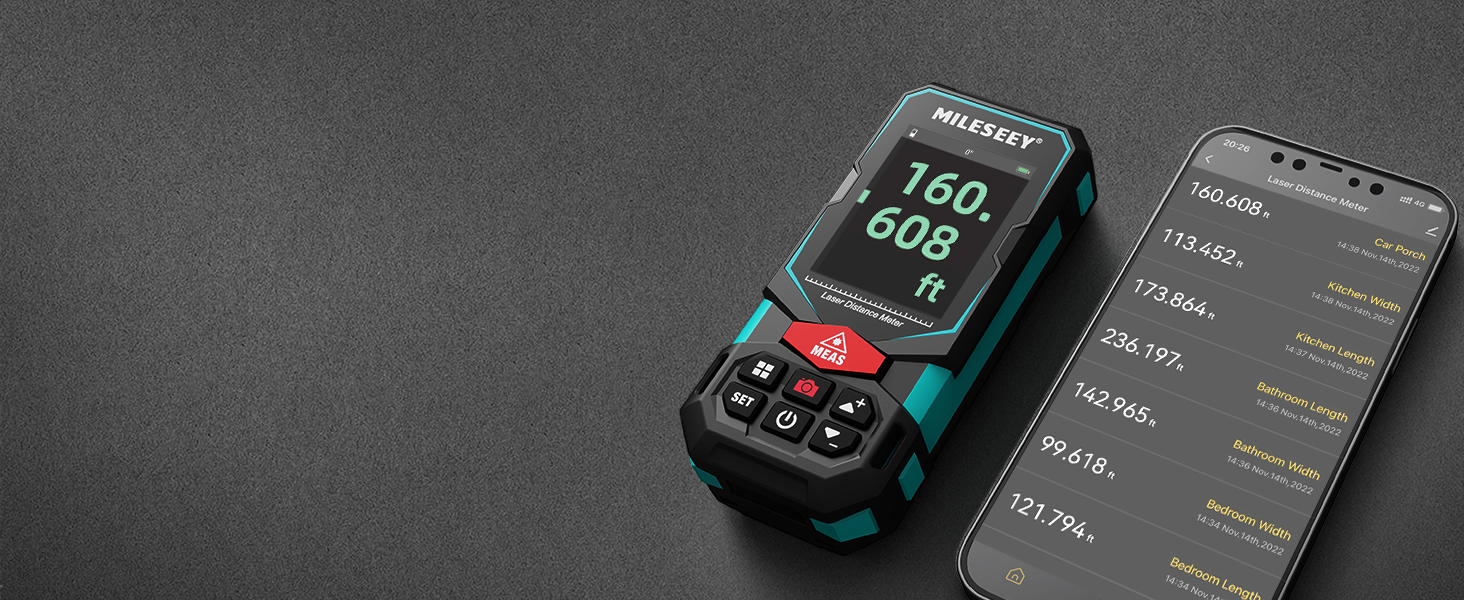
Image: An illustration of the P2P measurement capability, demonstrating how the device measures the distance between two points (P1 and P2) from a single vantage punctul.
5.4 Conectivitate la aplicație
The MiLESEEY S7 Pro connects to a dedicated app, allowing you to transfer measurement data directly to your smartphone or tablet. Within the app, you can:
- Enter dimensions onto on-site photographs.
- Draw projects and construct plans.
- Store up to 1,000 groups of data in the app's memory.
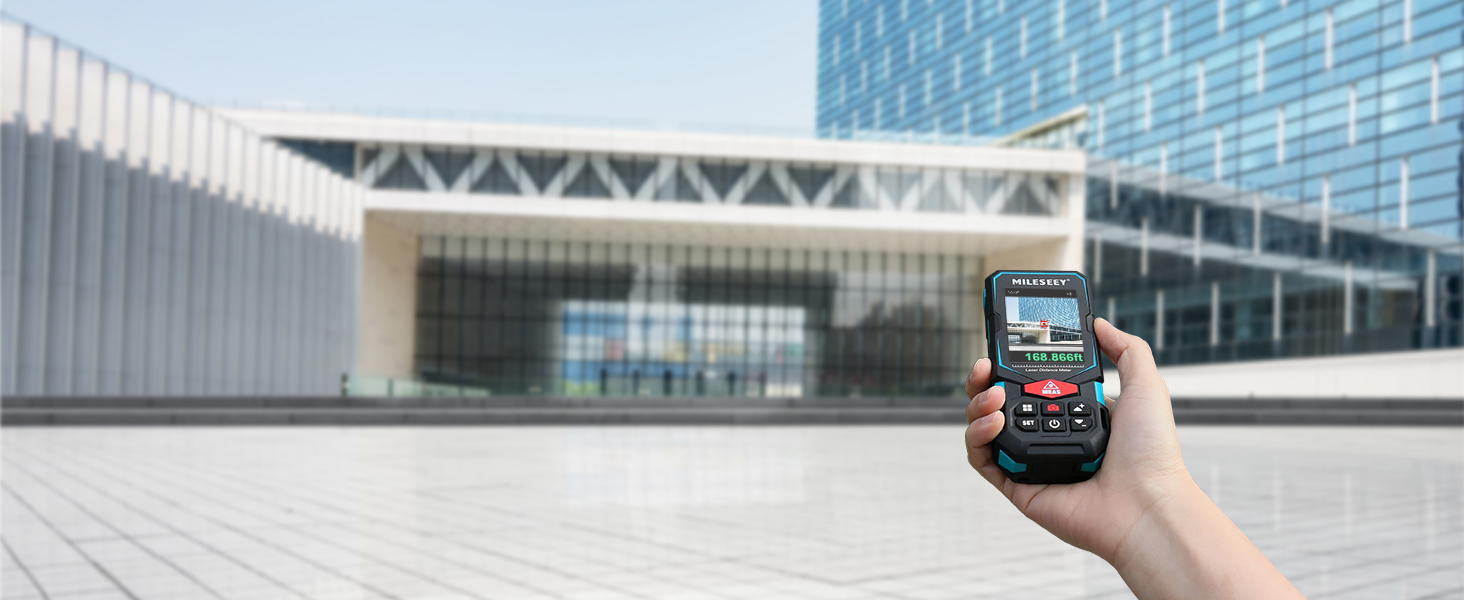
Image: The MiLESEEY S7 Pro connected to a smartphone, showing measurement data being displayed and managed within the companion application.
5.5 moduri de măsurare
The device offers a variety of measurement modes accessible through its intuitive user interface:
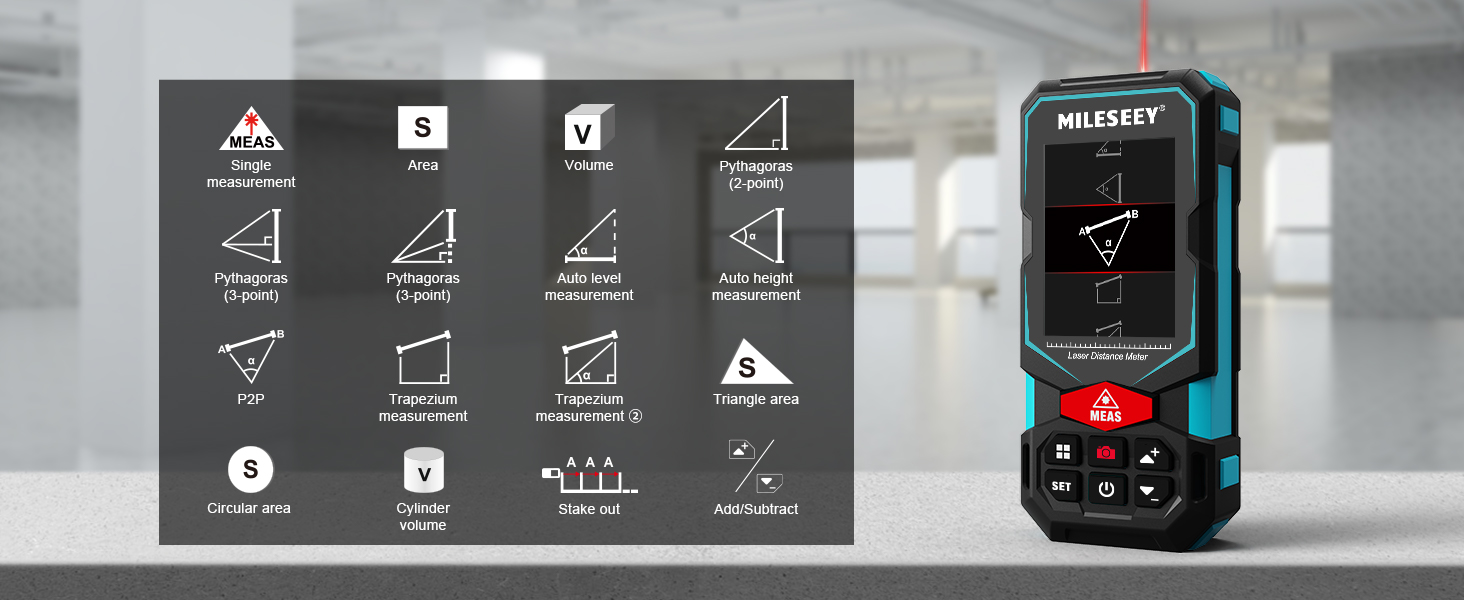
Image: A visual guide to the various measurement functions available on the MiLESEEY S7 Pro, including single measurement, area, volume, and advanced calculations.
- Măsurare unică: Măsurarea standard a distanței.
- Zonă: Calculates the area of a surface.
- Volum: Calculează volumul unui spațiu.
- Pythagoras (2-point & 3-point): Indirect measurement using the Pythagorean theorem.
- Auto Level Measurement: Measures horizontal distance automatically.
- Auto Height Measurement: Measures vertical height automatically.
- P2P: Point-to-point measurement (as described above).
- Trapezium Measurement: Calculates area of a trapezium.
- Triangle Area: Calculates the area of a triangle.
- Circular Area: Calculates the area of a circle.
- Volumul cilindrului: Calculates the volume of a cylinder.
- Stake Out: Helps mark out specific distances.
- Adunare/Scădere: Allows for addition or subtraction of measurements.
5.6 Interfața utilizator și afișajul
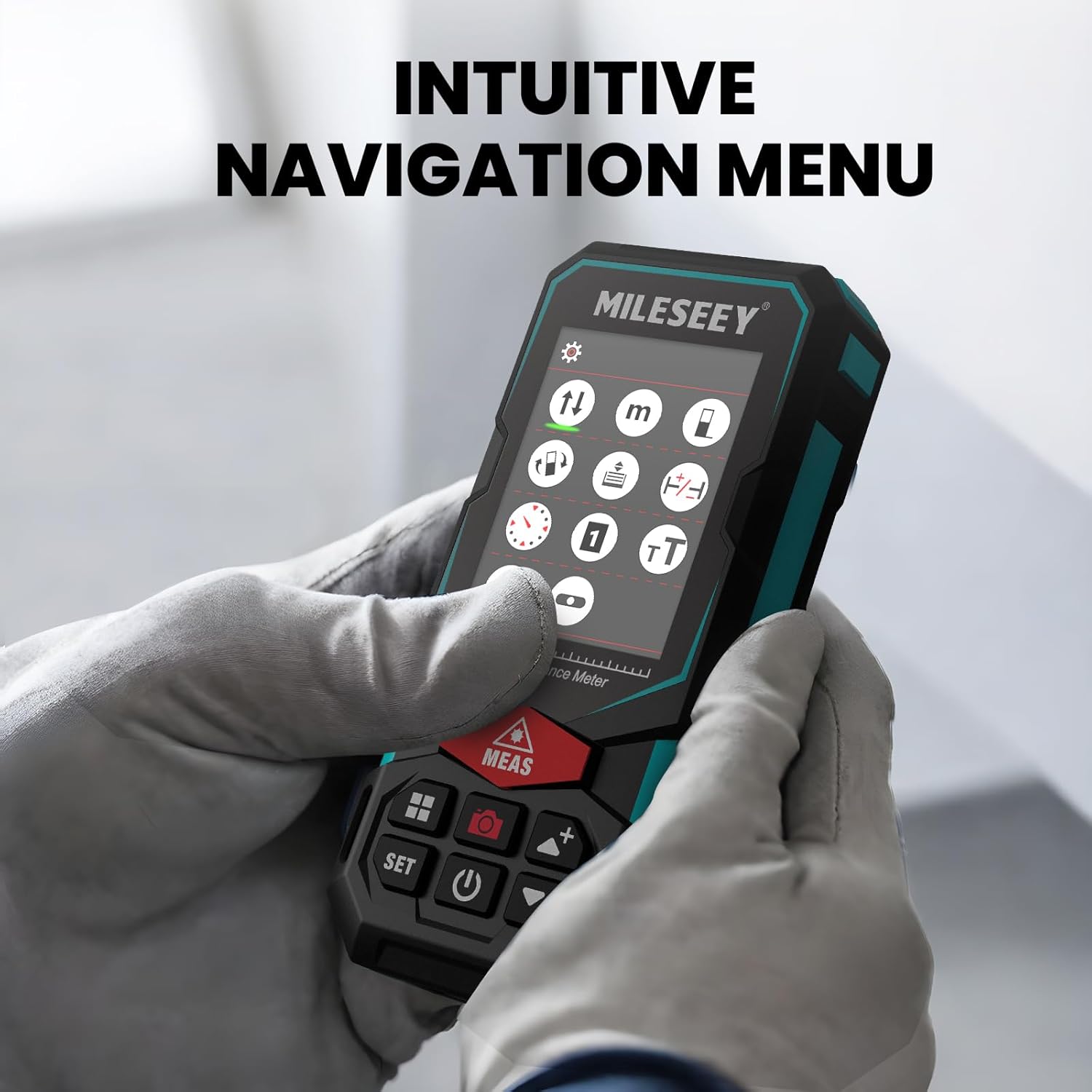
The S7 Pro features a humanized user interface with an intuitive navigation menu and a large 2.4" IPS backlit display. The rotation display keeps measurements aligned with the device, ensuring clear readability from any angle. You can easily switch between white text on a black screen and black text on a white screen for optimal visibility in varying light conditions.

Image: The MiLESEEY S7 Pro's display showcasing its intuitive navigation menu with various function icons.
Image: A user interacting with the MiLESEEY S7 Pro, highlighting the intuitive navigation menu on its screen.
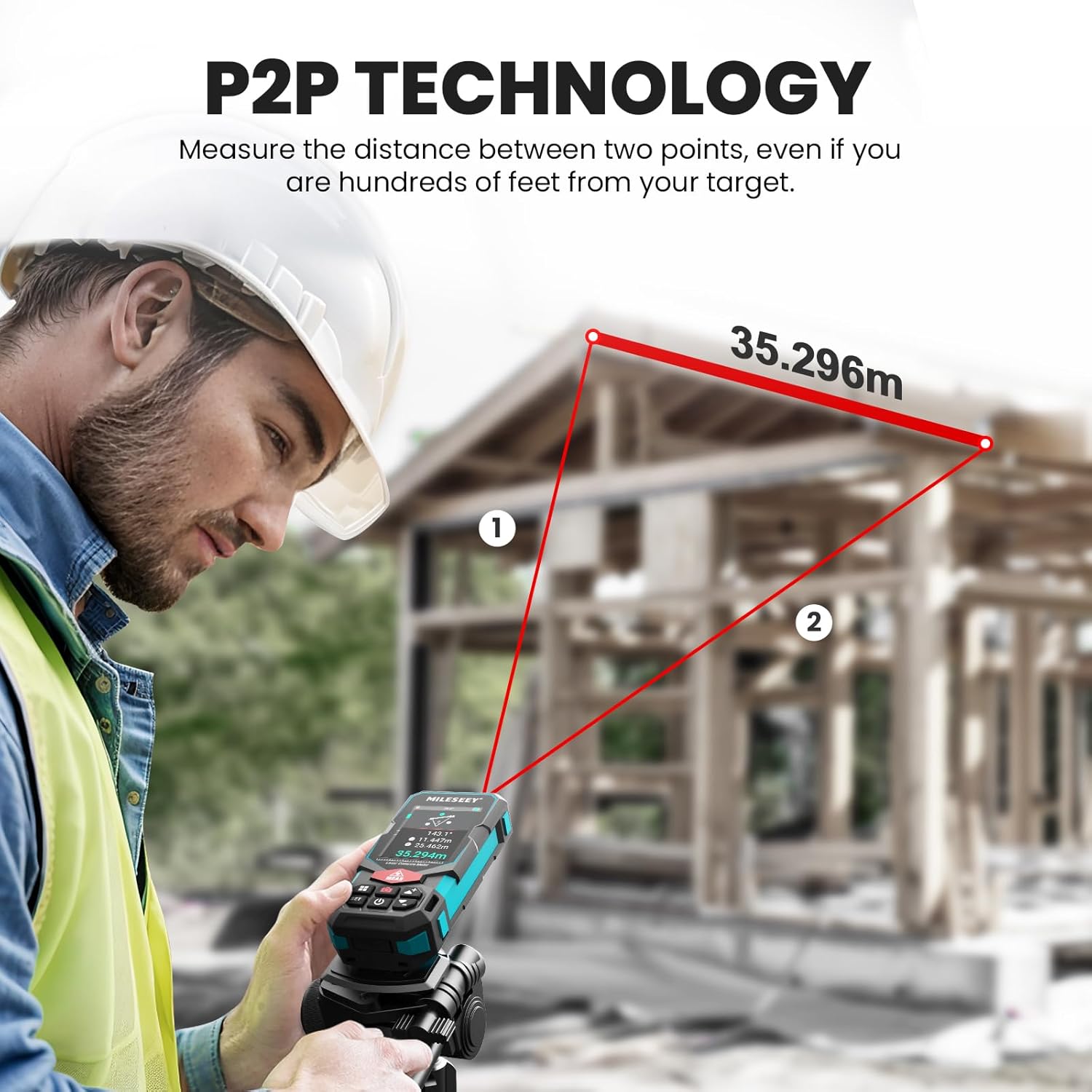
Image: The MiLESEEY S7 Pro's display demonstrating excellent visibility in both bright sunlight and low light environments.
6. Întreținere
Proper maintenance ensures the longevity and accuracy of your MiLESEEY S7 Pro.
- curatenie: Folosiți un moale, damp cloth to clean the device. Do not use harsh chemicals or abrasive cleaners. Clean the lens regularly with a soft, lint-free cloth.
- Depozitare: Depozitați dispozitivul în husa sa de transport, într-un loc răcoros și uscat, atunci când nu îl utilizați. Evitați temperaturile extreme și expunerea directă la lumina soarelui.
- Îngrijirea bateriei: If the device will not be used for an extended period, remove the batteries to prevent leakage. Recharge batteries regularly to maintain their capacity.
- Protecția IP65: The device features IP65 protection, making it resistant to dust and water splashes. However, it is not designed for submersion. Clean off any dust or dirt after use in harsh conditions.

Image: The MiLESEEY S7 Pro demonstrating its IP65 protection, shown covered in dust but still functional.

Image: The MiLESEEY S7 Pro, designed with IP65 protection, shown in a dusty environment, highlighting its durability.
7. Depanare
If you encounter issues with your MiLESEEY S7 Pro, refer to the following common problems and solutions:
| Problemă | Cauza posibila | Soluţie |
|---|---|---|
| Dispozitivul nu pornește. | Baterii descărcate sau descărcate; instalare incorectă a bateriilor. | Încărcați bateriile sau înlocuiți-le. Asigurați-vă că bateriile sunt introduse cu polaritatea corectă. |
| Măsurători inexacte. | Laser beam obstructed; unstable surface; device not calibrated. | Ensure clear line of sight. Place device on a stable surface. Perform self-calibration if available (refer to device menu). |
| Probleme de conectare la aplicație. | Bluetooth nu este activat; aplicația nu este actualizată; dispozitivul nu este asociat. | Ensure Bluetooth is active on both devices. Update the app to the latest version. Follow app pairing instructions. |
| Display not clear in bright light. | Setări de afișare. | Switch display mode to black text on white screen for better contrast. |
8. Specificații
Key technical specifications for the MiLESEEY S7 Pro Laser Distance Meter:
- Marca: MiLESEEY
- Număr de model: MCLD-CA-MS-S7
- Domeniu de măsurare: Up to 330 ft (100 yards)
- Precizie: Up to +/- 2mm (1/16")
- Digital Viewcăutător: 4X Adjustable Zoom Camera
- Conectivitate: App Connected (P2P Technology)
- Clasa de protectie: IP65 (Dust and water splash resistant)
- Afişa: 2.4" IPS Backlit Display
- Baterii: 3x Rechargeable AAA Battery (Included)
- Material: Acrilonitril butadien stiren, cauciuc
- Greutatea articolului: 300 grame
- Dimensiuni produs: 12L x 5W x 2.5H centimetri
9. Garanție și asistență
The MiLESEEY S7 Pro Laser Distance Meter comes with a 24 luni garantie from the date of purchase, covering manufacturing defects. For warranty claims, technical support, or any inquiries, please contact Mileseey Direct, the manufacturer's contact. Please retain your proof of purchase for warranty validation.