
Introducere
Thank you for choosing the IRRADIO IR-GT710V Portable Speaker. This manual provides essential information for the safe and efficient operation of your device. Please read it carefully before use and retain it for future reference.
Informații de siguranță
- Nu expuneți difuzorul la temperaturi extreme, la lumina directă a soarelui sau la flăcări deschise.
- Evitați scăderea sau supunerea difuzorului la impacturi puternice.
- Nu dezasamblați, reparați și modificați singur difuzorul. Contactați personalul de service calificat pentru orice reparații.
- Țineți difuzorul departe de dispozitivele medicale.
- Asigurați-vă că portul de încărcare este uscat înainte de a conecta încărcătorul.
- This speaker has an IPX6 water resistance rating, meaning it is protected against high-pressure water jets from any direction. It is not designed for submersion.
Conținutul pachetului
- IRRADIO IR-GT710V Portable Speaker
- Încărcător
- Manual de utilizare
Produs terminatview
Familiarize yourself with the various parts and controls of your IRRADIO IR-GT710V speaker.

Figura 1: Faţă view of the IRRADIO IR-GT710V speaker. The speaker features a black mesh grille covering the front, with the IRRADIO logo illuminated by RGB lights on the left side. A sturdy handle is visible on top.

Figura 2: Top view of the IRRADIO IR-GT710V speaker. This image highlights the integrated carrying handle and the control panel located on the top surface. The control panel includes buttons for power, Bluetooth pairing, volume control, play/pause, and LED light modes.
Funcțiile panoului de control
- Butonul de pornire (⏻): Apăsați și mențineți apăsat pentru a porni/opri.
- Bluetooth Pairing Button (🔂): Apăsați pentru a intra în modul de asociere Bluetooth.
- Reducere volum (−): Scade volumul.
- Mărire volum (+): Măriți volumul.
- Buton Redare/Pauză (▶): Redați sau întrerupeți redarea audio.
- LED Light Mode Button (✴): Cycle through different RGB LED light modes.
- Buton de amplificare a basului: Activate or deactivate enhanced bass.
Porturi și conexiuni
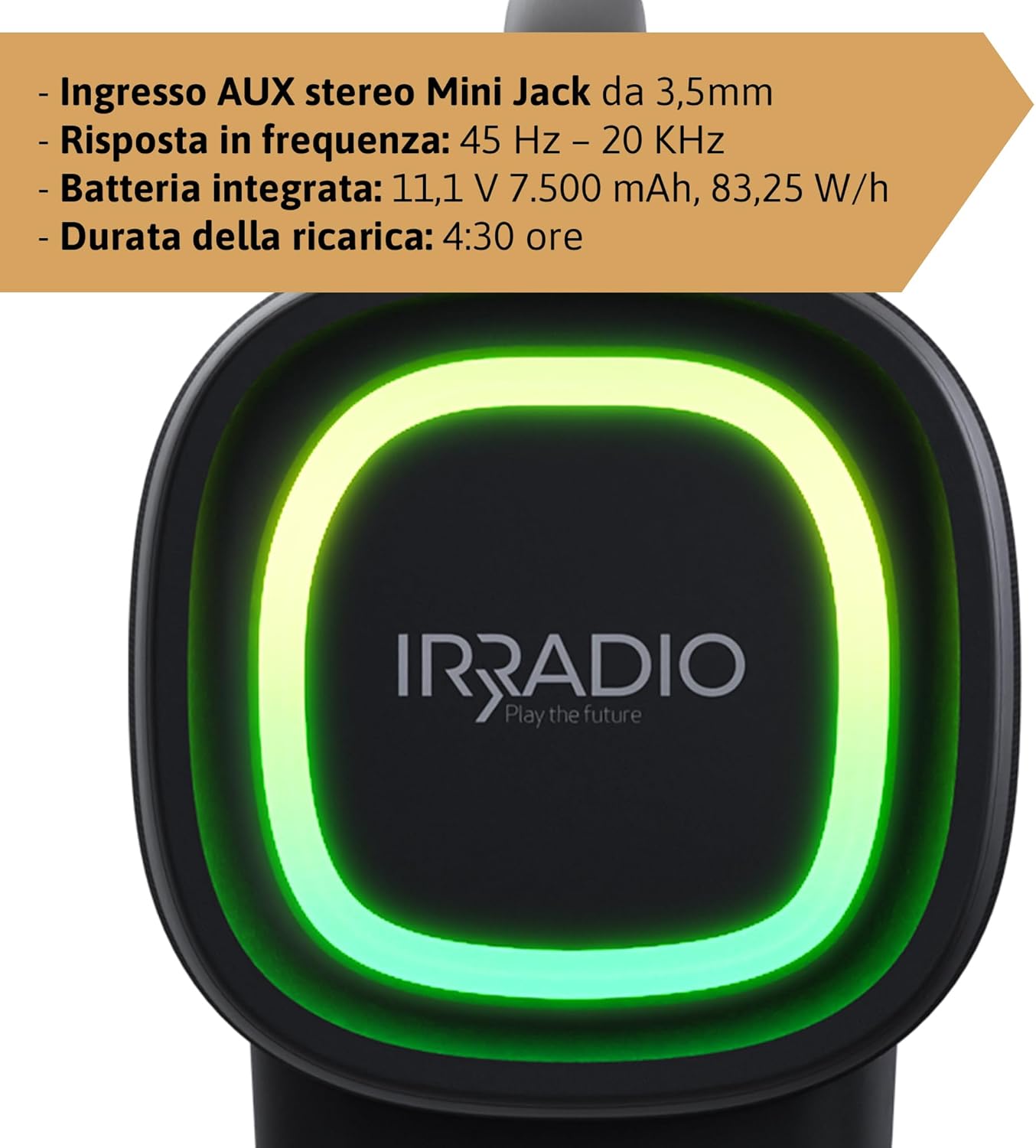
Figura 3: Rear panel of the IRRADIO IR-GT710V speaker. This image shows the various input ports, including a 3.5mm AUX input, a USB port for media playback, and the DC 5V 3A charging port.
- DC 5V 3A Charging Port: Pentru conectarea adaptorului de alimentare pentru încărcarea difuzorului.
- Port USB: Pentru redarea audio fileeste direct de pe o unitate USB.
- Intrare AUX 3.5 mm: Pentru conectarea dispozitivelor audio externe prin intermediul unui cablu audio de 3.5 mm.
Înființat
Încărcarea difuzorului
- Connect the provided charger to the DC 5V 3A charging port on the speaker.
- Conectați încărcătorul la o priză.
- Indicatorul luminos de încărcare se va aprinde.
- O încărcare completă durează aproximativ 4.5 ore. Indicatorul luminos se va schimba sau se va stinge după finalizarea încărcării.
The integrated 7500 mAh battery provides up to 12 hours of continuous playback at 50% volume.
Pornire/Oprire
- Pentru a porni, apăsați și mențineți apăsat butonul de Pornire (⏻) for a few seconds until you hear an audible prompt or see the indicator lights activate.
- To power off, press and hold the Power button (⏻) din nou timp de câteva secunde, până când difuzorul se oprește.
Instrucțiuni de operare
Asociere Bluetooth
- Asigurați-vă că difuzorul este pornit și se află la maximum 10 metri de dispozitivul Bluetooth.
- The speaker will automatically enter Bluetooth pairing mode, indicated by a flashing Bluetooth indicator light. If not, press the Bluetooth Pairing button (🔂).
- Activați Bluetooth pe dispozitivul dvs. (smartphone, tabletă etc.) și căutați dispozitivele disponibile.
- Select "IRRADIO IR-GT710V" from the list of devices.
- După asociere, indicatorul luminos Bluetooth va înceta să clipească și va rămâne aprins continuu, iar dumneavoastră veți auzi un sunet de confirmare.
Asociere True Wireless Stereo (TWS)
The TWS function allows you to connect two IRRADIO IR-GT710V speakers for a more immersive stereo sound experience.
- Ensure both IR-GT710V speakers are powered on and not connected to any Bluetooth device.
- On one of the speakers (this will be the primary speaker), press and hold the Bluetooth Pairing button (🔂) for a few seconds until you hear a TWS pairing prompt.
- Difuzorul principal va căuta automat difuzorul secundar.
- Once successfully paired, you will hear a confirmation sound, and the Bluetooth indicator lights on both speakers will synchronize.
- Now, connect your Bluetooth device to the primary speaker as described in the "Bluetooth Pairing" section. Both speakers will play audio in stereo.
Audio Playback (USB & AUX)
Redare USB
- Introduceți o unitate flash USB care conține fișiere audio MP3 sau WAV files în portul USB.
- The speaker will automatically detect the USB drive and begin playing audio.
- Use the Play/Pause and Volume buttons on the speaker to control playback.
Redare AUX
- Connect one end of a 3.5mm audio cable to the AUX input port on the speaker.
- Conectați celălalt capăt al cablului la mufa de ieșire audio a dispozitivului extern (de exemplu, player MP3, computer).
- Difuzorul va comuta automat în modul AUX.
- Controlează redarea și volumul în principal de pe dispozitivul extern.
Moduri de lumină LED
The IR-GT710V features dynamic RGB LED lighting. Press the LED Light Mode button (✴) to cycle through various lighting effects. The lights can synchronize with the music or display ambient patterns.

Figura 4: The IRRADIO IR-GT710V speaker shown outdoors, emphasizing its key features. These include True Wireless Stereo functionality, IPX6 water resistance, vibrant RGB LED lighting, and a powerful 100W audio output.
Bass Booster Function
Press the Bass Booster button to enhance the bass output for a deeper, more impactful sound. Press it again to deactivate the function.
Întreţinere
- Curățați difuzorul cu o lavetă moale și uscată. Nu utilizați substanțe de curățare abrazive sau solvenți.
- If the speaker gets wet, wipe it dry thoroughly before charging or using it again.
- Depozitați difuzorul într-un loc răcoros și uscat atunci când nu îl utilizați pentru perioade lungi de timp.
- Charge the battery at least once every three months to maintain its lifespan.
Depanare
| Problemă | Cauza posibila | Soluţie |
|---|---|---|
| Difuzorul nu pornește. | Bateria este epuizată. | Încărcați difuzorul timp de cel puțin 30 de minute. |
| Nu se poate conecta prin Bluetooth. | Difuzorul nu este în modul de asociere sau este deja conectat la un alt dispozitiv. | Ensure the speaker is in pairing mode (flashing indicator). Disconnect from other devices. Restart both speaker and Bluetooth device. |
| Nu există sunet în timpul redării. | Volume is too low or muted. Incorrect input source. | Increase volume on both the speaker and the connected device. Ensure the correct input mode (Bluetooth, USB, AUX) is selected. |
| Împerecherea TWS eșuează. | Speakers are too far apart or already paired. | Ensure both speakers are close to each other and not connected to any other Bluetooth device. Try resetting both speakers. |
| Redarea prin USB nu funcționează. | Neacceptat file formatați sau corupționați unitatea USB. | Asigura files are MP3 or WAV format. Try a different USB drive or reformat the current one. |
Specificații
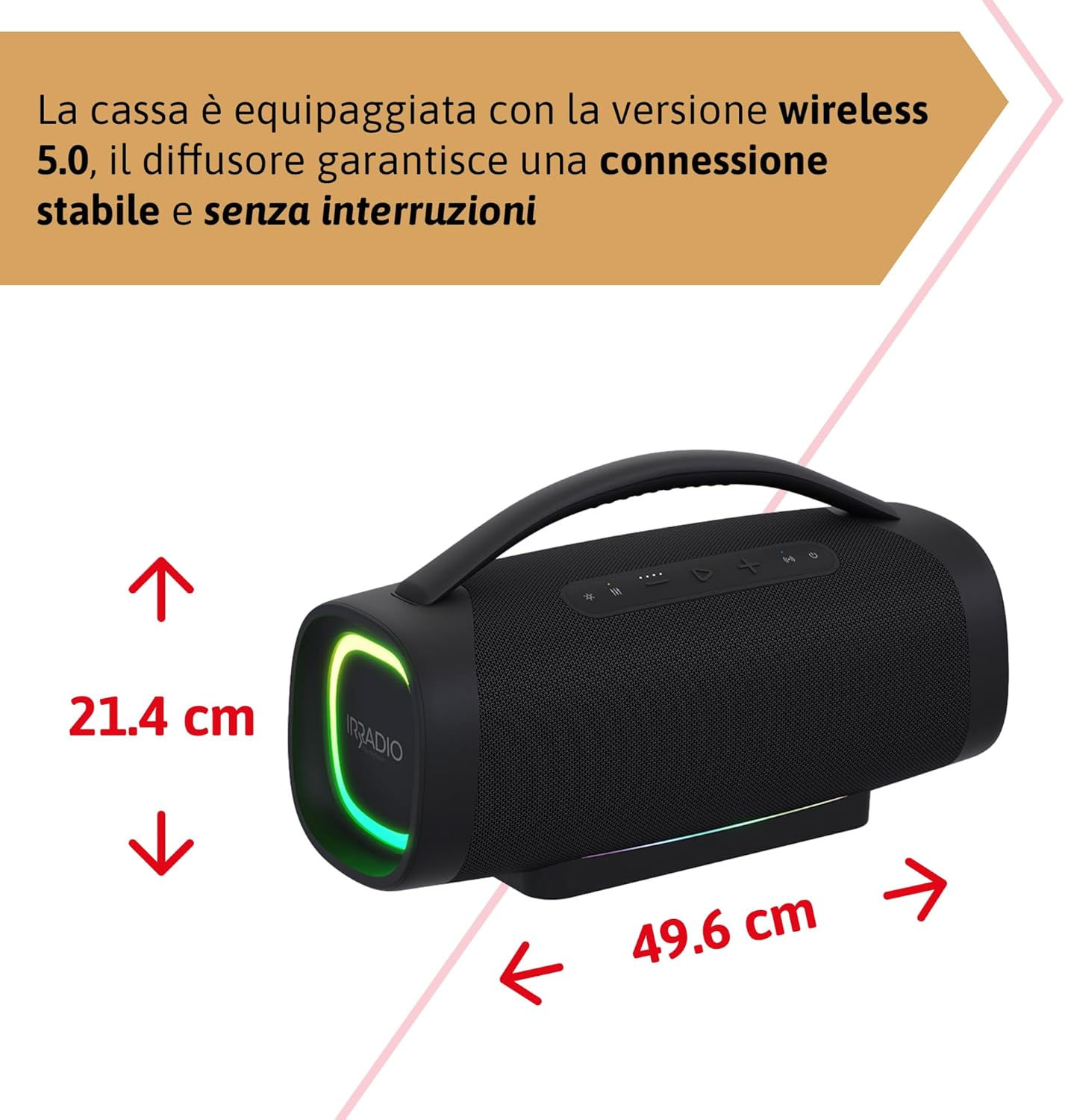
Figura 5: Dimensions of the IRRADIO IR-GT710V speaker. The speaker measures 49.6 cm in width and 21.4 cm in height.
| Caracteristică | Caietul de sarcini |
|---|---|
| Marca | IRRADIO |
| Model | IR-GT710V |
| Tip difuzor | Boombox |
| Putere de ieșire | 100 W RMS |
| Conectivitate | Bluetooth 5.0, USB, AUX 3.5mm |
| Gama Bluetooth | Până la 10 metri (33 picioare) |
| Rezistenta la apa | IPX6 |
| Capacitatea bateriei | 11.1 V 7500 mAh (83.25 Wh) |
| Timp de redare | Până la 12 ore (la 50% volum) |
| Timp de încărcare | Aproximativ 4.5 ore |
| Raspuns in frecventa | 45 Hz - 20 kHz |
| Formate audio acceptate | MP3, WAV |
| Dimensiuni produs (L x l x H) | 49.6 x 21.4 x 21.4 cm (19.5 x 8.4 x 8.4 țoli) |
| Greutate netă | 6.22 kg (13.7 lbs) |
| Componente incluse | Încărcător |
| Tip alimentare Plug | Type D – 3-pin (India) |
Garanție și suport
IRRADIO products are designed and manufactured to the highest quality standards. For warranty information, technical support, or service inquiries, please refer to the warranty card included with your product or visit the official IRRADIO website. Vă rugăm să păstrați dovada achiziției pentru reclamații în garanție.