
1. Introducere
The Sony WH-1000XM6 are over-ear wireless Bluetooth headphones designed to provide an immersive audio experience with advanced noise-cancelling capabilities. This manual provides essential information for the proper setup, operation, and maintenance of your headphones.
Key features include the HD Noise Cancelling Processor QN3, Multi Noise Sensor Technology, High-Resolution Audio support, DSEE Extreme, and a foldable design for portability. The headphones also offer up to 30 hours of battery life and support multipoint connection.
2. Ce se află în cutie
Verificați dacă toate articolele sunt prezente în ambalaj:
- Căști Sony WH-1000XM6
- Compact Protective Carrying Case
- Cablu USB-C
- Documentație (acest manual și alte ghiduri)
3. Produs terminatview
The WH-1000XM6 headphones feature a lightweight design with soft, cushioned ear pads and an adjustable headband for comfort during extended listening sessions. The headphones are foldable for easy storage and transport in the included carrying case.
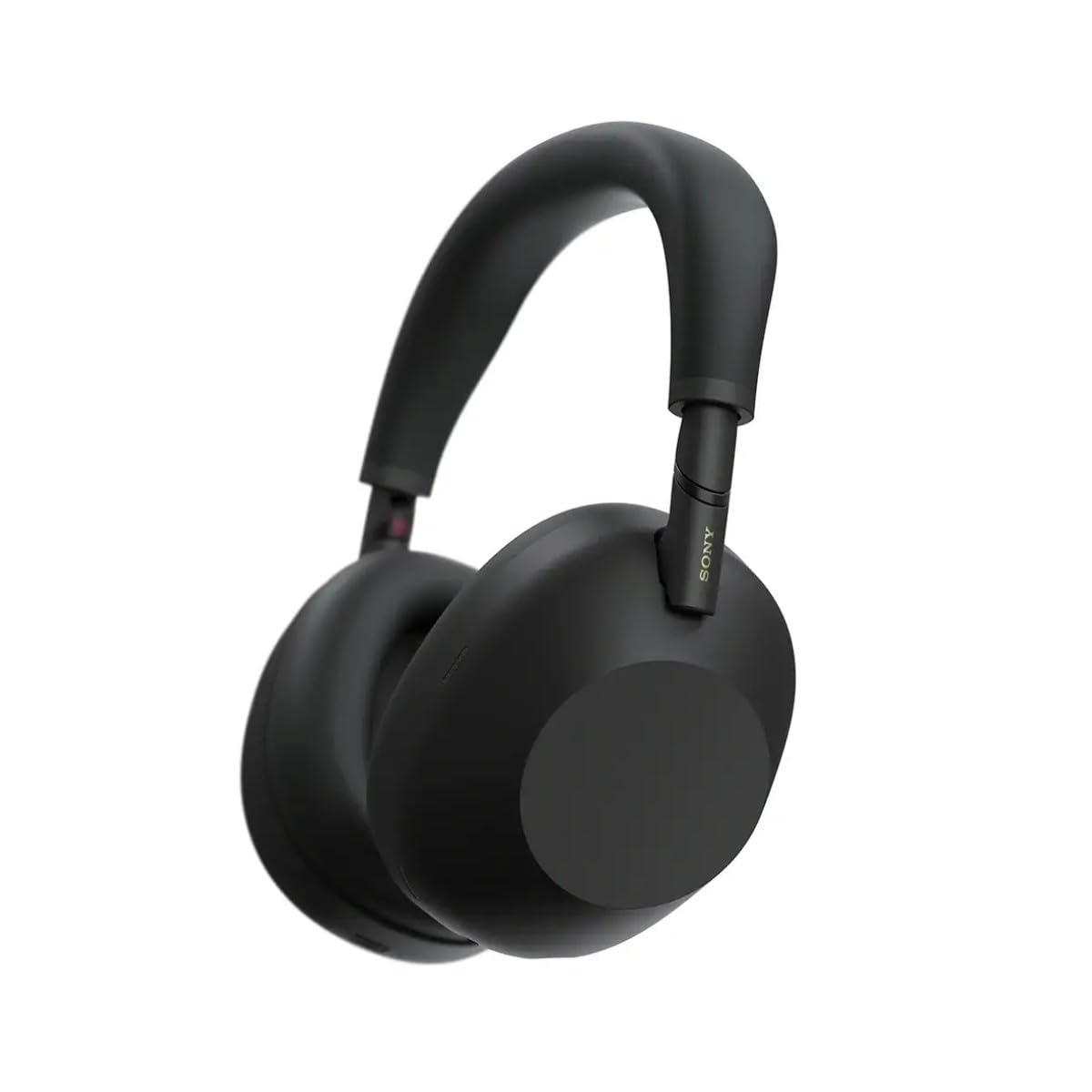
Figura 3.1: Față view of the Sony WH-1000XM6 headphones in black.
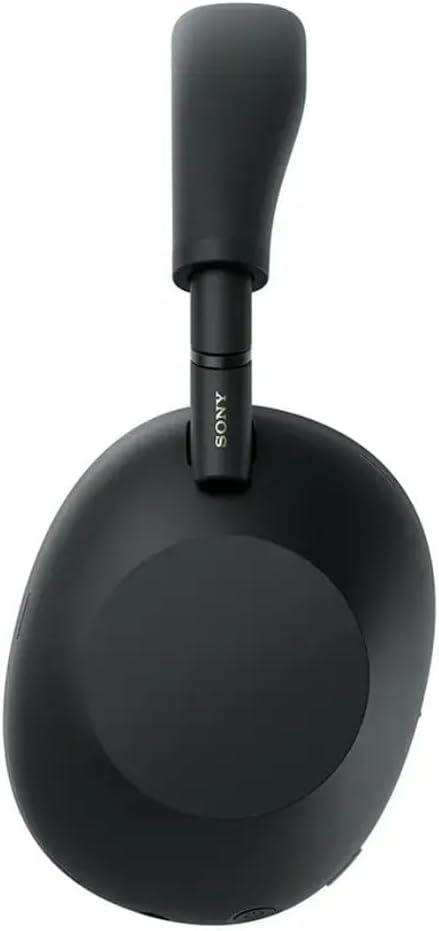
Figura 3.2: lateral view of the Sony WH-1000XM6 headphones.

Figure 3.3: WH-1000XM6 headphones stored in their protective carrying case.
4. Configurare
4.1. Încărcarea căștilor
Before initial use, fully charge the headphones. Connect the supplied USB-C cable to the charging port on the headphones and to a USB power source. A full charge provides up to 30 hours of playback. A quick 3-minute charge can provide approximately 3 hours of playback. The headphones can be used while charging.
4.2. Pornire/Oprire
- Pentru a porni: Apăsați și țineți apăsat butonul de alimentare până când se aprinde indicatorul luminos.
- Pentru a opri: Apăsați și țineți apăsat butonul de alimentare până când indicatorul luminos se stinge.
4.3. Asociere Bluetooth
Pentru a conecta căștile la un dispozitiv Bluetooth:
- Asigurați-vă că căștile sunt oprite.
- Press and hold the power button for approximately 7 seconds until the indicator light flashes blue rapidly and a voice guidance announces "Bluetooth pairing mode."
- Pe dispozitivul dvs. (smartphone, tabletă, computer), activați Bluetooth și căutați dispozitivele disponibile.
- Selectați „WH-1000XM6” din lista de dispozitive detectate.
- Once connected, the indicator light will flash slowly, and a voice guidance will announce "Bluetooth connected."
4.4. Sony | Headphones Connect App
Download the Sony | Headphones Connect app from your device's app store. This app allows you to customize sound settings, manage noise cancellation, update firmware, and access additional features for your WH-1000XM6 headphones.
5. Instrucțiuni de utilizare
5.1. Anularea zgomotului și modul sunet ambiental
The WH-1000XM6 features advanced noise cancellation powered by the HD Noise Cancelling Processor QN3 and Multi Noise Sensor Technology. The Auto NC Optimizer adapts to your environment for optimal performance.
- Anularea zgomotului: Reduce zgomotul ambiental pentru o experiență de ascultare captivantă.
- Mod sunet ambiental: Allows you to hear surrounding sounds while listening to music, enhancing situational awareness. The Auto Ambient Sound Mode adjusts the level based on your environment.
- Mod de atenție rapidă: Cover the right earcup with your hand to instantly lower music volume and allow ambient sound in, useful for quick conversations.
5.2. Redarea audio
The headphones feature 30mm driver units, support High-Resolution Audio, and include DSEE Extreme for upscaling compressed digital music files. Audio playback can be controlled via the touch panel on the right earcup:
- Redare/Pauză: Atingeți de două ori panoul tactil.
- Următoarea piesă: Glisați înainte.
- Pista anterioară: Glisați înapoi.
- Creșterea volumului: Glisați în sus.
- Volum scăzut: Deplasați degetul în jos.
Personalizează-ți profesionistul de sunetfile using the 10-band equalizer in the Sony | Headphones Connect app.
5.3. Funcții de apel
The WH-1000XM6 features 6 AI-powered beam-forming microphones and AI Noise Reduction for clear call quality, even in noisy environments.
- Răspundeți/Terminați apelul: Atingeți de două ori panoul tactil.
- Respinge apelul: Press and hold the touch panel.
- Dezactivare microfon: Double-press the ANC button during a call.
5.4. Conexiune multipunct
The Multipoint Connection feature allows you to connect the headphones to two Bluetooth devices simultaneously. This enables seamless switching between devices, such as a smartphone and a laptop, without needing to manually reconnect.
5.5. Control adaptiv al sunetului
Adaptive Sound Control automatically detects your activity (e.g., sitting, walking, traveling) and adjusts the noise cancellation or ambient sound settings accordingly. This feature can be configured via the Sony | Headphones Connect app.
5.6. Specialized Audio Features
- 360 Upmix for Cinema: Transforms stereo content into an immersive surround sound experience.
- Game EQ: Enhances clarity and detail in gaming audio.
- Sunet spațial personalizat: Available through the app for an optimized listening experience.
6. Întreținere
6.1. Curatenie
- Ștergeți căștile cu o lavetă moale și uscată.
- Nu folosiți alcool, benzen, diluanți sau alte substanțe chimice de curățare, deoarece acestea pot deteriora finisajul.
- Clean the ear pads and headband gently to remove any buildup.
6.2. Depozitare
When not in use, store the headphones in their compact protective carrying case to prevent damage from dust, scratches, and impacts. Avoid storing in direct sunlight or in excessively hot or humid environments.
7. Depanare
If you encounter issues with your WH-1000XM6 headphones, try the following steps:
- Fără putere: Asigurați-vă că sunt încărcate căștile. Conectați-le la o sursă de alimentare folosind cablul USB-C.
- Fără sunet: Check the volume level on both the headphones and the connected device. Ensure the headphones are properly paired via Bluetooth.
- Calitate slabă a sunetului: Verify that the audio source is of good quality. Try moving closer to the connected device to avoid interference. Check equalizer settings in the Sony | Headphones Connect app.
- Probleme de asociere Bluetooth: Ensure the headphones are in pairing mode. Turn off and on Bluetooth on your device. Delete the headphones from your device's Bluetooth list and attempt to pair again.
- Noise Cancelling Not Effective: Ensure the headphones are properly seated on your ears. Use the Auto NC Optimizer feature via the app.
- Headphones Unresponsive: Perform a factory reset if available (refer to the Sony | Headphones Connect app or Sony support website pentru instrucțiuni specifice).
For further assistance, refer to the Sony | Headphones Connect app or the official Sony support website-ul.
8. Specificații
| Marca | Sony |
| Numele modelului | WH-1000XM6 |
| Culoare | Negru |
| Plasarea urechii | Peste ureche |
| Tehnologia de conectivitate | Fără fir (Bluetooth 5.1) |
| Controlul zgomotului | Anularea activă a zgomotului |
| Tip de driver audio | Driver dinamic |
| Raspuns in frecventa | 20 Hz - 40,000 Hz |
| Impedanta | 48 ohmi |
| Durata medie a bateriei | 30 de ore |
| Timp de încărcare a bateriei | 3 minute pentru 3 ore de redare |
| Greutatea articolului | 250 grame |
| Material | Aluminum (Enclosure) |
| Tip control | Voice Control, App |
| Nivel de rezistență la apă | Nu este rezistent la apă |
9. Garanție și asistență
Pentru informații detaliate despre garanție, consultați cardul de garanție inclus împreună cu produsul sau vizitați site-ul oficial de asistență Sony. website. For technical support, product registration, or service inquiries, please contact Sony customer service or visit their online support resources.