
1. Introducere
Thank you for choosing the Turtlebox Original Gen 3 Portable Outdoor Bluetooth Speaker. This speaker is engineered for exceptional durability and sound performance in outdoor environments. It features an ultra-loud output, IP67 waterproof rating, impact resistance, and an extended battery life. This manual provides essential information for setting up, operating, maintaining, and troubleshooting your device to ensure optimal performance and longevity.
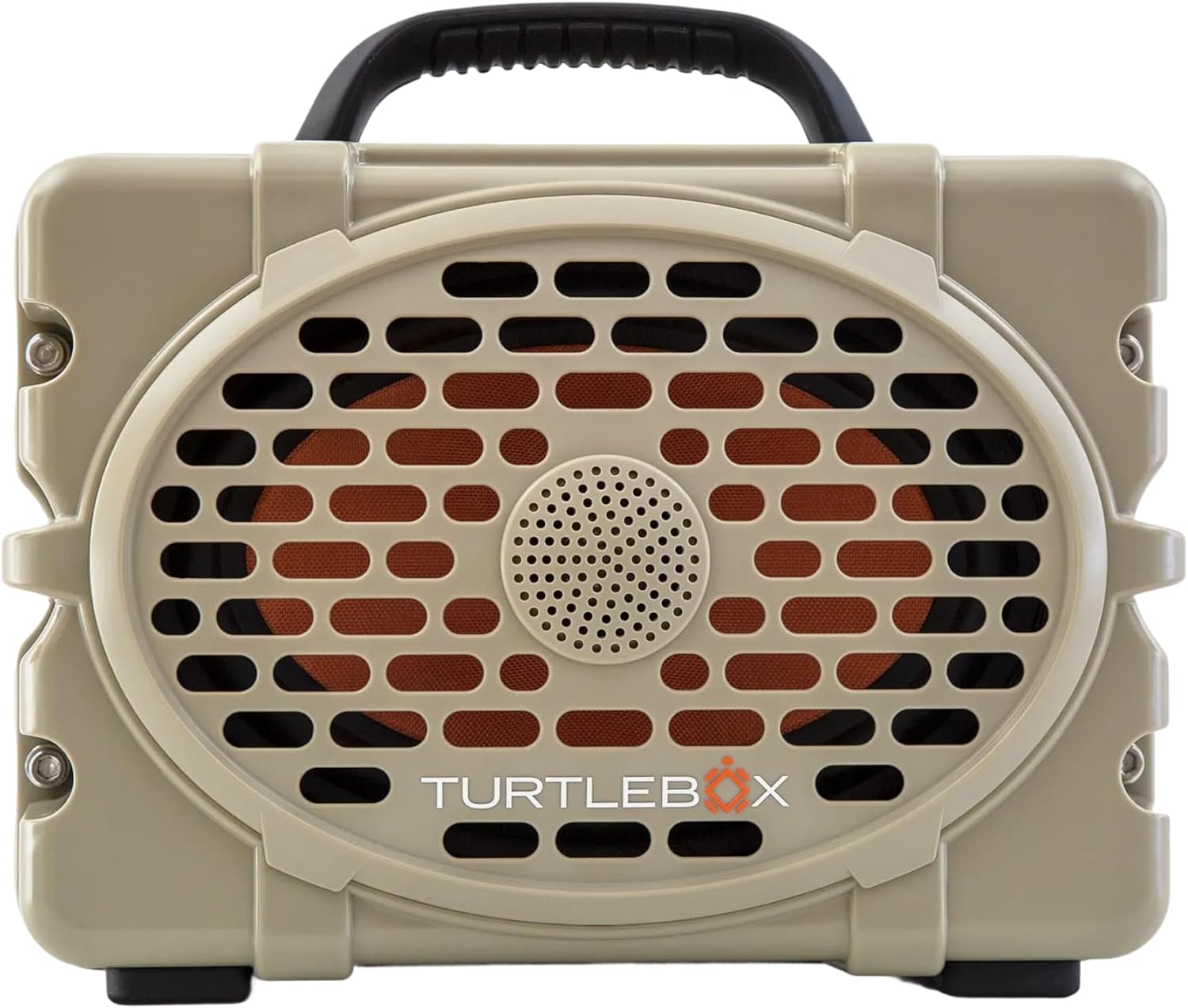
Figura 1: Față view of the Turtlebox Original Gen 3 speaker.
2. Informații de siguranță
- Nu încercați să dezasamblați, să reparați sau să modificați difuzorul. Acest lucru poate anula garanția și poate reprezenta un risc pentru siguranță.
- Ensure all port covers are securely closed before exposing the speaker to water to maintain its IP67 waterproof rating.
- Use only the provided charger or a certified equivalent to prevent damage to the battery.
- Avoid prolonged exposure to extreme temperatures (hot or cold) as this can affect battery life and speaker performance.
- Do not operate the speaker while it is charging if it is exposed to water.
3. Conținutul pachetului
Verificați dacă toate articolele sunt prezente în colet:
- Turtlebox Original Gen 3 Speaker
- Încărcător
4. Produs terminatview
4.1. Panoul de control
The control panel is located on the top of the speaker, providing easy access to essential functions.

Figure 2: Control Panel with labeled buttons.
- Buton de alimentare: Apăsați pentru a porni sau opri difuzorul.
- Butoane de volum (-/+): Reglați volumul de redare.
- Track Control Buttons (|<|): Treceți la piesa anterioară sau următoare.
- Buton Bluetooth: Inițiază modul de asociere Bluetooth.
- Party Mode Button: Activates Party Mode for multi-speaker synchronization.
4.2. Porturi și conexiuni
The rear panel features protected ports for charging and external audio connections.
Videoclipul 1: Terminatview of the Turtlebox speaker's side and ports, demonstrating the waterproof cover.
- Port de încărcare: Pentru conectarea adaptorului de alimentare pentru încărcarea difuzorului.
- AUX IN: Intrare audio de 3.5 mm pentru conexiuni prin cablu.
- MICROFON CUPLAT: Input for connecting a microphone.
- IEȘIRE USB-C: Output port for charging external devices.
4.3. Caracteristici fizice
- Mâner integrat: Pentru o portabilitate ușoară.
- Stainless Steel Tie-Downs: Secure the speaker to a UTV or boat.
- C robustasing: Provides drop, crush, and dust-proof protection.
5. Configurare
5.1. Încărcarea inițială
Before first use, fully charge your Turtlebox speaker. Connect the provided charger to the charging port on the rear panel and plug it into a power outlet. The battery indicator lights on the control panel will show charging progress.
5.2. Pornire/Oprire
- To power on, press and hold the Power Button on the control panel until the indicator lights illuminate.
- Pentru a opri, apăsați și țineți apăsat din nou butonul de pornire până când luminile indicatoare se sting.
5.3. Asociere Bluetooth
Pentru a vă conecta dispozitivul prin Bluetooth:
- Ensure the Turtlebox speaker is powered on.
- Press the Bluetooth Button on the control panel. The Bluetooth indicator light will flash, indicating pairing mode.
- On your audio device (e.g., smartphone, tablet), navigate to Bluetooth settings and select "Turtlebox Gen 3" from the list of available devices.
- După conectare, indicatorul luminos Bluetooth de pe difuzor va deveni continuu.
6. Instrucțiuni de utilizare
6.1. Redare audio de bază
- Reglarea volumului: Folosiți butoanele „+” și „-” de pe panoul de control.
- Navigare pe piesă: Use the '|<' and '>|' buttons to skip tracks.
6.2. Party Mode (Multi-Speaker Pairing)
Party Mode allows you to connect multiple Turtlebox Original Gen 3 speakers for an expanded sound experience. Note: The Original Gen 3 does not pair with Gen 1 or Gen 2 Turtlebox speakers.
- Ensure all speakers are powered on and not currently connected to a Bluetooth device.
- On the primary speaker (the one you want to connect to your device), press the Bluetooth Button to enter pairing mode. Connect your audio device to this speaker.
- On the primary speaker, press the Party Mode button. The Party Mode indicator will flash.
- On each additional speaker, press the Party Mode button. They will automatically search for and connect to the primary speaker.
- Once connected, all speakers will play audio from your device.
6.3. Utilizarea intrării AUX
For wired audio connections, open the rear port cover and connect a 3.5mm audio cable from your device to the AUX IN port. The speaker will automatically switch to AUX input mode.
6.4. Using Microphone Input
To use a microphone, open the rear port cover and connect your microphone to the MIC IN port. Adjust microphone volume as needed from the connected microphone or audio source.
6.5. Încărcarea dispozitivelor externe
The USB-C OUT port can be used to charge compatible external devices. Open the rear port cover and connect your device's charging cable to the USB-C OUT port.
7. Întreținere
7.1. Curatenie
Curățați difuzorul cu reclamăamp cloth. For stubborn dirt, use mild soap and water. Ensure all port covers are closed during cleaning. Do not use abrasive cleaners or solvents.
7.2. Waterproof Seal Check
Regularly inspect the rubber seals around the port cover for any signs of wear or damage. A compromised seal can affect the speaker's waterproof integrity. Always ensure the port cover is firmly closed with an audible "click" before exposing the speaker to water.
7.3. Îngrijirea bateriei
To maximize battery life, avoid fully discharging the battery frequently. Store the speaker in a cool, dry place when not in use for extended periods. Charge the battery at least once every three months to prevent deep discharge.
7.4. Depozitare
When storing the speaker, especially for long durations, ensure it is clean, dry, and all port covers are securely fastened. Store in a location away from direct sunlight and extreme temperatures.
8. Depanare
- Fără putere: Ensure the battery is charged. Connect the speaker to the charger and allow it to charge for at least 30 minutes before attempting to power on again.
- Bluetooth nu se conectează: Ensure the speaker is in pairing mode (flashing Bluetooth light). Turn off and on your device's Bluetooth. Move the speaker closer to your device. If issues persist, try forgetting the device in your Bluetooth settings and re-pairing.
- Fără sunet: Verificați nivelurile de volum atât pe difuzor, cât și pe dispozitivul conectat. Asigurați-vă că este selectată sursa de intrare corectă (Bluetooth sau AUX).
- Party Mode Issues: Ensure all speakers are Gen 3 models. Confirm all speakers are in Party Mode pairing. Try resetting all speakers and re-initiating Party Mode from the primary speaker.
- Sunet distorsionat: Reduceți volumul atât pe difuzor, cât și pe dispozitiv. Asigurați-vă că sursa audio este de bună calitate.
9. Specificații
| Caracteristică | Caietul de sarcini |
|---|---|
| Numele modelului | Turtlebox Gen 3 |
| Material | Fiberglass, Stainless Steel, Titanium |
| Tip difuzor | Tweeter, Bass Driver |
| Caracteristici speciale | 120 decibels of sound, 1” Titanium tweeter, 6” x 9” woofer, 85Wh Lithium-ion battery, Powerful Class D digital ampmai în viață |
| Dispozitive compatibile | iPhone, Android |
| Configurare canal de sunet surround | 2.0 |
| Culoare | Tan / negru |
| Dimensiunile produsului | 12" D x 8.75" L x 7" H |
| Nivel de rezistență la apă | IP67 rezistent la apa |
| Baterie | 1 Lithium Ion battery (included), up to 3 days playtime |
| Metoda de control | Atingere |
| Tehnologia comunicațiilor fără fir | Bluetooth |
| Putere maximă de ieșire difuzor | 100 wați |
| Greutatea articolului | 11.88 lire sterline |
| UPC | 850024307742 |
10. Garanție și asistență
The Turtlebox Original Gen 3 speaker comes with a 1-Year Manufacturer Warranty. For warranty claims, technical support, or additional product information, please refer to the official Turtlebox website-ul lor web sau contactați direct serviciul lor de asistență pentru clienți. Păstrați dovada achiziției pentru validarea garanției.