
1. Introducere
The MEETION DirectorD-KB is a wireless ergonomic keyboard designed for comfortable and natural typing. It features a scientific wave key design and a built-in firm wrist rest to support your hands during extended use. This keyboard offers broad compatibility with Windows and macOS devices through a 2.4GHz wireless connection.

Image: The MEETION DirectorD-KB Wireless Ergonomic Keyboard positioned on a wooden desk, showcasing its wave-curved design and integrated wrist rest.
2. Conținutul pachetului
Asigurați-vă că toate articolele sunt prezente în colet:
- 1 x MEETION DirectorD-KB Wireless Ergonomic Keyboard
- 1 x Manual de utilizare
- 1 x USB-A 2.4GHz Wireless Receiver
- 1 x Adaptor USB-C
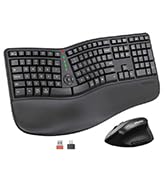
Image: Contents of the MEETION DirectorD-KB package, including the keyboard, user manual, USB-A receiver, and USB-C adapter.
3. Instrucțiuni de configurare
3.1. Instalarea bateriei
- Localizați compartimentul bateriei pe partea inferioară a tastaturii.
- Deschideți capacul compartimentului bateriei.
- Introduceți două baterii AAA (nu sunt incluse) în compartiment, asigurându-vă că polaritatea este corectă.
- Închideți bine capacul compartimentului bateriei.

Image: The underside of the keyboard showing the battery compartment for two AAA batteries and details on power saving features.
3.2. Conectarea receptorului
- Locate the USB-A 2.4GHz wireless receiver, typically found in the slot inside the keyboard's battery compartment or in the accessory pouch.
- For devices with a USB-A port: Plug the USB-A receiver directly into an available USB-A port on your computer.
- For devices with a USB-C port: Attach the provided USB-C adapter to the USB-A receiver, then plug the combined unit into an available USB-C port on your computer.
- The keyboard is plug-and-play and should connect automatically.
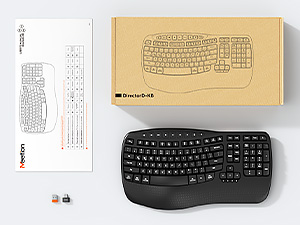
Image: Step-by-step guide on connecting the USB-A receiver with the USB-C adapter to a computer's USB-C port.
3.3. Pornire
After installing batteries and connecting the receiver, slide the power switch on the keyboard to the 'ON' position. The keyboard is now ready for use.
4. Instrucțiuni de utilizare
4.1. Ergonomic Design and Wrist Rest
The keyboard features a wave-shaped key layout and a firm, integrated wrist rest. This design guides your hands and wrists into a natural, relaxed typing position, reducing strain during long typing sessions.

Image: A user's hands resting comfortably on the integrated wrist rest while typing on the ergonomic keyboard.
4.2. Adjustable Tilt
Utilize the adjustable tilt legs on the underside of the keyboard to find your preferred typing angle. Different angles can further enhance comfort and reduce wrist fatigue.

Imagine: Side profiles of the keyboard demonstrating three different adjustable tilt angles for personalized comfort.
4.3. Dual System Layout (Windows/macOS)
The keyboard supports both Windows and macOS layouts. To switch between operating systems:
- Presa FN + Q pentru aspectul Windows.
- Presa FN + W pentru aspectul macOS.
4.4. Taste multimedia
The keyboard includes dedicated and combined multimedia keys for quick access to functions like volume control, media playback, and more.
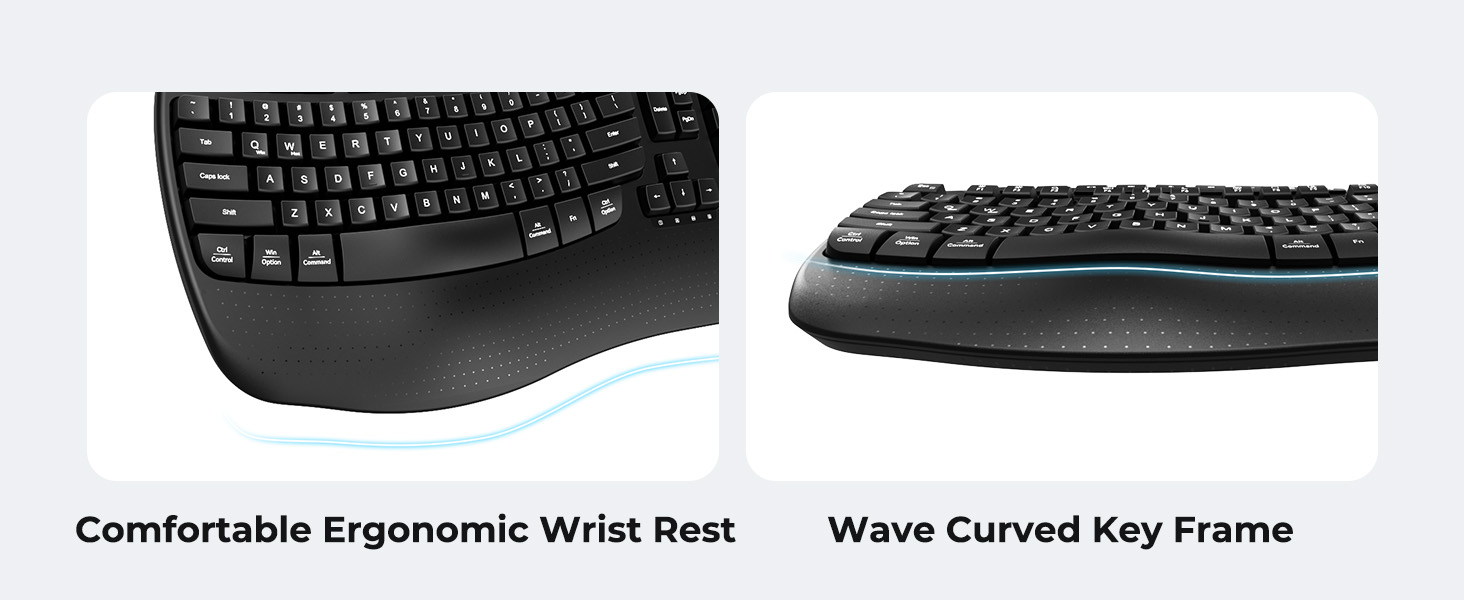
Image: A visual representation of the independent and combined multimedia keys available on the keyboard.
4.5. Economisire inteligentă a energiei
The keyboard features an auto-sleep mode to conserve battery life. After 20 minutes of inactivity, it will enter hibernation. To wake it up, simply press any key.

Image: Close-up of the keyboard's indicator lights, showing status for Num Lock, Caps Lock, FN Lock, and low battery warning.
5. Întreținere
Pentru a asigura longevitatea și performanța optimă a tastaturii, urmați aceste instrucțiuni de întreținere:
- curatenie: Folosiți o lavetă moale și uscată pentru a șterge suprafața tastaturii. Pentru o curățare mai profundă, ștergeți ușor suprafața tastaturii.amp cloth with mild soap can be used, ensuring no liquid enters the keycaps or internal components.
- Evitați lichidele: Nu expuneți tastatura la umiditate excesivă și nu vărsați lichide pe ea.
- Depozitare: Depozitați tastatura într-un loc răcoros și uscat, ferit de lumina directă a soarelui și de temperaturi extreme.
- Înlocuire baterie: Replace batteries promptly when the low battery indicator appears to maintain consistent performance.
6. Depanare
If you encounter issues with your MEETION DirectorD-KB keyboard, refer to the following common solutions:
- Tastatura nu răspunde:
- Verificați dacă tastatura este pornită.
- Asigurați-vă că bateriile sunt instalate corect și nu sunt descărcate. Înlocuiți-le dacă este necesar.
- Verify that the USB receiver is securely plugged into your computer's USB port (or via the USB-C adapter).
- Încercați să conectați receptorul la un alt port USB.
- Reporniți computerul.
- Conexiune cu întârziere sau intermitentă:
- Asigurați-vă că tastatura se află în raza efectivă de acțiune a receptorului (de obicei, până la 10 metri).
- Minimize interference from other wireless devices by moving them further away.
- Evitați amplasarea receptorului în apropierea obiectelor metalice mari.
- Tastele nu funcționează corect:
- Verificați dacă există obstacole fizice sub capacele tastelor.
- Ensure the correct operating system layout (Windows/macOS) is selected using FN+Q or FN+W.
7. Specificații
| Caracteristică | Detaliu |
|---|---|
| Marca | ÎNTÂLNIREA |
| Numărul de model | DirectorD-KB |
| Tehnologia de conectivitate | 2.4G Wireless (USB-A, USB-C Adapter) |
| Dispozitive compatibile | Laptop, PC (Windows XP/7/8/10/11 & macOS X 10.6 or later) |
| Aspectul tastaturii | QWERTY |
| Numărul de chei | 113 |
| Caracteristici speciale | Ergonomic, Hotkeys and Media Keys, Integrated Stand, Wave Keys, Wrist Rest |
| Dimensiuni produs (L x l x H) | 17.39 cm x 9.43 cm x 1.81 cm |
| Material | Plastic |
| Sursa de alimentare | Alimentat cu baterii (2 x AAA, nu sunt incluse) |
8. Videoclip oficial al produsului
Video: O prezentare video oficială a produsuluiasing the features and ergonomic design of the MEETION DirectorD-KB Wave Ergonomic Wireless Keyboard. (Duration: 0:39)
9. Garanție și asistență
This MEETION DirectorD-KB Wireless Ergonomic Keyboard comes with a 1-year manufacturer's warranty.
For further assistance, troubleshooting, or warranty claims, please visit the official MEETION store or contact customer support.
Magazinul oficial MEETION: Magazinul MEETION pe Amazon