
1. Introducere
Thank you for choosing the OREiN OL17006 Bathroom Exhaust Fan with Light. This product is designed to enhance air quality and illumination in your bathroom, laundry room, or similar indoor spaces. It features a humidity sensor, adjustable airflow (CFM), a multi-color temperature LED light, and a nightlight function. Please read this manual thoroughly before installation and operation to ensure safe and efficient use.
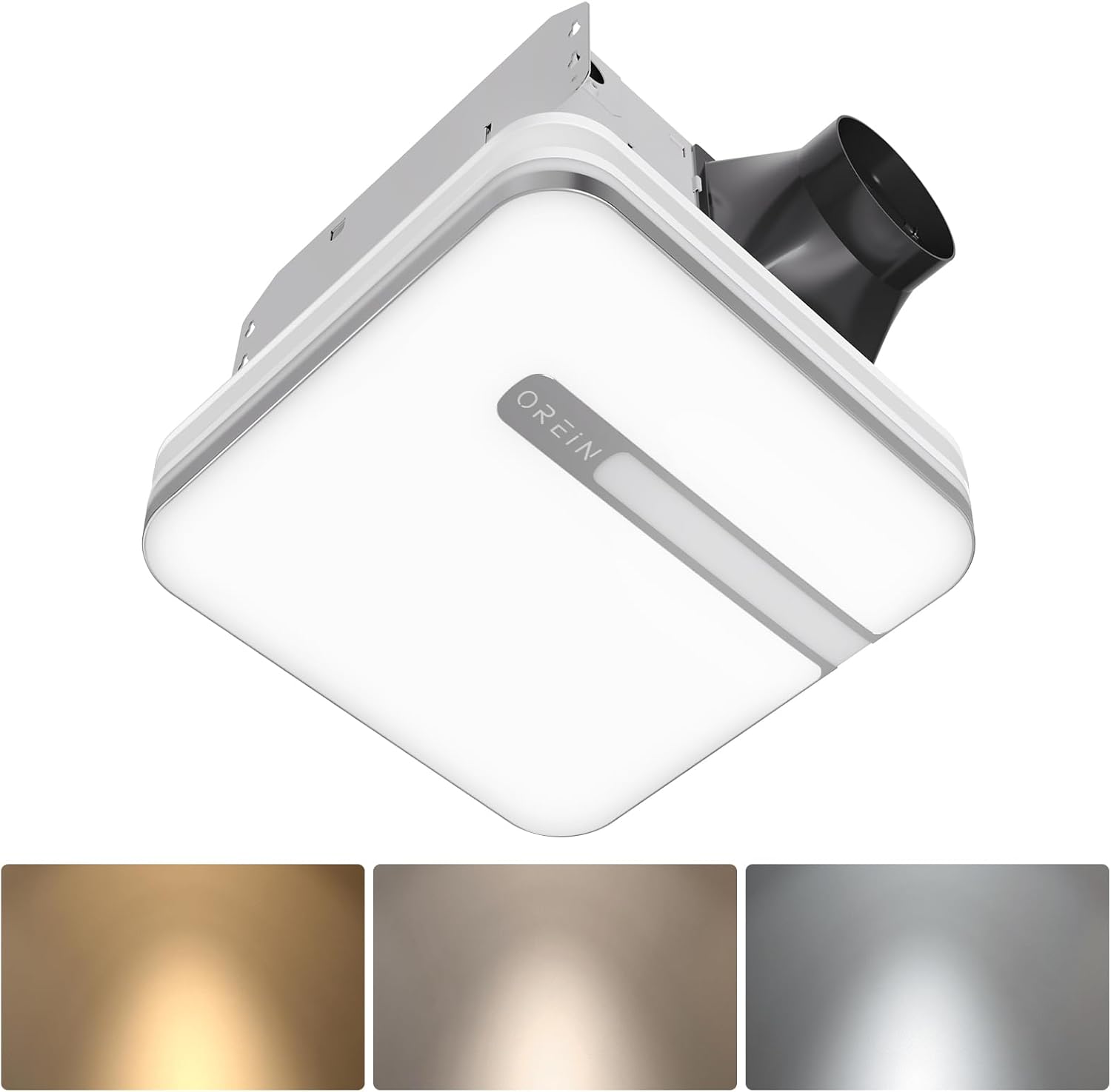
Image 1.1: The OREiN OL17006 Bathroom Exhaust Fan with Light, showcasing designul său elegant și iluminatul integrat.
2. Informații de siguranță
Always follow basic safety precautions when installing, operating, and maintaining this product to reduce the risk of fire, electric shock, or injury to persons.
- Citiți toate instrucțiunile: Familiarize yourself with the product and its functions before use.
- Siguranta electrica: Disconnect power at the service panel before wiring or servicing the unit. Ensure all wiring complies with local electrical codes and standards.
- Personal calificat: Instalarea și cablarea trebuie efectuate de către un electrician calificat.
- Împământare: Această unitate trebuie să fie împământată corespunzător.
- Ventilare: Do not use this fan in kitchens or areas where it may be exposed to grease.
- Clearance: Maintain proper clearance from combustible materials.
- Deteriora: Do not operate any fan with a damaged cord or plug, or if the fan motor is dropped or damaged in any manner.
3. Conținutul pachetului
Verificați dacă toate componentele sunt prezente înainte de a începe instalarea:
- OREiN OL17006 Ventilator de evacuare pentru baie cu lumină
- Fast Bracket for Installation
- Manual de utilizare (Acest document)
- Elemente de montare (șuruburi, piulițe de sârmă etc.)
4. Specificații
| Caracteristică | Caietul de sarcini |
|---|---|
| Marca | OREiN |
| Numele modelului | OL17006 |
| Capacitatea fluxului de aer | 80 / 110 Cubic Feet Per Minute (CFM) selectable |
| Nivel de zgomot | 0.8 / 1.0 Sones |
| Wattage | 30 wați (ventilator) |
| Voltage | 120 volți |
| Ieșire de lumină | 1500 lumeni |
| Temperatura de culoare | 3000K (Soft White), 4000K (Bright White), 5000K (Daylight) selectable |
| Lumină de noapte | 2200K |
| Caracteristici speciale | Humidity Sensor, Adjustable Color Temperature, LED Light |
| Diametrul conductei | 4 inci |
| Dimensiunile locuinței | 9.25 cm x 9.75 cm x 7.1 cm |
| Install Size | 10.24" x 9.37" (260 x 238 mm) |
| Light Cover Size | 13 cm x 13 cm |
| Tip de cameră | Bathroom, Laundry Room |
5. Configurare și instalare
The OREiN OL17006 fan is designed for easy installation in new construction or retrofit applications. It fits 10.24" x 9.37" ceiling constructions with a 4-inch duct.
5.1 Pași de preinstalare
- Deconectare de la curent: Ensure power is turned OFF at the circuit breaker before starting any installation work.
- Selectarea locației: Choose a suitable location in the ceiling, ensuring adequate space for the fan housing and ductwork.
- Conducte: Plan for a 4-inch duct connection to the exterior.
5.2 Procedura de instalare
The fan comes with a fast bracket for secure and easy installation. You can mount the exhaust fan between ceiling joists using the fast bracket, or nail/screw it directly to a joist.
- Montarea carcasei: Secure the fan housing to the ceiling joists using the provided fast bracket or by nailing/screwing directly. Ensure the housing is level and firmly attached.
- Conexiune conductă: Connect the 4-inch ductwork to the fan's exhaust port. Seal all duct connections with appropriate tape or sealant to prevent air leakage.
- Cablaj electric: Connect the electrical wiring according to the wiring diagram provided with the unit and local electrical codes. Ensure proper grounding.
- Light Cover Installation: Once wiring is complete and tested, attach the light cover to the fan housing.

Image 5.1: Diagram illustrating the product dimensions, installation size (10.24" x 9.37"), and the fast bracket for mounting.
6. Instrucțiuni de utilizare
The OREiN OL17006 fan offers versatile operation modes and lighting options.
6.1 CFM Selection (Airflow Speed)
You can select between 80 CFM and 110 CFM airflow speeds to suit your ventilation needs. This is done by sliding a toggle switch located on the fan housing before final installation of the light cover.
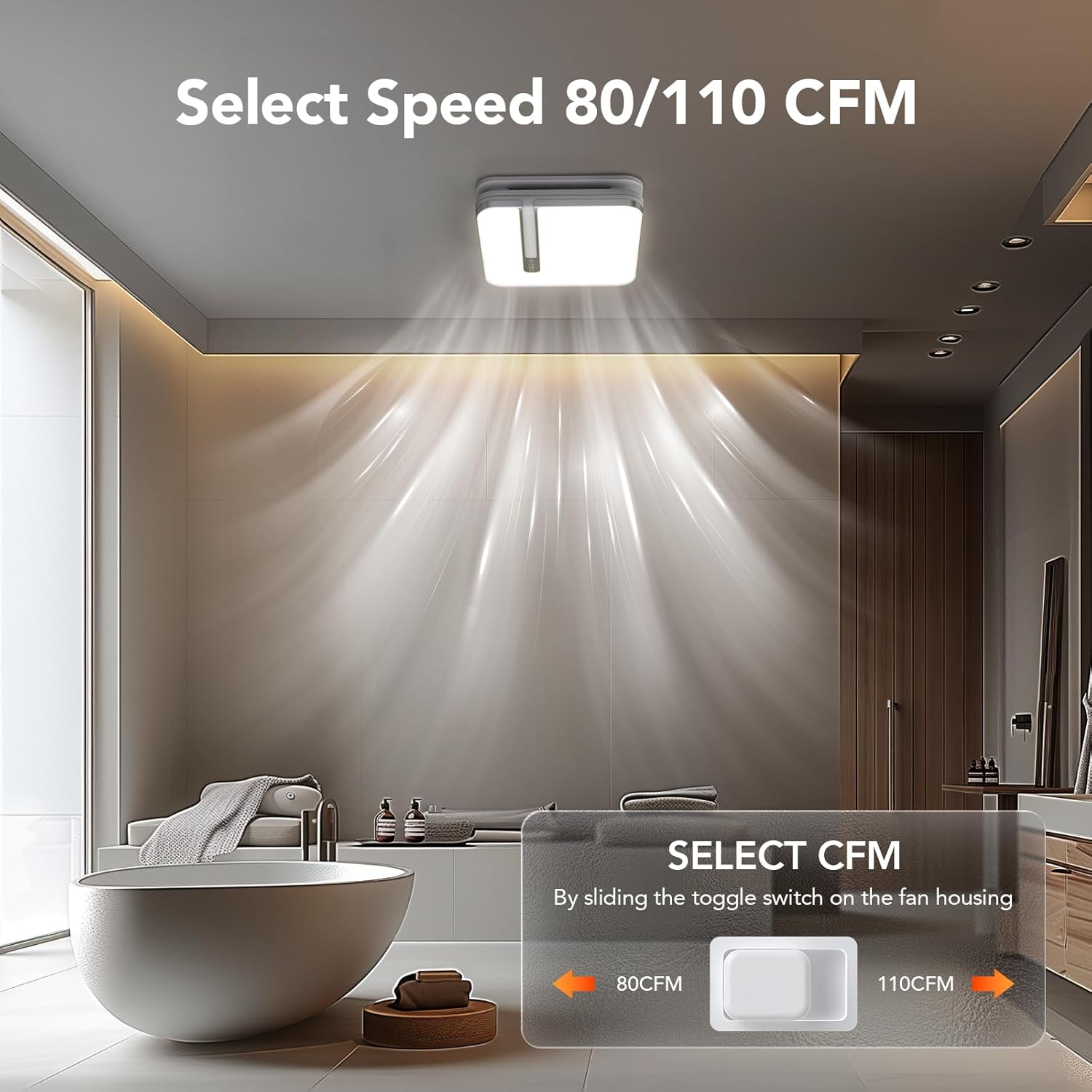
Image 6.1: Illustration of the toggle switch on the fan housing used to select between 80 CFM and 110 CFM airflow settings.
6.2 Light Color Temperature (CCT) Selection
The integrated LED light offers three color temperature options: 3000K (Soft White), 4000K (Bright White), and 5000K (Daylight). To select your desired CCT, slide the toggle switch located on the back of the bath fan shade before installing it.

Image 6.2: Visual guide for selecting the LED light's color temperature (3000K, 4000K, 5000K) using the switch on the lampumbră.
6.3 Funcția de lumină de noapte
The fan includes a 2200K nightlight. To activate the nightlight mode, cycle the wall switch of the light from OFF to ON-OFF-ON within 2 seconds. This quick sequence will switch the light to nightlight mode.

Imaginea 6.3: Un fostample of the 2200K nightlight providing subtle illumination in a bathroom setting.
6.4 Humidity Sensing Mode
The built-in humidity sensor automatically turns the fan on when the humidity level in the room exceeds 60%. The LED indicator light on the back of the fan will be green when in humidity sensing mode.
To switch between Manual Mode (fan runs continuously) and Humidity Sensing Mode, cycle the wall switch of the fan to the "OFF" position and then back to the "ON" position. The fan will indicate the current mode by the color of its indicator light.
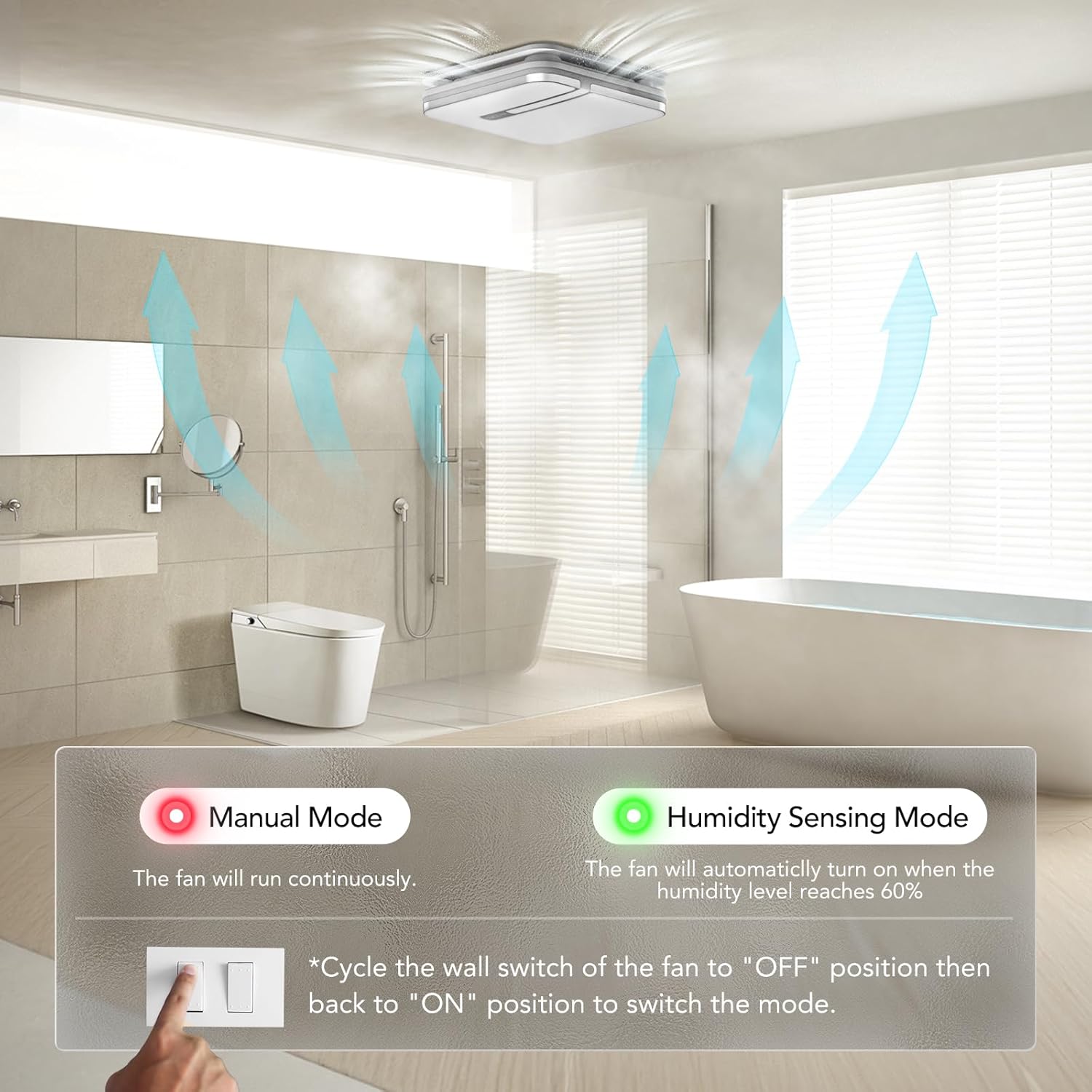
Image 6.4: Explanation of Manual Mode (red indicator, continuous operation) and Humidity Sensing Mode (green indicator, automatic activation at 60% humidity).
7. Întreținere
Întreținerea regulată asigură performanța optimă și durata de viață a ventilatorului de evacuare.
- Deconectare de la curent: Always turn off power at the circuit breaker before performing any maintenance.
- Cleaning the Grille/Light Cover: Remove the light cover and wash it with mild soap and water. Rinse thoroughly and dry completely before reattaching.
- Curățarea palelor ventilatorului: Gently wipe the fan blades with a damp cloth to remove dust and debris. Do not bend the blades.
- Întreținere motor: Motorul este lubrifiat permanent și nu necesită ungere suplimentară.
- Inspecția conductelor: Periodically check ductwork for obstructions or damage.
8. Depanare
If you encounter issues with your OREiN OL17006 fan, refer to the following common problems and solutions:
| Problemă | Cauza posibila | Soluţie |
|---|---|---|
| Ventilatorul nu funcționează | Fără alimentare Cablaj slăbit Funcționare defectuoasă a motorului | Verificați întrerupătorul de circuit și întrerupătorul de perete Verify all wire connections are secure (ensure power is off) Contactați asistența pentru clienți |
| Lumina nu se aprinde | Fără alimentare Cablaj slăbit Defecțiune LED | Verificați întrerupătorul de circuit și întrerupătorul de perete Verify all wire connections are secure (ensure power is off) Contactați asistența pentru clienți |
| Ventilatorul este zgomotos | Montaj liber Duct obstruction Pale murdare ale ventilatorului Problema motorului | Ensure fan housing is securely mounted Check ductwork for debris Clean fan blades (ensure power is off) Contactați asistența pentru clienți |
| Humidity sensor not activating | Modul incorect selectat Humidity level below 60% Funcționare defectuoasă a senzorului | Cycle wall switch to switch to Humidity Sensing Mode Ensure room humidity is above 60% Contactați asistența pentru clienți |
| Nightlight not activating | Incorrect switch sequence | Ensure ON-OFF-ON sequence is performed within 2 seconds |
9. Garanție și asistență
OREiN products are manufactured with quality and reliability in mind. For specific warranty details, please refer to the warranty card included with your product or contact OREiN customer service directly.
9.1 Asistență pentru clienți
For technical assistance, troubleshooting not covered in this manual, or warranty inquiries, please contact OREiN customer support:
- Telefon: 1 (844) 506-1530 (24-Hour Service)
- Online: Visit the OREiN store on Amazon or search for OREiN on the internet to find contact options.

Image 9.1: OREiN customer service contact details, including a 24-hour service phone number.


