
1. Introducere
This manual provides detailed instructions for the Taiahiro BK820 Typewriter Mechanical Gaming Keyboard and Mouse Combo. Designed for both gaming and daily computing, this combo offers a unique retro aesthetic combined with modern mechanical performance and customizable RGB lighting. Please read this manual thoroughly to ensure proper setup, operation, and maintenance of your new device.
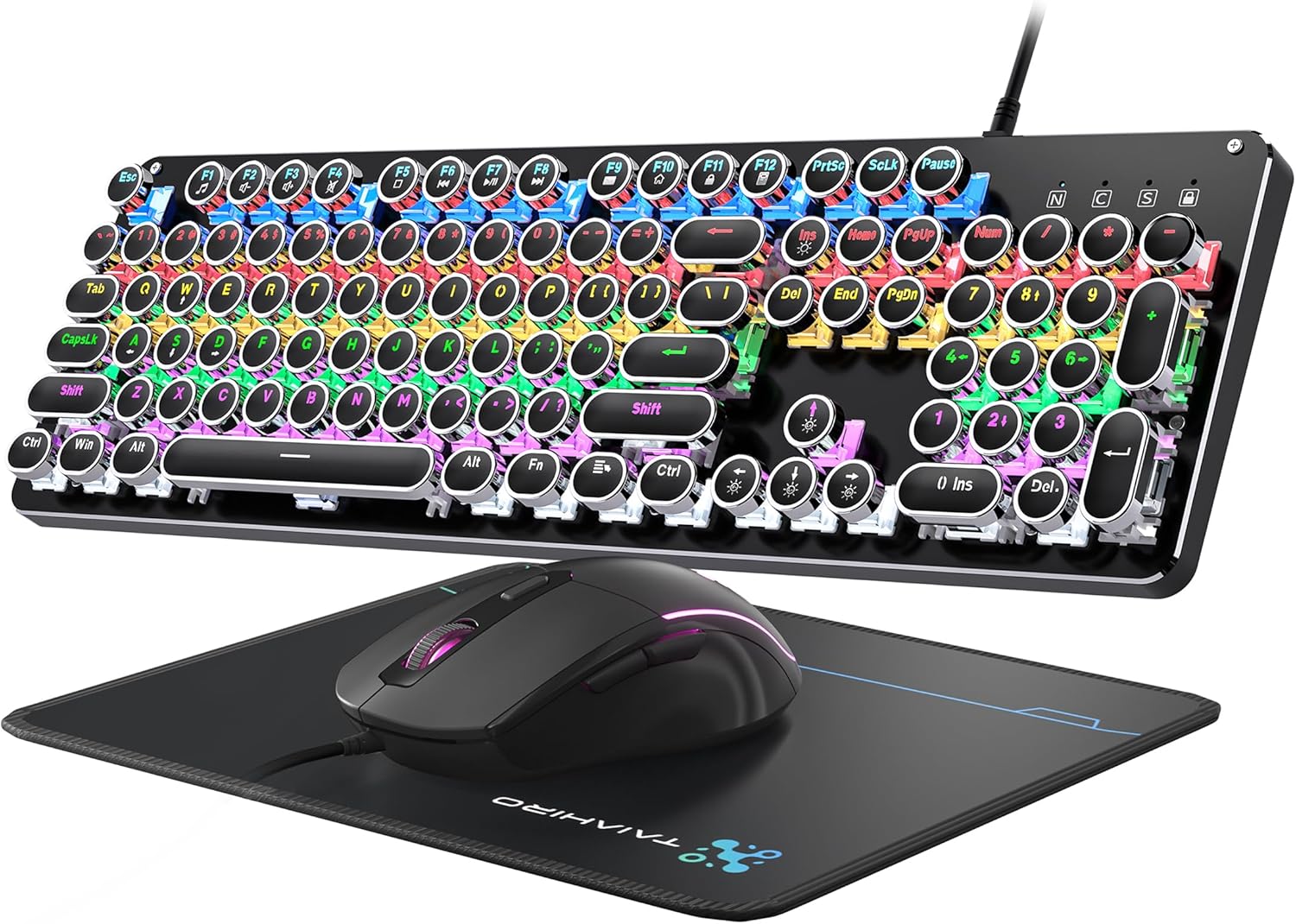
Figure 1: Taiahiro BK820 Typewriter Mechanical Gaming Keyboard and Mouse Combo.
2. Conținutul pachetului
The Taiahiro BK820 combo includes the following items:
- Tastatură mecanică pentru mașină de scris
- Mouse pentru jocuri cu fir
- Mouse Pad
3. Caracteristicile produsului
The Taiahiro BK820 combo is equipped with several features to enhance your user experience:
- Typewriter Mechanical Keyboard and Mouse Set: Features mechanical blue switches, durable round keycaps, and an adjustable DPI optical mouse. Offers speed, accuracy, and comfort with a crisp click sound and precise tactile feedback.
- Metal Panel & Top Quality: The mechanical gaming keyboard is constructed from top-grade aluminum alloy with a matte finish. Double-shot-molded ABS keycaps are wear-resistant, non-fading, and removable for easy cleaning.
- 7 Colors Breathing RGB Gaming Mouse: Wired gaming mouse with a high-precision optical sensor and super-fast game engine. Features 4 Adjustable DPI Levels (800/1600/2400/3200), RGB backlighting, an anti-skid scroll wheel, and 7-color lighting with breathing and cycling effects.
- 104-Key Anti-Ghost Ergonomic Keyboard: 104 anti-ghosting keys for fast response. Full-size keyboard includes 12 multimedia keys and a number pad. Ergonomically designed with a high-low key layout, suspended round keys, and adjustable double kickstand feet to reduce hand fatigue.
- 11 Modes RGB Backlighting: Keyboard features 4-color RGB backlighting with 11 different lighting modes. Double-shot injection molded keycaps ensure clear backlight and extreme durability. Brightness and breathing speed are adjustable.
- Wide Compatible: USB 2.0 plug-and-play connection. Compatible with PC, laptop, Mac, and other devices, supporting Windows, Linux, and Mac OS systems.
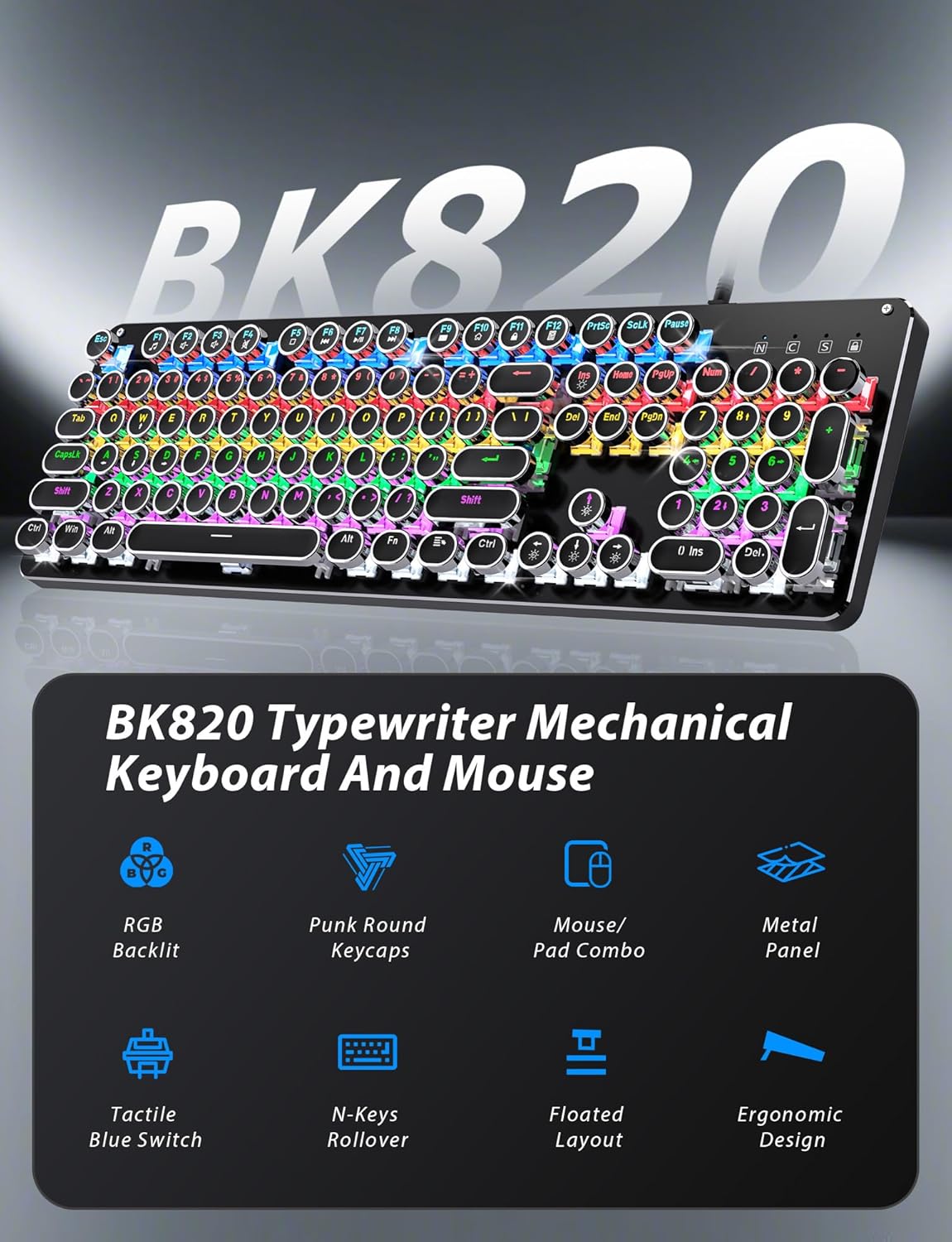
Figure 2: Key features of the Taiahiro BK820 combo.
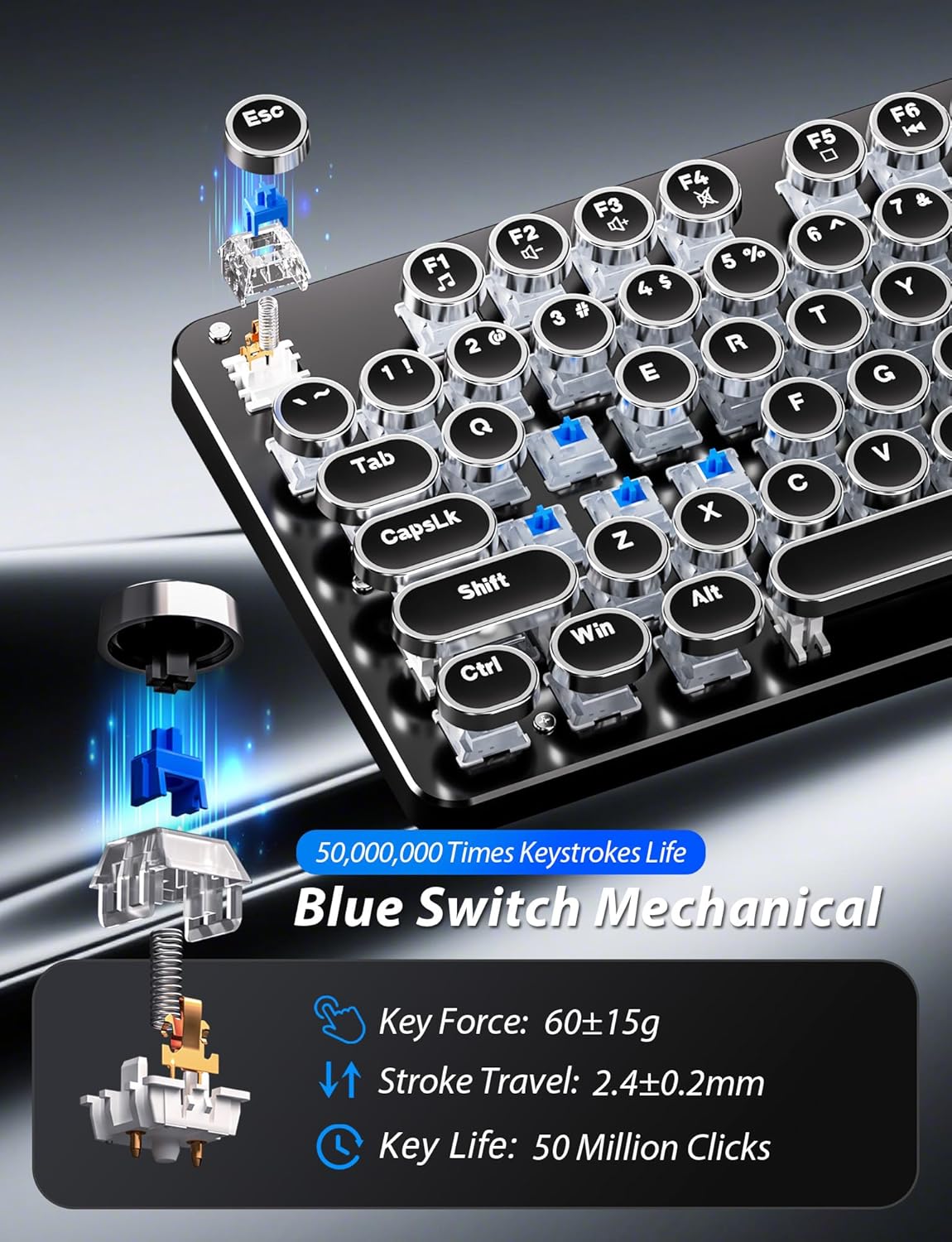
Figura 3: Detaliat view of the mechanical blue switches.
4. Instrucțiuni de configurare
- Conectați tastatura: Plug the keyboard's USB cable into an available USB 2.0 port on your computer. The keyboard is plug-and-play and should be recognized automatically by your operating system.
- Conectați mouse-ul: Plug the mouse's USB cable into another available USB 2.0 port on your computer. The mouse is also plug-and-play.
- Ajustați unghiul tastaturii: Flip the keyboard over. Extend the adjustable double kickstand feet located on the underside of the keyboard to achieve your preferred typing angle.
- Atașarea suportului pentru încheietura mâinii (opțional): The keyboard features a magnetic wrist rest. Align the wrist rest with the front edge of the keyboard until it snaps into place.
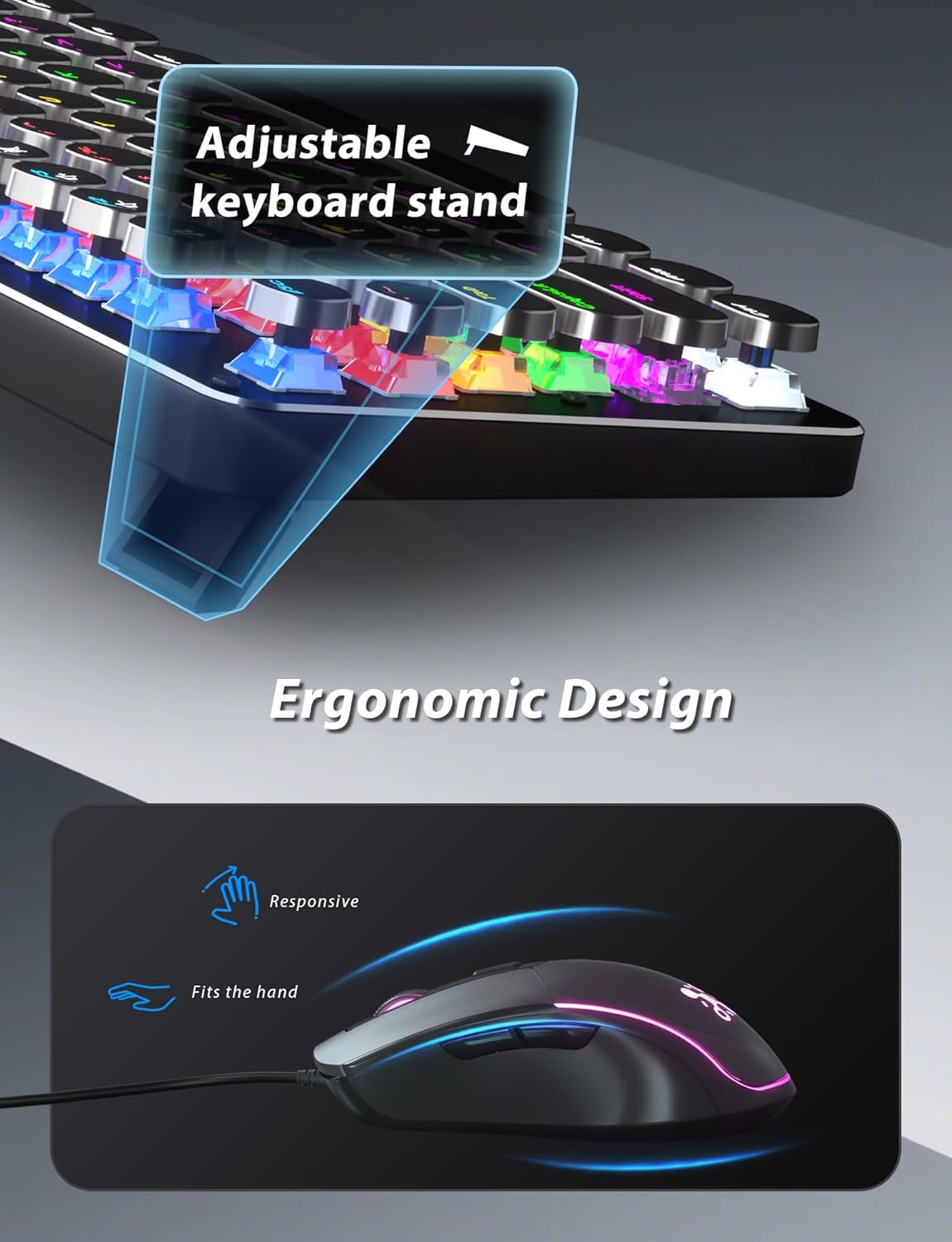
Figure 4: Adjustable keyboard stand for ergonomic comfort.
5. Instrucțiuni de utilizare
5.1 Funcțiile tastaturii
- RGB Backlight Modes: Presa Fn + INS to cycle through 11 different RGB backlight modes.
- Reglați luminozitatea luminii de fundal: Presa Fn + ↑ (Săgeată sus) pentru a crește luminozitatea sau Fn + ↓ (Săgeată în jos) pentru a reduce luminozitatea.
- Reglați viteza luminii de fundal: Presa Fn + ← (Săgeată stânga) to decrease animation speed or Fn + → (Săgeată dreapta) to increase animation speed for dynamic lighting modes.
- Moduri de joc: The keyboard offers 6 preset gaming modes. Press Fn + F1 prin Fn + F6 to activate specific key lighting for different game types.
- Taste multimedia: Utilizați Fn cheie în combinație cu F1-F12 keys for various multimedia controls (e.g., volume, play/pause, calculator).
- Blocare taste Windows: Presa Fn + Win pentru a bloca sau debloca tasta Windows, prevenind apăsările accidentale în timpul jocurilor.

Figure 5: Keyboard RGB backlight controls.
5.2 Funcțiile mouse-ului
- Ajustare DPI: Press the DPI button located on the top of the mouse to cycle through 4 adjustable DPI levels (800/1600/2400/3200).
- Iluminare RGB: The mouse features 7-color breathing and cycling RGB lighting that changes automatically.
- Butoane Înainte/Înapoi: Folosește butoanele laterale pentru navigare rapidă în web browsere sau alte aplicații.

Figure 6: Taiahiro BK820 Gaming Mouse with RGB lighting and DPI button.
5.3 Videoclipuri oficiale ale produselor
Video 1: Acest videoclip oferă o prezentare generalăview of the 104-Key Retro Typewriter Mechanical Gaming Keyboard and Mouse combo, showcasindesignul și caracteristicile sale.
Video 2: This video demonstrates the unboxing experience of the BK820 Typewriter Mechanical Keyboard and Mouse, showing the contents as they are removed from the packaging.
Video 3: This video introduces the Typewriter Mechanical Keyboard and Mouse Combo, highlighting its design and functionality.
6. Întreținere
Pentru a asigura longevitatea și performanța optimă a tastaturii și mouse-ului:
- Curățarea tastelor: The double-shot-molded ABS keycaps are removable. Gently pull them off to clean any dust or debris underneath. Use a soft, damp cloth to wipe the keycaps and the keyboard surface. Ensure all parts are dry before reattaching keycaps.
- Mouse Cleaning: Use a soft, dry cloth to clean the mouse surface. Avoid using harsh chemicals or abrasive materials.
7. Depanare
- Tastatura sau mouse-ul nu răspund: Ensure both the keyboard and mouse USB cables are securely plugged into your computer's USB ports. Try plugging them into different USB ports.
- Backlight Not Working/Adjusting: Verify that the keyboard is powered on. Use Fn + INS pentru a comuta între moduri. Ajustați luminozitatea cu Fn + ↑/↓ and speed with Fn + ←/→.
- Windows Key Disabled: If the Windows key is not functioning, it might be locked. Press Fn + Win to toggle its lock status.
- DPI-ul mouse-ului nu se modifică: Press the dedicated DPI button on the mouse to cycle through the available sensitivity settings.
8. Specificații
| Marca | Taiahiro |
| Numărul de model | BK820 |
| Culoare | Negru |
| Tehnologia de conectivitate | USB |
| Caracteristica specială | Iluminat din spate |
| Dispozitive compatibile | PC, Laptop, Mac |
| Greutatea articolului | 2.51 lire sterline |
| Dimensiuni pachet | 17.8 x 6.42 x 3.03 inci |
9. Garanție și asistență
For warranty information, technical support, or any inquiries regarding your Taiahiro BK820 Typewriter Mechanical Gaming Keyboard and Mouse Combo, please refer to the manufacturer's official website-ul lor web sau contactați direct serviciul lor de asistență pentru clienți. Păstrați bonul fiscal pentru reclamații în garanție.