
NLP200 127780C250059
Manual de utilizare pentru telecomandă de schimb
For Richmat Adjustable Bed Bases
Produs terminatview
This manual provides instructions for the replacement remote control designed for specific Richmat adjustable bed bases. This remote is intended to replace a lost or damaged original remote and is not a universal remote. It is crucial to verify compatibility with your existing control box before use.

Imagine: față view of the replacement remote control. This image displays the remote's six buttons: Head Up, Head Down, Foot Up, Foot Down, Memory (M), and Flat.
Compatibilitate și note importante
This replacement remote control is specifically designed to work with certain Richmat control boxes. It is not a universal remote. To ensure proper functionality, your existing control box must be one of the compatible models, such as Richmat NL200U 127780C180169 (Item No.: HJC18) or HJC9. Additionally, your old remote must have an identical button layout to this replacement remote for successful pairing.
Nota: Batteries are not included with this remote. It requires 2 AAA batteries.
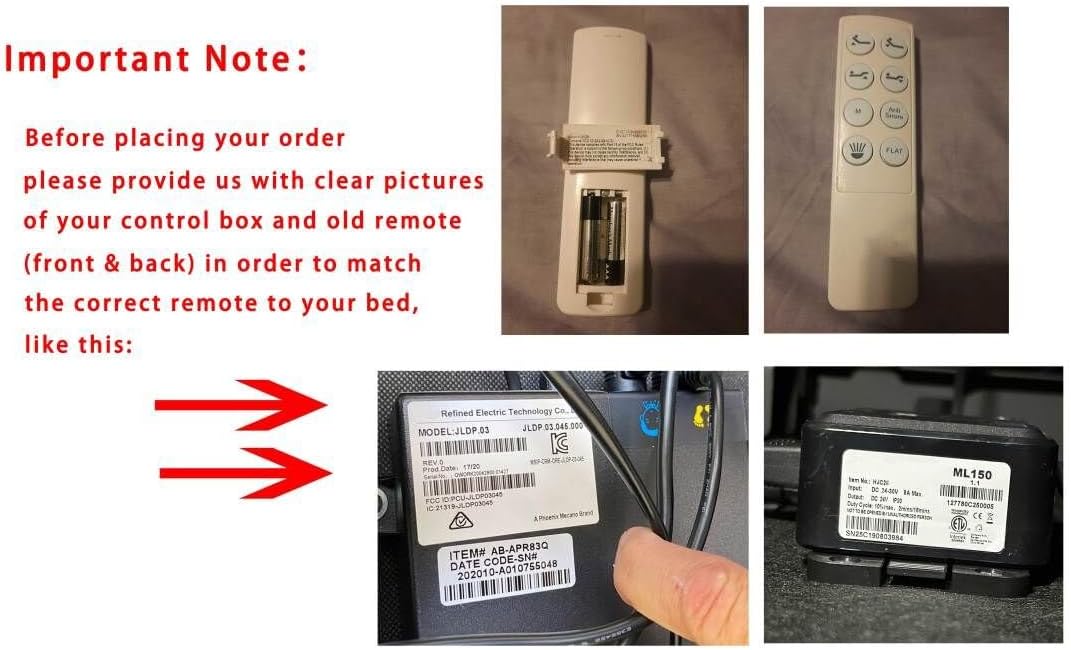
Image: This composite image shows the front and back of the remote control, including its battery compartment. It also displays close-up views of Richmat control box labels, highlighting model numbers like JLDP.03 and ML150, which are crucial for compatibility verification.
Instrucțiuni de configurare și asociere
Follow these steps carefully to pair your new replacement remote control with your Richmat adjustable bed base control box.
- Pregătiți baza patului: Unplug the adjustable bed base from the power outlet. Wait for at least 5 seconds, then plug it back into the outlet.
- Locate Control Box Reset Button: Locate the control box under the bed. Double-click the "reset" button on the control box twice. This button may be labeled "Learn" or "Reset Coding". Do not press and hold; simply press and release quickly.
- Initiate Remote Pairing: On the remote control, simultaneously press and hold the "head up" button and the "foot up" button for 10 seconds.
- Împerechere completă: While still holding the two buttons on the remote, press the "reset" or "Learn" button on the control box once. You should hear beeps, indicating that the remote is successfully synced.
Important Pairing Notes:
- Pairing must be completed within 15 seconds of initiating the process (after double-clicking the reset button on the control box). If 15 seconds pass, you must unplug the power again and restart from Step 1.
- Ensure the indicator light on the control box is on when attempting to pair, as it will go out if not paired within 15 seconds.
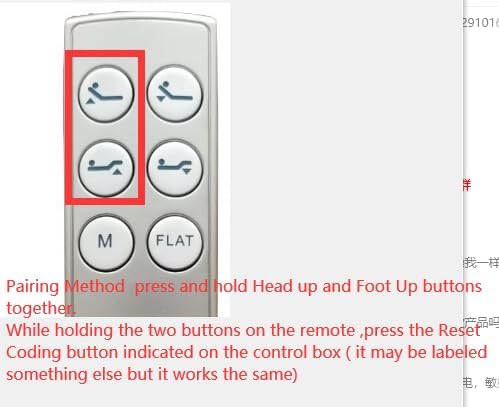
Image: This image highlights the "Head Up" and "Foot Up" buttons on the remote control, indicating which buttons to press simultaneously during the pairing process.
Instrucțiuni de operare
Once paired, the remote control allows you to adjust your Richmat adjustable bed base. The remote features six distinct buttons:
- Head Up: Ridică secțiunea capului patului.
- Head Down: Lowers the head section of the bed.
- Foot Up: Ridică secțiunea piciorului patului.
- Foot Down: Lowers the foot section of the bed.
- M (Memorie): Activates a pre-set memory position. (Functionality depends on your bed base model).
- PLAT: Readuce patul într-o poziție complet plată.
Press and hold the desired button to move the bed section. Release the button when the desired position is reached.
Întreţinere
Înlocuirea bateriei
The remote control requires 2 AAA batteries. When the remote's performance degrades or it stops responding, it is likely time to replace the batteries.
- Localizați capacul compartimentului bateriei de pe spatele telecomenzii.
- Deschideți capacul.
- Scoateți bateriile AAA vechi.
- Insert two new AAA batteries, ensuring correct polarity (+ and -).
- Glisați capacul compartimentului bateriei la loc până când se aude un clic.
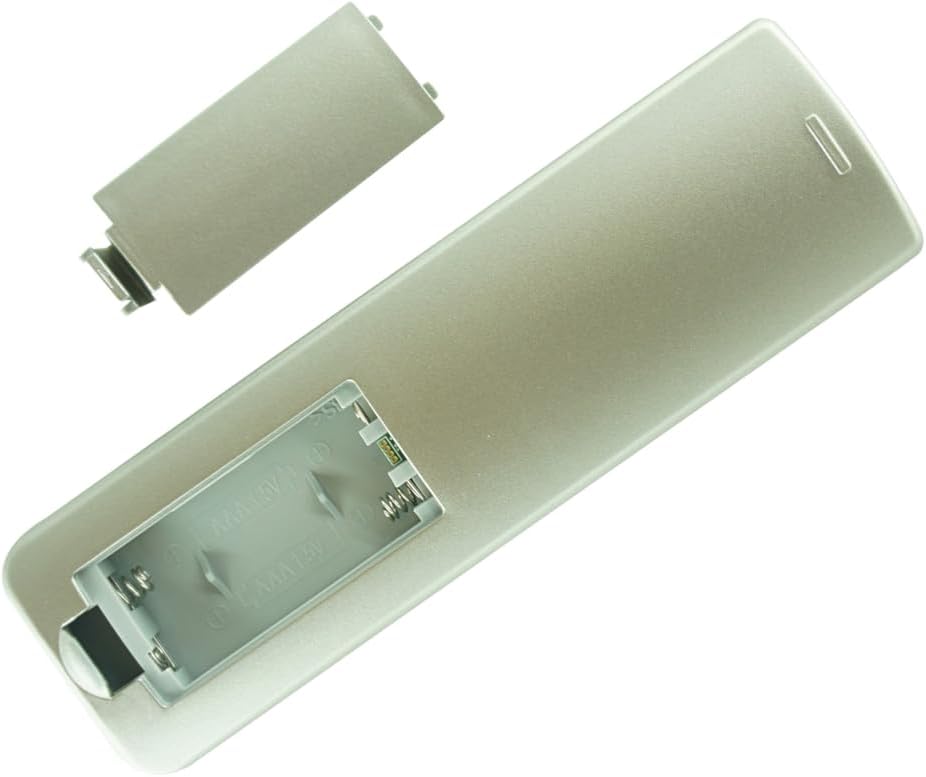
Imagine: Spate view of the remote control with the battery compartment cover removed, showing the slots for two AAA batteries.
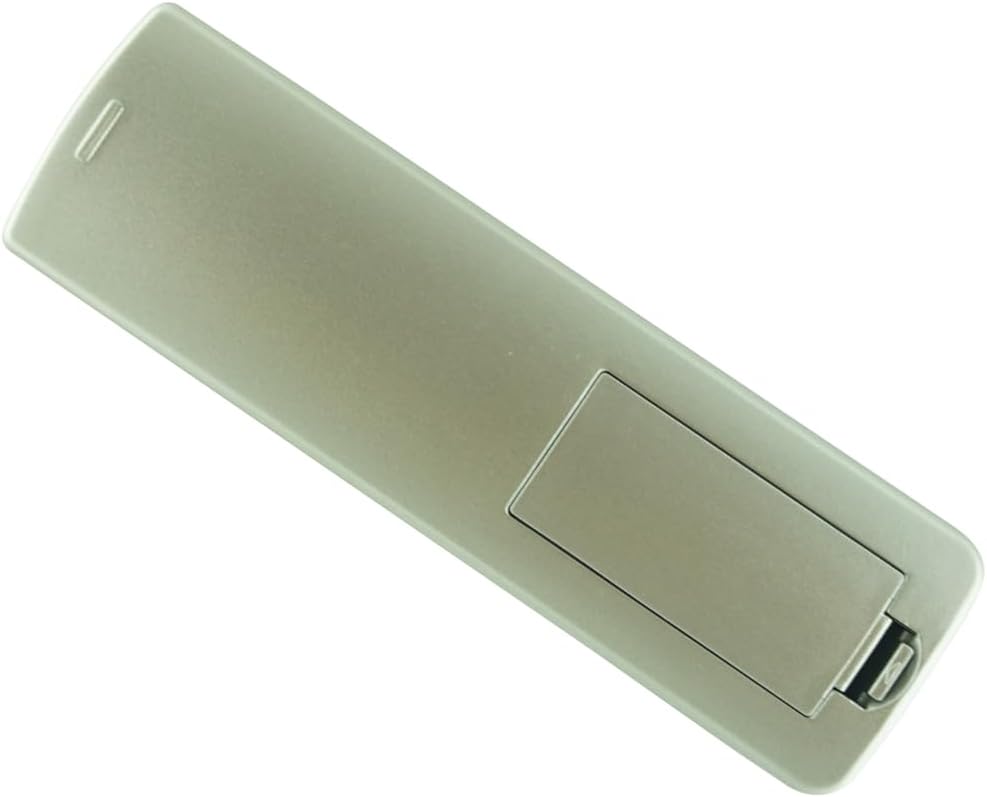
Imagine: Spate view of the remote control with the battery compartment cover securely closed.
Depanare
| Problemă | Cauza posibila | Soluţie |
|---|---|---|
| Telecomanda nu răspunde. |
|
|
| Patul se mișcă neregulat sau nu așa cum era de așteptat. |
|
|
| Pairing fails repeatedly. |
|
|
Specificații
- Tip produs: Telecomanda de schimb
- Dispozitive compatibile: Richmat Adjustable Bed Bases (Specific models: NL200U 127780C180169, Item No.: HJC18, HJC9 control boxes)
- Sursa de alimentare: 2 x baterii AAA (nu sunt incluse)
- Culoare: White (as depicted in product images)
- Numărul maxim de dispozitive acceptate: 1 (per telecomandă)
Garanție și suport
For warranty information or technical support regarding this replacement remote control, please refer to the seller's policies on the original purchase platform. It is recommended to retain your purchase receipt for any warranty claims.
For issues related to your Richmat adjustable bed base itself, please contact the manufacturer of your bed base directly.
Ask a question about this manual
Ask about setup, troubleshooting, compatibility, parts, safety, or missing instructions. Manuals+ will review the question and use this page’s manual context to help answer it.