
1. Introducere
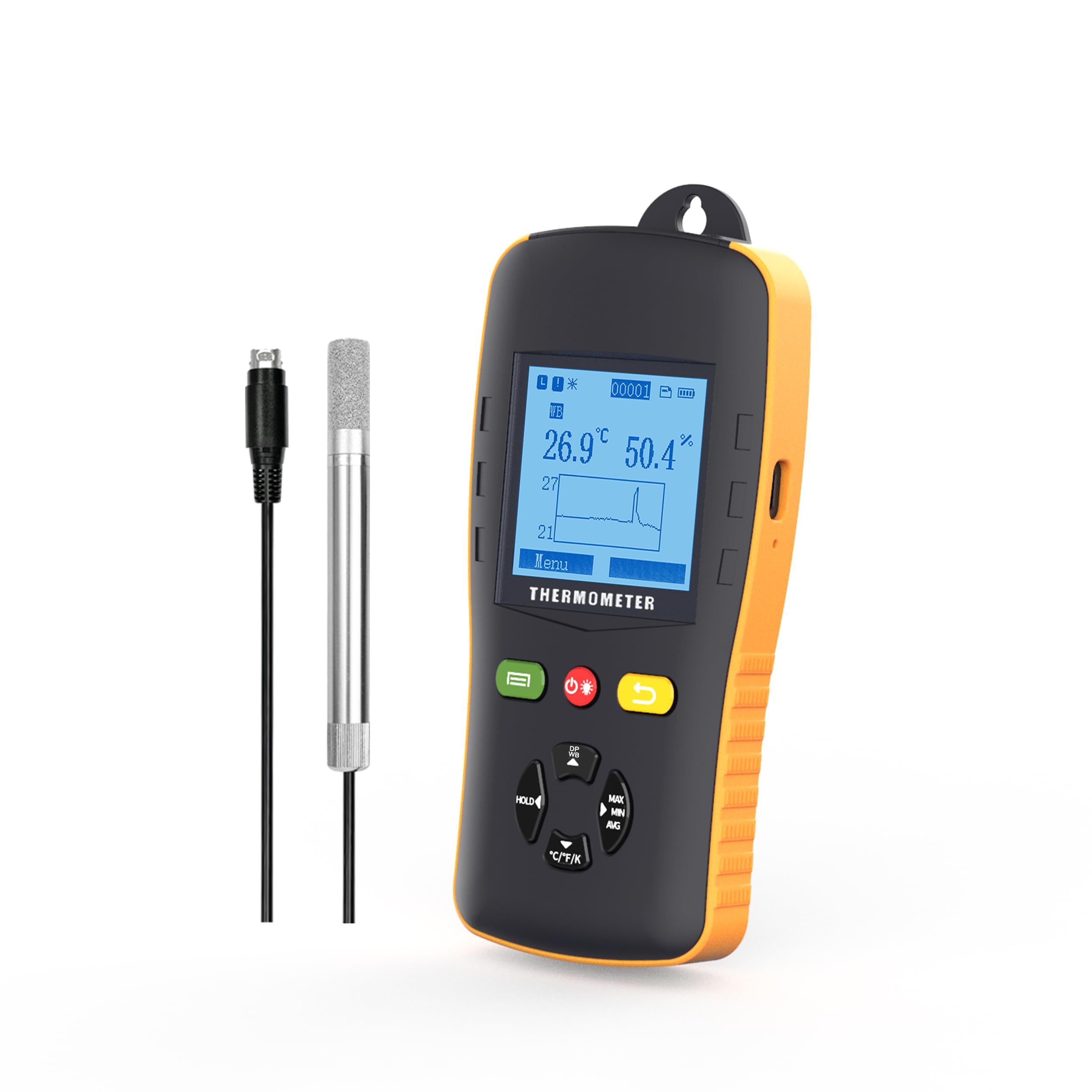
The Tzone HTD701 is a digital temperature and humidity data logger designed for precise environmental monitoring. It simultaneously measures and records ambient temperature, dew point, wet bulb temperature, and relative humidity. Featuring a USB interface for automatic report generation and an intuitive display, it is suitable for various applications including laboratories, HVAC systems, greenhouses, and freezers.
2. Conținutul pachetului

Verificați dacă toate articolele sunt prezente în colet:
- 1 x Tzone HTD701 Temperature and Humidity Data Logger
- 1 x Temperature and Humidity Probe
- 1 x cablu USB tip C
- 1 x Manual de utilizare
- 1 x certificat de calibrare
- 1 x Cutie de depozitare portabilă
This image displays the complete contents of the Tzone HTD701 package, including the main data logger unit, the external temperature and humidity probe, a USB-C cable for data transfer, the user manual, a calibration certificate, and a protective portable box.
3. Produs terminatview

The HTD701 features an intuitive design with clearly labeled components for ease of use:
- Ecran LCD: Shows current readings, settings, and data trends.
- ON/OFF/Backlight Key: Powers the device on/off and controls screen backlight.
- Tasta Înapoi: Navigates back through menus.
- Tasta multifunctionala: Used for various menu selections and confirmations.
- Păstrarea datelor: Freezes the current display readings.
- Max/Min/Avg Value: Displays maximum, minimum, and average recorded values.
- Temp Unit Switch: Toggles between °C, °F, and K temperature units.
- Cutie baterie: Houses the 3 AA batteries.
- Temp & RH Probe: External sensor for temperature and relative humidity measurements.
- Port USB: For data transfer and power supply.
Această imagine oferă o imagine detaliată view of the Tzone HTD701 data logger, highlighting its various buttons, the LCD screen, the external temperature and humidity probe, and other key features. Dimensions are also indicated.
4. Caracteristici
- Simultaneous Measurement: Records ambient temperature (-40°C to 125°C), dew point (-40°C to 80°C), wet bulb temperature (-40°C to 80°C), and relative humidity (0 to 100% RH).
- Automatic Report Generation: Connect via USB to automatically generate TXT/CSV/XLS/PDF data reports without requiring special software.
- Large Data Capacity: Stores up to 49,920 groups of data.
- Parametri reglabili: Easily set temperature and humidity alarm ranges, auto-off mode, backlight time, and logging intervals.
- Alarme sonore: Audible alerts when temperature or humidity exceeds set limits.
- Afișaj cu iluminare de fundal: Asigură o lizibilitate clară în condiții de lumină slabă.
- Design umanizat: Anti-slip and anti-collision casing, foldable stand, and hanging design for versatile placement.
- Comutarea unității de temperatură: Supports °C, °F, and K units.

This image illustrates the multi-functional aspects of the data logger, including data hold, auto-off, low power consumption, LCD display, and backlight.

This image highlights the user-friendly design elements such as replaceable batteries, USB power option, a flexible stand, and a hanging feature.
5. Configurare și instalare
- Instalare baterie: Open the battery compartment on the back of the device and insert 3 AA batteries, ensuring correct polarity.
- Conexiunea sondei: Connect the temperature and humidity probe to the designated port on the top of the data logger. Ensure a secure connection.
- Pornire: Press the ON/OFF button to power on the device. The LCD screen will illuminate.
- Plasarea inițială: Place the data logger in the desired monitoring location. Utilize the foldable stand for desktop use or the hanging design for elevated placement.
- Amplasarea sondei: Carefully place the temperature and humidity probe within the area where measurements are to be taken. Ensure the probe is not obstructed and has adequate air circulation.
This video demonstrates the unboxing and initial setup of the Tzone HTD701 data logger, showing how to connect the probe and power on the device.
This video provides a visual guide on connecting the external probe and placing it in a measurement environment, such as a freezer, for data recording.
6. Funcționare
- Viewing Current Data: Upon powering on, the LCD will display current temperature, humidity, and a graph of recent data.
- Comutarea modurilor de afișare: Use the navigation buttons to cycle through different display modes, including dew point and wet bulb temperature readings.
- Păstrarea datelor: Press the 'HOLD' button to freeze the current readings on the screen. Press again to release.
- Max/Min/Avg: Press the 'MAX/MIN/AVG' button to view the maximum, minimum, and average recorded values.
- Comutator de unitate de temperatură: Press the '°C/°F/K' button to change the temperature unit between Celsius, Fahrenheit, and Kelvin.

This image shows the Tzone HTD701 data logger actively monitoring and displaying temperature and humidity data, along with a graphical representation of the trends.
7. Înregistrarea și raportarea datelor
- Setting Logging Parameters: Navigate to the 'Logging' menu to set the logging interval, start time, and file format (TXT, CSV, XLS, PDF).
- Starting Logging: Select 'Start Logging' from the menu to begin recording data. The device will log data at the set interval.
- Stopping Logging: To stop logging, navigate back to the 'Logging' menu and select 'Stop Logging'. Confirm your choice.
- Transfer de date: Connect the data logger to a computer using the provided USB Type-C cable. The device will automatically generate data reports in the selected format.
- Accessing Reports: The generated reports can be found as removable storage on your computer. No special software is required for report generation.
This image demonstrates the Tzone HTD701 data logger connected to a laptop, showcasing its ability to automatically generate data reports in various formats (TXT, CSV, XLS, PDF) without the need for additional software.
8. Alarms and Settings
- Accesarea setărilor: Navigate to the 'Menu' on the device and select 'Settings' to adjust various parameters.
- Setarea limitelor de alarmă: In the 'Alert' menu, set the upper and lower limits for temperature and humidity. If readings exceed these limits, an audible alarm will sound.
- Auto-Off Mode: Configure the auto-off duration to conserve battery life.
- Timp de iluminare de fundal: Adjust the duration for which the screen backlight remains active.
- Calibrare: The device comes with a calibration certificate. Refer to the 'Calibration' menu for any advanced calibration needs, if applicable.
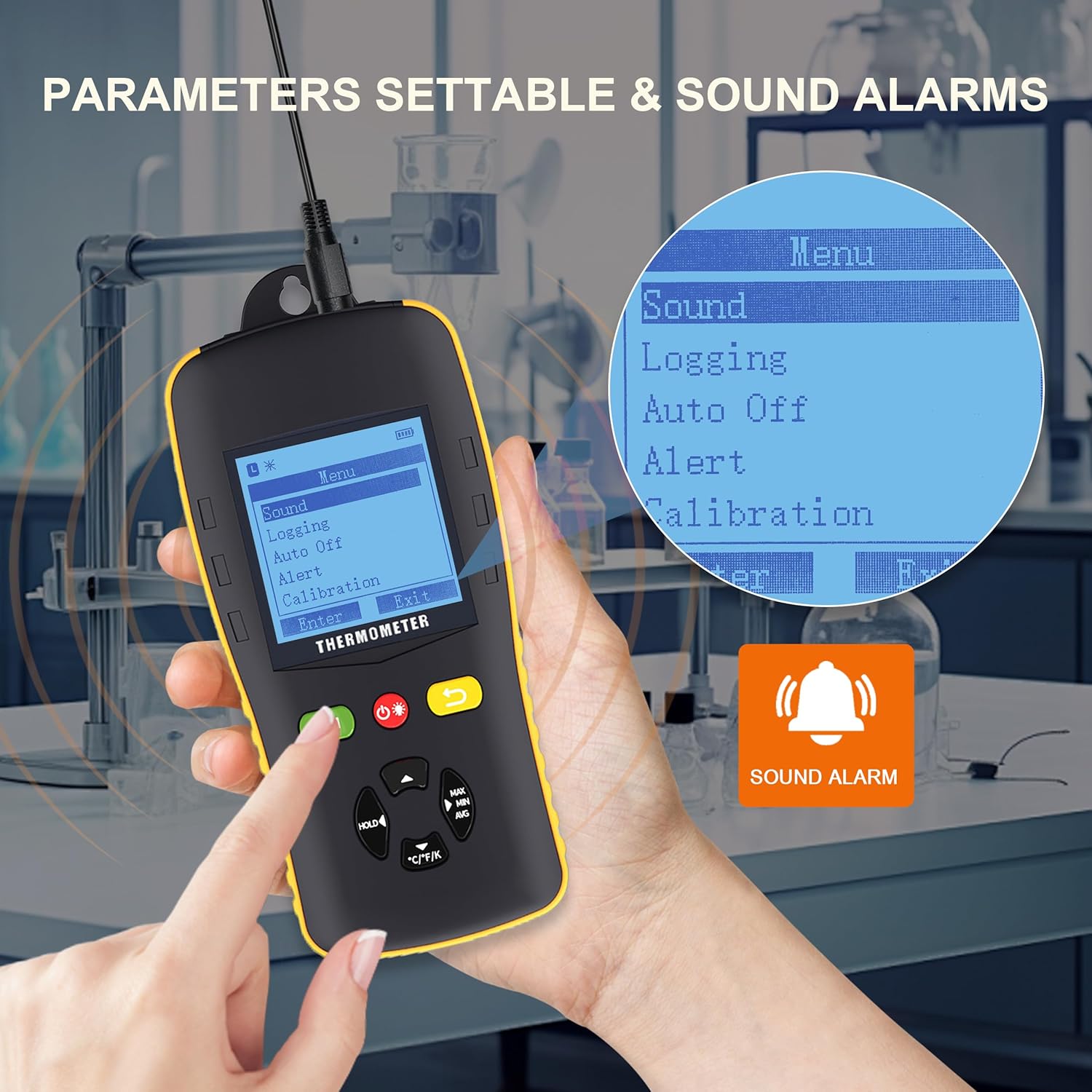
This image shows the Tzone HTD701 data logger's menu interface, illustrating how users can access and adjust various parameters such as sound settings, logging options, auto-off, alert thresholds, and calibration. A sound alarm icon is also visible.
9. Specificații
| Parametru | Valoare |
|---|---|
| Temperature Measurement Range (Environmental) | -40°C până la 125°C |
| Temperature Measurement Range (Dew Point) | -40°C până la 80°C |
| Temperature Measurement Range (Wet Bulb) | -40°C până la 80°C |
| Relative Humidity Measurement Range | 0 până la 100% RH |
| Unități de temperatură | °C / °F / K |
| Capacitate de stocare a datelor | 49,920 de grupuri |
| Rezoluţie | 0.1 |
| Rata de măsurare | 1 dată/secundă |
| Sursa de alimentare | 3 x 1.5V AA Batteries (included) |
| Conectivitate | USB tip C |
| Greutatea articolului | 2.35 lire sterline |
| Dimensiuni pachet | 10.83 x 8.82 x 3.11 inci |

This image visually summarizes the key technical specifications of the Tzone HTD701 data logger.
10. Întreținere
- curatenie: Ștergeți dispozitivul și sonda cu o lavetă moale și uscată. Nu utilizați produse de curățare abrazive sau solvenți.
- Înlocuire baterie: Replace batteries when the low battery indicator appears on the screen to ensure continuous operation and data integrity.
- Depozitare: When not in use for extended periods, remove the batteries and store the device in its portable box in a cool, dry place away from direct sunlight and extreme temperatures.
- Îngrijirea sondei: Handle the external probe with care. Avoid bending or damaging the cable and sensor tip.
11. Depanare
- Dispozitivul nu pornește:
- Verificați dacă bateriile sunt instalate corect și au o încărcare suficientă. Înlocuiți-le dacă este necesar.
- Citiri inexacte:
- Ensure the probe is clean and free from dust or debris.
- Verify the probe is securely connected to the main unit.
- Allow the device to stabilize in the measurement environment for a few minutes.
- Data Not Logging:
- Check logging settings to ensure a logging interval is set and logging has been initiated.
- Verify that the device has sufficient memory capacity.
- Probleme de conectare USB:
- Asigurați-vă că ați conectat corect cablul USB atât la dispozitiv, cât și la computer.
- Încercați un alt port USB pe computer.
- Alarma nu sună:
- Check the 'Alert' settings to ensure alarm limits are correctly configured and the alarm mode is enabled.
- Verify the device's volume settings.
12. Garanție și asistență
Tzone products are covered by a standard manufacturer's warranty. For specific warranty details, technical support, or service inquiries, please refer to the contact information provided in the product packaging or visit the official Tzone webPăstrați bonul fiscal ca dovadă a achiziției pentru reclamații în garanție.